
- Age rating4+
- CategoryUtilities
- DeveloperKUREHO
- LanguagesJapanese
- Size6.8 MB
Links to the official App Store page
Download.org hosts no file of おたよりカレンダー. The button opens its official App Store page, published by KUREHO. Listing last checked on Nov 18, 2026.
Screenshots


About
Organize school newsletters with your camera.
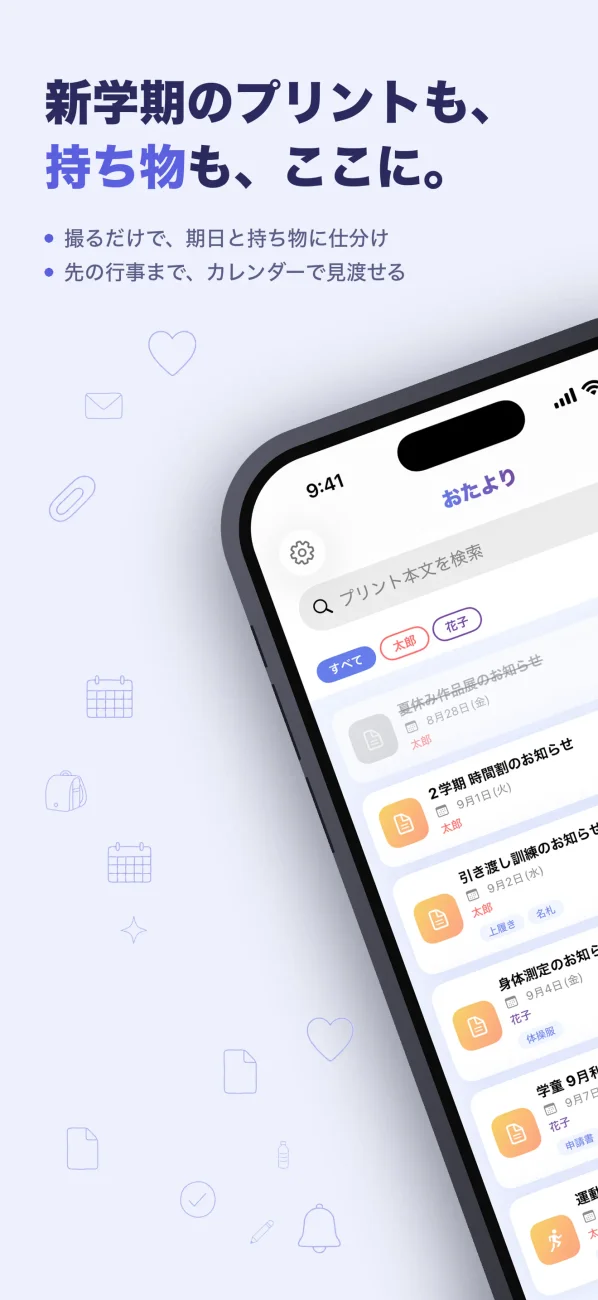
Just take a photo of a newsletter from school, nursery, or kindergarten — Otayori Calendar automatically extracts due dates and supplies, and puts them on your calendar.
The app's screens are in Japanese, and it reads handouts written in Japanese.
■ Main features
[Camera scan]
Snap a photo and the app extracts due dates and supplies automatically. No typing needed.
[Calendar view]
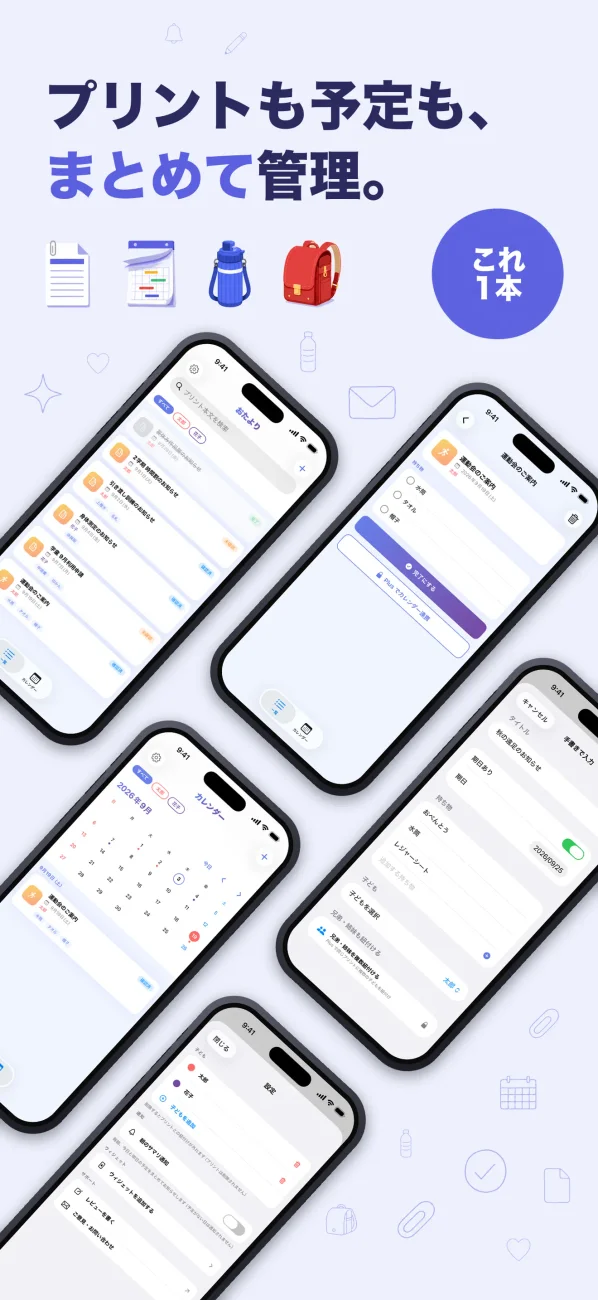
See this month's and next month's school events at a glance in a monthly calendar.
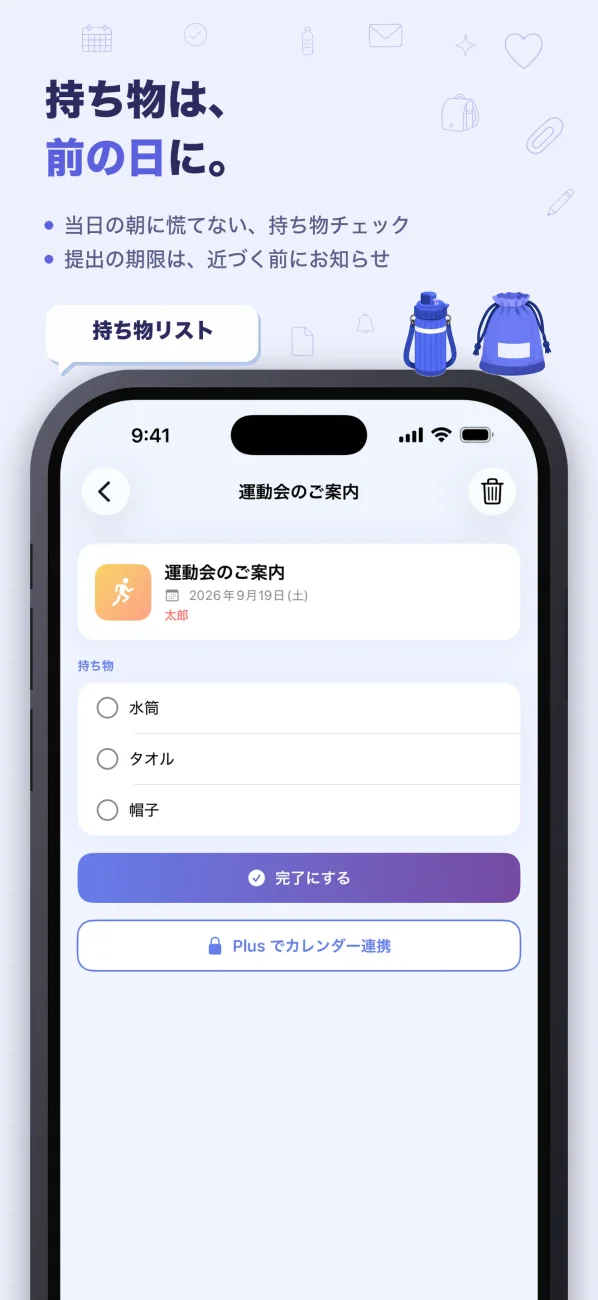
[Supplies checklist]
On the morning of the event, open the app and check items off one by one.
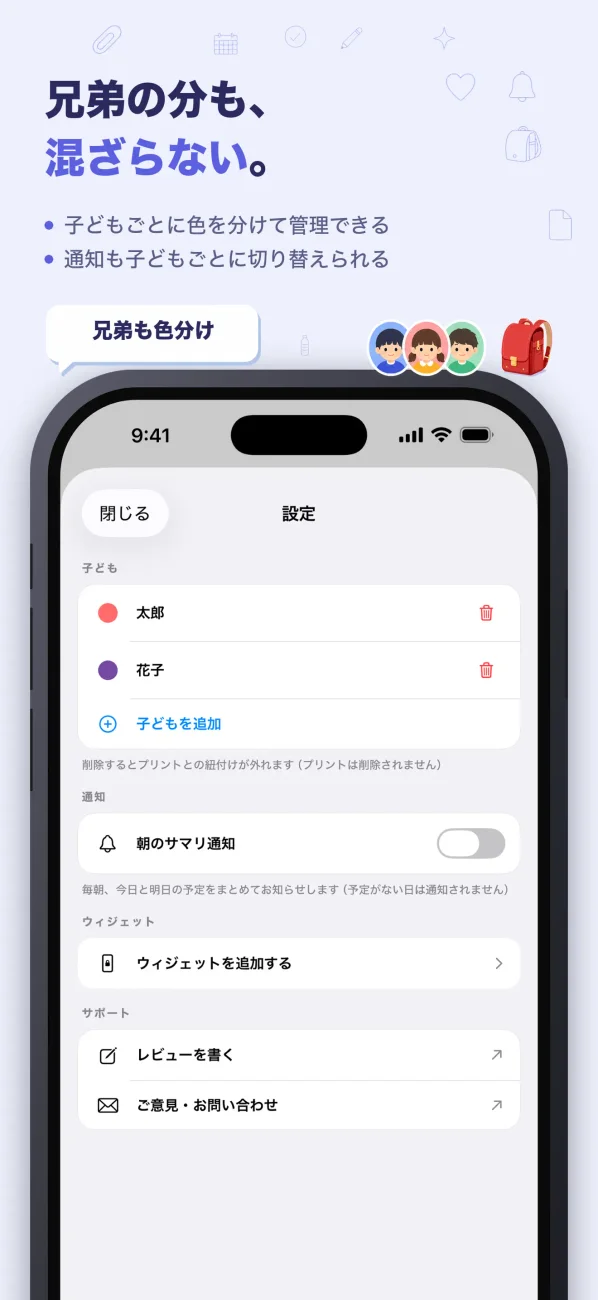
[Multiple children]
Assign a color to each child so you can tell whose newsletter it is instantly.
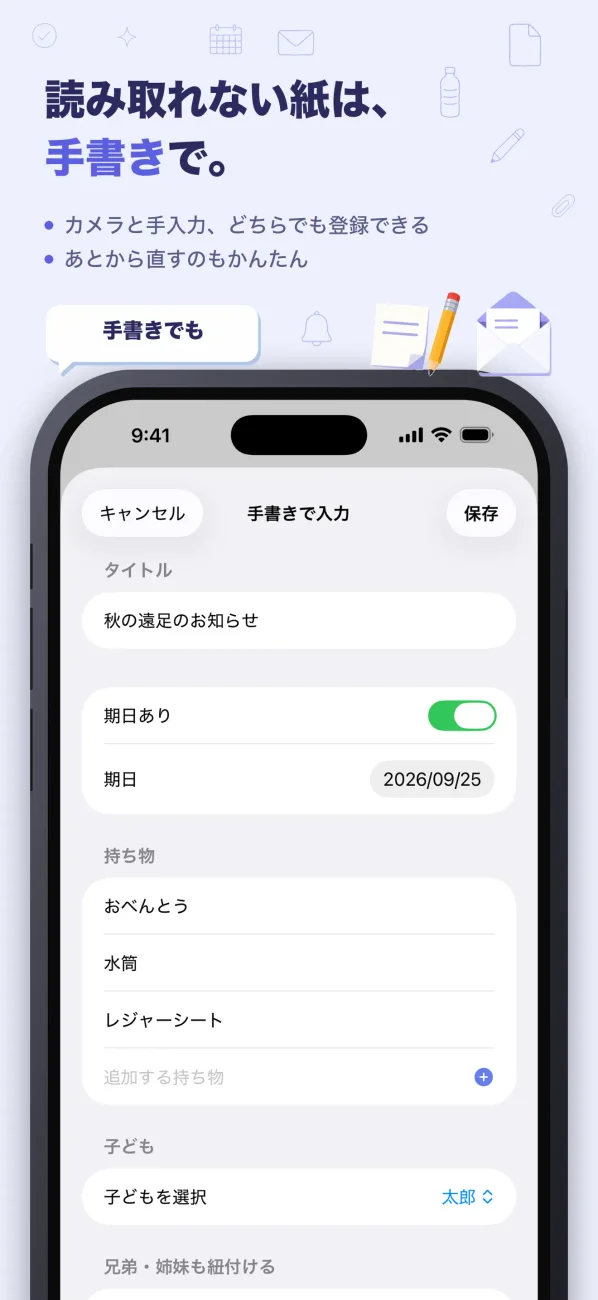
[Manual entry]
Add a title, due date, and supplies by hand when a photo isn't practical.
[Widgets]
See what's due today and tomorrow on your Home Screen and Lock Screen — without opening the app.
■ Privacy
Photo scanning and text recognition run entirely on your device. Your photos are never sent to us.
If you are signed in to iCloud, your saved newsletters (including photos) are also stored in your own iCloud and synced across your devices.
The app also connects to outside services in these cases:
· Family sharing: delivered to the people you share with via iCloud
· In-app purchases: Apple's App Store is used to load, buy, and restore purchases
· Ads: information required for ad delivery
■ Requirements
iOS 17.0 or later / iPhone
An in-app purchase is available to remove ads.
What’s new
Version 1.7.0 · Nov 4, 2026
- With Plus, adding a handout to your calendar now opens iPhone's New Event screen, where you can choose which calendar to use.
- You can now send a handout's title, due date, and supplies to other apps, or copy them, from the top right of the handout screen.
- Due-date reminders now also arrive on your iPhone for handouts you enter by hand and handouts your family adds.
- When you take two or more photos at once, the second and later pages are now kept too.
- The widget no longer shows a due time (such as 0:00) next to each title.
- Fixed issues where handouts could disappear or be added twice when saving failed.
- The list, calendar, and widget now load less when you have many photos.
- When you pick a child on the calendar, handouts with that child's sibling tag now appear too.
- The morning summary now reflects that day's handouts and isn't sent on days with nothing due.
App privacy
What KUREHO declares on the App Store about how this app handles data.
-
Data used to track you
May be used to track you across apps and websites owned by other companies.
- Identifiers
- Usage data
-
Data linked to you
May be collected and linked to your identity.
- User content
- Identifiers
- Usage data
- Diagnostics
-
Data not linked to you
May be collected but is not linked to your identity.
- Diagnostics
Privacy practices may vary, for example with the features you use or your age.
Information
- Seller
- KUREHO
- Category
- Utilities
- Version
- 1.7.0
- Updated
- Nov 4, 2026
- Released
- May 10, 2026
- Size
- 6.8 MB
- Requires
- iOS 17.0 or later
- Age rating
- 4+
- Price
- Free
- In-app purchases
- Yes
- Languages
- Japanese
- Copyright
- © 2026 KUREHO
You might also like
-
 プリント管理 - 学校・保育園のおたより整理Utilities
-
 パシャっと管理 - お便り・書類の整理スキャナーUtilities
-
 TificatAI reminders with voice input.
-
 Date Calculator - Days & AgeDays, time diff & adjust
-
 Otayori PocketOrganize handouts
-
 Just Full Screen CamJust Full Screen View
-
 SmaPri DriverUtilities
-
 Calki: Scanner CalculatorUnit & Currency Converter
-
 Tinker - Watch Face StudioBuild the Perfect Watch Face
-
 Personal Safety AlarmLoud Alarm with Flash & Alerts