- Age rating4+
- CategoryProductivity
- DeveloperWei Cheng Chen
- LanguagesTraditional Chinese
- Size2.3 MB
Links to the official App Store page
Download.org hosts no file of 語音鍵盤 - AI 順稿輸入法. The button opens its official App Store page, published by Wei Cheng Chen. Listing last checked on Nov 13, 2026.
Screenshots
About
The developer has not provided this text in your language.
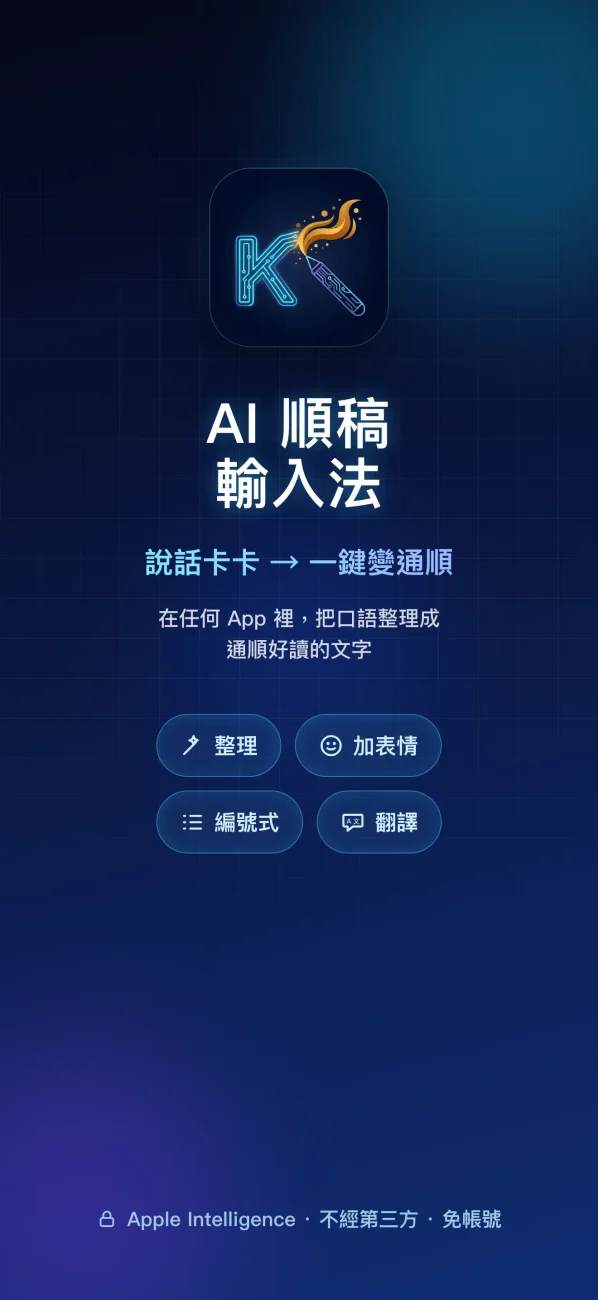
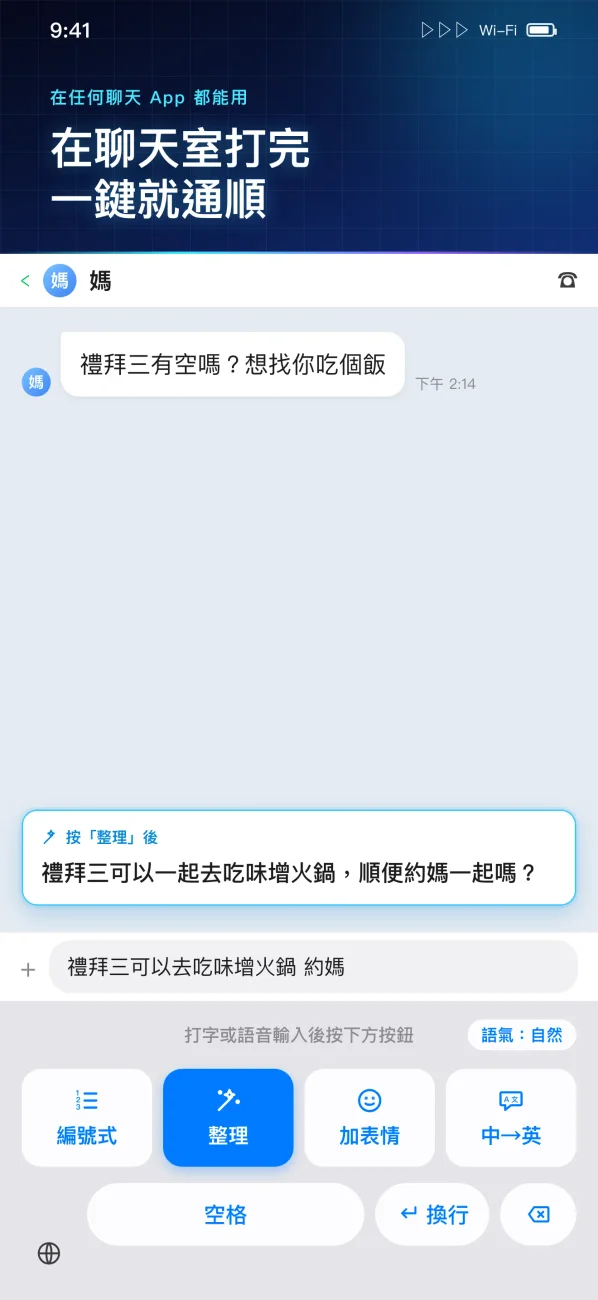
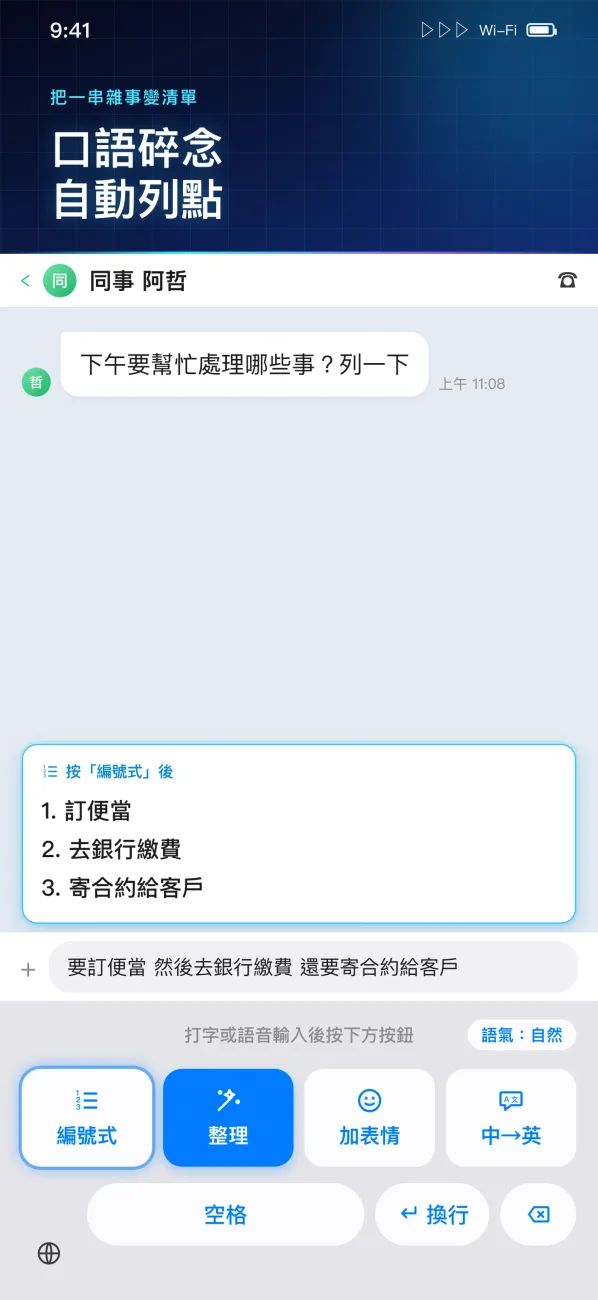
一款幫你「順稿」的 AI 鍵盤。把語音聽寫或隨手打出的零亂文字,一鍵整理成通順、完整、可直接送出的句子。
無論在 LINE、訊息、Mail、備忘錄或任何輸入框,都能直接在鍵盤上完成,不用跳到別的 App、不用複製貼上。
【四顆功能鍵,按一下就好】
• 整理:把口語、缺字、漏標點的句子,改寫成通順完整的文字
• 編號式:把一段話自動拆成 1. 2. 3. 條列重點
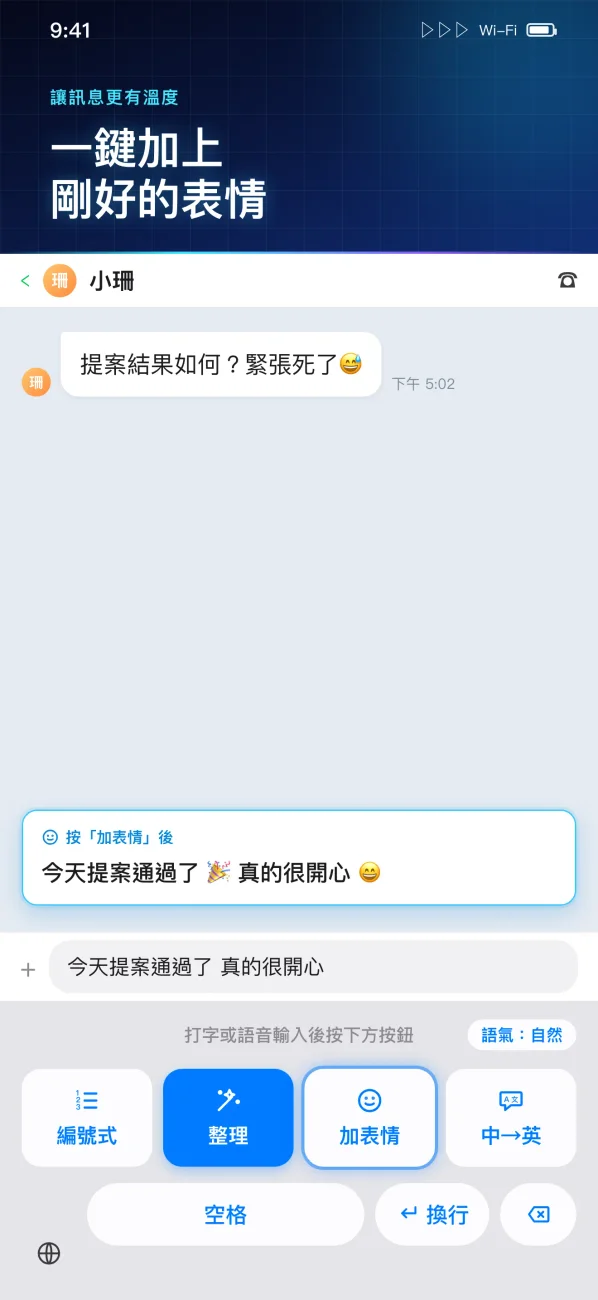
• 加表情:一個字都不改,依語意貼上合適的表情符號
• 翻譯:中→英、英→中,長按翻譯鍵切換方向
【照你的習慣來】
• 整理情境:自然/聊天/工作/貼文,鍵盤上一鍵切換口吻
• 個人詞庫:人名、公司名、產品名照你的寫法出現,不再被改成同音錯字
【隱私設計】
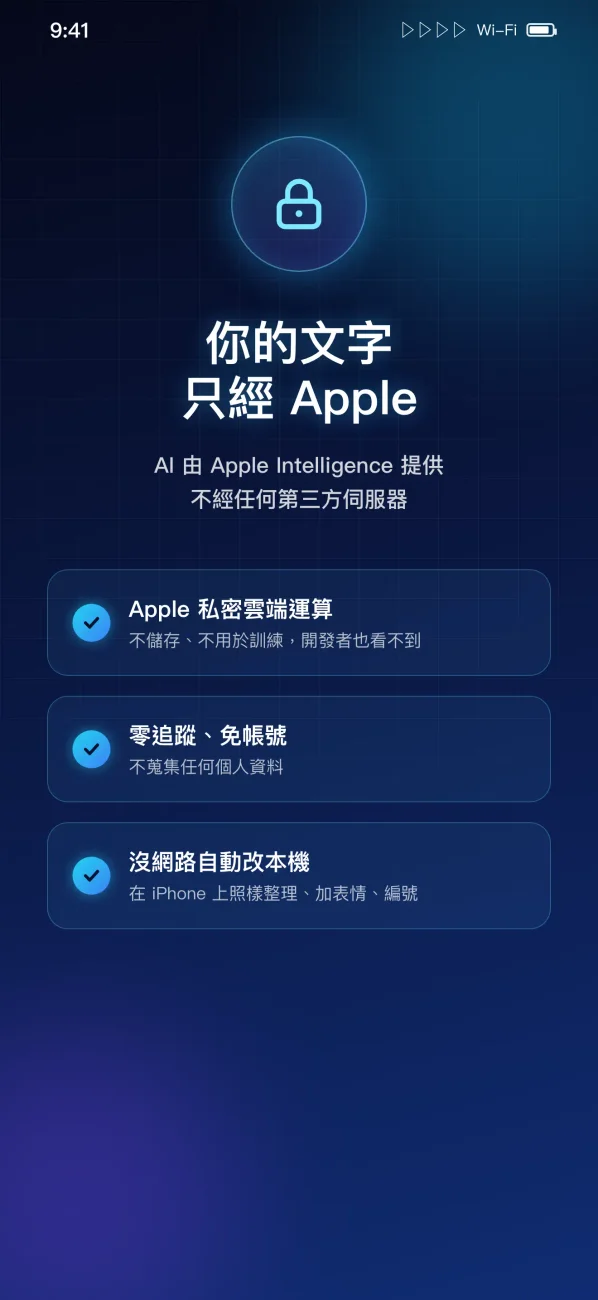
• AI 由 Apple Intelligence 提供:iOS 27 起透過 Apple 私密雲端運算(Private Cloud Compute)處理,Apple 不儲存、不用於訓練,開發者也看不到你的文字
• 沒有網路或雲端暫時無法使用時,自動改在 iPhone 本機處理
• 沒有帳號、不經任何第三方伺服器、不蒐集任何資料
【使用需求】
需要支援 Apple Intelligence 的 iPhone(iPhone 15 Pro/16 以上),並在「設定 → Apple Intelligence 與 Siri」中開啟。請在「設定 → 一般 → 鍵盤」加入本鍵盤;想讓詞庫與情境同步到鍵盤,請開啟「允許完整取用」(只用來同步設定,不記錄你打的字)。
What’s new
Version 1.0.2 · Oct 4, 2026
修正英翻中有時只翻一部分、留下整段英文的問題。現在沒翻完會自動重翻,確保整段都翻成中文。
App privacy
What Wei Cheng Chen declares on the App Store about how this app handles data.
-
Data not collected
The developer does not collect any data from this app.
Privacy practices may vary, for example with the features you use or your age.
Information
- Seller
- Wei Cheng Chen
- Category
- Productivity
- Version
- 1.0.2
- Updated
- Oct 4, 2026
- Released
- Jun 22, 2026
- Size
- 2.3 MB
- Requires
- iOS 26.0 or later
- Age rating
- 4+
- Languages
- Traditional Chinese
- Copyright
- © 2026 INTVZ 誠創未來
You might also like
-
 KIAO Voice - 語音輸入、逐字稿、會議記錄、字幕Productivity
-
 Catch: AI Writing KeyboardSmart Reply & Polish Keyboard
-
 Nexus universal calculatorSmart Calculator with History
-
 KeycoBoard: AI Voice KeyboardDictate & Rewrite in Any Style
-
 NoteOS: Voice Notes & TasksAI To-Do & Habit Tracker
-
 中華電信預付卡Productivity
-
 遠雄人壽Productivity
-
 CubeLV: Let AI Build Your TeamAI designs your automated team
-
 AR鲁班尺Productivity