
Omoidase - Read Later with AI
Find saves with vague words
Designed for iPhone
Free · In-app purchases
- Age rating4+
- CategoryProductivity
- DeveloperKyogo Hiramatsu
- LanguagesJapanese
- Size6.0 MB
Links to the official App Store page
Download.org hosts no file of Omoidase - Read Later with AI. The button opens its official App Store page, published by Kyogo Hiramatsu. Listing last checked on Nov 28, 2026.
Screenshots


About
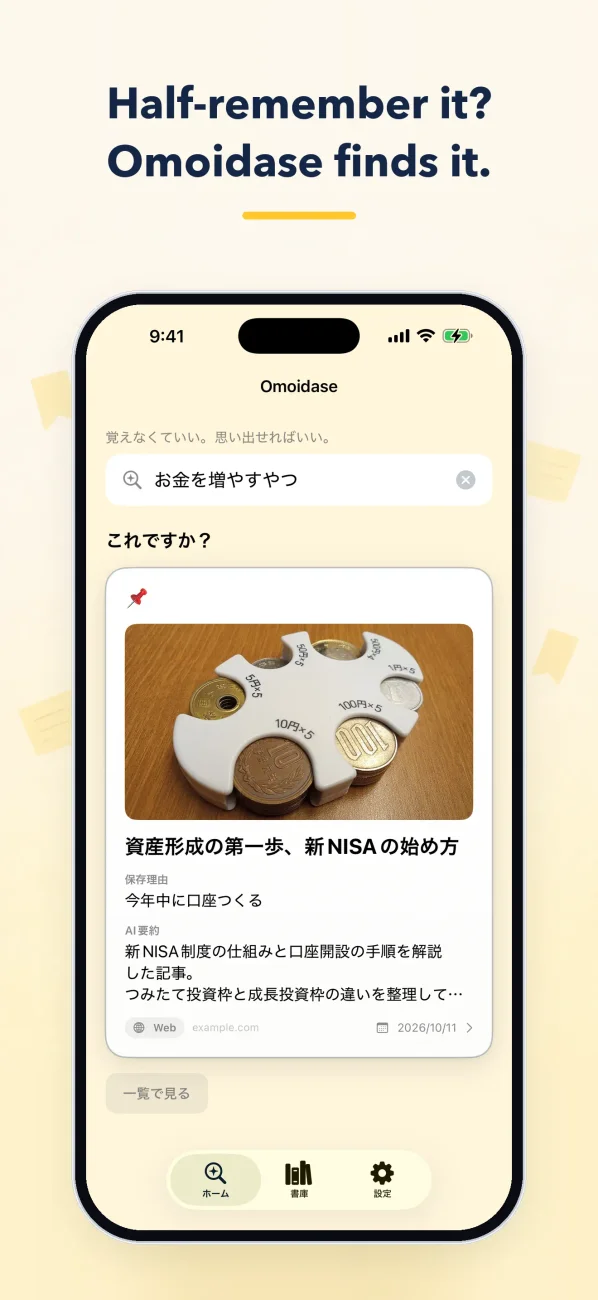
Omoidase is a read-later app that finds what you saved from just a vague phrase.
The app is in Japanese. It is free and needs no account.
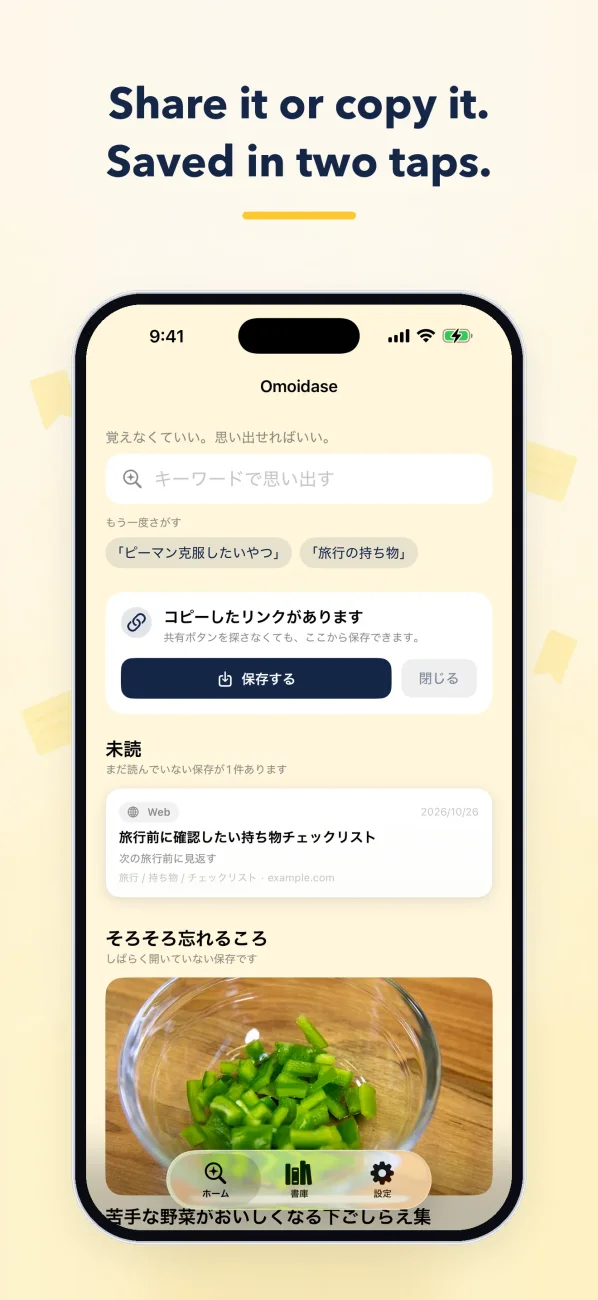
SAVE IN TWO TAPS
Share an article or a video from Safari, YouTube, TikTok and more, and pick Omoidase. You can also save a link you copied.
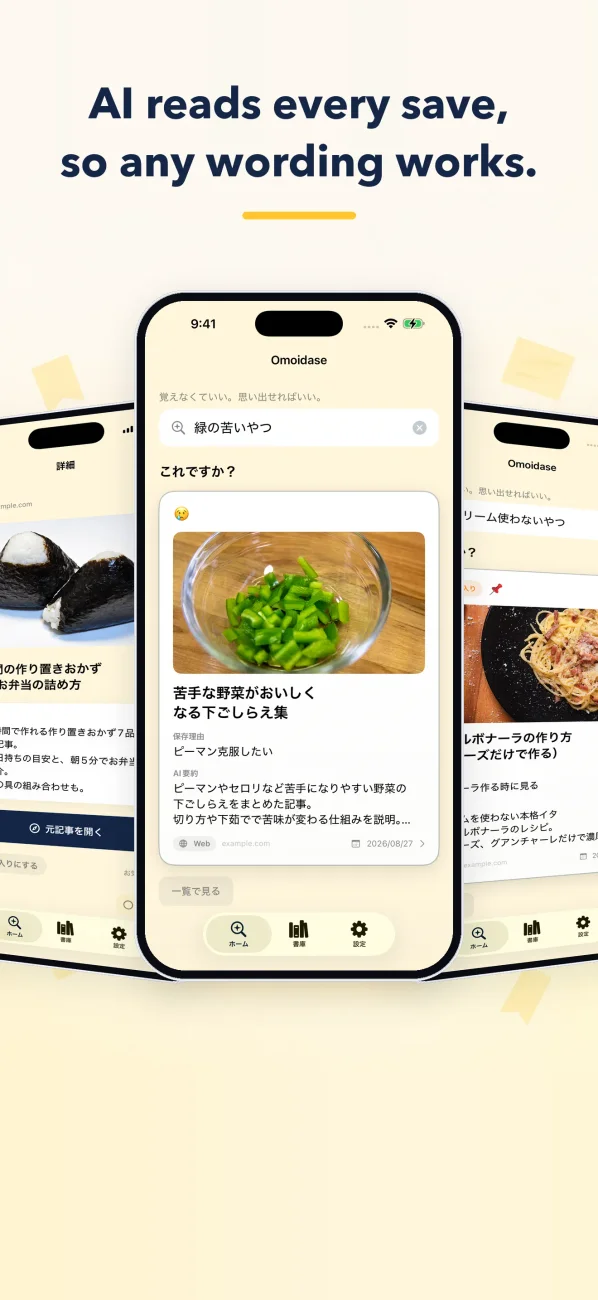
AI DOES THE ORGANIZING
Each save gets a short AI summary and tags, so you never have to file anything.
FIND IT WITH WHAT YOU REMEMBER
Type a half-remembered phrase. Omoidase puts the one it thinks you mean first.
IT COMES BACK TO YOU
Saved items show up in iPhone search, and the "Today's pick" widget brings back one save you were about to forget, every day.
OMOIDASE PRO
Search is free for everyone. Pro adds detailed summaries, removes ads, and lifts the favorites limit. Pro is offered monthly or yearly (auto-renewing; the yearly plan starts with a 7-day free trial) or as a one-time purchase. Prices for your region are shown in the app before you buy.
A subscription renews automatically unless it is turned off at least 24 hours before the end of the current period. You can manage or cancel it in Settings > Apple Account > Subscriptions.
Privacy Policy: https://katapote.github.io/Omoidase-legal/privacy-policy
Terms of Use (EULA): https://www.apple.com/legal/internet-services/itunes/dev/stdeula/
What’s new
Version 1.18 · Nov 26, 2026
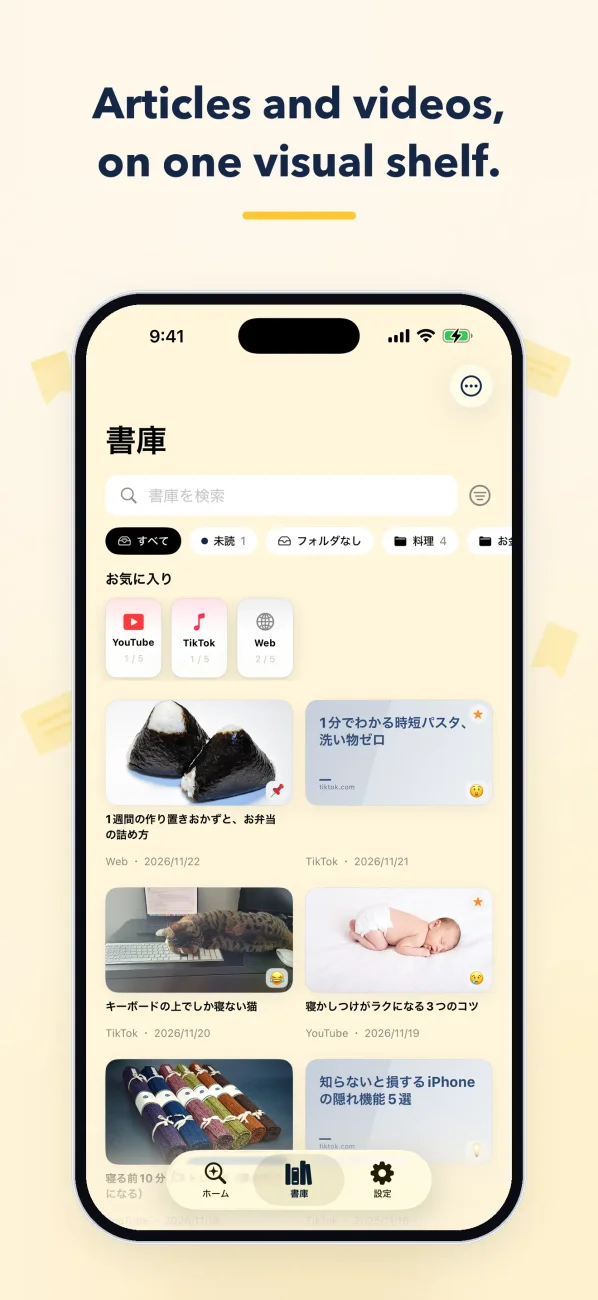
A fresh, softer design with clearer text, and a home screen that starts with what you haven't read yet. Organize your library: make your own folders (and pick one right after saving from the share sheet), see what's unread, sort by date, title or most opened, switch between covers and a list, and restore anything deleted in the last 30 days from the Trash.
App privacy
What Kyogo Hiramatsu declares on the App Store about how this app handles data.
-
Data not linked to you
May be collected but is not linked to your identity.
- User content
- Identifiers
- Usage data
Privacy practices may vary, for example with the features you use or your age.
Information
- Seller
- Kyogo Hiramatsu
- Category
- Productivity
- Version
- 1.18
- Updated
- Nov 26, 2026
- Released
- Aug 12, 2026
- Size
- 6.0 MB
- Requires
- iOS 17.0 or later
- Age rating
- 4+
- Price
- Free
- In-app purchases
- Yes
- Languages
- Japanese
- Copyright
- © 2026 Kyogo Hiramatsu
You might also like
-
 Atoyomu: AI Summary, BookmarksRead later. Save & sort links.
-
 Re:share – AI Bookmark & SaveAuto-sort links, get reminded
-
 Fridge: Shared BookmarksSave links, share with groups
-
 Kipu: Bookmark ManagerSave Links, Reels & Read Later
-
 Tuck: Save Links for LaterBookmarks, videos & articles
-
 ThinkCapture: Notes That SortOn-device AI, zero sorting
-
 Kakesu - Read Later BookmarksNo sign-up, full-text search
-
 Zephlo: AI Bookmark OrganizerSave links. Find them later.
-
 シンプルあとで読む - ブックマーク・リンク管理Productivity
-
 焚き火タイマー:ポモドーロ~仕事・勉強・作業Productivity