
一句詠ませて- 俳句/大喜利/吹き出しをAIで生成・採点-
1941000 - 一句詠ませて、その写真 -
Designed for iPhone, iPad, iPod touch
- Age rating4+
- CategoryEntertainment
- DeveloperATELIER OCARI
- LanguagesEnglish
- Size25.7 MB
Links to the official App Store page
Download.org hosts no file of 一句詠ませて- 俳句/大喜利/吹き出しをAIで生成・採点-. The button opens its official App Store page, published by ATELIER OCARI. Listing last checked on Nov 21, 2026.
Screenshots

About
With just one photo, AI becomes a "poet"—
"Let Me Write a Haiku!" is a completely new creative app that uses AI to read photos you've taken or images you've selected,
and automatically generates haiku, humorous verses, and speech bubbles in just a few seconds.
■ Three AI Generation Modes
Haiku Mode: The AI analyzes the scene, colors, and atmosphere of a photo and composes a haiku in the 5-7-5 syllable structure.
From travel scenery and a feast on the table to the expressions of your beloved pet... any photo can be transformed into an emotionally rich haiku by the AI.
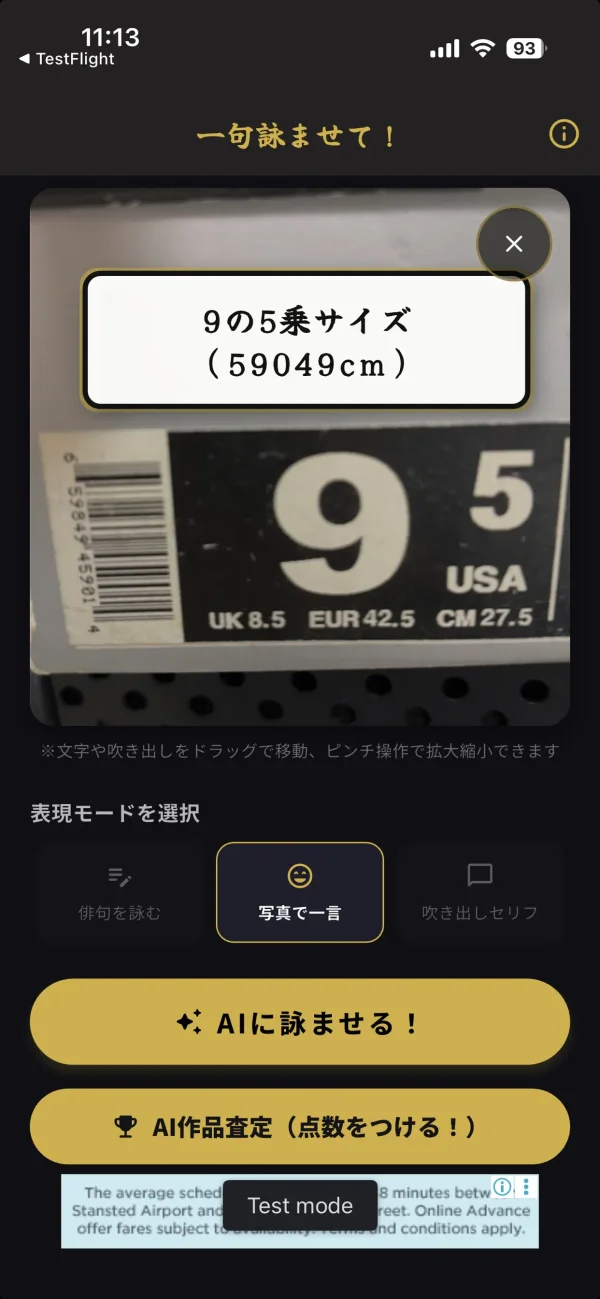
Comedy Mode: The AI comes up with humorous captions in the style of "Caption This Photo."
It automatically generates viral content, making posting to social media much more fun.
It's also perfect for a "Who's the funniest?" game with friends.
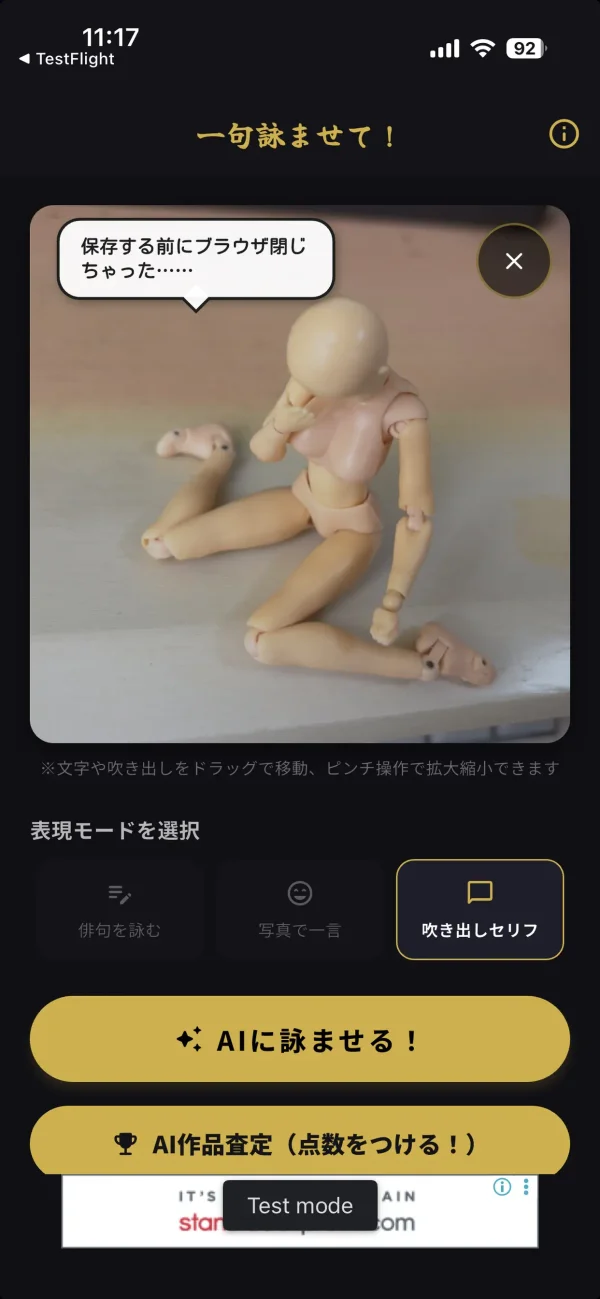
Speech Bubble Mode: The AI comes up with dialogue for the subject of the photo (person, animal, or object).
For example, you can directly translate a dog's "Give me a treat right now!" feeling into text and paste it in.
■ AI Artwork Assessment Function (Scoring & Commentary)
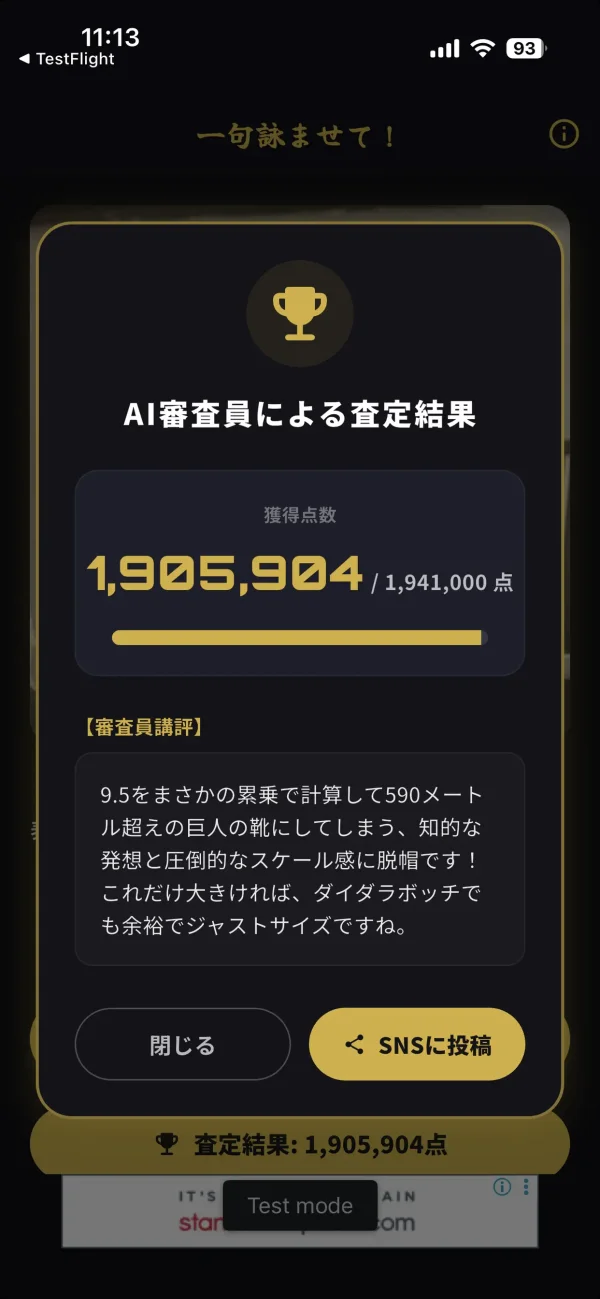
The generated artwork is further scored by an "AI judge" on a scale of 1,941,000 points.
Not only is the score displayed, but also a professional "commentary comment" from the judge.
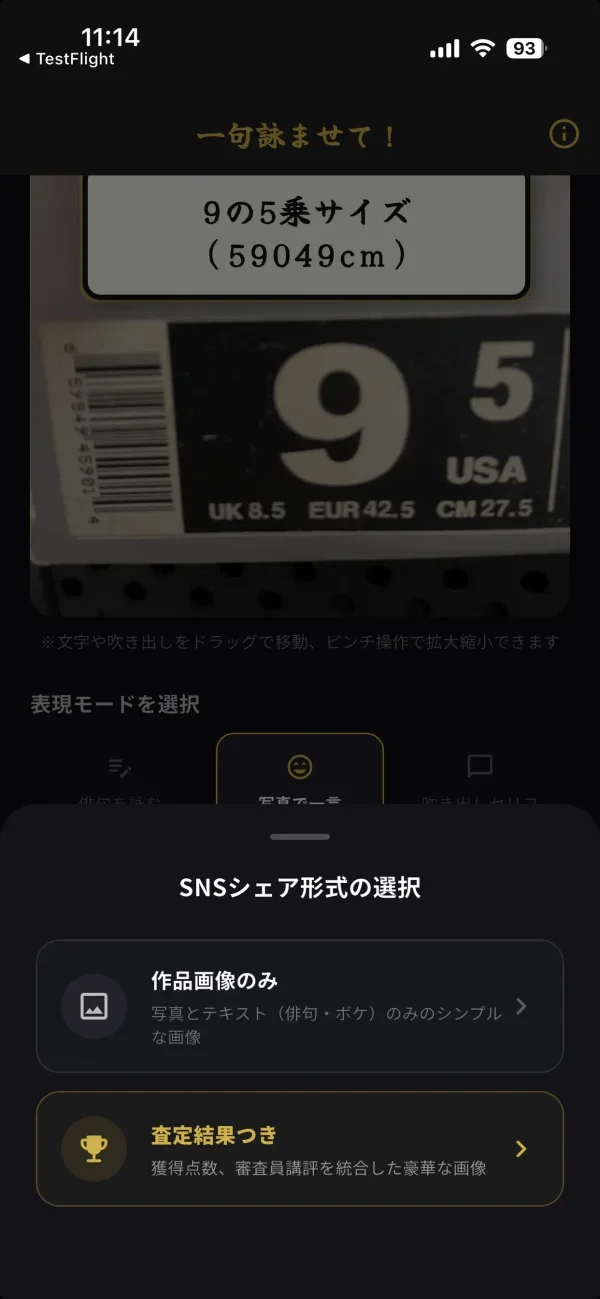
You can save and share the entire image, including the assessment results, on social media,
so you can have fun with friends asking, "What score did you get?"
■ Easy Operation
1. Take a photo with your camera or select a photo from your photo library.
2. Select a mode (Haiku / Comedy / Speech Bubble).
3. Press the button, and the AI will generate your artwork in seconds!
4. Save and share your unique artwork on social media.
Stylish text layouts are automatically added to your artwork,
so you can post it directly to Instagram and X (formerly Twitter) without any further editing.
■ Recommended Uses
* Share travel photos as haiku on the spot with friends.
* Turn funny expressions of pets or children into humorous verses to spread laughter.
* Use it as a "photo diary" to poetically record everyday scenes with haiku.
* Use it in a group LINE chat to compete and see "Whose joke is the funniest?"
■ Privacy
The app uses images only for AI generation.
Photo data is never stored or accumulated externally.
(Please check the privacy policy for details.)
Now, why not let AI "compose" your everyday photos?
What’s new
Version 1.0.6 · Oct 24, 2026
Ad display specification change response
App privacy
What ATELIER OCARI declares on the App Store about how this app handles data.
-
Data used to track you
May be used to track you across apps and websites owned by other companies.
- Identifiers
- Usage data
-
Data not linked to you
May be collected but is not linked to your identity.
- Identifiers
- Usage data
- Diagnostics
Privacy practices may vary, for example with the features you use or your age.
Information
- Seller
- ATELIER OCARI
- Category
- Entertainment
- Version
- 1.0.6
- Updated
- Oct 24, 2026
- Released
- Jul 17, 2026
- Size
- 25.7 MB
- Requires
- iOS 15.0 or later
- Age rating
- 4+
- Languages
- English
- Copyright
- © 2026 ATELIER OCARI
You might also like
-
 日向坂46メッセージEntertainment
-
 乃木坂46メッセージEntertainment
-
 IWC Museum AppExclusive content
-
 映画アプリ MOVIE WALKERで映画・映画館が探せるEntertainment
-
 SWIPEDRAMA - Short DramaEnjoy 1-min vertical dramas!
-
 &LeoEntertainment
-
 電子チケット|Funity(ファニティ)Entertainment
-
 キャラぷ - 物語はキミ次第・AIチャットEntertainment
-
 タテドラ/オリジナル縦型ショートドラマ・バラエティ見放題Entertainment
-
 GiGO(ギーゴ)Entertainment