
- Age rating4+
- CategoryPhoto & Video
- Developer嘉敏 章
- LanguagesSimplified Chinese+ 2 more
- Size30.5 MB
Links to the official App Store page
Download.org hosts no file of 见山分镜. The button opens its official App Store page, published by 嘉敏 章. Listing last checked on Nov 20, 2026.
Screenshots



About
MontFrame is a storyboard and shoot-planning app for video creators, directors and small production teams.
Plan your shots
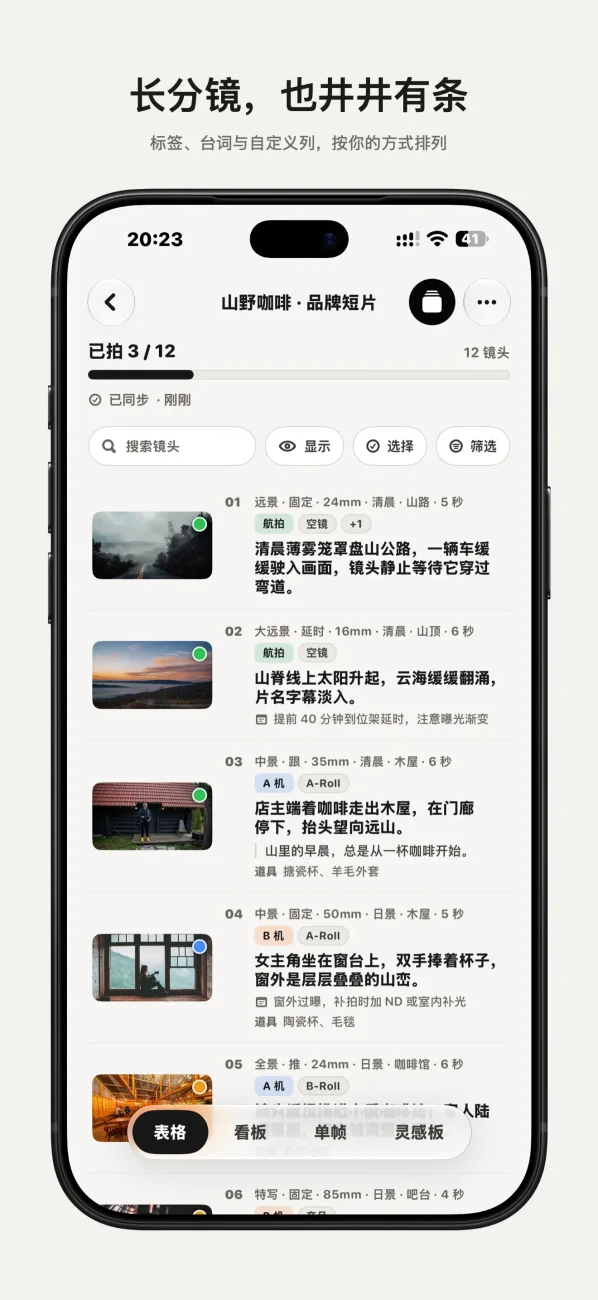
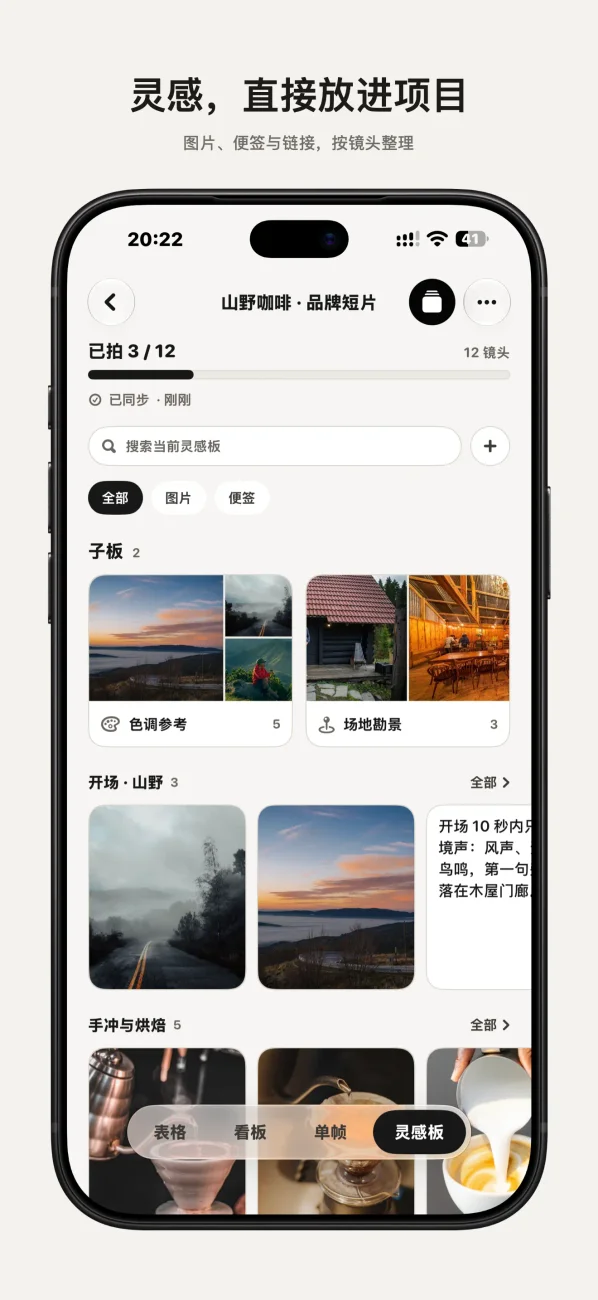
Capture shot descriptions, framing, camera movements, focal lengths, dialogue and duration in a table. Add reference images and review your sequence on a visual storyboard.
Prepare your shoot
Organize shooting plans by scene and create call sheets with locations, weather and arrival times. Export PDFs for your crew.
Work on set
Mark completed shots and track takes and progress as your team works.
Collaborate and sync
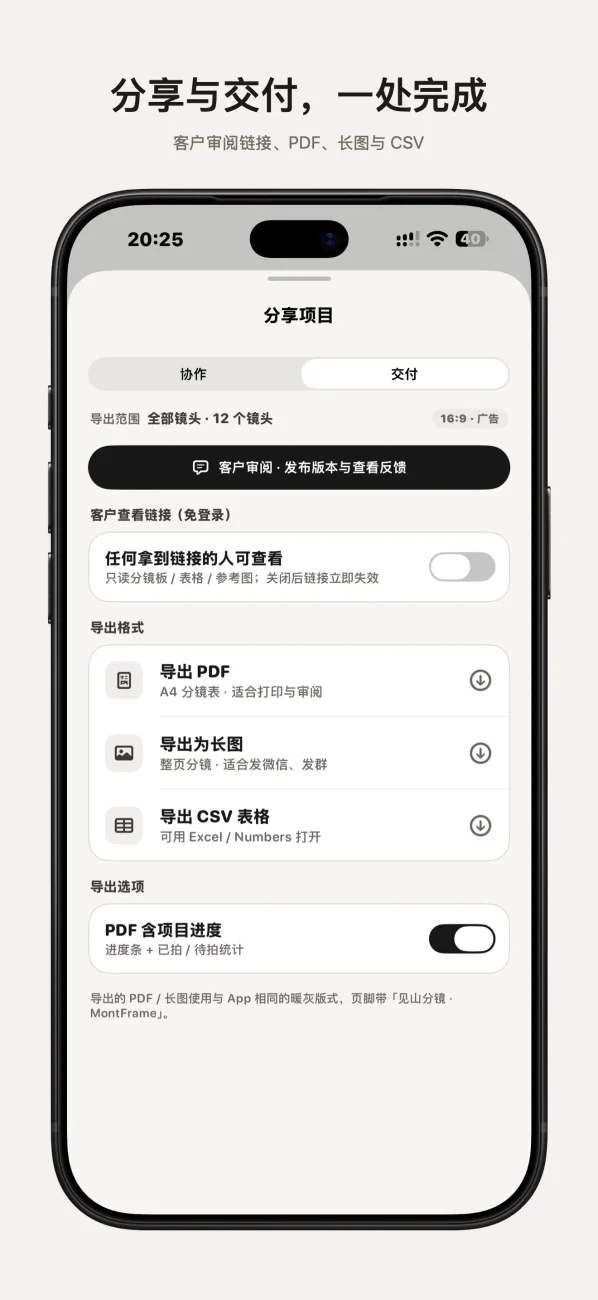
Invite teammates with editing, status-only or viewing permissions. Share storyboards with clients by link. Use the same account on iPhone, Mac and the web.
Export your work
Export storyboards as PDFs, images or CSV files.
Your language
Choose Simplified Chinese, Traditional Chinese or English, or follow your system language. Your project content stays unchanged.
MontFrame Pro
The free plan includes 3 projects; invited projects do not count toward this limit. Pro offers unlimited projects, with no cloud storage quota currently imposed. Pro benefits work across devices using the same MontFrame account. Eligible new monthly subscribers can try Pro free for 7 days. Prices are displayed on Apple's in-app subscription screen. Subscriptions renew automatically and can be managed or canceled in your Apple account.
Terms: https://montframe.cn/terms
Privacy: https://montframe.cn/privacy
What’s new
Version 0.9.15 · Nov 11, 2026
· Markdown in shot text: headings, bold, lists, to-dos and other formatting written on Mac or the web now display formatted in the list, storyboard cards, shooting mode, and PDF and long-image exports
· One-line summaries (shooting schedule, call sheet, search results) show the text without formatting marks
· Minor improvements
App privacy
What 嘉敏 章 declares on the App Store about how this app handles data.
-
Data linked to you
May be collected and linked to your identity.
- Purchases
- Location
- Contact info
- User content
- Identifiers
Privacy practices may vary, for example with the features you use or your age.
Information
- Seller
- 嘉敏 章
- Category
- Photo & Video
- Version
- 0.9.15
- Updated
- Nov 11, 2026
- Released
- Jul 22, 2026
- Size
- 30.5 MB
- Requires
- iOS 17.0 or later
- Age rating
- 4+
- In-app purchases
- Yes
- Languages
- Simplified Chinese, Traditional Chinese, English
- Copyright
- © 绍兴越城区今胜昔电子商务商行
You might also like
-
 ShotPilot - Virtual CameraCamera moves for AI video
-
 Show Off: 3D Video StudioDesigned Films & Camera Moves
-
 Video Cue: Shot PlannerAI Storyboard & Camera Guide
-
 Mantel – Photo WidgetRotating Frame & Slideshow
-
 BiCamera - Dual Video Recorderront and Back Cam Recording
-
 KIRO分屏相机Photo & Video
-
 MarKit ProCamera Report & Shot Organizer
-
 视频转换提示词-自动生成创作提示词-专业镜头拆分Photo & Video
-
 Camly — Phone WebcamUse your phone as a PC webcam
-
 KIRO CamRetro Film Cam w/ LUT & Grain