
Tower - Config Converter
Subscriptions, Rules & Latency
Designed for iPhone, iPad, Mac
$1.99
- Age rating4+
- CategoryUtilities
- Developer储进 彭
- LanguagesEnglish+ 14 more
- Size41.8 MB
Links to the official App Store page
Download.org hosts no file of Tower - Config Converter. The button opens its official App Store page, published by 储进 彭. Listing last checked on Nov 24, 2026.
Screenshots


About
Tower is a subscription and config converter that runs entirely on your iPhone and iPad. It manages the subscriptions, self-hosted nodes and routing rules you already have, and generates config files that other clients can import directly.
■ What it does
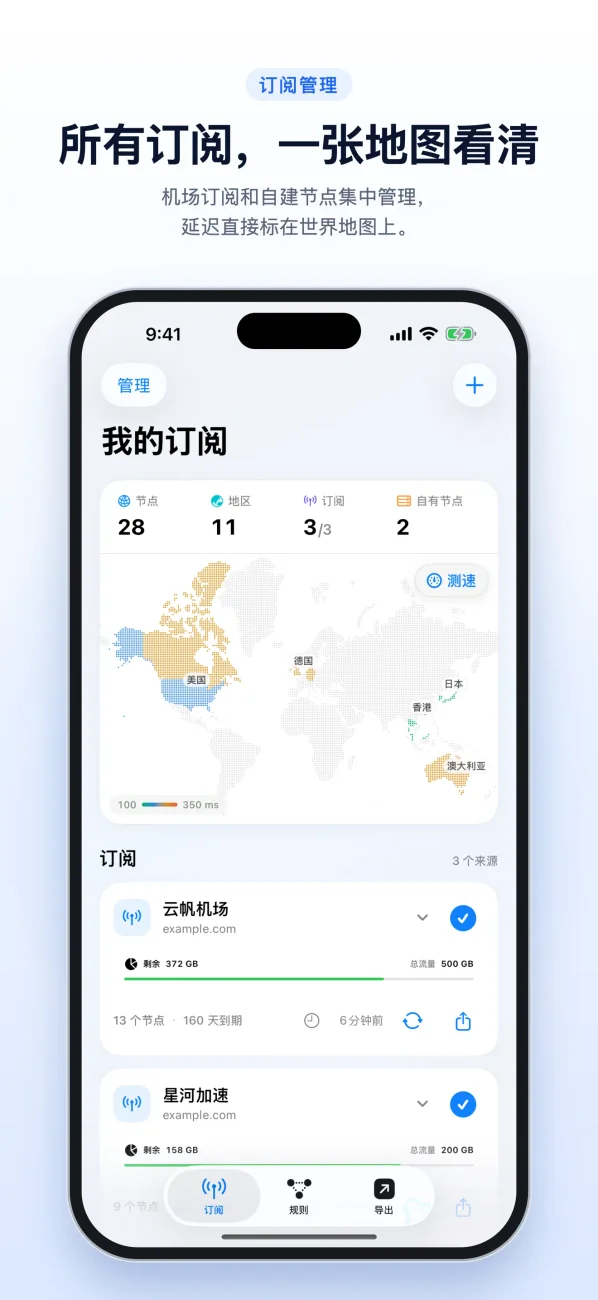
· Keep all your subscriptions and your own nodes in one place, with remaining data and expiry dates. Nodes you unchecked stay unchecked after a refresh.
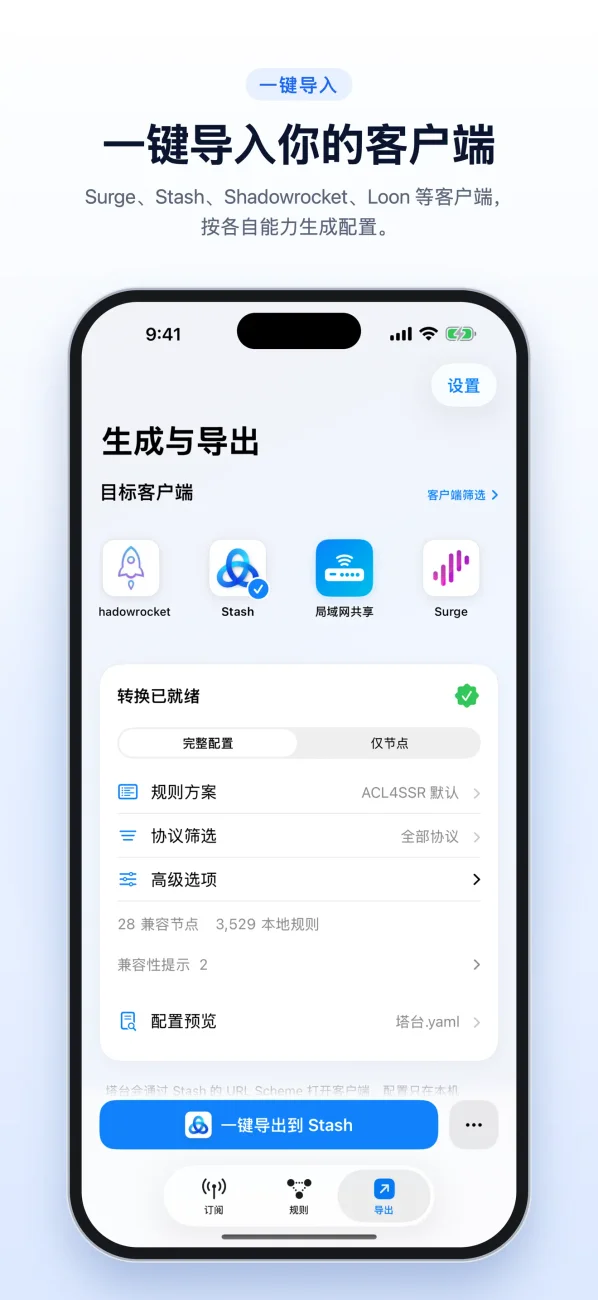
· Parse more than ten node protocols, including Shadowsocks, VMess, VLESS, Trojan, Hysteria 2, TUIC, WireGuard and AnyTLS, and export only what each target client can actually express. Entries that can't be represented faithfully are skipped and counted, never silently broken.
· Identify node regions offline, browse nodes on a world map and test latency by region.
· Use the built-in rule sets offline, or import your own HTTPS rule scheme and adjust policy groups and matching order.
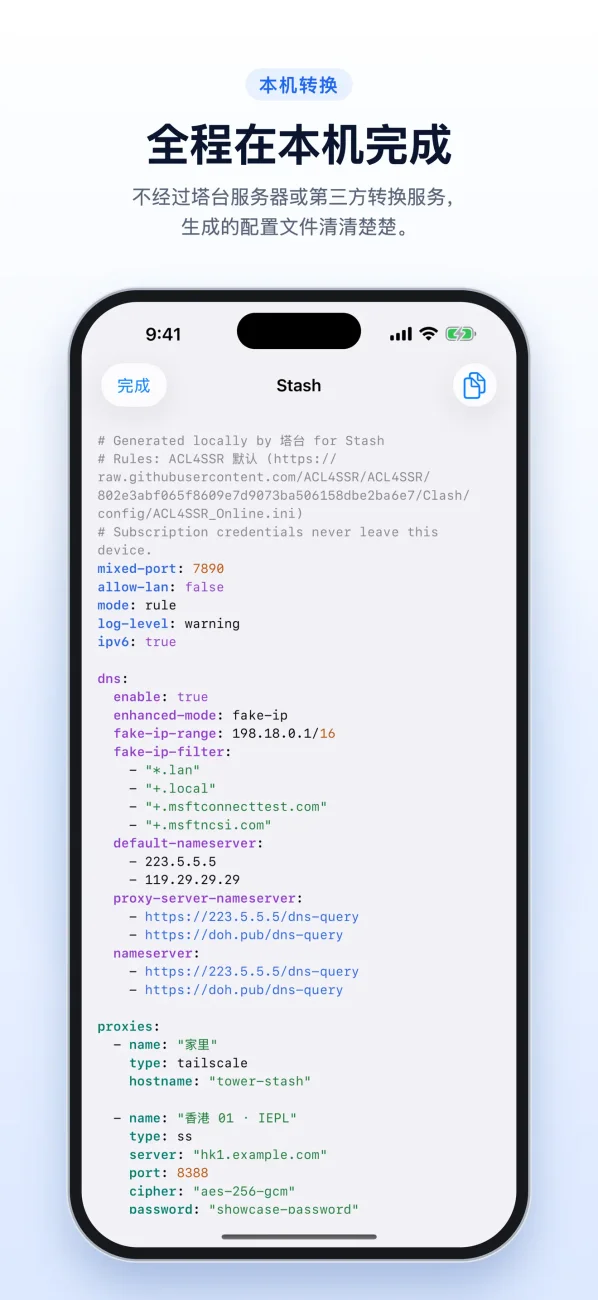
· Preview the generated config, then import it in one tap, copy it or share the file.
· Optional iCloud sync and Local Network Sharing let you use the same setup across devices.
■ Done on your device
Conversion happens on the device. Nothing goes through a Tower server or a third-party online converter. Rule snapshots and an offline IP-to-country database ship with the app.
Subscription credentials stay on your device by default. iCloud sync and Proxy Providers are both off by default: the first stores data in your own iCloud only after you turn it on; the second writes the original subscription URL into the exported config so compatible clients can update nodes themselves. Make sure you trust whoever receives a shared file.
One-tap import uses a short-lived local service. Local Network Sharing has to be turned on, is protected by a random key, and only runs while Tower is in the foreground. Credential files use iOS Complete File Protection.
Tower has no accounts, analytics, ads or crash reporting. Source code: https://github.com/pengchujin/tower
Guide: https://tower.shenqi.uk
■ Please note
Tower only converts formats. It is not a VPN or proxy: it creates no network tunnel, does not route system traffic, and provides no servers or nodes. You need your own subscription, and you use the generated config in the corresponding client.
What’s new
Version 1.0.33 · Nov 20, 2026
· Export to Surge and Surge Mac now includes VLESS nodes, with REALITY, XHTTP, gRPC, WebSocket, HTTPUpgrade, Vision and VLESS Encryption (requires Surge iOS 6.0 or Surge Mac 6.12 and later)
· Export to Surge now supports the HTTPUpgrade transport for VMess and Trojan, and TrustTunnel nodes with a client random auth key
· Built-in ACL4SSR rules updated to the latest version
App privacy
What 储进 彭 declares on the App Store about how this app handles data.
-
Data not collected
The developer does not collect any data from this app.
Privacy practices may vary, for example with the features you use or your age.
Information
- Seller
- 储进 彭
- Category
- Utilities
- Version
- 1.0.33
- Updated
- Nov 20, 2026
- Released
- Aug 13, 2026
- Size
- 41.8 MB
- Requires
- iOS 17.0 or later
- Age rating
- 4+
- Price
- $1.99
- Languages
- English, Arabic, French, German, Indonesian, Japanese, Korean, Portuguese, Russian, Simplified Chinese, Spanish, Thai + 3 more
- Copyright
- © pengchujin
You might also like
-
 TiYiAll-Protocol VPN Client
-
 NexaIDOverseas Identity Organizer
-
 TunnaPrivacy at Your Fingertips
-
 eSIMWalletManage SIMs,bills,and services
-
 Meow - Smart VPNmeow-rs powered VPN client
-
 Everywhere ProxyUtilities
-
 WrtHub-OpenWrt ManagerOpenWrt & ImmortalWrt Manager
-
 NuboxAccount Subscription Manager
-
 TV Remote - ClickerUniversal Remote TV Control