KURA Wear - 衣櫃管理與生成穿搭
管理衣櫃衣服、根據天氣、幸運色生成單人/情侶穿搭
Designed for iPhone, iPad, iPod touch
- Age rating17+
- CategoryLifestyle
- DeveloperWU YU HAN
- LanguagesEnglish
- Size64.8 MB
Links to the official App Store page
Download.org hosts no file of KURA Wear - 衣櫃管理與生成穿搭. The button opens its official App Store page, published by WU YU HAN. Listing last checked on Nov 12, 2026.
Screenshots


About
Key Features
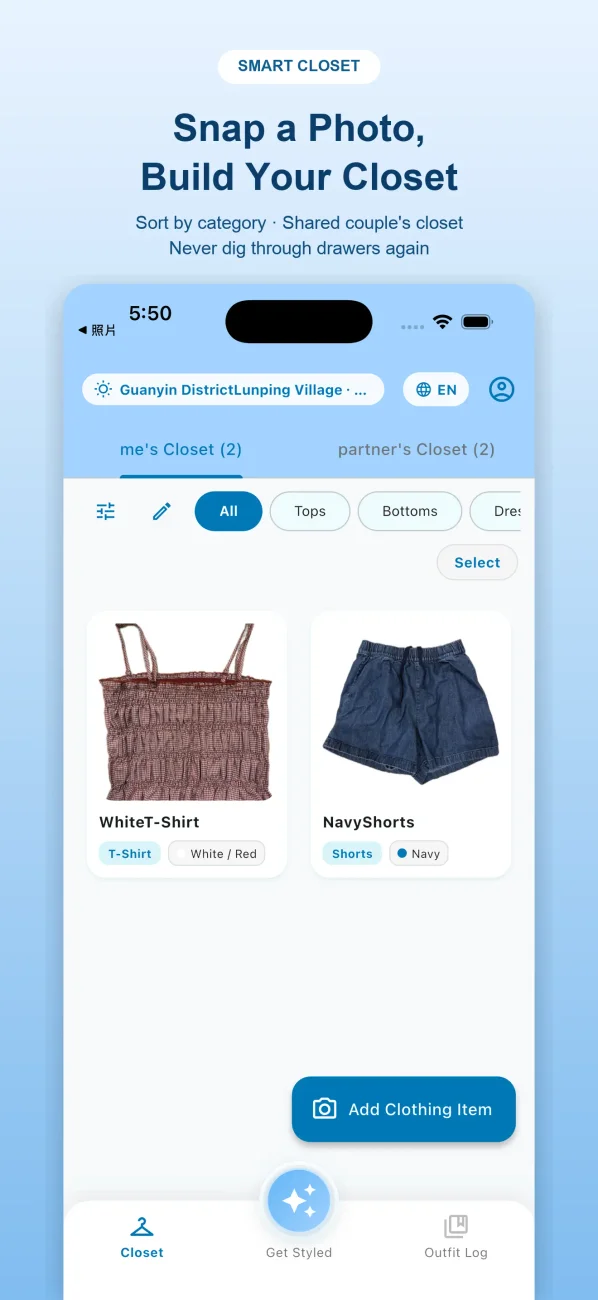
1. Seamless Switch Between Solo and Couple Closets
Support for individual and couple modes, allowing you to manage independent wardrobes separately (Closet A / Closet B).
Customize zodiac signs, styling preferences, and occasion taboos, allowing the algorithm to automatically filter out unsuitable items.
2. Guideline-Assisted Photography with Dotted Alignment
Built-in standard alignment frames for tops, bottoms, shoes, outerwear, dresses, and accessories.
Snap on the go to easily capture garments in perfect standard proportions, keeping your digital wardrobe clean and uniform!
Photos are automatically backed up to a dedicated KURA Wear album in your phone gallery.
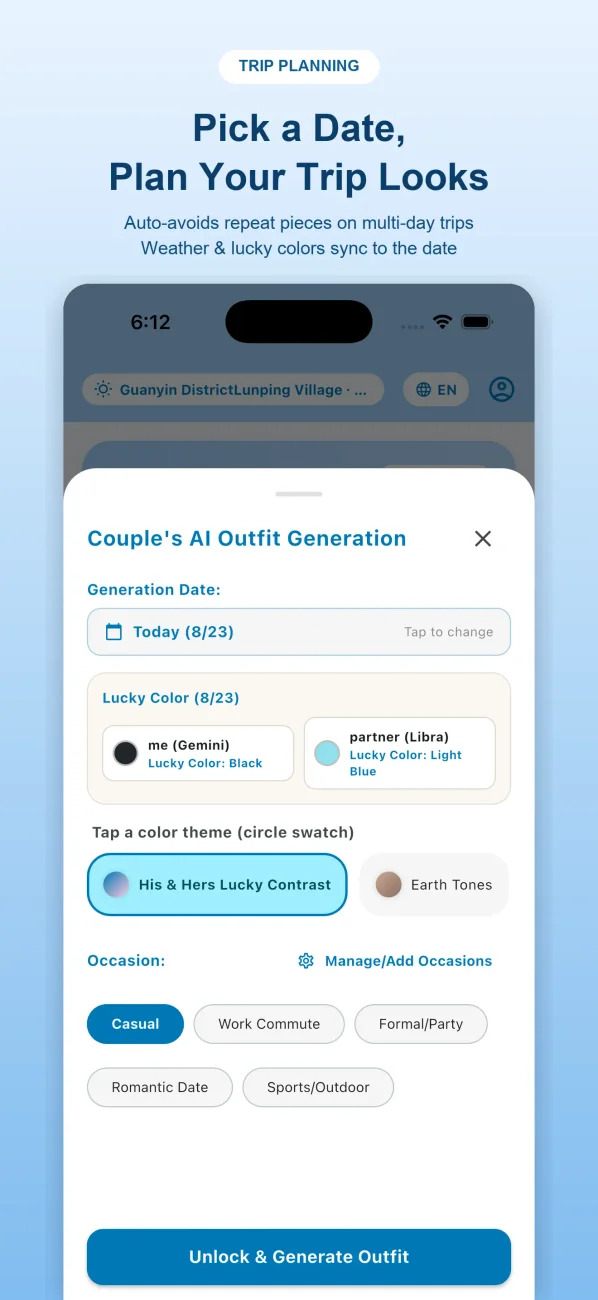
3. Weather & 12 Zodiac Lucky Color Matching
Integrated with real-time weather APIs to automatically filter seasonal apparel based on today's high and low temperatures.
Combines a daily zodiac lucky color algorithm (such as earthy tones, milk-tea tones, and pastel blues) to inspire your daily outfit choices!
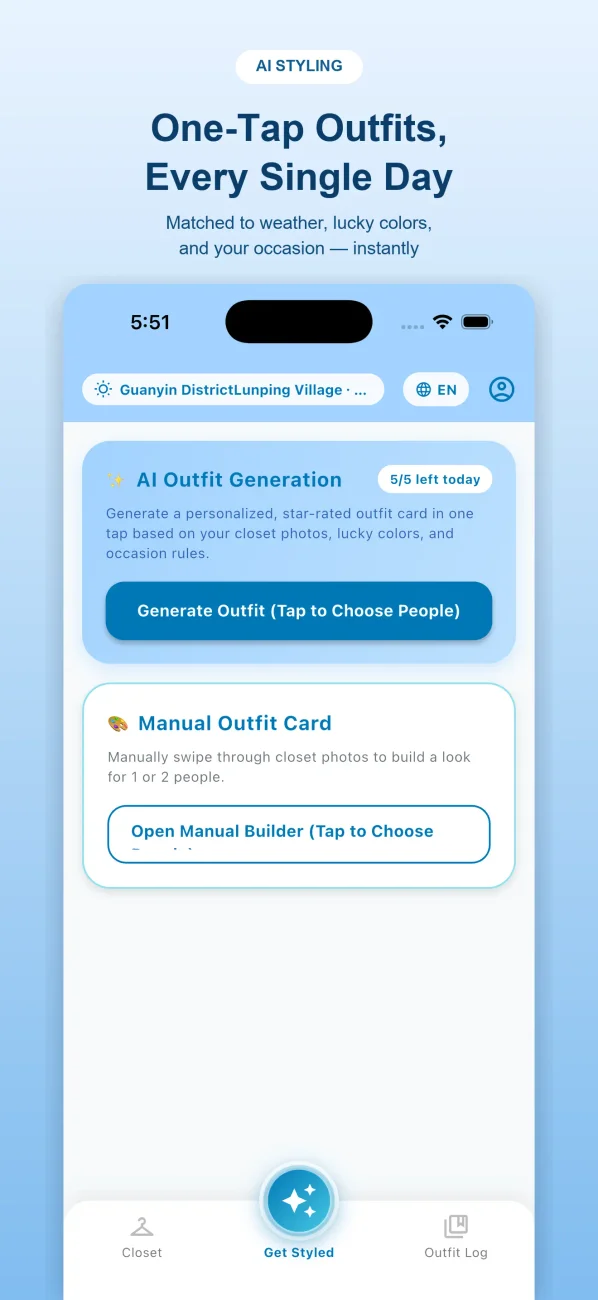
4. AI Master Stylist
Supports dual modes for AI intelligent generation and manual free-styling.
The AI analyzes the items actually owned in your and your partner's wardrobes, filters them based on occasion taboos and seasons, and selects genuinely wearable combinations—never recommending clothes you don't own—to generate tailored outfit suggestions with a single tap.
What’s new
Version 1.3.2 · Oct 3, 2026
[v1.3.2+99] - 2026-10-03
- Manual Free Matching: When adding an outfit, no items will be pre-selected, and the previous title/review/date/season filters will be cleared, preventing the previous content from being carried over.
- Manual Free Matching: When a dress is selected as the top, the bottom is now optional (selected bottoms will be automatically cleared); a "Selected" preview has been added for bottoms and shoes, which can be canceled by pressing X or clicking the same item again.
- Outfit cards now automatically wrap to display all items; shoes will no longer be pushed off-screen, and images saved to the album will fully include shoes; shoes are also added to the thumbnails of the outfit log list.
- When adding/editing an item without a name, it will be automatically named using the "color + type" actually selected by the user (fixing the issue of being named the default color when a different color was selected, and the type name being incorrect after retaking the photo and changing the category); items that were originally automatically named during editing will have their names updated after changing the color/type.
- AI When the service is overloaded, it automatically switches to built-in rule matching and notifies the user that this is not an AI matching; it also updates the AI model candidate list.
App privacy
What WU YU HAN declares on the App Store about how this app handles data.
-
Data not collected
The developer does not collect any data from this app.
Privacy practices may vary, for example with the features you use or your age.
Information
- Seller
- WU YU HAN
- Category
- Lifestyle
- Version
- 1.3.2
- Updated
- Oct 3, 2026
- Released
- Aug 22, 2026
- Size
- 64.8 MB
- Requires
- iOS 15.0 or later
- Age rating
- 17+
- Languages
- English
- Copyright
- © 2026 Hana Studio
You might also like
-
 Outfit Rating: AI Fit CheckRate My Outfit & Get Tips
-
 Wearli: Closet & OutfitsAI Wardrobe & Style Planner
-
 Unread. - AI 社群收藏助理Lifestyle
-
 Outfit Planner Closet:Comby AITry On Stylist, Wardrobe Maker
-
 WardrobesCloset, outfit, calendar
-
 First TimersLog your firsts
-
 AIFitCloset: Styling AssistantWardrobe Mgmt·Style Tips·Tidy
-
 Simple Closet - OverviewOverview of My Closet
-
 ONMANTINUtilities
-
 Yikool: AI Closet & WardrobeOutfit Planner & Daily OOTD