
- Age rating+4
- CategoryUtilities
- Developer蕊 谷
- LanguagesSimplified Chinese+ 1 more
- Size3.2 MB
Links to the official App Store page
Download.org hosts no file of 灵动秒表. The button opens its official App Store page, published by 蕊 谷. Listing last checked on Nov 18, 2026.
Screenshots


About
The developer has not provided this text in your language.
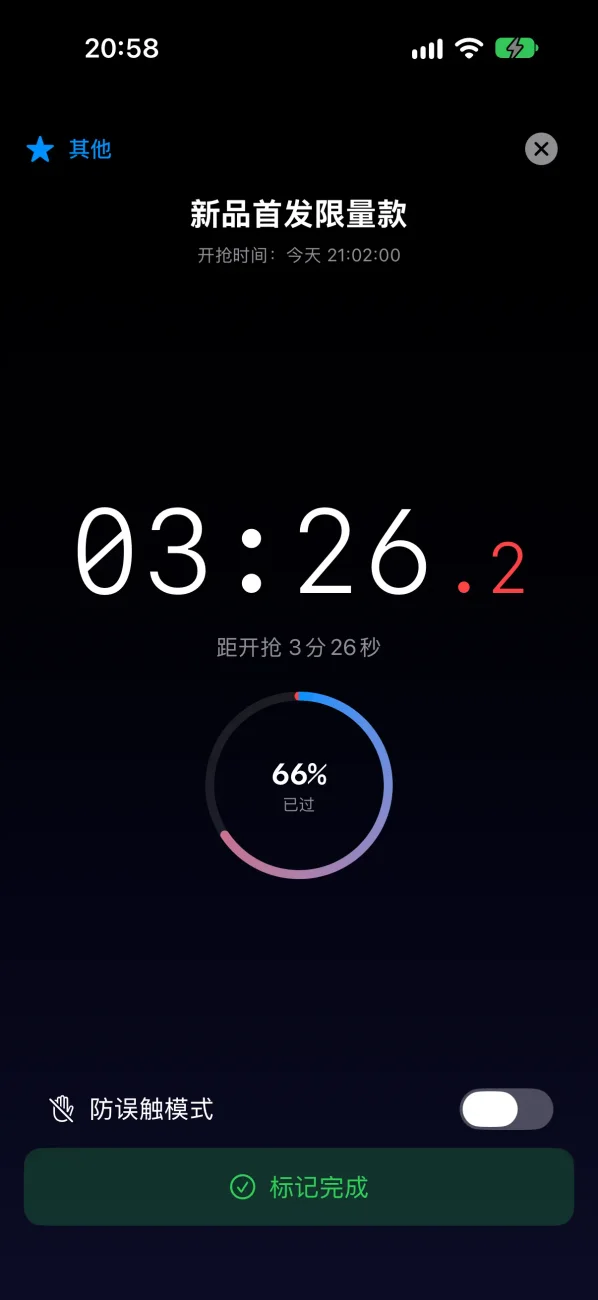
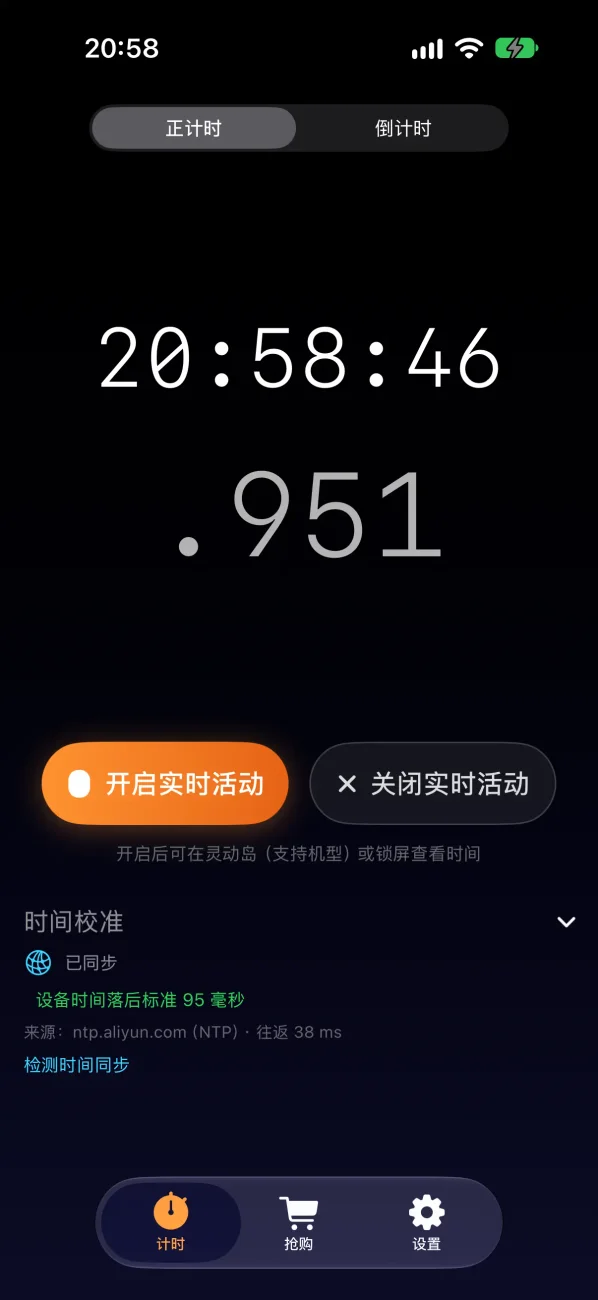
灵动秒表是一款支持灵动岛与锁屏实时活动的时钟、倒计时工具。为即将开始的抢购和限时活动设置目标时间,随时查看还需等待多久。
【灵动岛与锁屏计时】
开启实时活动后,可在锁屏查看时间或倒计时。支持灵动岛的 iPhone 还可直接在灵动岛查看,长按展开即可查看更大的计时界面。
【当前时间与目标倒计时】
查看当前时间,或设置一个未来时刻进行倒计时。提供快捷时间选项,方便开始下一次计时。
【抢购活动管理】
记录活动名称、时间、平台和备注,按今日、未来及已结束查看活动,也可为每天同一时间的活动开启每日重复。
【提前提醒】
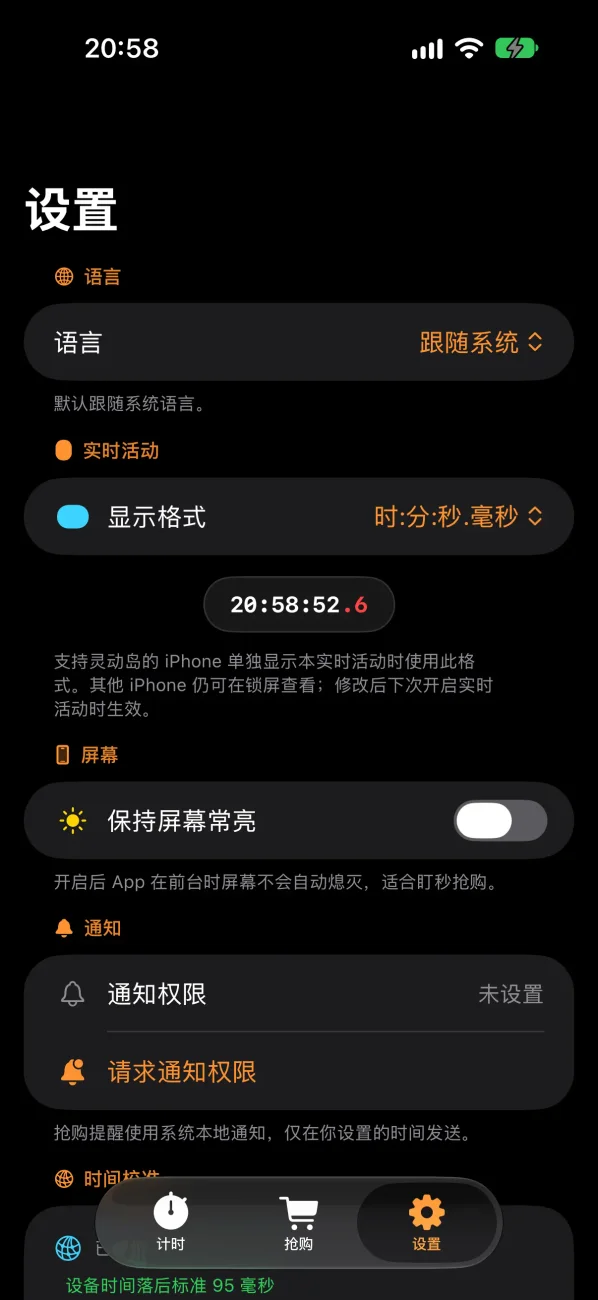
为活动设置提前提醒和到点提醒。提醒使用系统本地通知,需获得通知权限。
【时间偏差检测】
对比设备时间与网络标准时间,查看设备时间超前或落后的情况。该功能需要网络连接,仅检测偏差,不会修改设备系统时间。
【前台屏幕常亮】
可在设置中开启“保持屏幕常亮”,便于在 App 前台持续查看时间。
无需注册或登录,活动记录与偏好设置保存在本机。
使用说明:
· 灵动岛显示需要支持灵动岛的机型;其他受支持机型可使用锁屏实时活动。
· 实时活动的显示、刷新和持续时间由系统管理。
· 通知呈现与声音受通知权限、专注模式及系统设置影响。
What’s new
Version 1.1 · Nov 4, 2026
• 适配 iPhone Duo:展开使用时,计时、抢购列表、设置等页面会在大屏上居中显示,宽度适中,阅读更舒适;合上后用外屏也能正常使用全部功能。
• 修复:为您助力双11,开开心心购物。
• 修复:点击激活卡片上的「取消激活」时,会同时打开倒计时详情的问题。
• 其他细节优化,运行更稳定。
App privacy
What 蕊 谷 declares on the App Store about how this app handles data.
-
Data not collected
The developer does not collect any data from this app.
Privacy practices may vary, for example with the features you use or your age.
Information
- Seller
- 蕊 谷
- Category
- Utilities
- Version
- 1.1
- Updated
- Nov 4, 2026
- Released
- Sep 29, 2026
- Size
- 3.2 MB
- Requires
- iOS 17.0 or later
- Age rating
- +4
- Languages
- Simplified Chinese, English
- Copyright
- © 2026 moonrabbit Inc.
You might also like
-
 Tiny Choices: Quick PickSimple tools for quick choices
-
 骰子-随机数多面骰投掷骰子Utilities
-
 随机骰子-聚会大话骰子模拟器Utilities
-
 Random Number Generator KitDice, coins, wheels, teams
-
 随机骰子-聚会掷骰决策助手Utilities
-
 Multicolor StopwatchA simple and easy-to-use.
-
 Flipism: Quick DecisionsRandom picker, wheel & dice
-
 Magic Pick: Spin & RouletteName Wheel & Team Generator
-
 TachoDashTelemetry Dashboards, Refined
-
 实用工具箱 - 高效便捷Utilities