
照片液态玻璃水印
给照片(包括实况照片)添加iOS26的液态玻璃水印
Designed for iPhone, iPad, iPod touch
Free · In-app purchases
- Age rating4+
- CategoryUtilities
- Developer秀华 李
- LanguagesEnglish+ 2 more
- Size4.2 MB
Links to the official App Store page
Download.org hosts no file of 照片液态玻璃水印. The button opens its official App Store page, published by 秀华 李. Listing last checked on Nov 12, 2026.
Screenshots
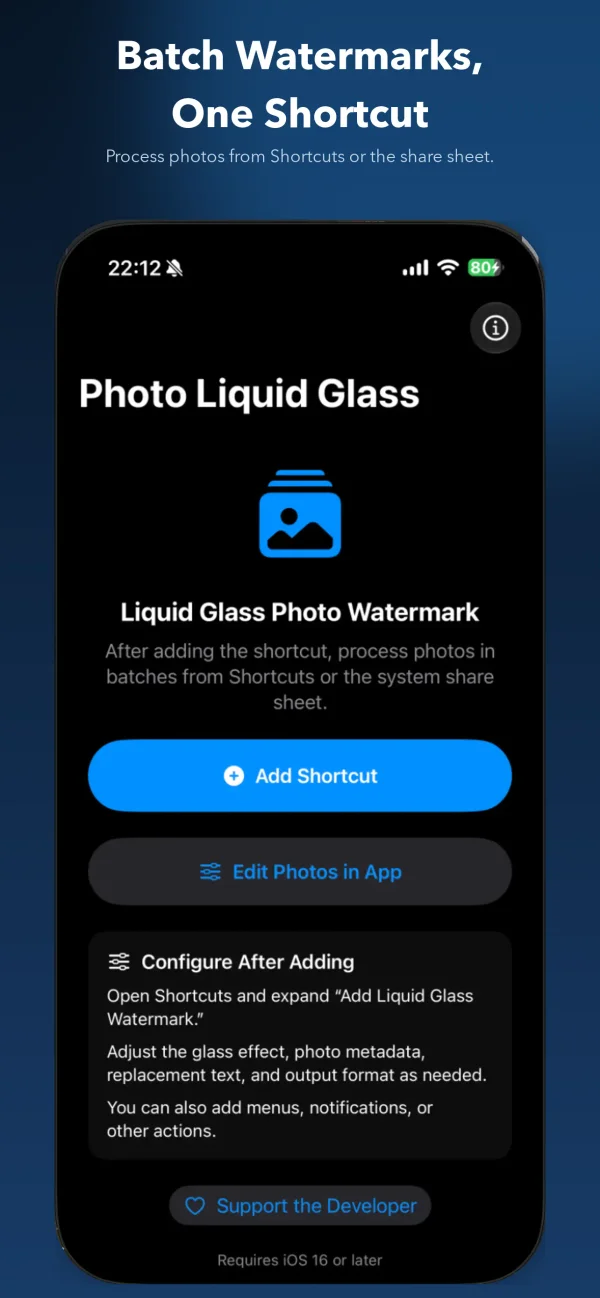
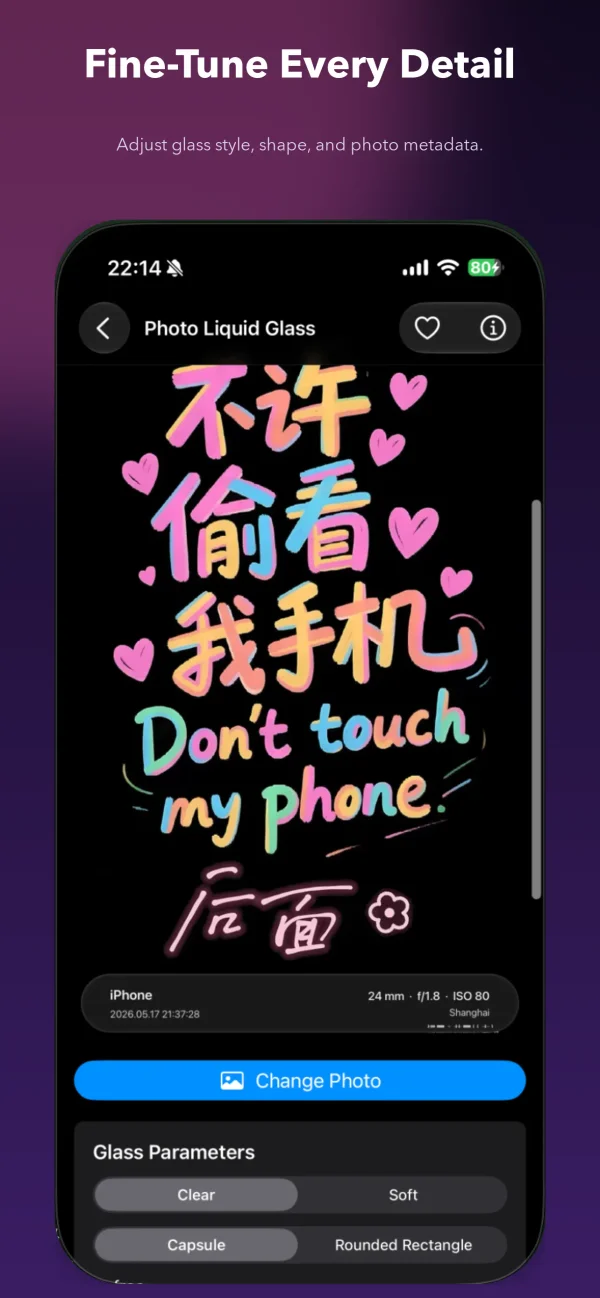

About
Photo Liquid Glass is a local photo-processing tool focused on presenting capture information. It brings details such as device model, capture time, focal length, aperture, shutter speed, ISO, and location into a liquid glass-style watermark, keeping the information readable without overwhelming your photo.
KEY FEATURES
• Batch Processing with Shortcuts
On iOS 16 or later, process multiple photos using Shortcuts or run the shortcut directly from the Photos share sheet. With the V2 shortcut, both still photos and Live Photos are saved automatically after processing.
• In-App Photo Editing
Switch between Clear and Soft glass styles, choose a capsule or rounded rectangle, and adjust refraction, thickness, blur, frost, highlights, and corner radius.
• Flexible Capture Information
Read available device model, capture time, focal length, aperture, shutter speed, ISO, and location information from your photos. All watermark text can be edited or replaced manually.
• Live Photo Support
Add watermarks to the still image and video frames while preserving audio, either in the app or through the V2 shortcut. Processing time depends on your device and may be longer on older phones. Progress feedback is available on supported systems.
• Multiple Export Formats
Still photos support HEIC and JPEG output. Processed photos can be saved to the system photo library.
• Shortcut Versions
Use Get Shortcuts in the app to open the download webpage and choose a shortcut version. V1 produces still images only; V2 supports saving Live Photos with motion and sound.
PRIVACY FIRST
Photos and capture information are processed locally on your device. The app does not upload photos, EXIF metadata, or location data to a developer-operated server and contains no advertising, analytics, or tracking SDKs. If an original exists only in iCloud, the system photo framework may download the resource you selected.
Getting or updating a shortcut opens an external webpage. The app does not automatically check for updates.
COMPATIBILITY AND USAGE
On iOS 15, the app opens directly in the single-photo editor. On iOS 16 or later, you can use Shortcuts for batch processing and continue to edit individual photos in the app.
Before processing more than three Live Photos at once, enable Allow Sharing Large Amounts of Data in the Shortcuts advanced settings to help prevent interruptions. Actual limits are controlled by the system.
Support the Developer is a completely optional, one-time in-app purchase. It does not unlock features or affect normal use of the app.
What’s new
Version 1.2 · Sep 20, 2026
More ways to personalize your photo watermarks:
• Add a custom logo using an image, symbol, or emoji, automatically scaled to fit.
• Show or hide a translucent divider independently of the logo.
• Center the logo horizontally when the divider is hidden.
• Enjoy improved spacing: with the divider enabled, the logo and photo details form a right-aligned group, with both text rows aligned left.
• Share logo settings between the app and Shortcuts—no changes to existing shortcuts required.
• All new options work with both still photos and Live Photos.
App privacy
What 秀华 李 declares on the App Store about how this app handles data.
-
Data not collected
The developer does not collect any data from this app.
Privacy practices may vary, for example with the features you use or your age.
Information
- Seller
- 秀华 李
- Category
- Utilities
- Version
- 1.2
- Updated
- Sep 20, 2026
- Released
- Sep 9, 2026
- Size
- 4.2 MB
- Requires
- iOS 15.0 or later
- Age rating
- 4+
- Price
- Free
- In-app purchases
- Yes
- Languages
- English, Simplified Chinese, Traditional Chinese
- Copyright
- © 2026 Banana
You might also like
-
 NasScaleYour NAS, always in hand
-
 壁酷Utilities
-
 NuboxAccount Subscription Manager
-
 决策币Utilities
-
 HopdayMovie and ticket center
-
 QuickPaste - Quick ClipboardClipboard History · Quick Copy
-
 Scrolla: Screenshot StitcherScroll capture & long images
-
 药有时Utilities
-
 Matrix Alarm-A code rain alarmWake Up. Break the Loop.
-
 API WalletAI API Balance and Usage