免問 - 一鍵報備狀態(適用生活中各種情境,可自由設定)
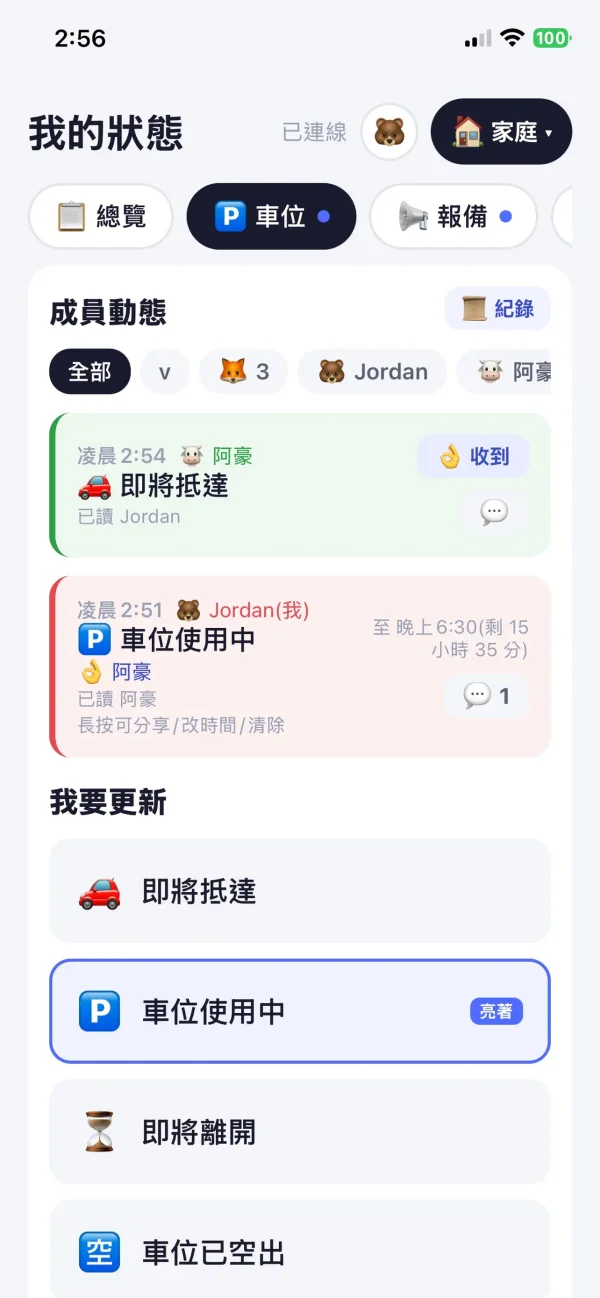
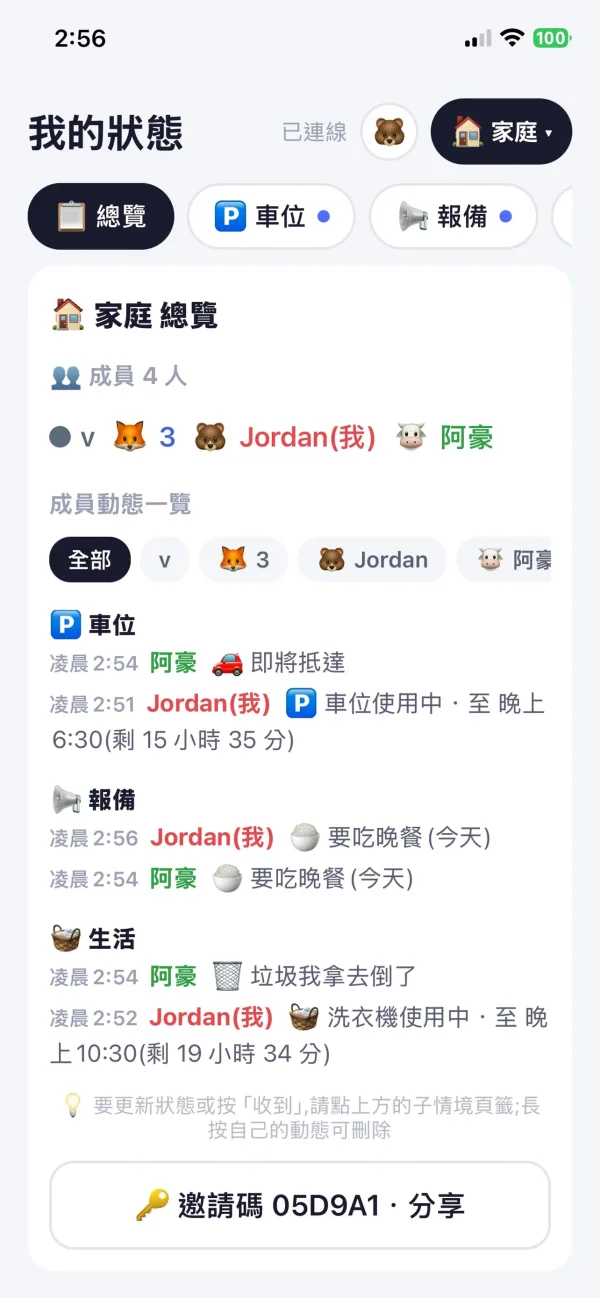
洗衣機、浴室、車位——誰在用?免問。揪聚餐、牌咖,快速方便!
Designed for iPhone, iPad
- Age rating4+
- CategoryLifestyle
- DeveloperTZU-HSIN YEH
- LanguagesTraditional Chinese+ 1 more
- Size51.3 MB
Links to the official App Store page
Download.org hosts no file of 免問 - 一鍵報備狀態(適用生活中各種情境,可自由設定). The button opens its official App Store page, published by TZU-HSIN YEH. Listing last checked on Nov 22, 2026.
Screenshots


About
"Is the washing machine done?" "Anyone in the bathroom?" "Is the parking spot free?" "Are you home yet?" "Have you eaten?"
Same people, same questions, every day. Asking feels awkward; answering feels like a chore.
InUse turns those questions into a single button.
Everyone updates their own status in one tap, and the group sees it at a glance — no typing, no waiting for replies, no read-receipt pressure. The communication is still there; you just don't have to ask.
= FEATURES =
[ONE-TAP STATUS]
Left work, arrived home, washing machine in use, parking spot taken — tap once, the whole group sees it instantly. Countdown ("arriving in X minutes") and deadline ("busy until X") statuses included.
[AUTO CHECK-IN]
Define your own places — home, office, school — and the app posts for you when you arrive or leave: safe-home messages with zero effort. Prefer control? Switch to "ask first" mode and confirm from the lock screen.
Your place coordinates are stored only on your phone and never uploaded to any server.
[APPLE WATCH]
Raise your wrist to send a status or check everyone's latest updates — works even when your phone isn't around.
[SIRI VOICE]
"Hey Siri, send Arrived Home with InUse" — driving or hands full, one sentence posts your status without touching your phone. You can even name the group in the same sentence. (Siri phrases are currently in Traditional Chinese.)
[WIDGETS & LOCK SCREEN]
Pin your favorite cards to the home or lock screen — send without even opening the app. Vote on polls or reply to statuses straight from the notification (long-press it).
[RESERVATIONS]
Need the parking spot 7:30–9:30 tonight? Book it in advance — at start time it switches to "in use" with a countdown, and frees itself automatically when time is up.
[FREE-UP ALERTS]
When a shared resource (washer, bathroom, parking spot) frees up, the next person waiting gets notified automatically — no more refreshing the app.
[STATUSES THAT EXPIRE]
Every status has a lifespan and removes itself when it's over. The board only ever shows what's happening right now — open it and see exactly what matters.
[ONE-TAP POLLS]
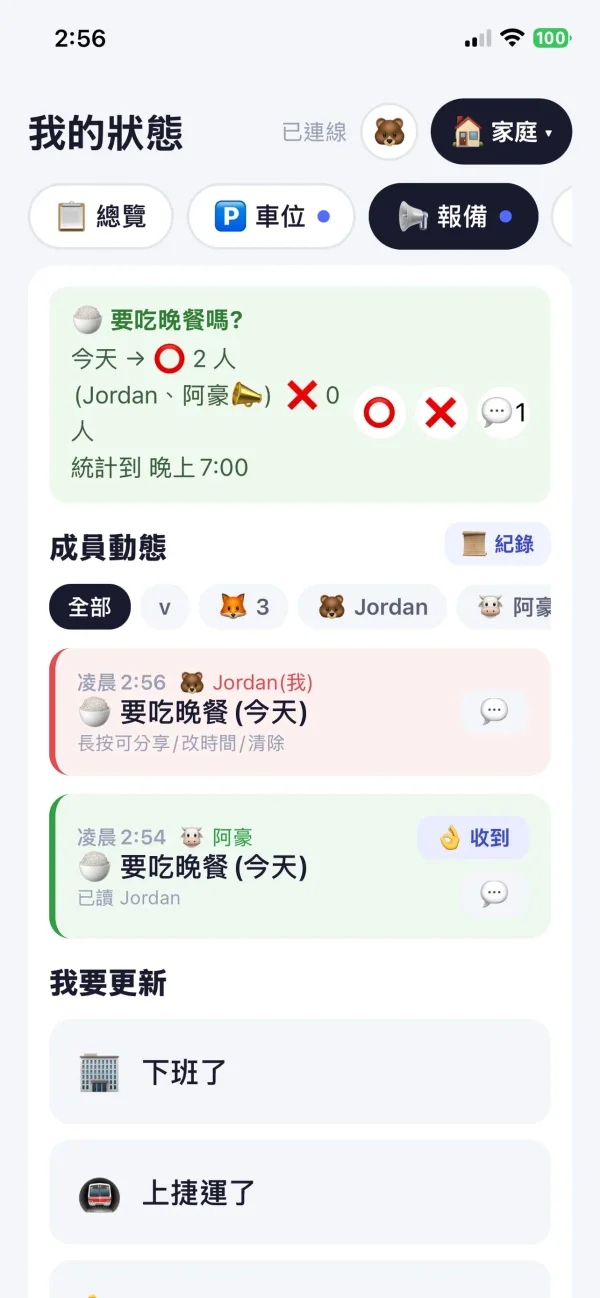
"Dinner tonight?" "Need one more player!" Everyone taps yes or no and the list builds itself. Set a deadline and the poll closes automatically.
[STICKY-NOTE COMMENTS]
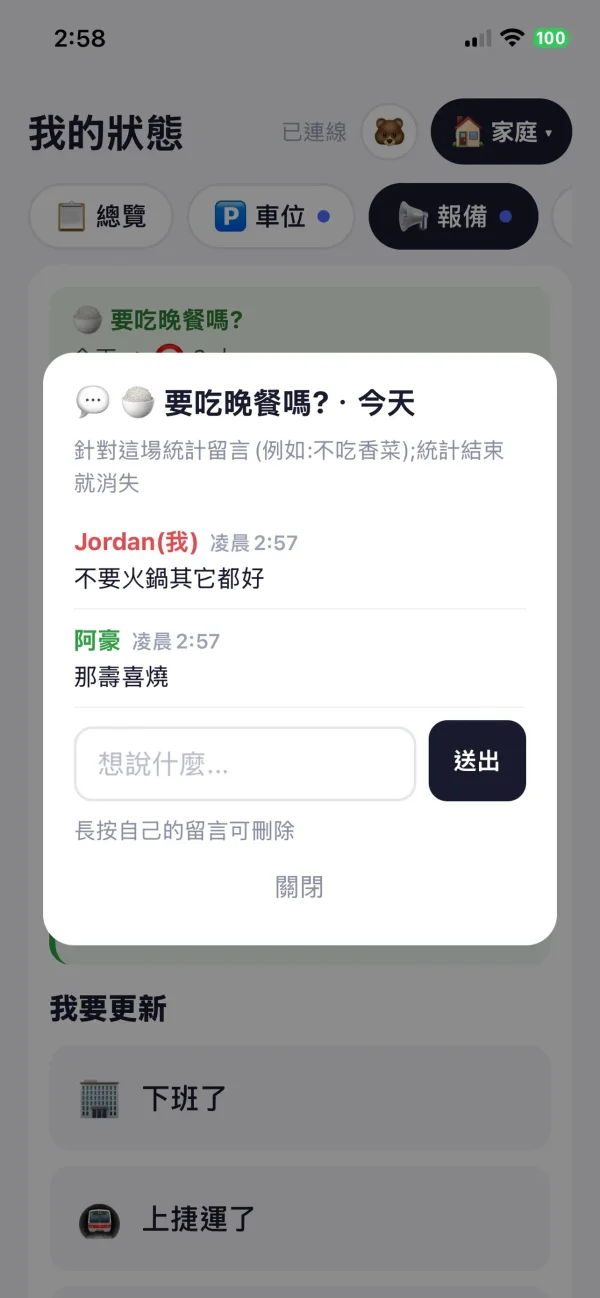
"Save me a drumstick" "No cilantro" — comment on any status or poll; everyone can chat. Comments expire together with the status.
[RECEIVED]
Tap "received" on someone's update to let them know you saw it — reassurance you send by hand, not a read receipt that sells you out.
[PERSONALIZATION THAT DOESN'T AFFECT OTHERS]
Create custom status cards in your group's own language. Hide, reorder or rename tabs — your tweaks change only your own view, never other members'. Lock a channel behind a code for smaller circles.
[IPAD & DARK MODE]
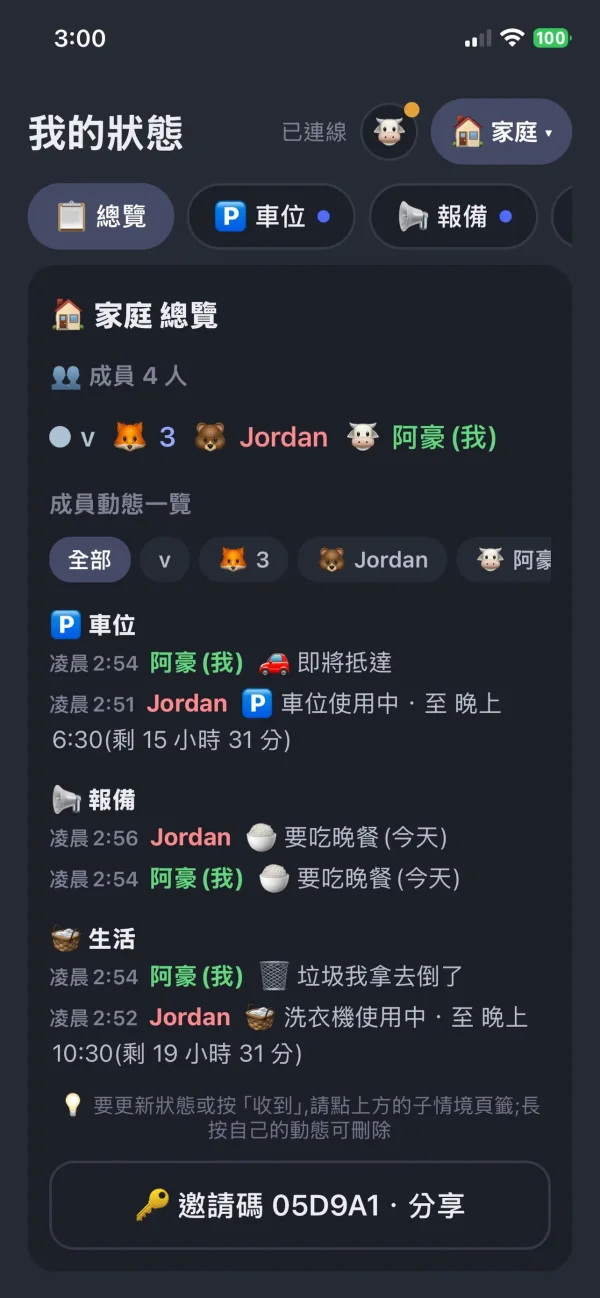
Multi-column layout on iPad; light and dark themes, night-owl friendly.
= WHO IT'S FOR =
- Roommates & dorms: washer, bathroom, shared spaces — see who's using what
- Families: left work, arrived home, pickups, dinner — auto check-in makes safe-home messages effortless
- Friends: pickup games, group dinners, online gaming — headcounts build themselves
- Couples: busy, on my way, thinking of you — one-button chemistry
- Coworkers: lunch runs, in a meeting, deep work, parking status
= START IN 3 STEPS =
1. Open the app, pick a nickname — no sign-up needed
2. Create a group and share the 6-digit invite code
3. Everyone taps their first status. Ask no more.
Want your data across devices? Bind an Email anytime under Account.
= PRIVACY =
- Statuses are visible to your group members only; groups are joined by invite code, nothing is public
- Auto check-in locations stay on your phone; arrival/departure detection happens on-device, never uploaded
- We never sell personal data
- Delete your account and all data in-app, no email required
Ask ten fewer questions a day. Save your words for what matters.
What’s new
Version 1.1.3 · Nov 19, 2026
• Send status cards by voice with Siri — hands-free, you can even name the group
• Easier scheduling: tap any card to pick a start and end time — no long-press needed
• A one-time tip introduces the long-press menu
• Minor fixes and stability improvements
App privacy
What TZU-HSIN YEH declares on the App Store about how this app handles data.
-
Data linked to you
May be collected and linked to your identity.
- Contact info
- User content
- Identifiers
Privacy practices may vary, for example with the features you use or your age.
Information
- Seller
- TZU-HSIN YEH
- Category
- Lifestyle
- Version
- 1.1.3
- Updated
- Nov 19, 2026
- Released
- Sep 15, 2026
- Size
- 51.3 MB
- Requires
- iOS 16.4 or later
- Age rating
- 4+
- Languages
- Traditional Chinese, English
- Copyright
- © 2026 Jordan Yeh