
- Age rating4+
- CategoryUtilities
- DeveloperDAWEI GAO
- LanguagesJapanese+ 3 more
- Size3.1 MB
Links to the official App Store page
Download.org hosts no file of Futari Biyori: Couple Days. The button opens its official App Store page, published by DAWEI GAO. Listing last checked on Nov 25, 2026.
Screenshots

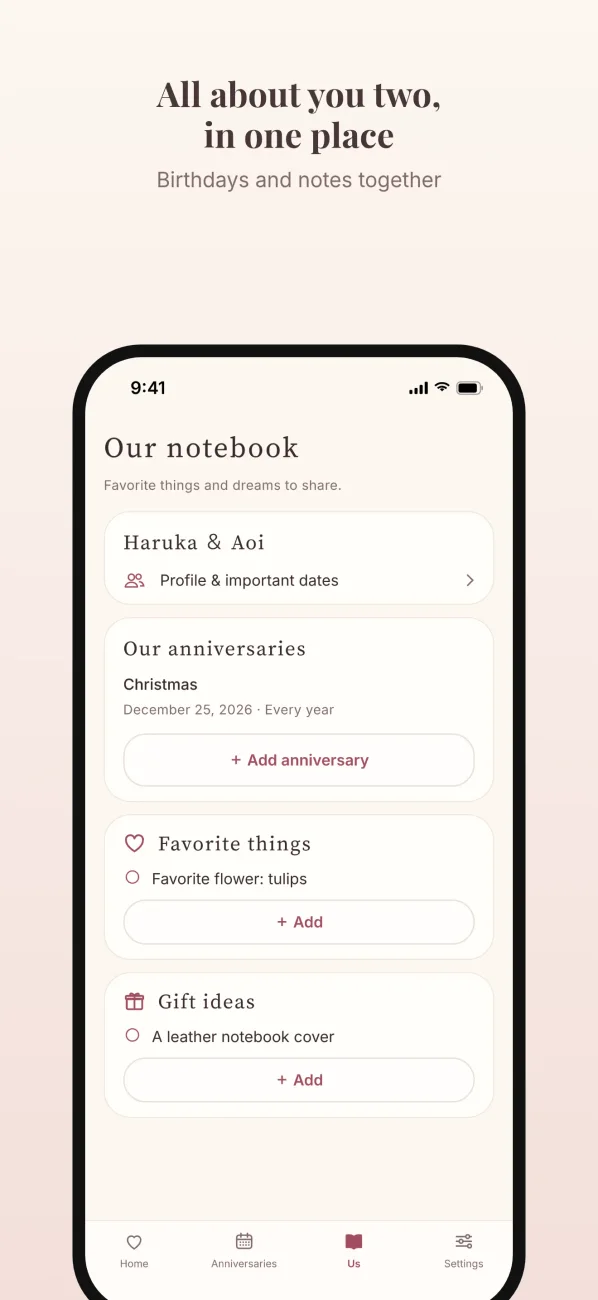

About
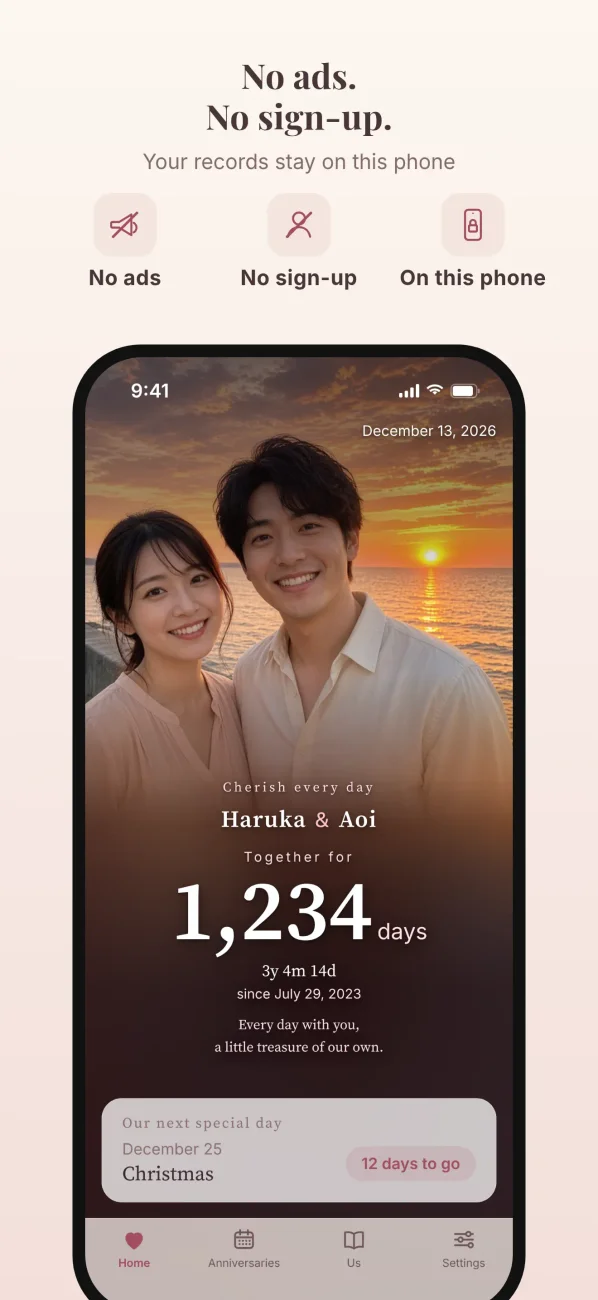
NO ADS, NO SIGN-UP, ON YOUR PHONE ONLY
No account and no ads. Your names, anniversaries, and notes are stored only on your phone and are never sent to the developer's servers.
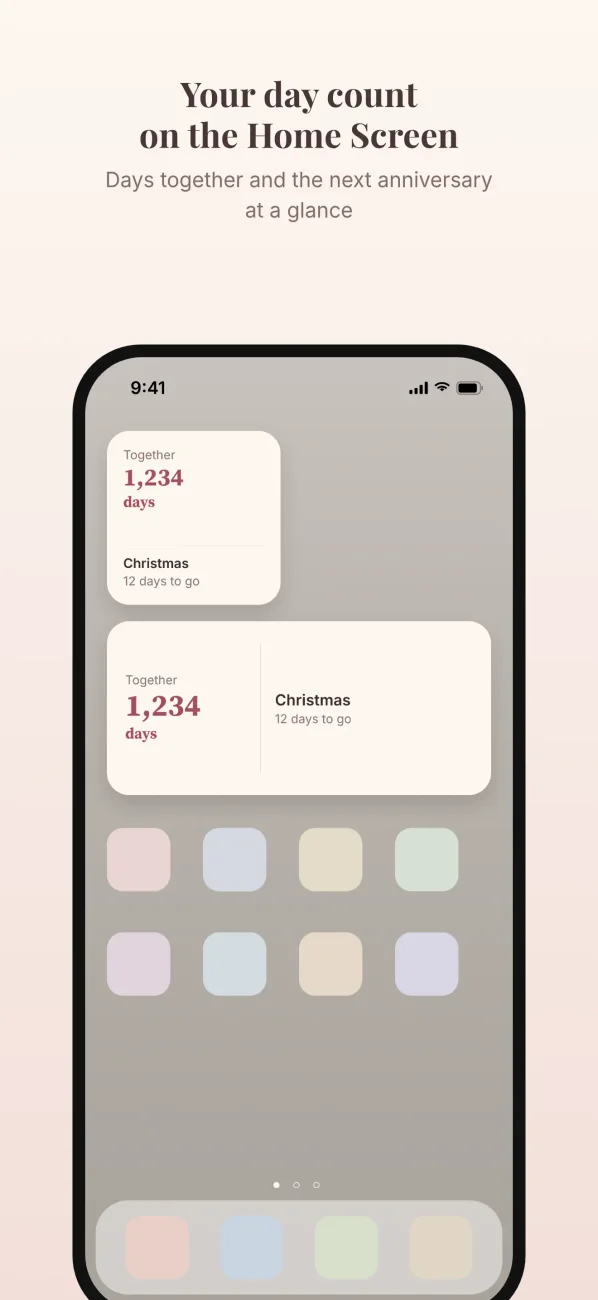
YOUR DAY COUNT IN WIDGETS
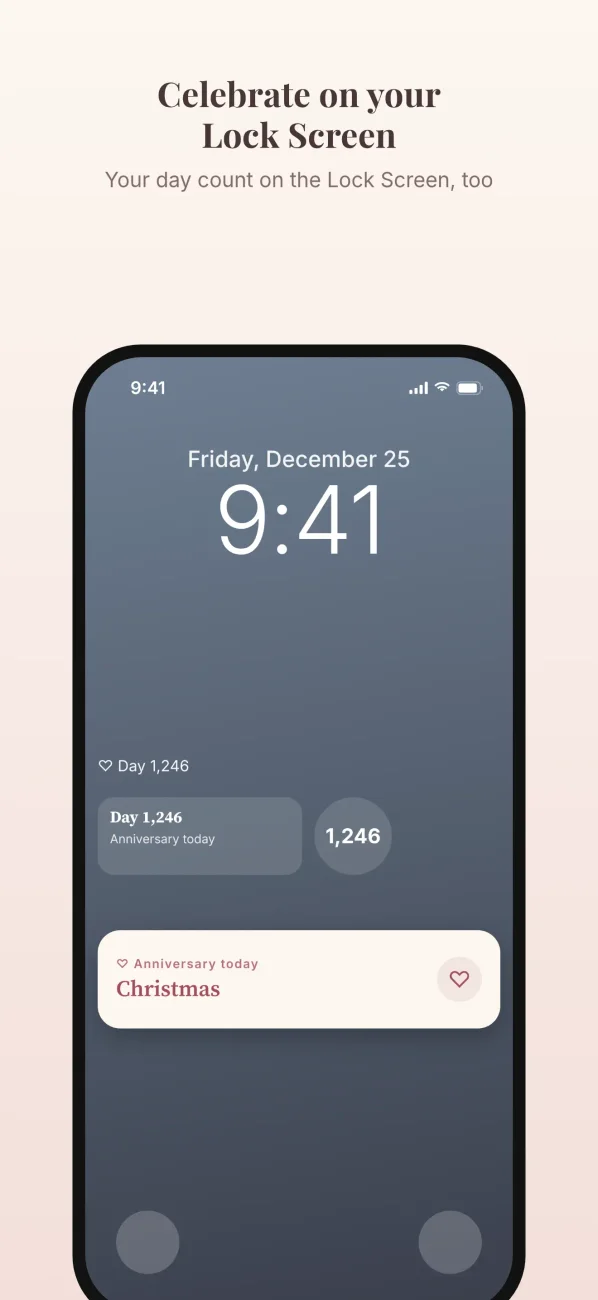
See your days together and the next anniversary on Home Screen and Lock Screen widgets without opening the app. You can also pick which anniversary they show.
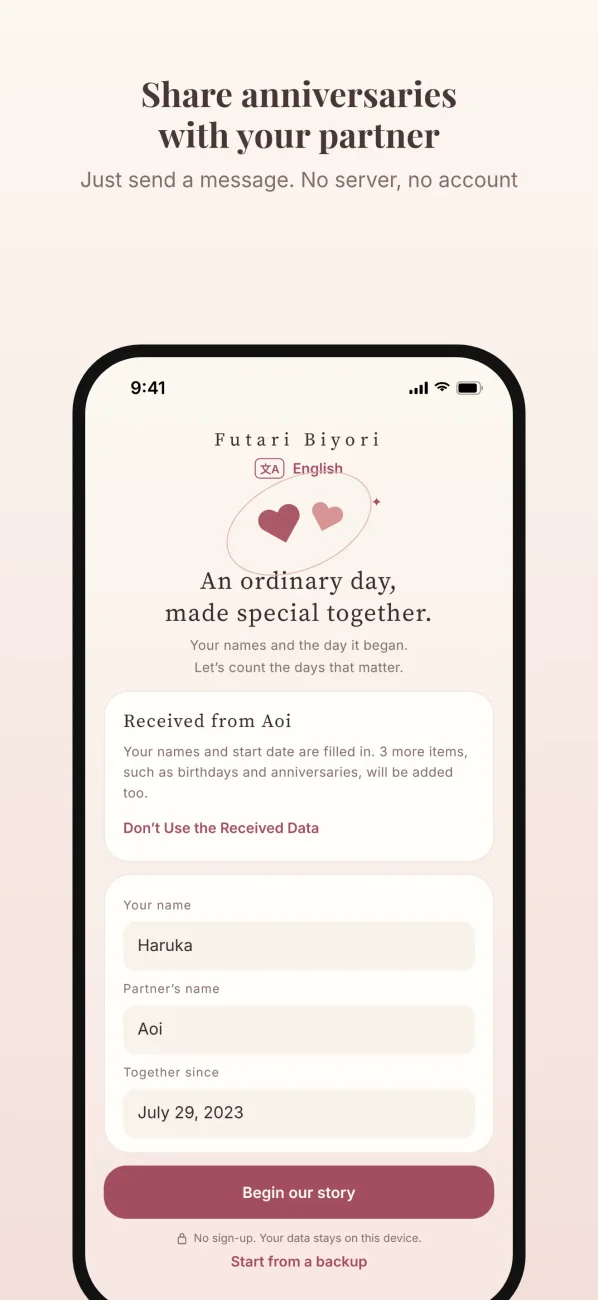
SHARE ANNIVERSARIES WITH YOUR PARTNER
Send your names, birthdays, and anniversaries to your partner by LINE or Messages. They just paste the message to start from the same anniversaries. Notes and photos are not sent. This is not an online sync, so send again after you make changes. Your partner also needs version 2.1.0 or later.
Every ordinary day is a special one when you share it.
Futari Biyori keeps count of every day since you got together.
FEATURES
- Automatically counts the days you have been together
- Home Screen and Lock Screen widgets show today's count at a glance
- Widgets available in English, Japanese, and Chinese
PRIVATE AND SIMPLE
- No sign-up, no account needed
- No ads
- Your records stay on your iPhone
One quick look each day, and you will remember how far you have come together.
What’s new
Version 2.2.0 · Nov 25, 2026
• New photo widget, “Our Photo”
Shows your days together and your next anniversary over your Home background photo (small and medium).
• Share your day count as an image
Use the share button at the top right of Home to send a “Day N of our story” image to LINE or Instagram, or save it to Photos. If you’ve set a Home background photo, the image uses it.
• Anniversaries show on the Lock Screen by themselves (iOS 26 or later)
With reminders on, the anniversary’s name appears on the Lock Screen and in the Dynamic Island along with the morning notification.
• Getting Started, for people new to the app
It helps you add the widget, turn on reminders and share with your partner.
App privacy
What DAWEI GAO declares on the App Store about how this app handles data.
-
Data not collected
The developer does not collect any data from this app.
Privacy practices may vary, for example with the features you use or your age.
Information
- Seller
- DAWEI GAO
- Category
- Utilities
- Version
- 2.2.0
- Updated
- Nov 25, 2026
- Released
- Sep 7, 2026
- Size
- 3.1 MB
- Requires
- iOS 18.0 or later
- Age rating
- 4+
- Languages
- Japanese, Simplified Chinese, Traditional Chinese, English
- Copyright
- © 2026 GAO DAWEI
You might also like
-
 シンプル記念日Utilities
-
 Momento: Anniversary CountdownBirthday & Days Until Counter
-
 星の王子様 メモ - かわいくてシンプルなメモ帳Utilities
-
 記念日まで - あと何日?カウントダウンUtilities
-
 SubmonUtilities
-
 お守りサウンド-一人暮らし女性向け男性ボイスで防犯-Utilities
-
 麻雀ヘルパー - AIカメラ手牌スキャン&点数計算Utilities
-
 MiScreen-AirUtilities
-
 カップル記念日・付き合って何日をカウント -恋するDiaryUtilities
-
 Materialog for Genshin ImpactHandy tool for Genshin Impact