
- Age rating4+
- CategoryEntertainment
- DeveloperKogameLab
- LanguagesJapanese+ 3 more
- Size2.0 MB
Links to the official App Store page
Download.org hosts no file of Ouchi Register: Scan & Pay. The button opens its official App Store page, published by KogameLab. Listing last checked on Nov 27, 2026.
Screenshots


About
Scan a printed barcode — beep! — and your living room becomes a real store.
Ouchi Register ("ouchi" means "home" in Japanese) lets you scan printed barcodes and QR codes with your iPhone or iPad camera and ring up a sale just like a real checkout. A fun way for the whole family to run a shop at home.
HOW TO USE
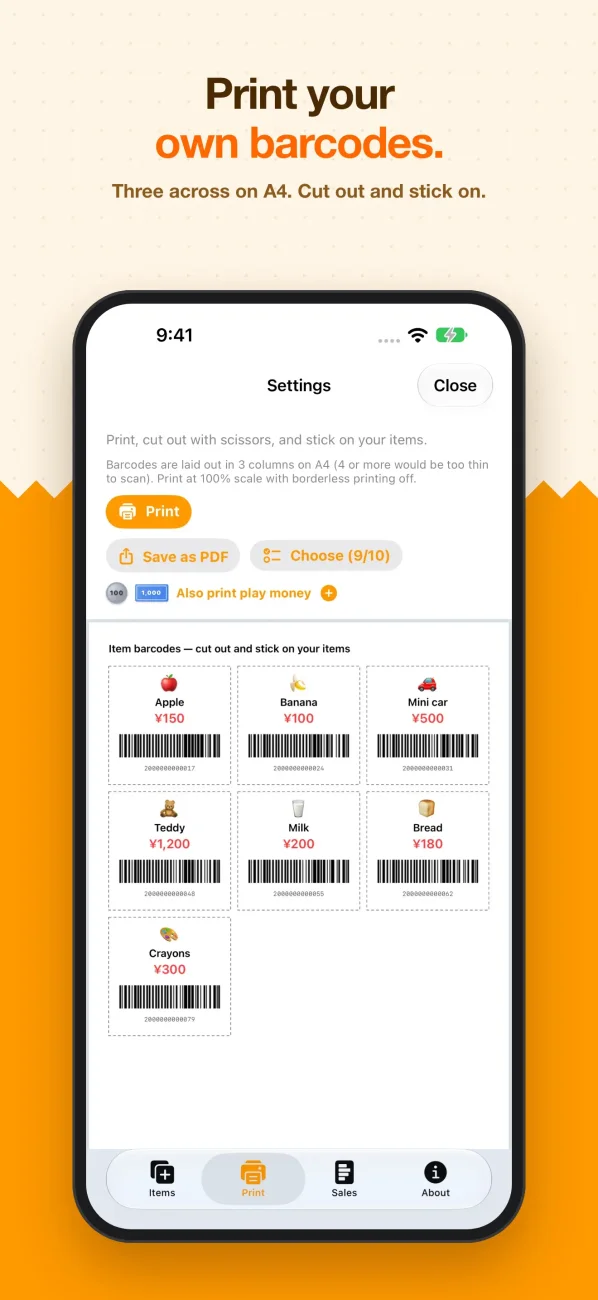
1. Print item barcodes and mock phone-payment QR codes from the Print tab
2. Cut them out and stick them on items or paper cups
3. Point the camera at a barcode — it beeps and adds the item
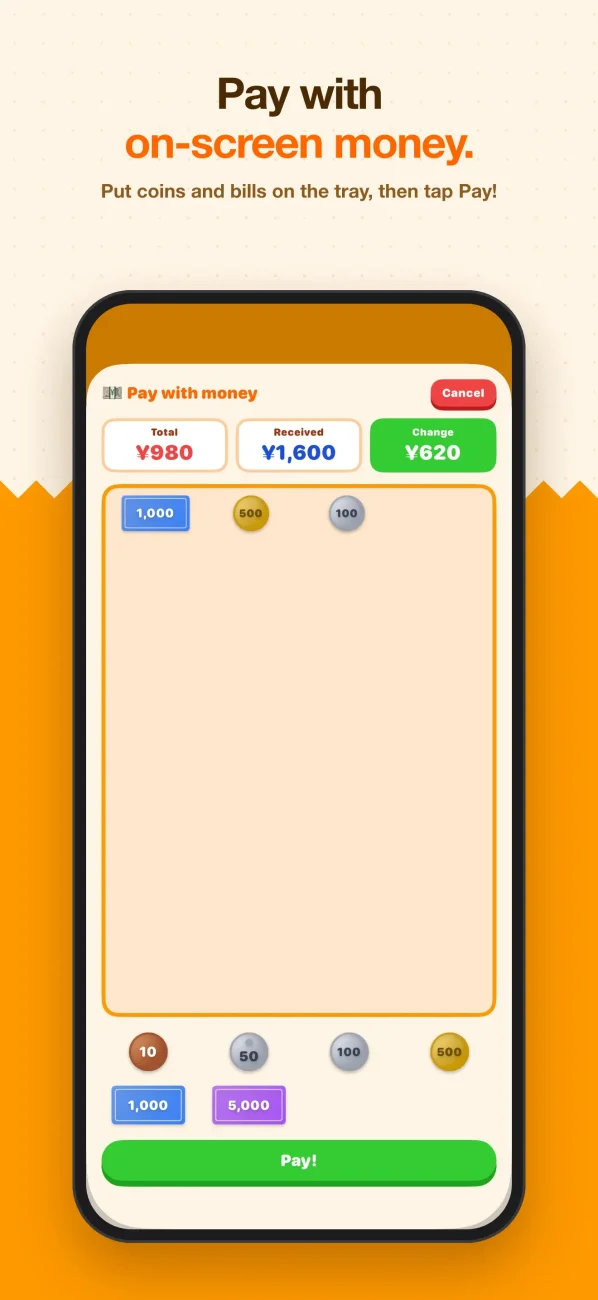
4. Show a payment QR code, or pay with on-screen money, to finish the sale
FEATURES
• Simple Mode — big buttons and friendly words anyone can use right away
• Customer orders — an animal customer asks for 2–3 items in emoji. Gather them, check out, and the customer waves “Thank you!”
• Pay with money — tap coins and bills onto the tray. It shows how much more is needed, then your change, which appears on the receipt coin by coin
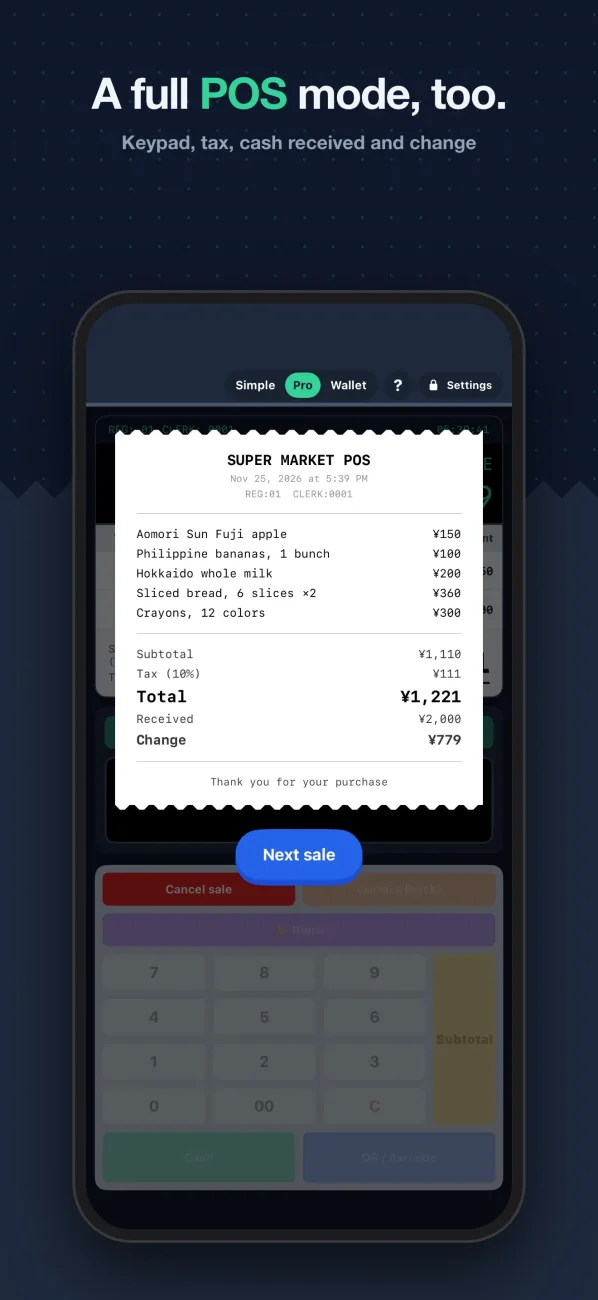
• Pro Mode — a full POS-style register with a keypad, subtotal, 10% tax, cash received and change, plus a customer display and an itemized journal
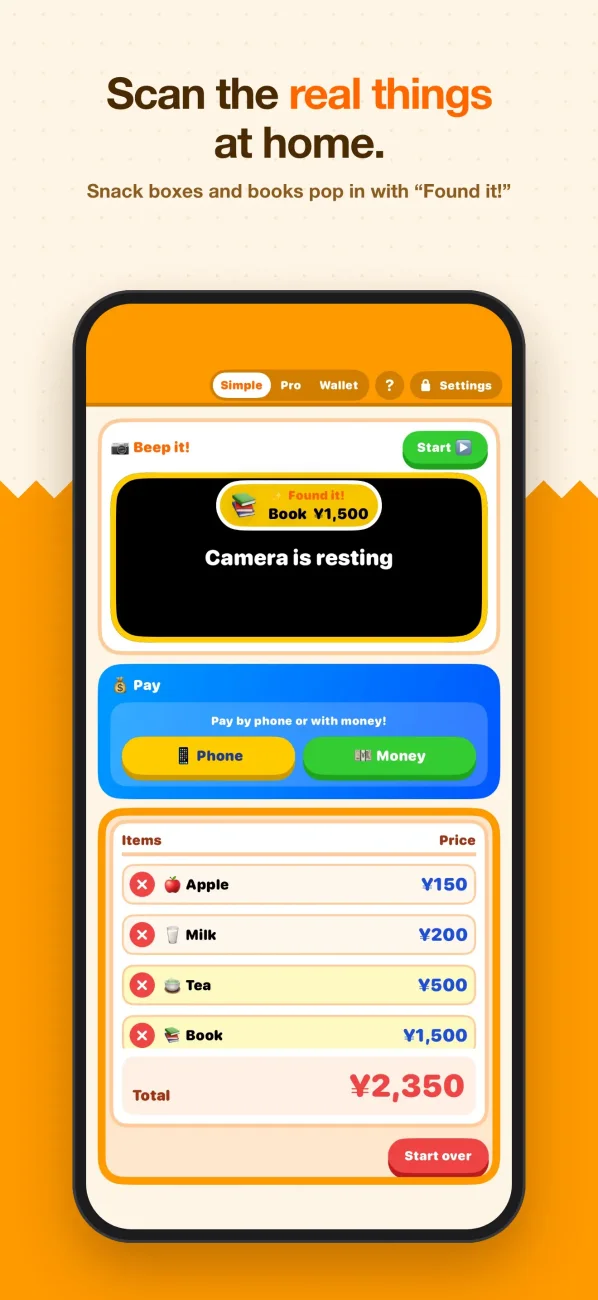
• Real barcodes at home — scan a snack box or a book and it pops into the cart with “Found it!” (at a play price). Products from abroad show the country's flag and a hello in its language (21 countries)
• Easy item setup — enter a name and price and a barcode is made for you
• Your own payment brands — create any "___ Pay" you like, then pay by showing its printed QR code to the camera
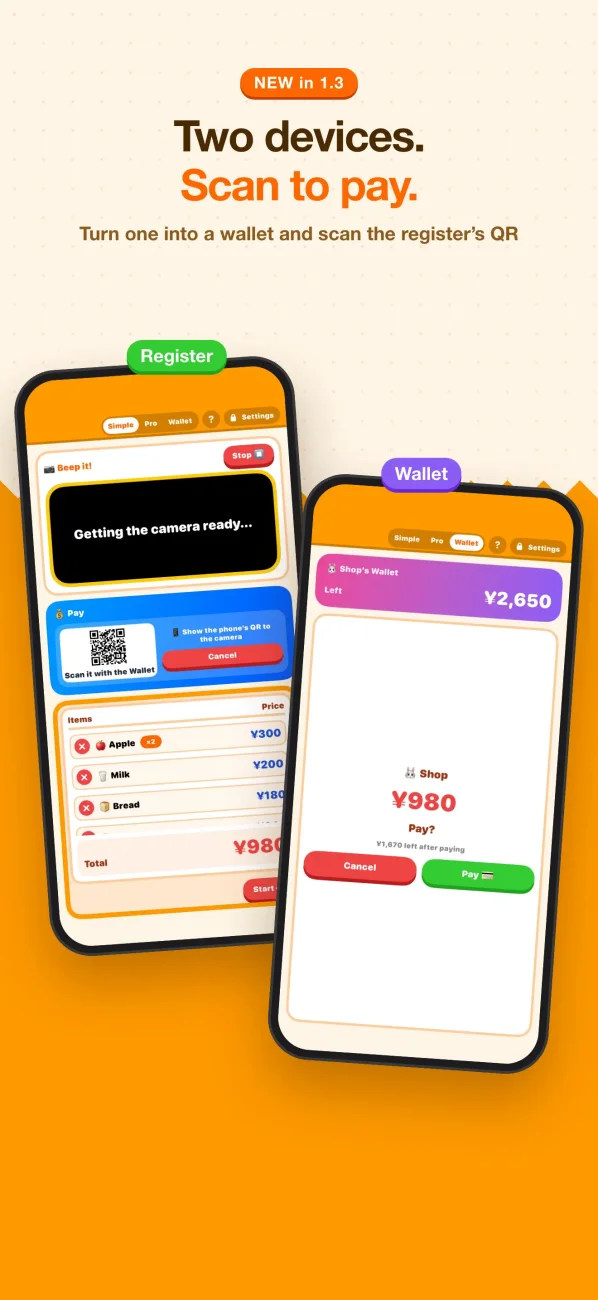
• Wallet mode (new in 1.3) — with two devices, make one a wallet and pay by scanning the QR code on the register's screen. The balance goes down too (no network: the devices just scan each other's screens)
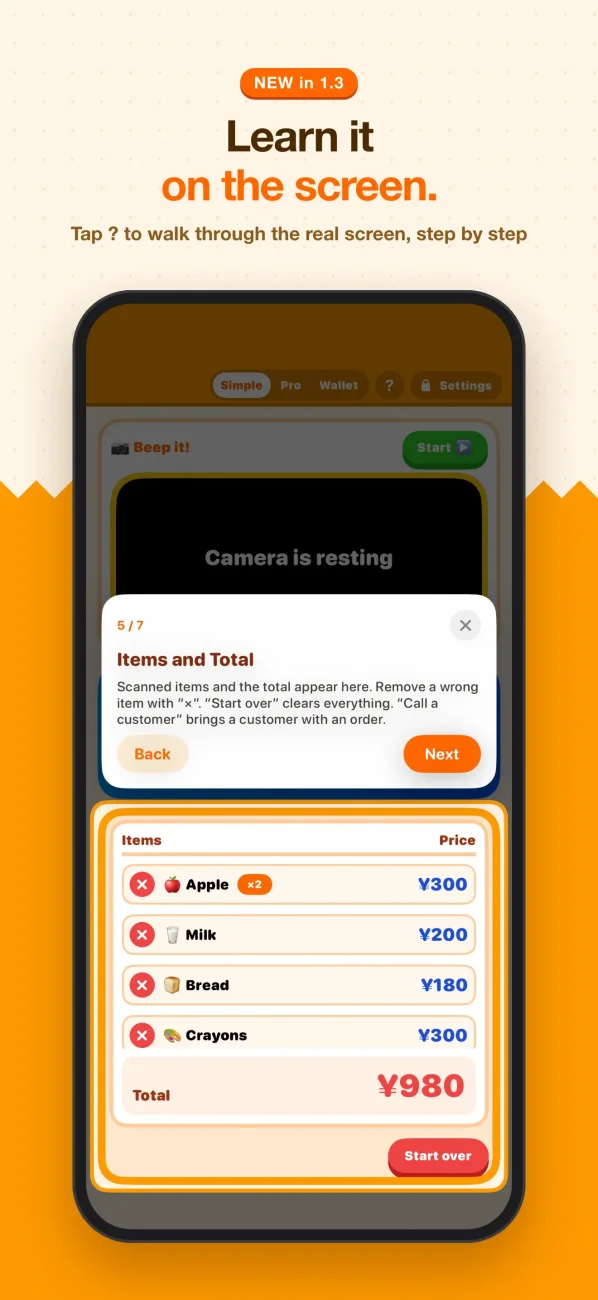
• How-to guide (new in 1.3) — tap “?” and it explains the register one part at a time, highlighting the real screen
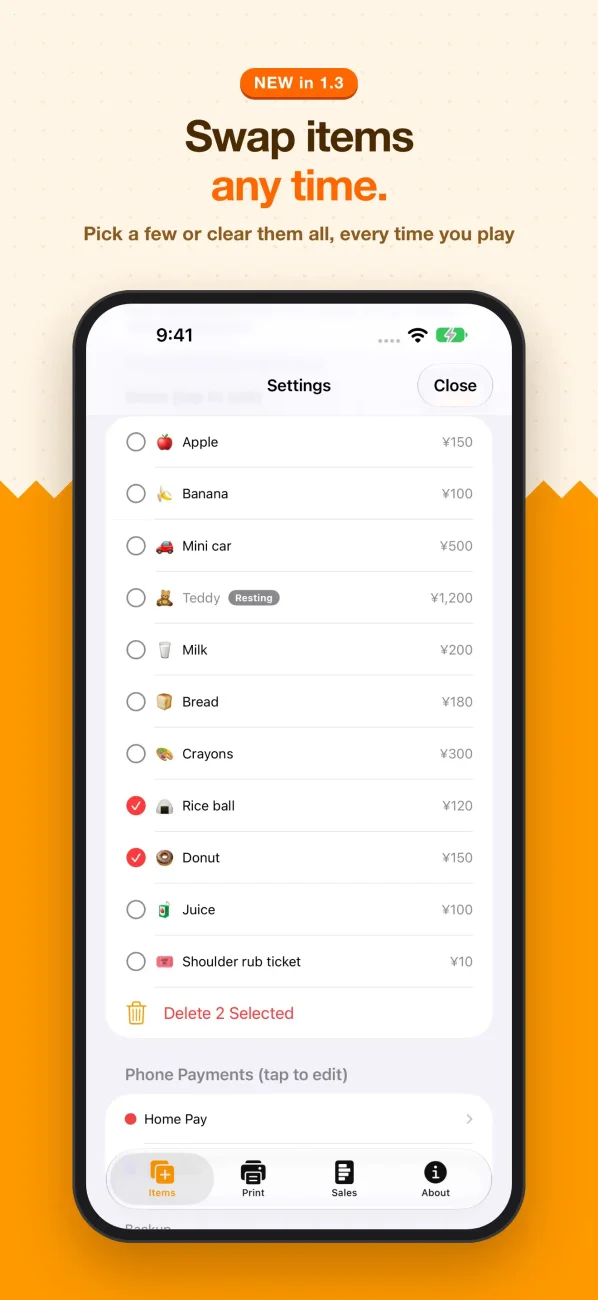
• Swap items freely (new in 1.3) — delete your own items one at a time, several at once, or all together, or just put them to rest
• Shop name and play money (new in 1.3) — your shop's name appears on receipts, and you can print bills and coins on one A4 sheet
• Sales history, and a backup file to share items between iPhone and iPad
• Register sounds that feel real — a scan beep, a checkout “beep-beep, drawer, ding”, and clinking coins
Prices are shown in Japanese yen (¥), and the on-screen money uses Japanese coins and bills.
PRIVATE BY DESIGN
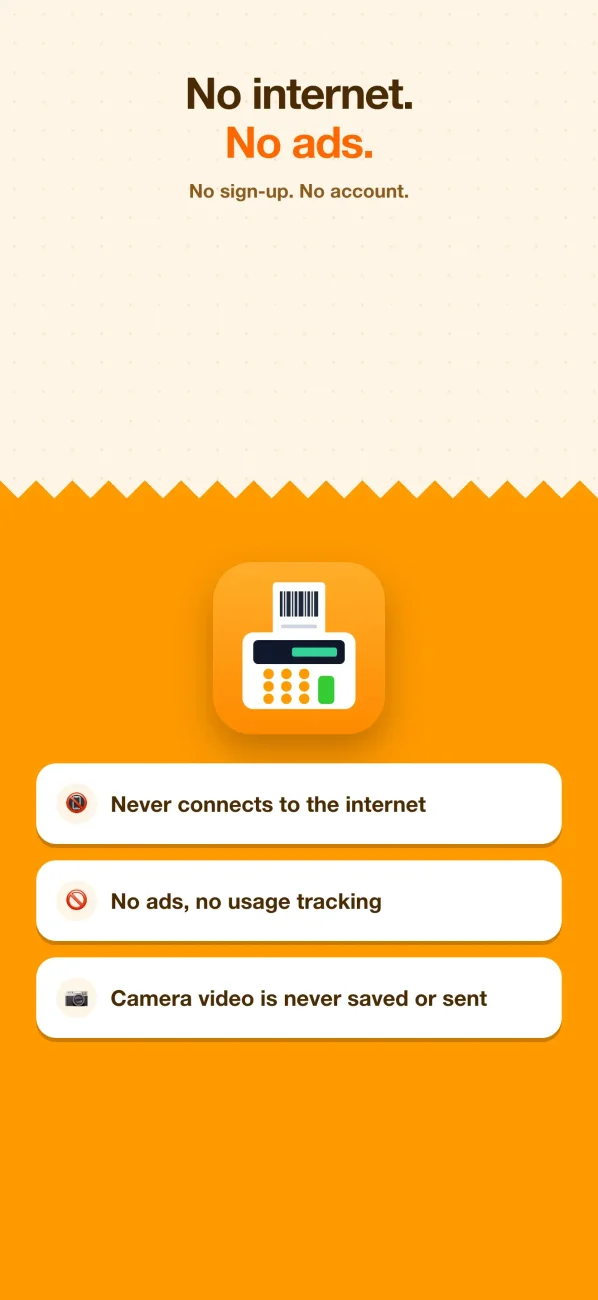
• No internet at all — no ads, no analytics, no tracking
• Your data stays on your device — items, payment methods and sales history are stored only on this device
• Camera video is never saved — it's used only for scanning in real time and is never sent anywhere
• A lock against accidental changes — item setup and printing sit behind a simple math question
REQUIREMENTS
iPhone and iPad (iOS 17.0 or later)
English, Japanese, Simplified Chinese, Korean
Paper, scissors and a camera are all you need to open your own store.
What’s new
Version 1.3 · Nov 26, 2026
• New “?” guide: it explains how to use the register one part at a time, highlighting the real screen (it also appears the first time you open the app)
• You can now delete items in Settings → Items — one at a time, several at once, or all at once. Handy when you play with different items each time
• New Wallet mode: play with two devices. Set one to Wallet and the other to the register, then scan the QR that appears when you tap Phone on the register to pay. The Wallet's money goes down too (no network needed)
• Name your shop in Settings — it appears on receipts and the play money
• Print a sheet of play money (¥1000 and ¥5000 notes, ¥10–¥500 coins) on one A4 page from the print screen
• Tap “Next” and the new customer asks for different items than the last one
• Grown-ups can choose how long a barcode is held before it scans
• Fixed the Cash and QR buttons being cut off in Pro mode on shorter iPhones, and the print screen buttons wrapping on iPhone
App privacy
What KogameLab declares on the App Store about how this app handles data.
-
Data not collected
The developer does not collect any data from this app.
Privacy practices may vary, for example with the features you use or your age.
Information
- Seller
- Kogame Lab
- Category
- Entertainment
- Version
- 1.3
- Updated
- Nov 26, 2026
- Released
- Sep 23, 2026
- Size
- 2.0 MB
- Requires
- iOS 17.0 or later
- Age rating
- 4+
- Languages
- Japanese, Simplified Chinese, English, Korean
- Copyright
- © 2026 Kogame Lab
You might also like
-
 photocolle フォトコレ デジタルアルバムアプリEntertainment
-
 Retro Rotary Dialer - 3D PhoneMake real calls with classic!
-
 Novep - AIチャット&キャラ作成Entertainment
-
 アニニ(anini)AI彼女/AI彼氏キャラと恋愛チャットEntertainment
-
 buzoon - AI Character Chat SimInteractive romance stories
-
 ytv MyDo!(まいど)〜読売テレビ動画配信〜Entertainment
-
 HoloModels LocationEntertainment
-
 J:COM LINK-XA401Entertainment
-
 Meki-推しと話せるAIチャットEntertainment
-
 POPKIT(ポップキット)チラシやポスターのデザイン作成Entertainment