Chatty Clock & Calculator
Alarms and timers you can hear
Designed for iPhone, iPad, iPod touch
In-app purchases
- Age rating4+
- CategoryUtilities
- DeveloperJUNYA TANAKA
- LanguagesJapanese+ 2 more
- Size58.7 MB
Links to the official App Store page
Download.org hosts no file of Chatty Clock & Calculator. The button opens its official App Store page, published by JUNYA TANAKA. Listing last checked on Nov 23, 2026.
Screenshots


About
For when your hands are busy cooking, when getting up is hard, or when you don't want to add up the shopping in your head. A clock and calculator you can follow without looking at the screen.
It really does talk a lot. Cup noodles get comments like "Did you add the flakes? Easy to forget." and little cheers in between. You decide how much each timer talks. Comments come in a new order every time and never repeat back to back.
ALARMS (iOS 26 or later)
- Wake up to the voice you pick: "It's 7 o'clock. Time to get up."
- Enter when you leave and your morning steps, and it works out when to wake you. Each snooze says how many minutes you have left
- Extra sleep: a quiet alarm 10 to 30 minutes early tells you how long you can still sleep, then the real alarm wakes you
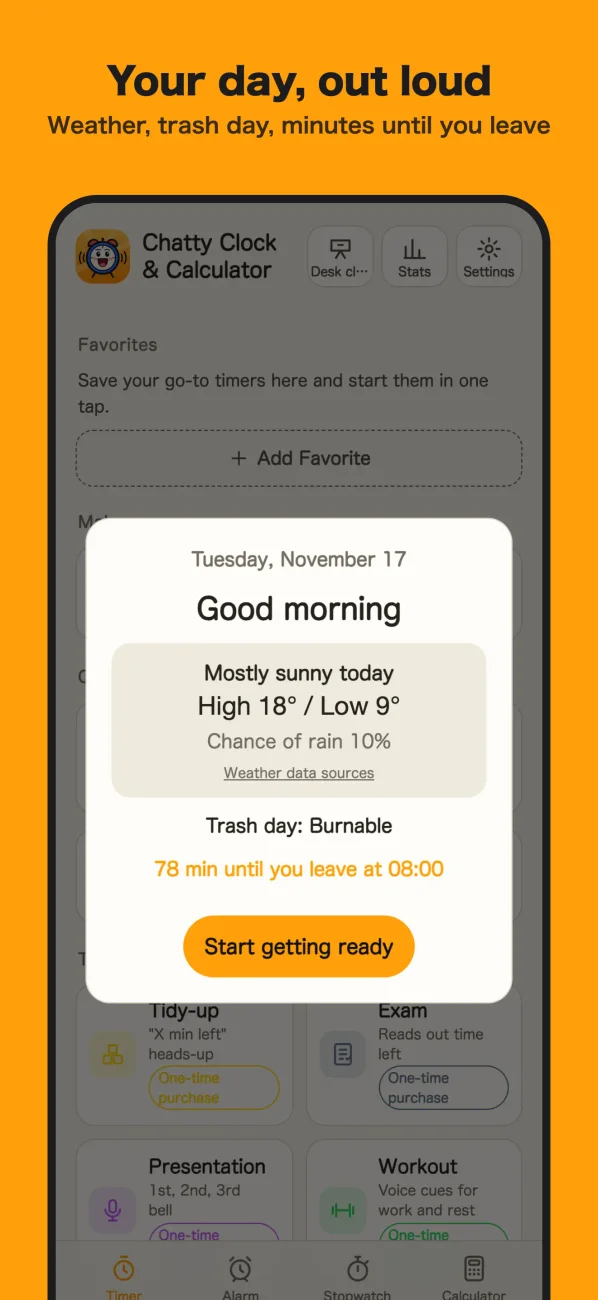
- Trash days (weekly, or the 2nd and 4th week, and so on), reminded in the morning and the night before
- After you stop it: the date, today's weather and your first event. On leaving days it reads your checklist, and adds "umbrella" when it rains
- Set by voice: "clock, wake me up at 7"
CALCULATOR
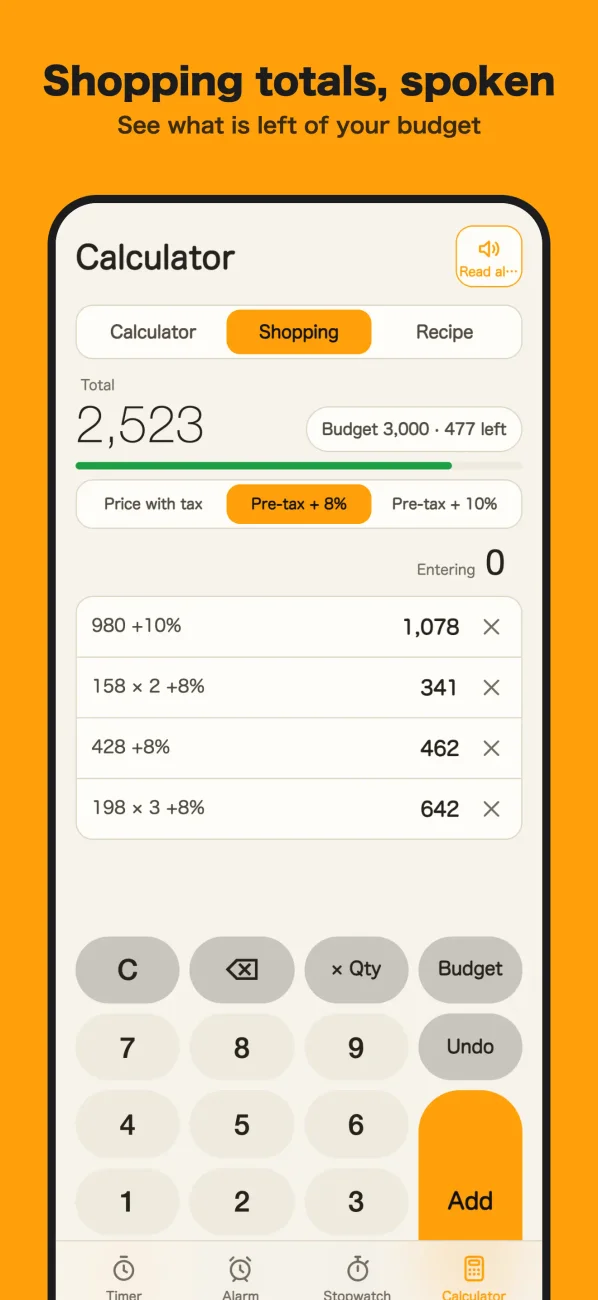
Reads answers aloud.
- Shopping: set a budget and add items; it says the total and what's left
- Recipe: scale ingredients from 2 servings to 4, and so on
STOPWATCH
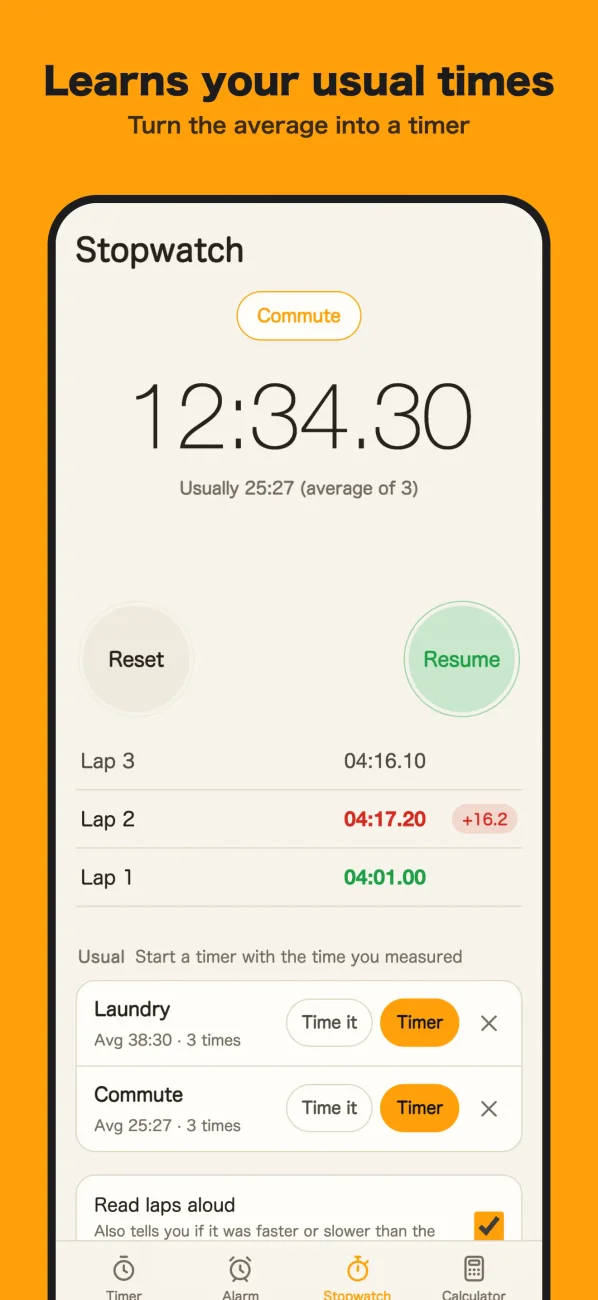
Reads laps aloud with the difference from the last one. Name what you time and it remembers the average as a one-tap "usual" timer.
DESK CLOCK AND SIMPLE VIEW
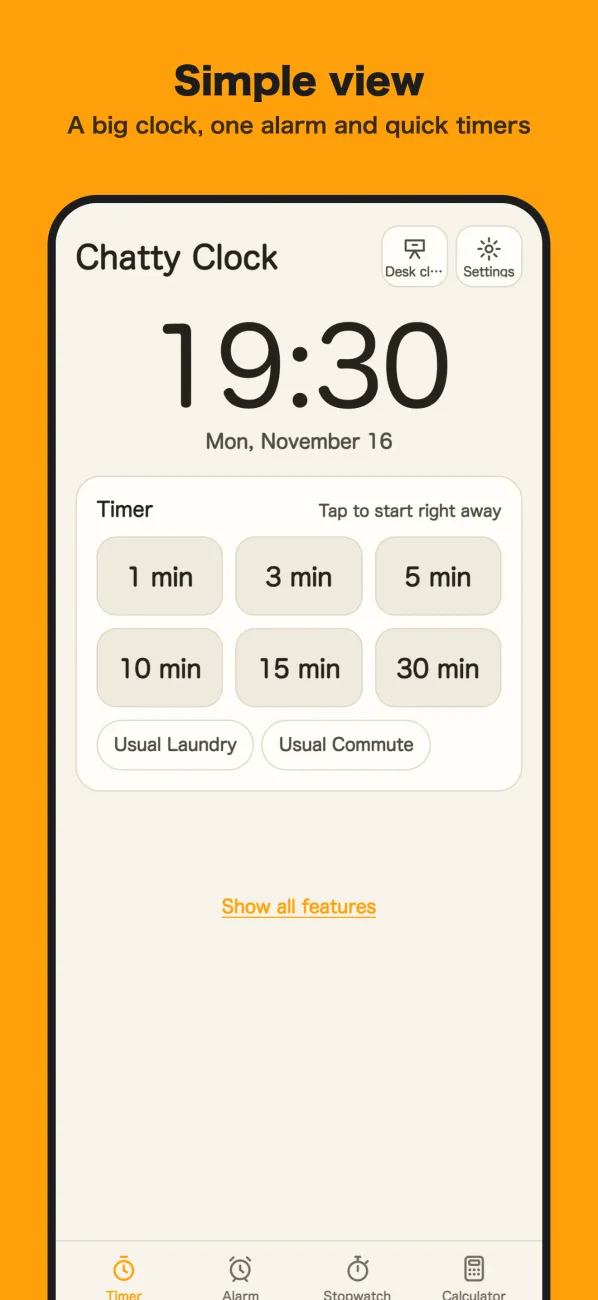
The desk clock shows the big time, the next alarm and running timers. Simple view shows only a big clock, one alarm and your favorite timers.
FREE TIMERS
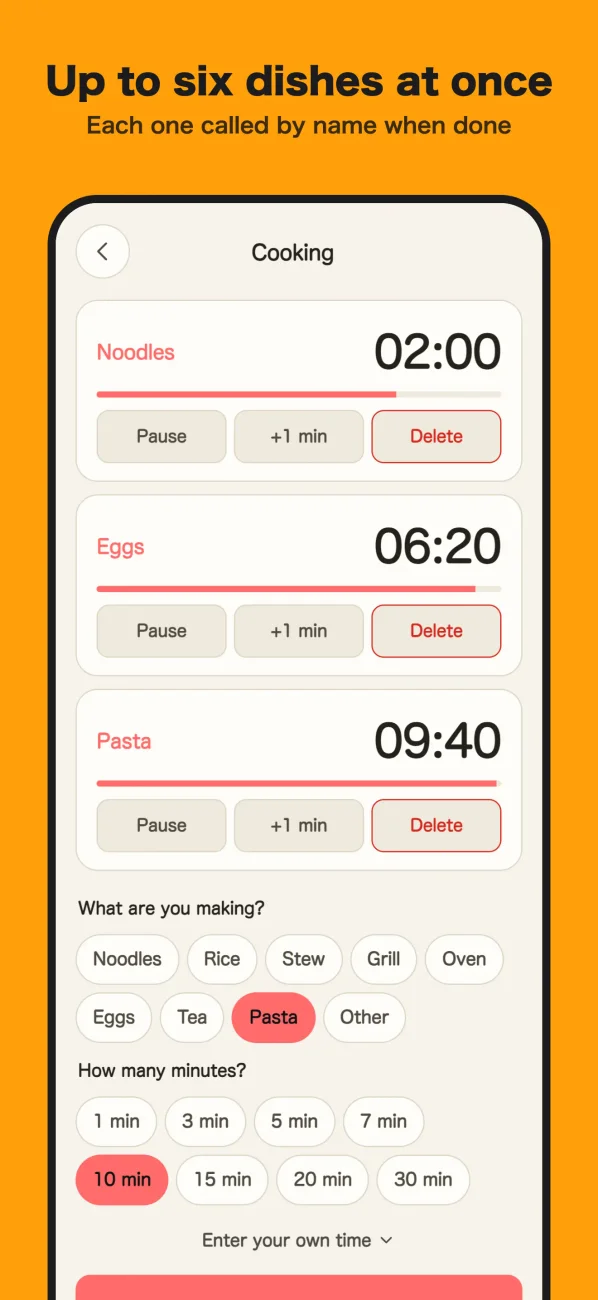
Cup noodles, Cooking (up to 6 at once, called by name), Toothbrushing (6 areas in turn), Study (Pomodoro), Simple, and one Custom timer.
ONE-TIME PURCHASE "UNLOCK EVERYTHING"
Timers: Tidy-up, Exam, Presentation (bells), Workout (Tabata and more), Meditation and stretching, Breathing, My routine
Voice: Santa
Unlimited custom timers
A single payment, no subscription. Try the voices before you buy.
VOICES
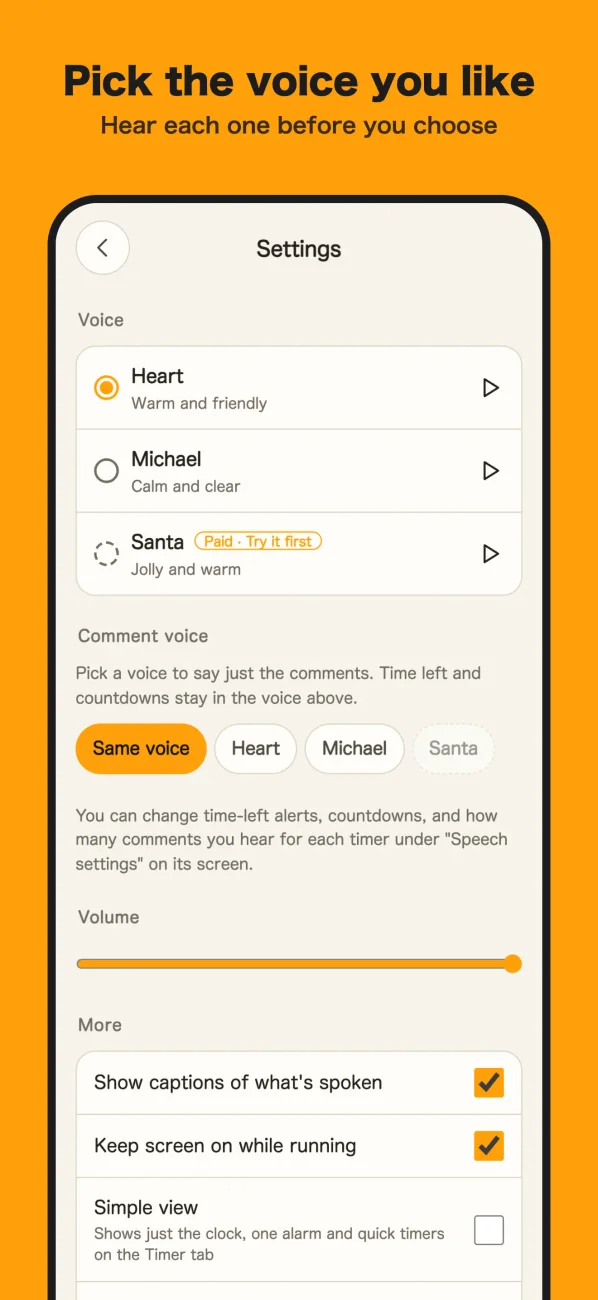
Free: Heart and Michael. Japanese and Spanish voices are included too and follow the app language.
ALSO
- Keeps talking with the screen off; time left on the Lock Screen and in the Dynamic Island
- Talk to it: "timer, how much time is left?" "clock, what time is it?" Works with Siri
- Rearranges itself for iPhone Duo when half-folded, opened like a book or fully open
- Japanese, English and Spanish
DATA
No ads, no account. Settings and records stay on your device, and speech recognition runs on the device. The app only goes online to buy or restore, and to get the weather for the morning briefing (your approximate location is sent to Apple's weather service). Calendar events never leave the device.
English and Spanish voices: made with Kokoro TTS (Apache-2.0) and bundled in the app. Japanese voices: VOICEVOX:ずんだもん / VOICEVOX:麒ヶ島宗麟 / VOICEVOX:四国めたん / VOICEVOX:ちび式じい
Weather: Apple Weather
Timers and alarms are a guide only. The breathing guide is not a medical feature. Use dedicated equipment for medical or safety-critical timing.
What’s new
Version 2.2 · Nov 17, 2026
The app is now called Chatty Clock & Calculator ("Chatty Clock" on the Home Screen). Tabs at the bottom switch between Timer, Alarm, Stopwatch and Calculator. All new features are free.
- Alarms (iOS 26 or later): wake up to the voice you pick: "It's 7 o'clock. Time to get up." Enter when you leave and your morning steps, and it works out when to wake you. Each snooze tells you how many minutes are left before you leave
- Extra sleep: a quiet alarm 10 to 30 minutes early tells you how long you can still sleep, then the real alarm wakes you
- Trash days: get reminded in the morning and the night before
- After you stop an alarm: the date, today's weather and your first event. On leaving days it reads your checklist, and says "umbrella" when it rains
- Set by voice: "clock, wake me up at 7". It tells you how long you can sleep
- Calculator: reads answers aloud. Shopping (budget, total, what's left, tax) and Recipe (scale servings)
- Stopwatch: reads laps aloud. Name what you time and it becomes a one-tap "usual" timer
- Desk clock: big time and next alarm. On a half-folded iPhone Duo, the clock sits above the fold
- Simple view: just a big clock, one alarm and your favorite timers
- Timers now talk more by default, with short cheers like "You got this" between comments, and count down at the end. You can turn it down in the talk settings
- If a finished timer is left ringing for 3 minutes, it reminds you again
- To cut the app size roughly in half, the purchase now adds one English voice (Santa)
App privacy
What JUNYA TANAKA declares on the App Store about how this app handles data.
-
Data not collected
The developer does not collect any data from this app.
Privacy practices may vary, for example with the features you use or your age.
Information
- Seller
- JUNYA TANAKA
- Category
- Utilities
- Version
- 2.2
- Updated
- Nov 17, 2026
- Released
- Sep 17, 2026
- Size
- 58.7 MB
- Requires
- iOS 15.0 or later
- Age rating
- 4+
- In-app purchases
- Yes
- Languages
- Japanese, Spanish, English
- Copyright
- © 2026 田中 純也