
- Age rating4+
- CategoryUtilities
- Developer翔 陈
- LanguagesEnglish+ 32 more
- Size6.0 MB
Links to the official App Store page
Download.org hosts no file of 觅境. The button opens its official App Store page, published by 翔 陈. Listing last checked on Nov 18, 2026.
Screenshots
About
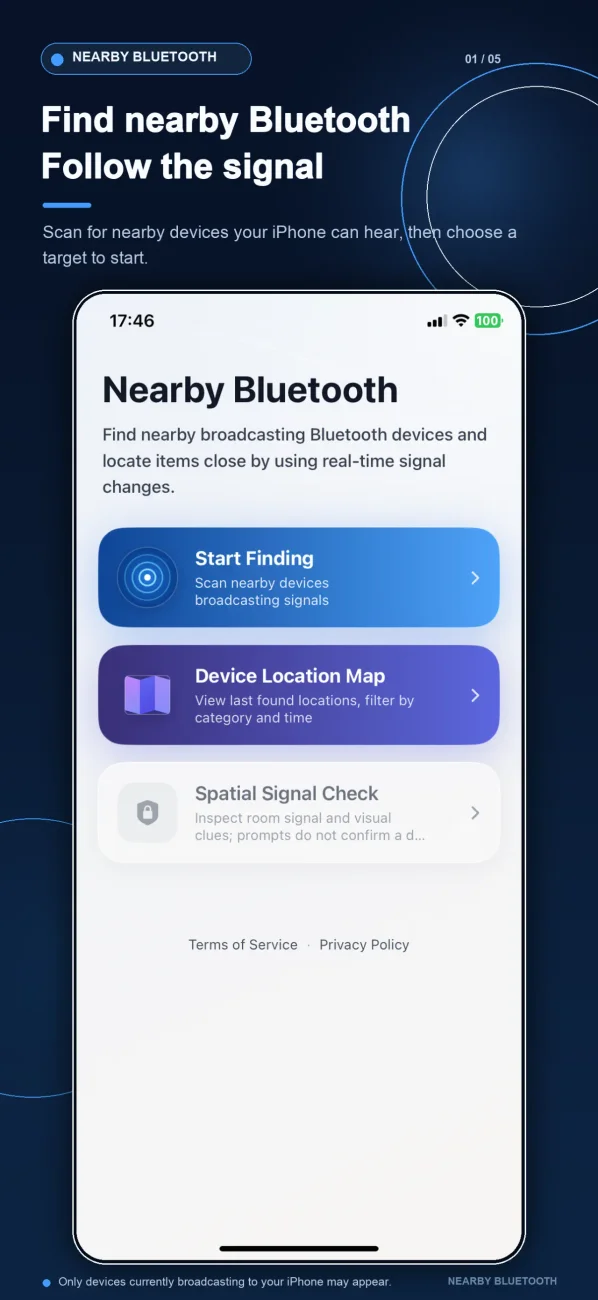
A practical tool for finding nearby Bluetooth devices and observing wireless signal activity around you.
Misplaced your wireless earbuds, fitness band, stylus, or another Bluetooth accessory? When a device is somewhere nearby but hard to locate, this app helps you narrow down the search. It detects Bluetooth signals being broadcast by nearby devices and turns signal strength into easy-to-understand visual guidance, helping you search around a room, desk, or bag.
KEY FEATURES
1. Easy-to-understand signal strength and proximity trends
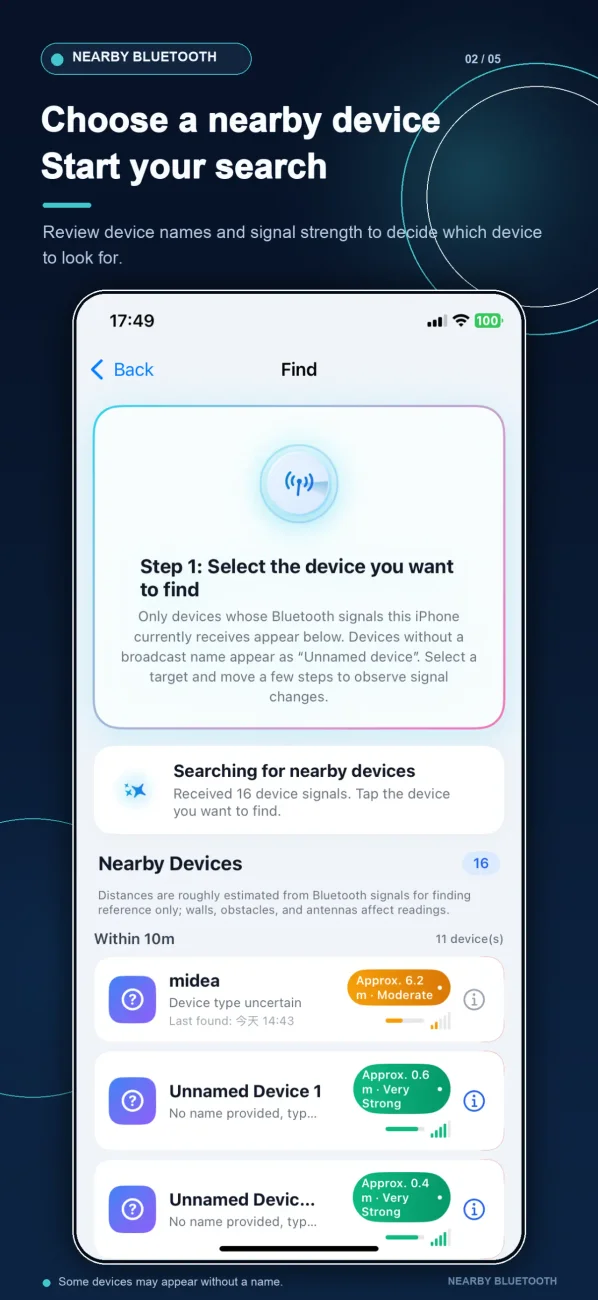
- No need to interpret confusing negative signal readings. See simple status descriptions such as *Very strong signal · Nearby* instead.
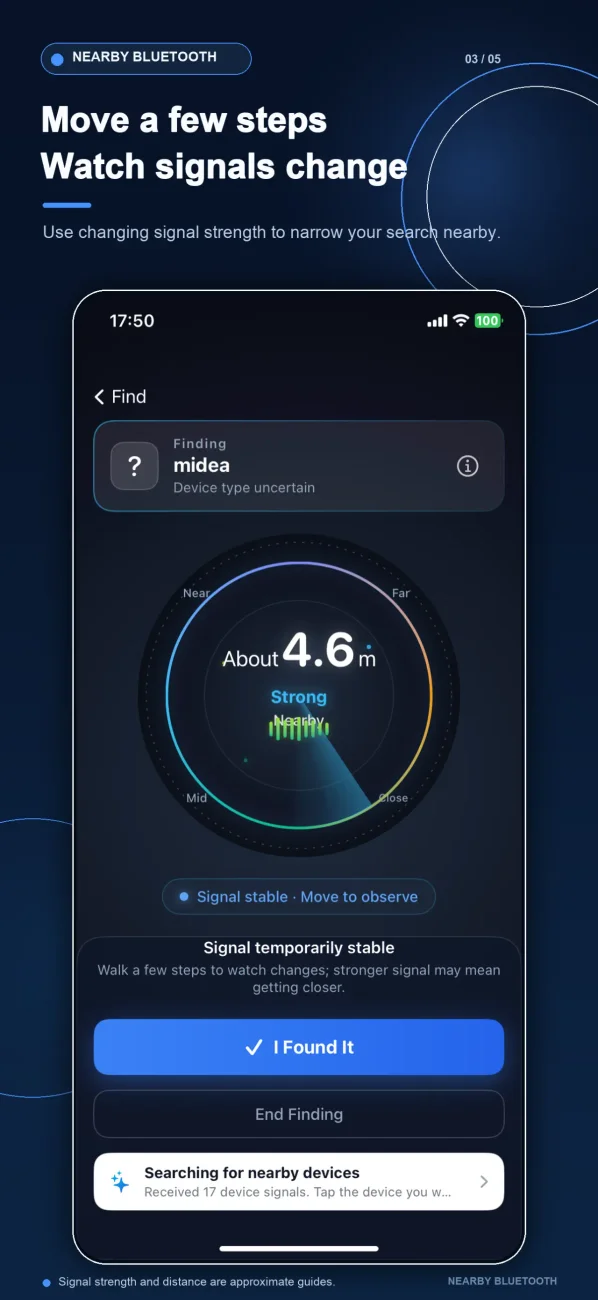
- Follow a smooth progress bar and a five-level signal indicator as you move. See at a glance whether the signal is getting stronger or weaker.
2. Immersive device-finding radar and live feedback
- Tap a device to enter a focused search mode with a clear scanning animation and responsive visual feedback.
- As you move, the app shows whether you are getting closer or the signal is weakening, helping you narrow down the search in nearby spaces.
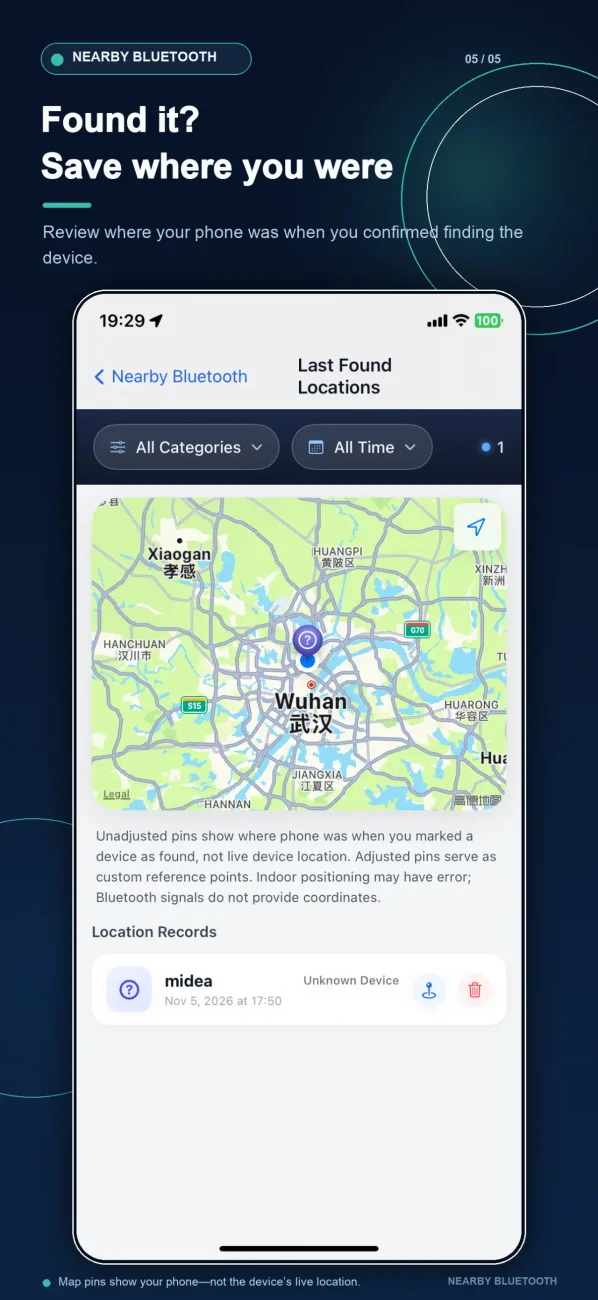
3. Save found locations and revisit them on a map
- Once you find a device, save your current location with one tap and add a marker to your location history.
- Filter saved records by device type or date to review where you last found your frequently used Bluetooth accessories.
4. Nearby signal overview and device labels
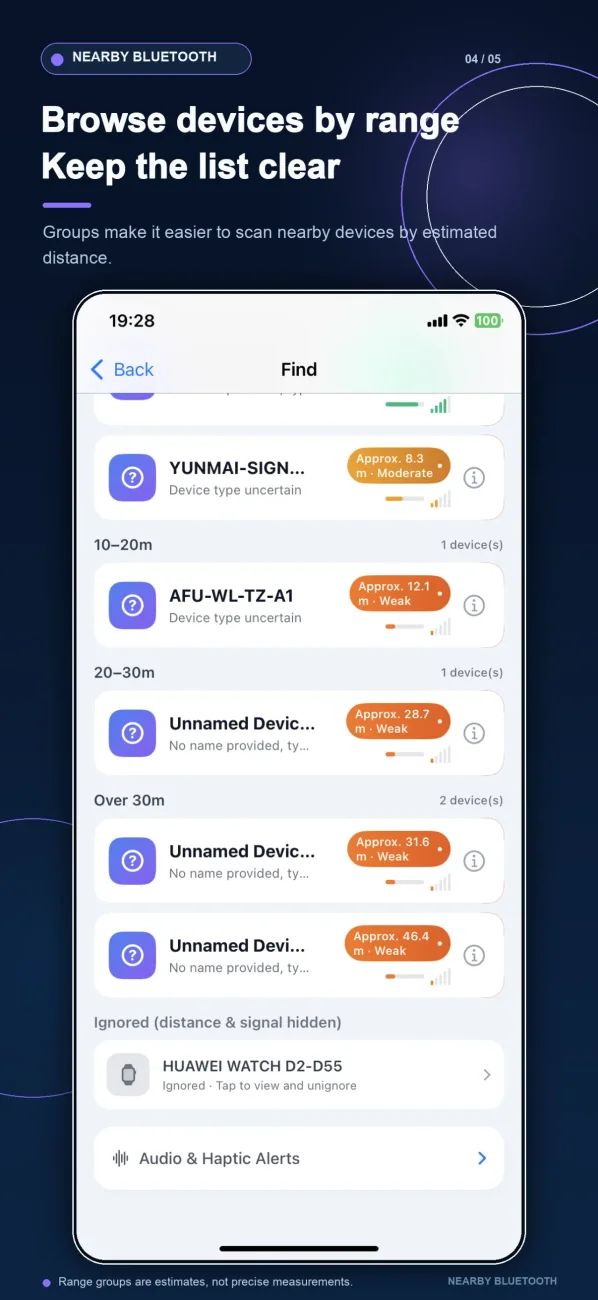
- Browse currently broadcasting devices grouped by approximate signal strength. Devices that do not share a name are clearly marked as *Unnamed*.
- Add custom names, categories, and notes to your earbuds, fitness bands, keyboards, mice, and other frequently used accessories. Make them easier to recognise and find next time.
HOW IT WORKS
- No account required: Use the app without signing up or logging in. Scan history, custom device details, and saved map locations are stored locally on your device.
- Understanding the limitations: Bluetooth signals do not contain GPS coordinates. Signal strength and proximity ranges are estimates to help with nearby searches. Actual results can vary due to walls, your body, device transmission power, and wireless interference. Map markers show your phone's location at the time you confirm that a device has been found. This app does not provide precise location tracking or remote tracking.
Privacy Policy: https://zcnt04z98lwf.feishu.cn/docx/C1G1dVSlxod9J0xj0NtcdcsnnMh
Terms of Use: https://www.apple.com/legal/internet-services/itunes/dev/stdeula/
What’s new
Version 1.0.2 · Nov 5, 2026
Version 1.0.2 brings a clearer experience for finding nearby devices:
- Now available in 33 languages.
- Improved alerts when Bluetooth signals temporarily drop, and refined how signal strength and distance groups are displayed.
- Added helpful details about the nearby scanning range and unnamed devices.
- Enhanced current location display on the map, with clear notes explaining that saved locations reflect where your phone was when you confirmed the device was found.
App privacy
What 翔 陈 declares on the App Store about how this app handles data.
-
Data not collected
The developer does not collect any data from this app.
Privacy practices may vary, for example with the features you use or your age.
Information
- Seller
- 翔 陈
- Category
- Utilities
- Version
- 1.0.2
- Updated
- Nov 5, 2026
- Released
- Sep 25, 2026
- Size
- 6.0 MB
- Requires
- iOS 17 or later
- Age rating
- 4+
- Price
- $2.99
- Languages
- English, Arabic, Catalan, Croatian, Czech, Danish, Dutch, Finnish, French, German, Greek, Hebrew + 21 more
- Copyright
- © 2026 Xiang Chen
You might also like
-
 Aquarium Log: Water TrackerWater Tests & Tank Maintenance
-
 Tallied - Score KeeperScore keeper for game night
-
 TV Remotely: Smart TV RemoteUniversal Control & Cast
-
 Pixel Pet AlarmCustom Sounds & Daily Hatching
-
 Notchet: Clipboard ManagerClipboard history & snippets
-
 Checklists - Reusable & SimpleLists that you can reuse
-
 Image Compressor-Top AI EngineSave 90% Space Fast
-
 Playbar for SafariWeb Video Playback Assistant
-
 字造天地-幼儿识字早教Utilities
-
 CantonAIspeak and learn Cantonese