
- Age rating4+
- CategoryTravel
- DeveloperTsung Ying Tu
- LanguagesEnglish
- Size3.2 MB
Links to the official App Store page
Download.org hosts no file of MenuLens 菜單翻譯與匯率換算. The button opens its official App Store page, published by Tsung Ying Tu. Listing last checked on Nov 18, 2026.
Screenshots

About
Understand menus and prices with your camera.
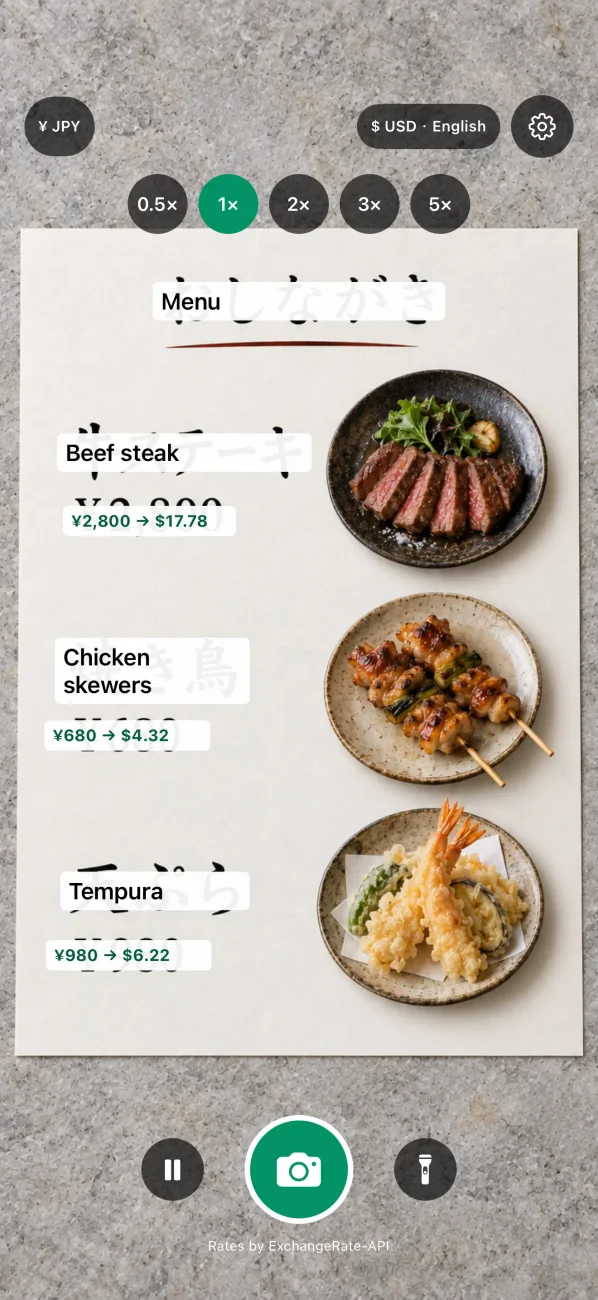
Point MenuLens at menus, price tags and signs to see live translations and prices in your chosen currency. Set your preferences once; future launches open the camera directly.
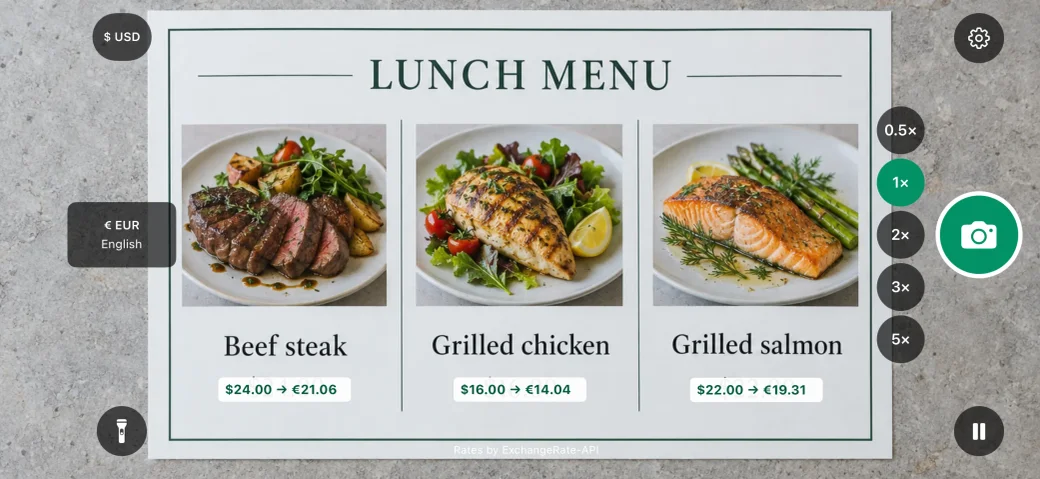
• Tap to focus, zoom, use the torch or pause scanning. Portrait and landscape controls keep the viewfinder clear.
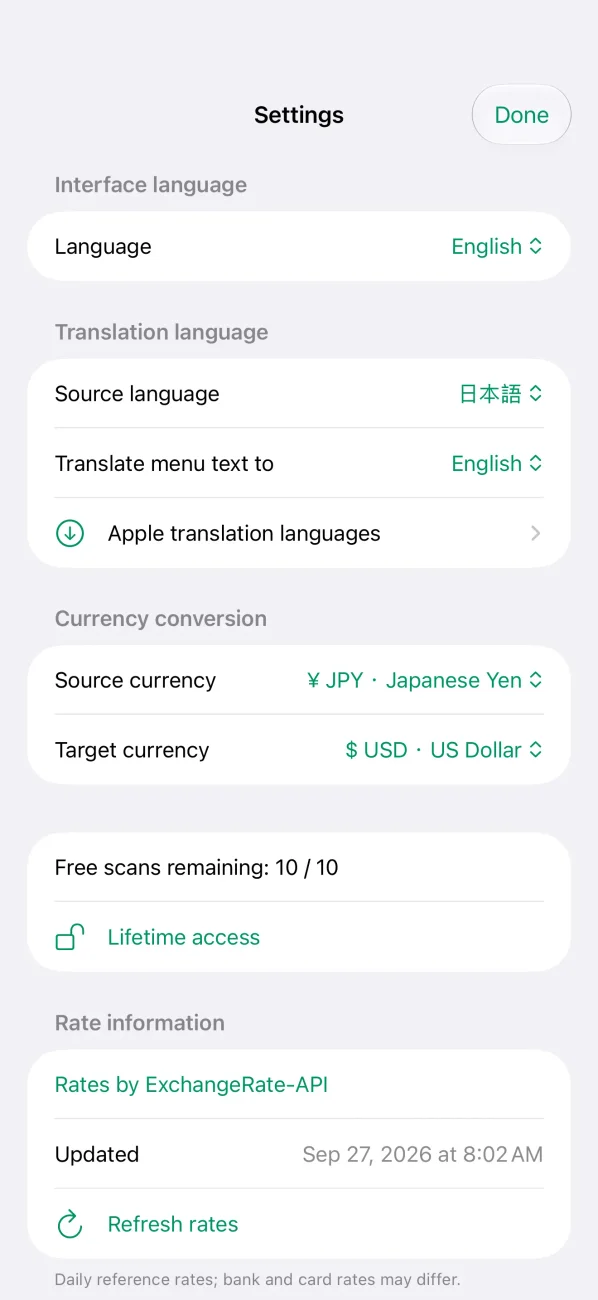
• Set interface language, source and target translation languages, and currencies independently. Select the source language to reduce interference from other languages.
• Press the shutter to take a still photo. MenuLens recognizes text, translates, converts prices and composes the result, with visible processing stages.
• Compare original and translated photos, zoom in, save or share. Untranslated text is retained with a partial-result notice and retry option.
• Uses Apple Vision and Apple Translation, with language-pack checks in Settings.
• Supports USD, TWD, JPY, EUR, GBP and KRW. Exchange-rate source and data time are disclosed.
• Traditional Chinese, English, Japanese, Korean, French, Italian and German interfaces, with light and dark appearance.
Ten free scan sessions are included, counted once when text is first recognized in each session. Multiple captures in the same session do not use additional scans. A one-time lifetime purchase removes the scan limit and supports Family Sharing. No subscription. The purchase sheet shows your local price.
Apple language models may require downloading. Recognition and translation depend on text clarity, language support and model availability. ExchangeRate-API provides daily reference rates; actual merchant and payment-provider rates may differ.
Compare mode (experimental): Photograph a product and its shelf tag to convert the local price. With your first-use consent, MenuLens removes location/camera metadata and sends the photo to Google Lens. Google-hosted shopping results appear inside MenuLens and may be incomplete, outdated or for a different size; verify the seller listing before buying. This mode needs Internet. Menu mode never uploads photos.
Privacy: https://getesimmanager.com/menulens/privacy.html
Terms: https://www.apple.com/legal/internet-services/itunes/dev/stdeula/
What’s new
Version 2.2 · Nov 3, 2026
• Adaptive layouts for iPhone Duo adjust controls when folded or unfolded.
• On wider displays, camera tools move to the sides and the full preview remains visible.
• View photo results and controls side by side, or see converted prices alongside Google shopping search results.
• Improved settings readability and layouts for larger text.
App privacy
What Tsung Ying Tu declares on the App Store about how this app handles data.
-
Data linked to you
May be collected and linked to your identity.
- Other data
-
Data not linked to you
May be collected but is not linked to your identity.
- User content
Privacy practices may vary, for example with the features you use or your age.
Information
- Seller
- Tsung Ying Tu
- Category
- Travel
- Version
- 2.2
- Updated
- Nov 3, 2026
- Released
- Sep 25, 2026
- Size
- 3.2 MB
- Requires
- iOS 18.0 or later
- Age rating
- 4+
- Price
- Free
- In-app purchases
- Yes
- Languages
- English
- Copyright
- © 2026 Tsung Ying Tu
You might also like
-
 MenuLens: Menu TranslatorForeign Food Scanner & Photos
-
 FX Lens ProScan. Convert. Travel Smart.
-
 MenuGlass - Menu TranslatorMenu Lens: Scan & Translate
-
 FoodTranslatorAnalyze & translate dishes
-
 HiddnMenu – Scan Menu & OrderEnjoy local food. No language.
-
 Parkimeter: Book your parkingCheap & easy reservations
-
 Swimmy - rent a private poolRent a pool for the afternoon
-
 Travel365 - Travel GuidesItineraries, maps & deals
-
 Places: Curated Travel GuideRestaurants, Shops & Hotels
-
 전국 스마트 버스 – 실시간 도착시간, 위치, 주변장소Navigation