ロック画面編集・画像サイズ変更・背景ぼかし・ホーム画面編集
写真サイズ変更・ぼかし加工・ホーム画面の壁紙・自作・壁紙加工
Designed for iPhone, iPad
Free · In-app purchases
- Age rating4+
- CategoryPhoto & Video
- DeveloperNEXUS Incorporated
- LanguagesEnglish+ 3 more
- Size17.3 MB
Links to the official App Store page
Download.org hosts no file of ロック画面編集・画像サイズ変更・背景ぼかし・ホーム画面編集. The button opens its official App Store page, published by NEXUS Incorporated. Listing last checked on Nov 26, 2026.
Screenshots


About
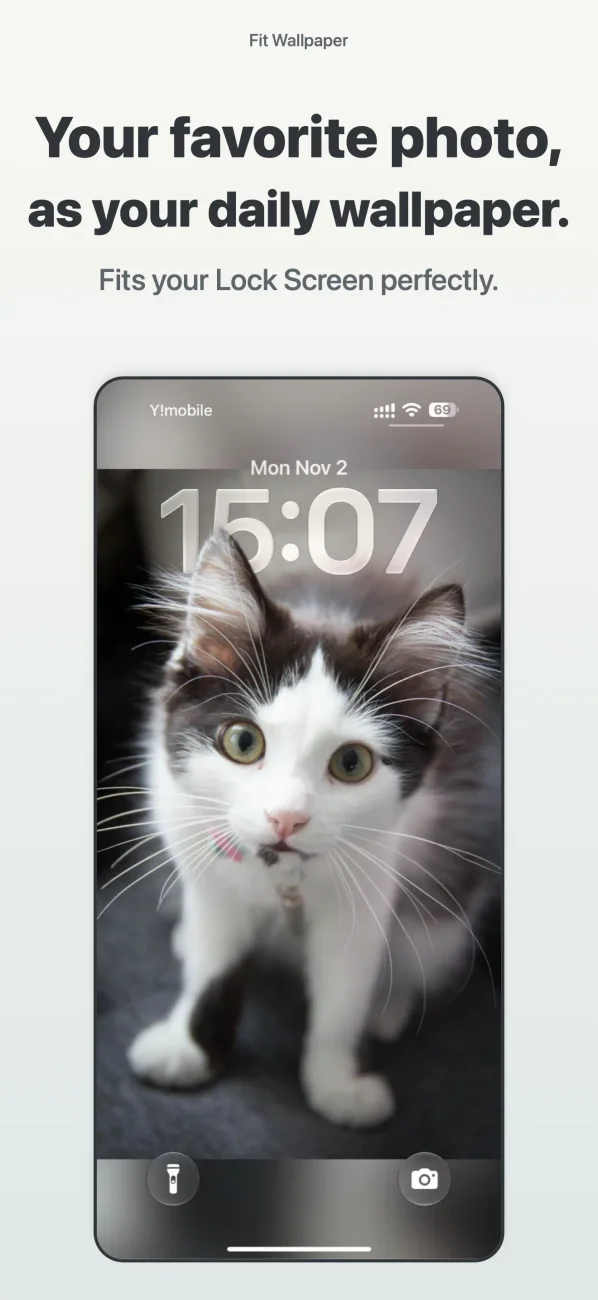
Turn your favorite photos into wallpapers that fit your iPhone or iPad.
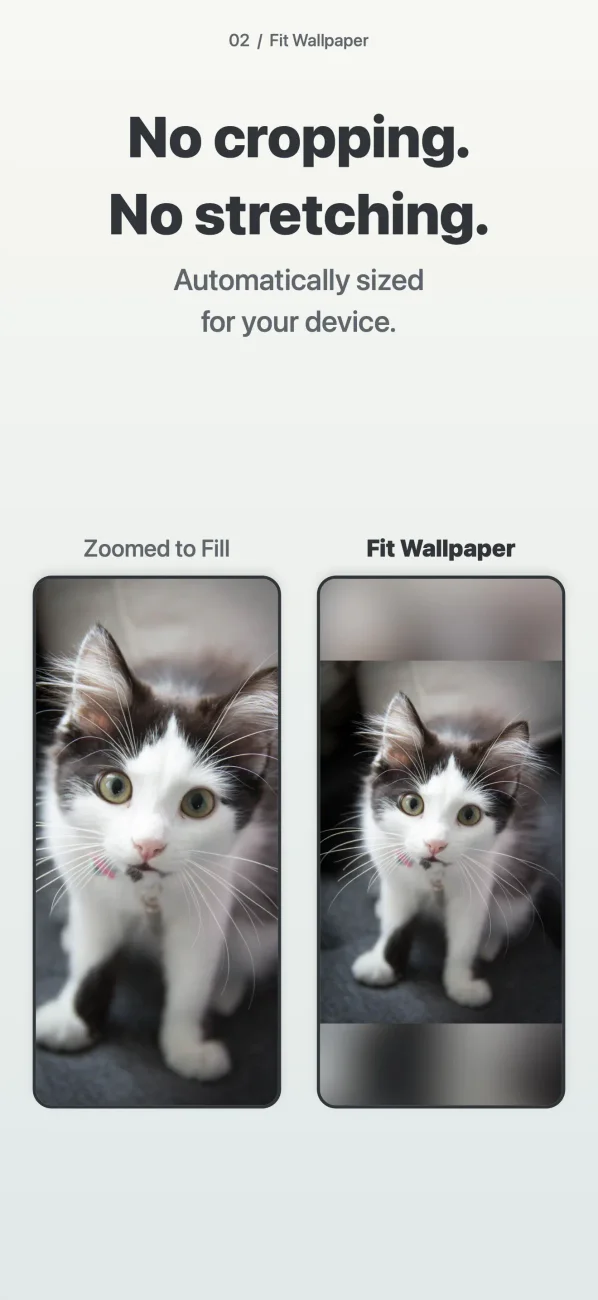
Adjust a photo's position, size and background, then save it at the right size for your device. Keep family portraits, pet photos and special memories in view without cropping or stretching the image.
HOW TO USE
1. Tap Select Photo, or share a photo to Fit Wallpaper from the Photos app.
2. Drag and pinch to adjust its position and size.
3. Tap Change Background to choose a background.
4. Tap Save to save the result to your photo library.
5. Open your device's Settings > Wallpaper to set the saved image as your wallpaper.
When you set it, check the photo's position and size in your device's preview.
SEVEN BACKGROUND STYLES
From Your Photo
• Blurred Photo: blur the photo and adjust the blur strength.
• Photo Color: use a color taken from the photo.
• Photo Color Gradient: create a gradient from the photo's colors.
• Mirror: fill the space with a mirrored copy of the photo.
• Stretched Edges: extend the edges of the photo to fill the space.
Another Photo
• Custom Photo: place a different photo behind your photo and adjust its position and size.
Color
• Custom Color: choose any color with the color picker.
OPEN FROM THE SHARE MENU
Share a photo from the Photos app or other apps to open it directly in the editor.
SIZED FOR YOUR DEVICE
The app detects your device and exports at its screen dimensions. You can also select another iPhone or iPad model manually, including the outer and inner displays of foldable iPhone models.
ROTATE YOUR PHOTO
Rotate in 90-degree steps. Your changes appear in the preview, the background and the saved wallpaper.
GREAT FOR
• Keeping faces in view when you use a favorite photo as your wallpaper
• Using pet or family photos on your Lock Screen and Home Screen
• Fitting a landscape photo on a portrait screen
• Images or screenshots whose size doesn't match your screen
ON-DEVICE PHOTO EDITING
Photos selected for wallpaper editing are processed on your device. They are not sent to a server for editing.
ADS AND IN-APP PURCHASES
You may be asked to rate the app after your first save. Subsequent saves require watching a rewarded ad unless Pro is active.
Choose a yearly or lifetime Pro plan to remove banner ads and ads shown when saving. Existing lifetime purchases remain valid.
The yearly plan renews automatically every year and you will be charged unless cancelled in Apple subscription settings at least 24 hours before renewal. After cancellation, Pro remains available until the end of the paid period. The lifetime plan is a one-time purchase with no automatic renewal. See the app and App Store purchase sheet for the current price.
The optional Buy me a coffee purchase supports development and does not remove ads or unlock features.
SUPPORT
Send questions, feedback or bug reports from Settings > Contact Us in the app.
Terms of Use (Apple Standard EULA): https://www.apple.com/legal/internet-services/itunes/dev/stdeula/
Privacy Policy: https://g-session.github.io/wallpaper-privacy/privacy/2026-10-22/en/
What’s new
Version 1.10.3 · Nov 25, 2026
This update addresses minor issues.
App privacy
What NEXUS Incorporated declares on the App Store about how this app handles data.
-
Data used to track you
May be used to track you across apps and websites owned by other companies.
- Identifiers
-
Data linked to you
May be collected and linked to your identity.
- Location
- Contact info
- User content
- Identifiers
- Usage data
- Diagnostics
-
Data not linked to you
May be collected but is not linked to your identity.
- Purchases
- Location
- Usage data
- Diagnostics
Privacy practices may vary, for example with the features you use or your age.
Information
- Seller
- NEXUS Incorporated
- Category
- Photo & Video
- Version
- 1.10.3
- Updated
- Nov 25, 2026
- Released
- Oct 21, 2026
- Size
- 17.3 MB
- Requires
- iOS 17.0 or later
- Age rating
- 4+
- Price
- Free
- In-app purchases
- Yes
- Languages
- English, Japanese, Korean, Traditional Chinese
- Copyright
- © 2026 Nexus Inc.
You might also like
-
 Photo Resizer: Image SizeResize, Compress & Batch
-
 Fit Photo to wallpapersResize your favorite photos
-
 Pictumi: Photo Editor & ToolsConvert, compress & stitch
-
 AspectFit: Extend to any ratioResize photos, no crop or bars
-
 Memories: NAS Photo WidgetCloud slideshow on StandBy
-
 White Canvas - Photo BordersSimple 9:16 photo canvas
-
 Merge & Tidy VideosMerge videos, free your space
-
 Arcastash - Media LibrarySave video, audio & images
-
 4Cut - Korean Photo StripsFour shots. Then it develops.
-
 ImageBrowser | 画像保存特化ブラウザPhoto & Video