
- Age rating4+
- CategoryPhoto & Video
- Developernaoki ookawa
- LanguagesJapanese+ 1 more
- Size26.6 MB
Links to the official App Store page
Download.org hosts no file of SpoCam: Sports Video Camera. The button opens its official App Store page, published by naoki ookawa. Listing last checked on Nov 24, 2026.
Screenshots
About
The whole game. The plays you want to keep.
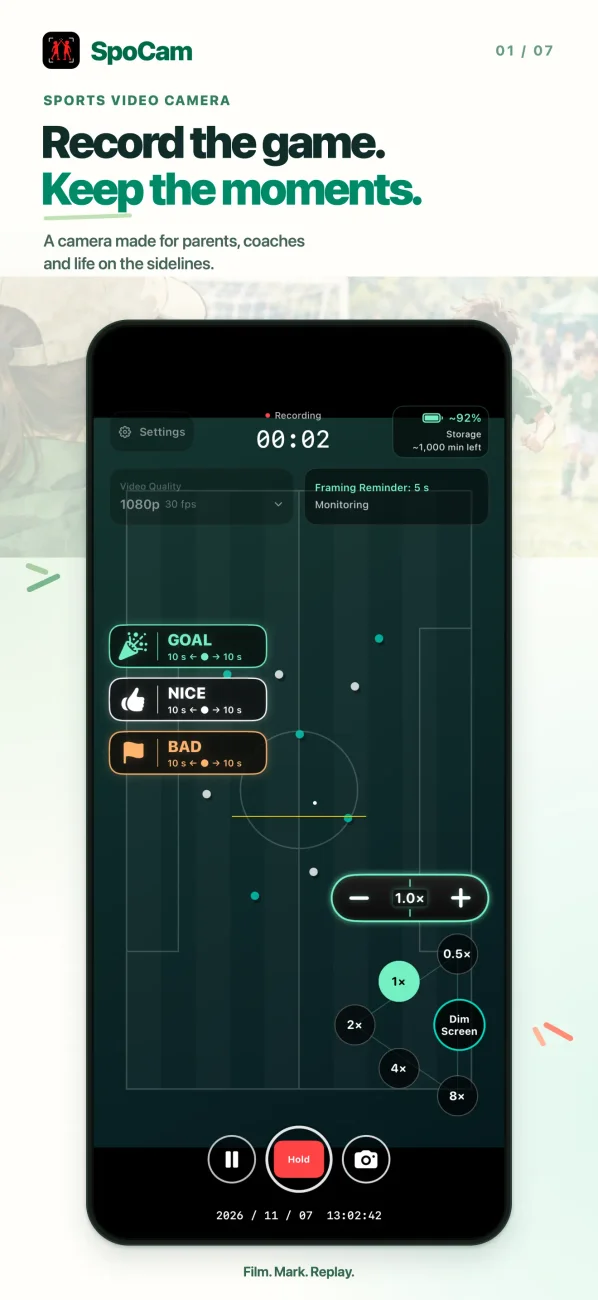
SpoCam is a sports video camera for parents, coaches and anyone recording games or practice. Record as usual, tap a highlight button for a moment that matters, and save a reel of your marked plays after recording.
RECORD. MARK. REPLAY.
• Start recording and follow the action.
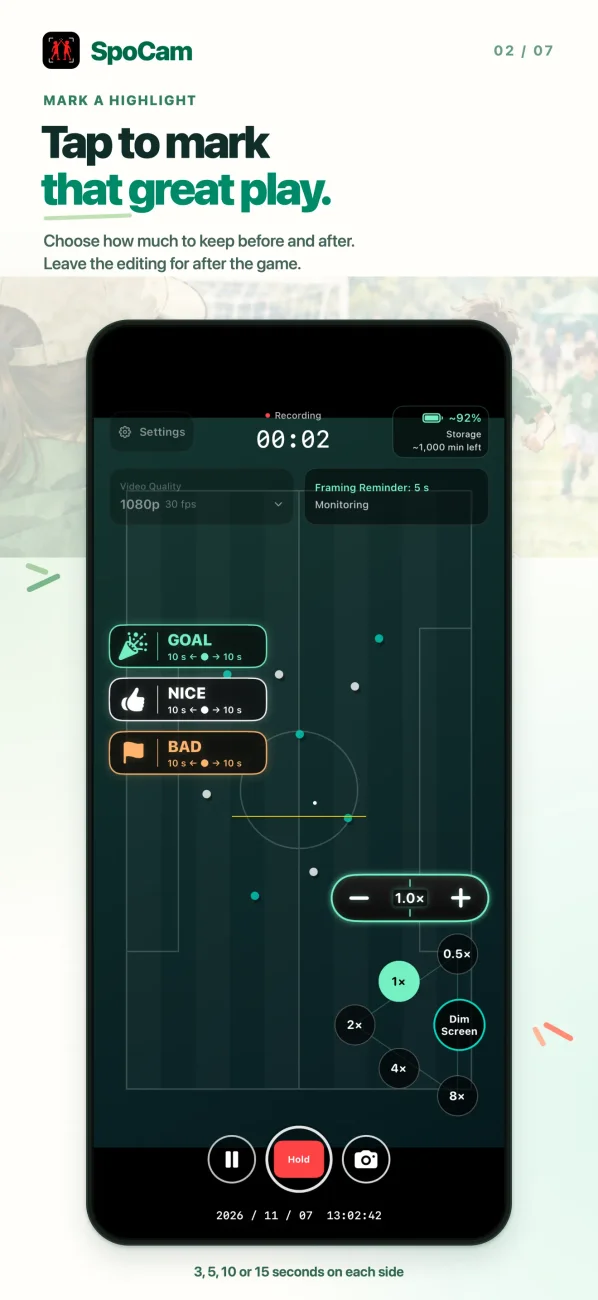
• Tap GOAL, NICE or BAD to mark a play. You can rename all three buttons.
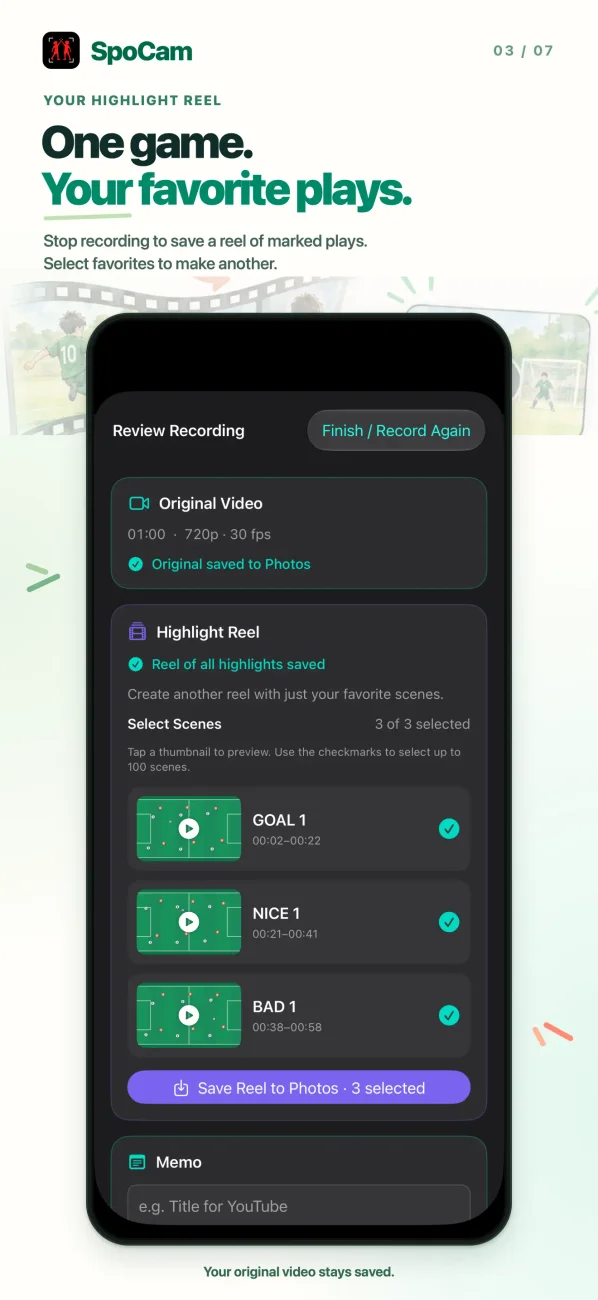
• Stop recording to save the original video and automatically create a highlight reel in Photos.
• Pick your favorite scenes to save another reel.
HIGHLIGHTS, YOUR WAY
Choose how much to keep before and after each tap: 3, 5, 10 or 15 seconds on each side. The default is 10 seconds before and 10 seconds after. During the post-highlight countdown, tap End Early to end that highlight while the original recording continues. The available recorded portion is used near the start and end of a video. Automatic reels are split into batches of up to 100 scenes. Select up to 100 scenes when making another reel. Saving individual clips is optional.
CONTROLS MADE FOR THE SIDELINES
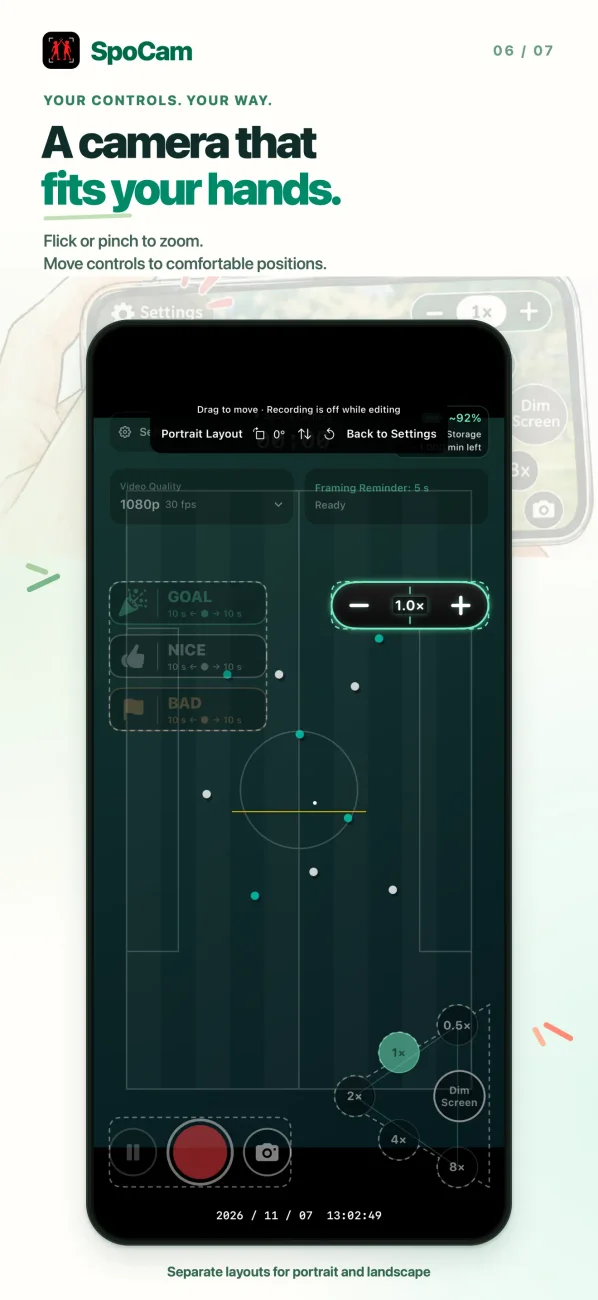
Flick left or right to move one zoom step, tap an available zoom preset, or pinch the camera view for continuous zoom. Move four control groups to comfortable positions and adjust the angle of the flick control. Portrait and landscape layouts can be customized separately.
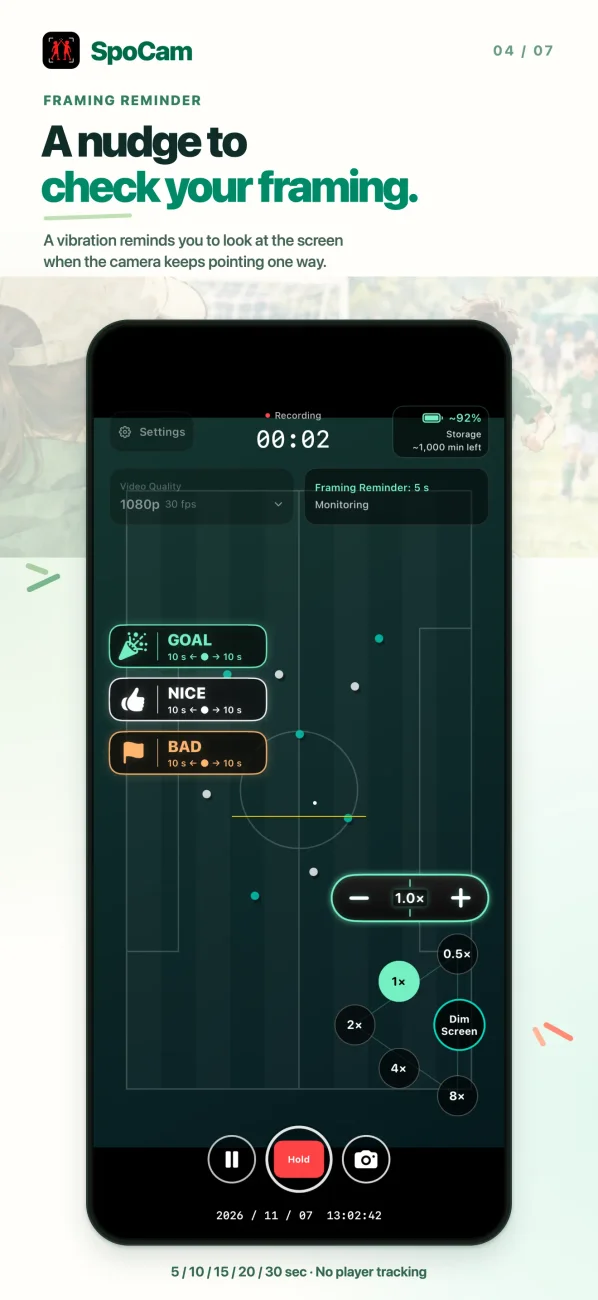
A NUDGE TO CHECK YOUR FRAMING
Framing Reminder vibrates when the camera keeps pointing in roughly the same direction for your chosen interval. It helps prompt a quick look at the screen. It does not detect players, faces or the ball, and it does not automatically follow the action.
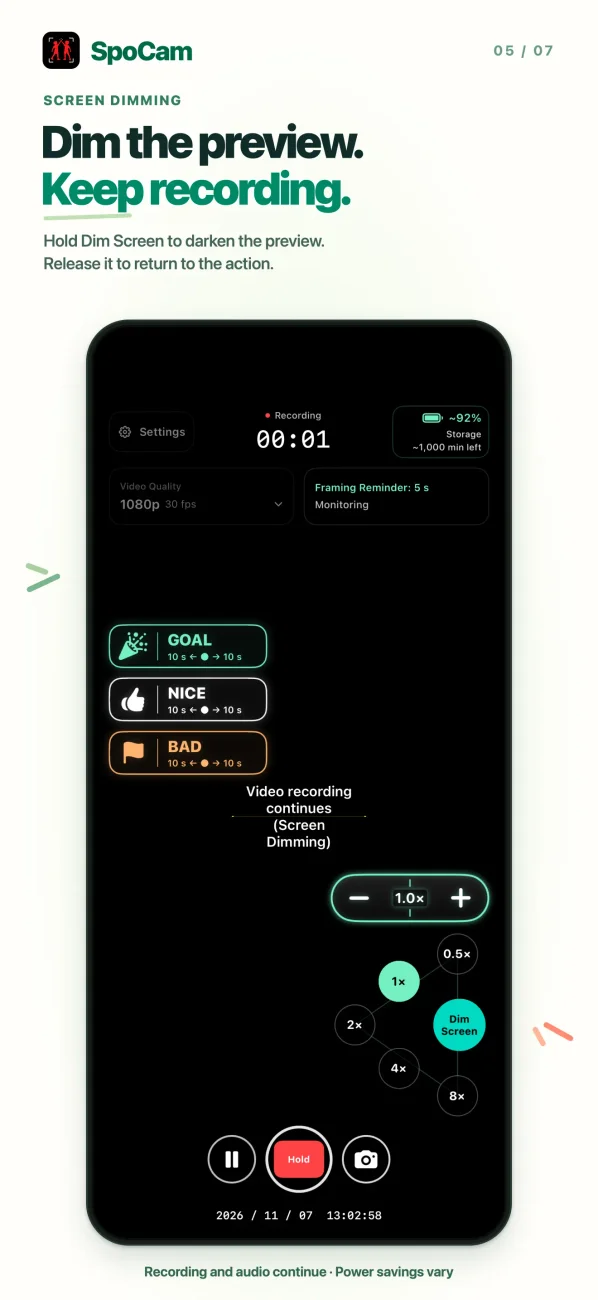
DIM THE PREVIEW. KEEP RECORDING.
While recording, hold Dim Screen to make the camera preview black. Release it to return to the view. Recording and audio continue, with controls and recording information still visible. This is an in-app display mode, not iPhone screen locking. Power savings vary by device and settings.
READY FOR REAL GAMES
• Pause and resume recording.
• Choose supported video quality and keep your previous choice.
• See approximate battery level and recording time remaining from free storage.
• Check the horizon with a level guide.
• Add a memo and copy highlight timestamps for chapters on YouTube or similar services.
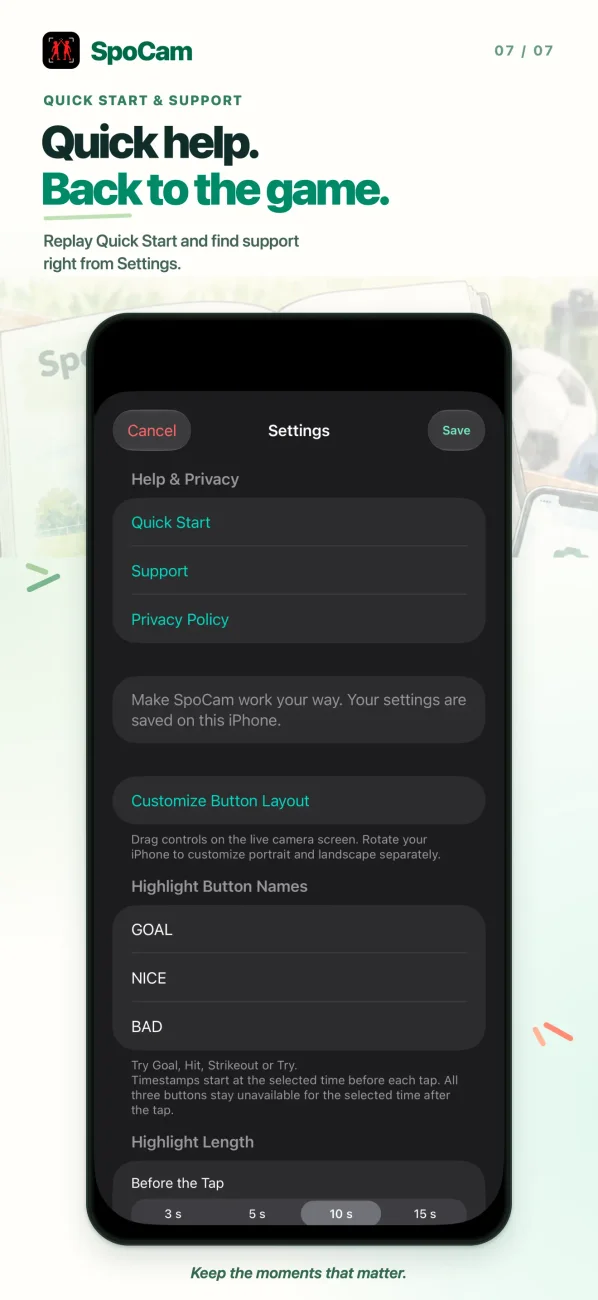
• Replay the illustrated Quick Start from Settings.
ALL CURRENT FEATURES ARE FREE
No trial activation or new In-App Purchase is required. Banner ads appear at the top and bottom of the review screen after saving. No ads appear on the camera or settings screen. Loading or viewing an ad is never required to return to recording.
REQUIREMENTS AND NOTES
Requires iOS 18 or later. Available resolution, frame rate and zoom depend on the iPhone and shooting settings. Camera, Microphone and Photos permissions are needed for recording with sound and saving. Photos-caption automatic entry is supported on iOS 27 or later; on iOS 18–26, copy and paste the memo and timestamps manually. Optional timestamp text overlays can increase saving time. The on-screen date/time and level guide do not appear in saved videos.
On iPhone Duo's inner display, recording uses 1080p/30fps with stabilization for the supported capture path. The outer display offers its supported camera formats.
App Store screenshots use fictional sample scenes to show the controls.
Privacy Policy: https://spocam.app/spocam-privacy-en
Support: https://spocam.app/spocam-support-en
Terms of Use: https://www.apple.com/legal/internet-services/itunes/dev/stdeula/
What’s new
Version 1.0.12 · Nov 15, 2026
Added End Early beside the highlight countdown. End the current highlight early while the original video keeps recording.
The review screen now starts with Memo and has a simpler layout.
Updated in-app website links and the English Quick Start guide to spocam.app.
App privacy
What naoki ookawa declares on the App Store about how this app handles data.
-
Data linked to you
May be collected and linked to your identity.
- Location
- Identifiers
- Usage data
-
Data not linked to you
May be collected but is not linked to your identity.
- Diagnostics
Privacy practices may vary, for example with the features you use or your age.
Information
- Seller
- naoki ookawa
- Category
- Photo & Video
- Version
- 1.0.12
- Updated
- Nov 15, 2026
- Released
- Oct 8, 2026
- Size
- 26.6 MB
- Requires
- iOS 18.0 or later
- Age rating
- 4+
- Languages
- Japanese, English
- Copyright
- © 2026 naoki ookawa
You might also like
-
 Echo Voice Diary & PhotosKeep memories in your voice
-
 TrailStackStrobe Photo from Any Video
-
 ReelDuo: Dual Camera RecorderFront+Back Cam, 4K Reactions
-
 モザピ - 簡単顔隠し・モザイク加工Photo & Video
-
 スノボカメラ - オフトレ施設専用Photo & Video
-
 連続シャッター PoseCamera最高の瞬間を 好きな間隔で連続シャッター デッサンの練習にも
-
 Peako - Game Highlight CameraRecord, mark & get the clips
-
 AI Photo Align - KURURI AIInstant AI photo reorientation
-
 Akiba GuardPhoto & Video
-
 Filmlike CameraAnalog film camera