
KotoNote - Powerful Notes
Text, ink, tables & canvas
Designed for iPhone, iPad
In-app purchases
- Age rating4+
- CategoryProductivity
- DeveloperYasufumi Endo
- LanguagesJapanese+ 1 more
- Size12.8 MB
Links to the official App Store page
Download.org hosts no file of KotoNote - Powerful Notes. The button opens its official App Store page, published by Yasufumi Endo. Listing last checked on Nov 14, 2026.
Screenshots

About
KotoNote is a notes app for text, handwriting, tables, and files, all in one place. No account is needed. Free to use with a banner ad; a one-time purchase removes ads.
MANY KINDS OF NOTES, ONE APP
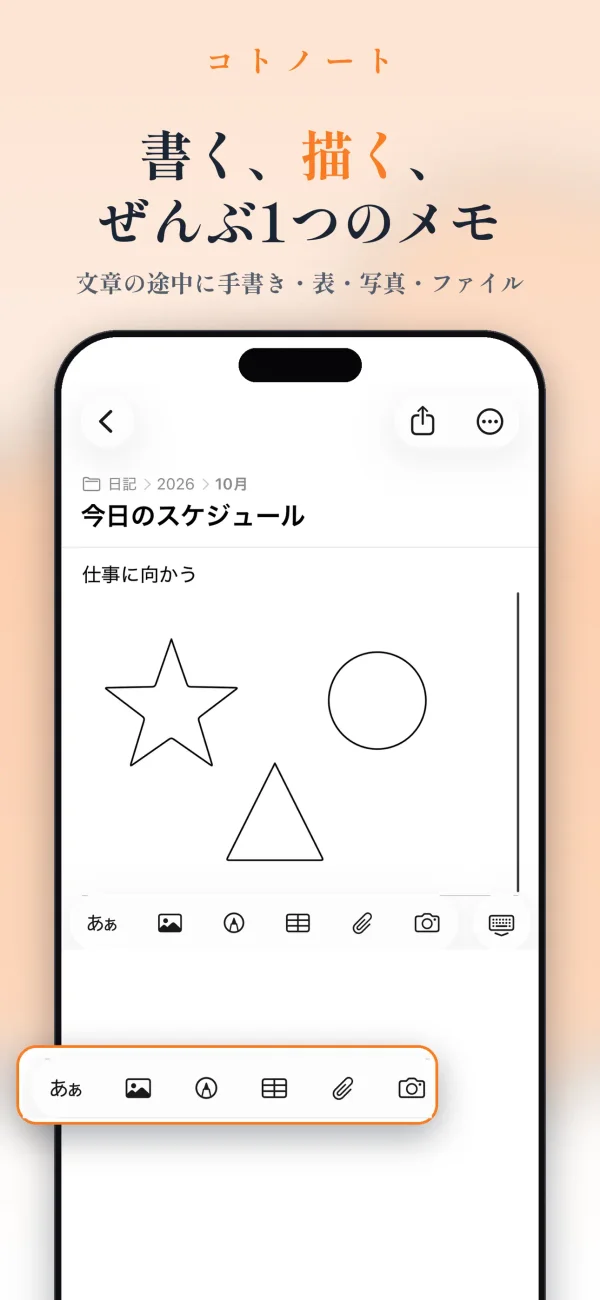
• Text notes: headings, bold, italic, underline, strikethrough, highlights, text colors, lists, indents, and alignment. Place images right inside your writing. A character count appears at the bottom of
the screen as you type.
• Handwriting notes: draw with Apple Pencil or your finger.
• Bullet-list, table, and attachment notes.
• Canvas: place text boxes, images, and tables anywhere on a large surface, then draw over them. Pan with two fingers and pinch to zoom.
EASY TO FIND
• Search ignores differences in full-width and half-width characters, capitalization, and kana type.
• Better matches appear first, and the matching words are highlighted in the list.
• Filter with "#work" for a tag, "folder:Travel" for a folder, or words like "lastweek" for the date a note was updated.
• Add your own synonyms, so a search for "meeting" can also find "conference".
• "Similar Notes" finds notes that share many words with the one you're reading.
• Filter by note type, lock, or pin.
• Search uses no AI, and your notes never leave your device.
EASY TO ORGANIZE
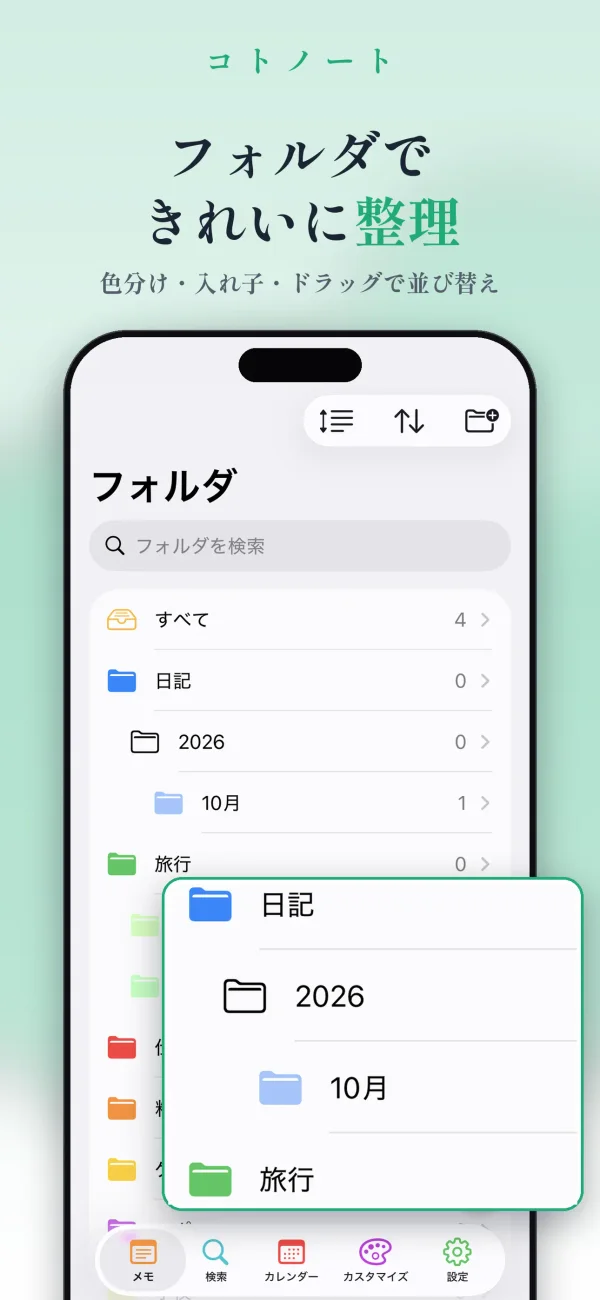
• Nested folders, tags, and pinned notes.
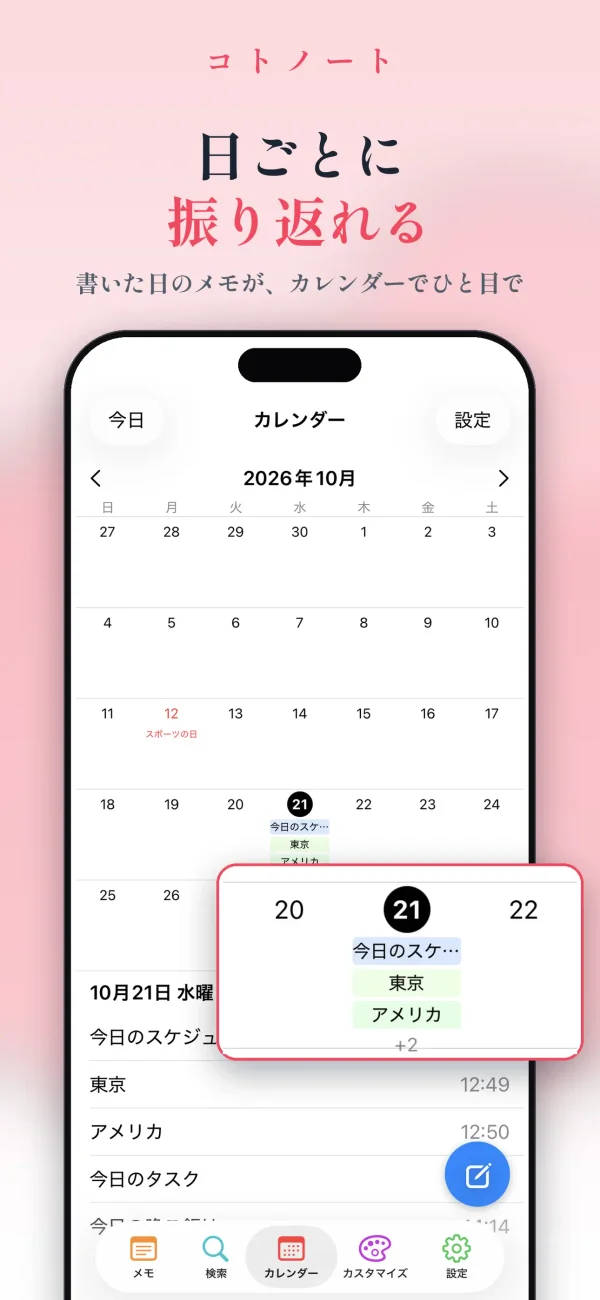
• A calendar that shows your notes day by day.
• Save any note as a template and reuse it.
PRIVATE AND SAFE
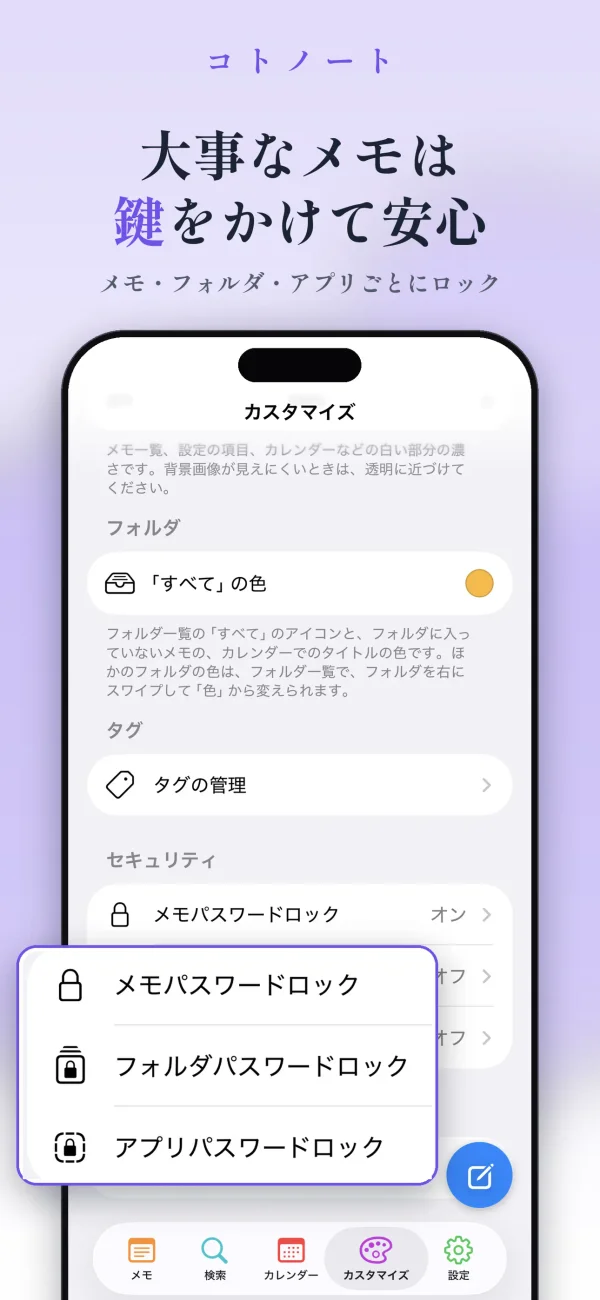
• Lock individual notes with a passcode and Face ID. The contents of locked notes never appear in search or exports.
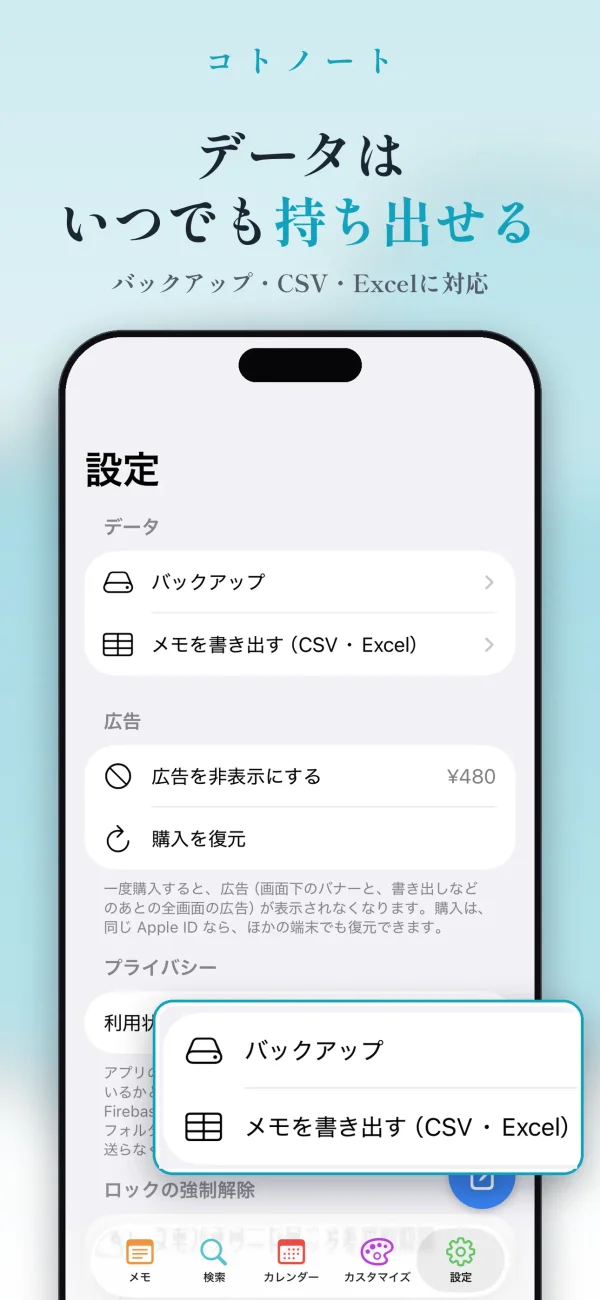
• Backups are bundled into a single file encrypted with a password, and you can restore from the history at any time.
• Export your notes as CSV or Excel (.xlsx).
WORKS WITH iOS
• Save text and links from Safari and other apps through the share sheet, choosing a folder and adding a comment.
• Widgets let you start a new note instantly or open a recent one.
MAKE IT YOURS
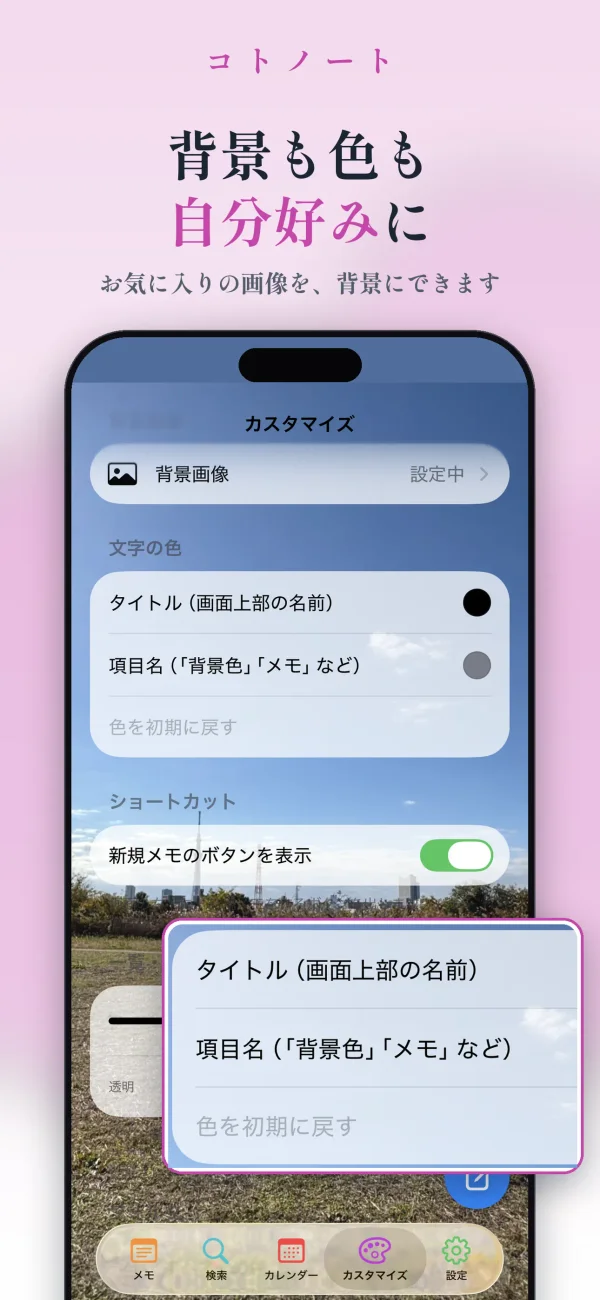
• Change the background image, background color, text colors, and the opacity of the white areas.
• iPad and iPhone Duo are supported. On iPad, use three columns: folders, note list, and note. This makes the most of the big screen.
PLEASE NOTE
• Notes are stored on this device only. They aren't synced with your other devices. We recommend exporting a backup now and then.
• Exported CSV and Excel files are not encrypted. Handle them with care.
What’s new
Version 1.0.1 · Nov 10, 2026
- The character count now appears at the bottom of the screen while you write (line breaks and spaces are not counted).
- Fixed an issue where the ad banner could behave unstably on iPad.
- Minor display improvements and stability enhancements.
- Added support for iPhone Duo. Ads no longer cover the side tab bar, so you can reach every screen.
- A character count now appears at the bottom of the screen while you write.
App privacy
What Yasufumi Endo declares on the App Store about how this app handles data.
-
Data used to track you
May be used to track you across apps and websites owned by other companies.
- Location
- Identifiers
- Usage data
-
Data linked to you
May be collected and linked to your identity.
- Identifiers
- Usage data
- Diagnostics
-
Data not linked to you
May be collected but is not linked to your identity.
- Location
Privacy practices may vary, for example with the features you use or your age.
Information
- Seller
- Yasufumi Endo
- Category
- Productivity
- Version
- 1.0.1
- Updated
- Nov 10, 2026
- Released
- Nov 3, 2026
- Size
- 12.8 MB
- Requires
- iOS 17.0 or later
- Age rating
- 4+
- In-app purchases
- Yes
- Languages
- Japanese, English
- Copyright
- © 2026 Moca Lab