
- Age rating4+
- CategoryFinance
- DeveloperSam Tseng
- LanguagesTraditional Chinese
- Size8.0 MB
Links to the official App Store page
Download.org hosts no file of 台灣匯率. The button opens its official App Store page, published by Sam Tseng. Listing last checked on Nov 20, 2026.
Screenshots



About
The developer has not provided this text in your language.
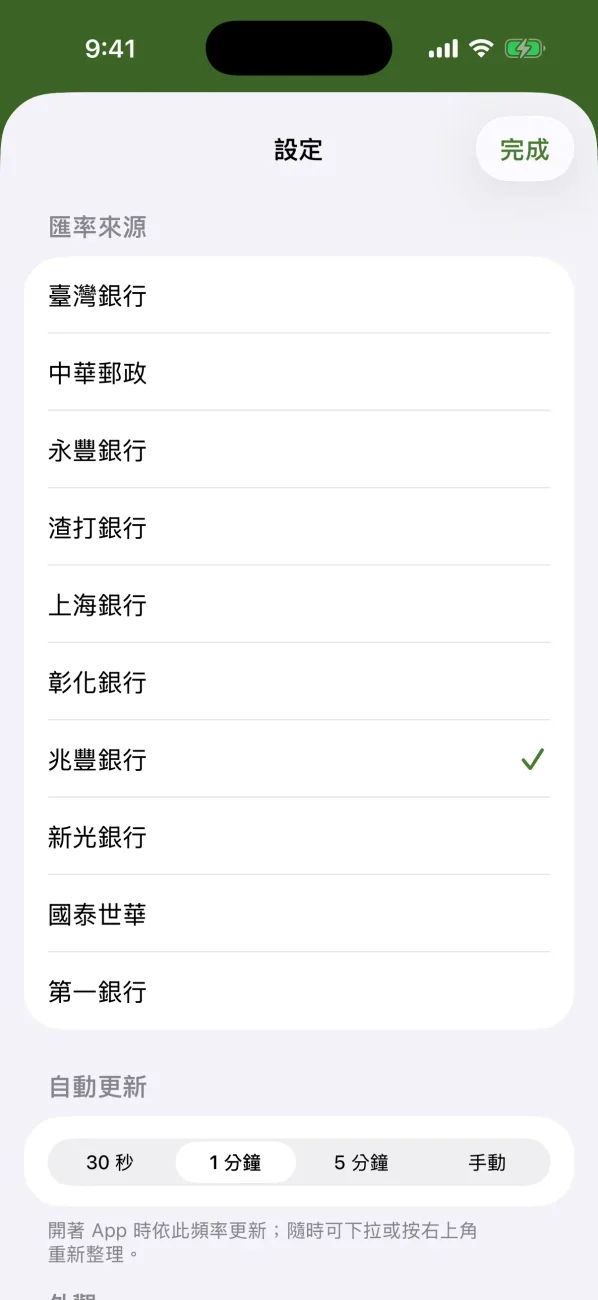
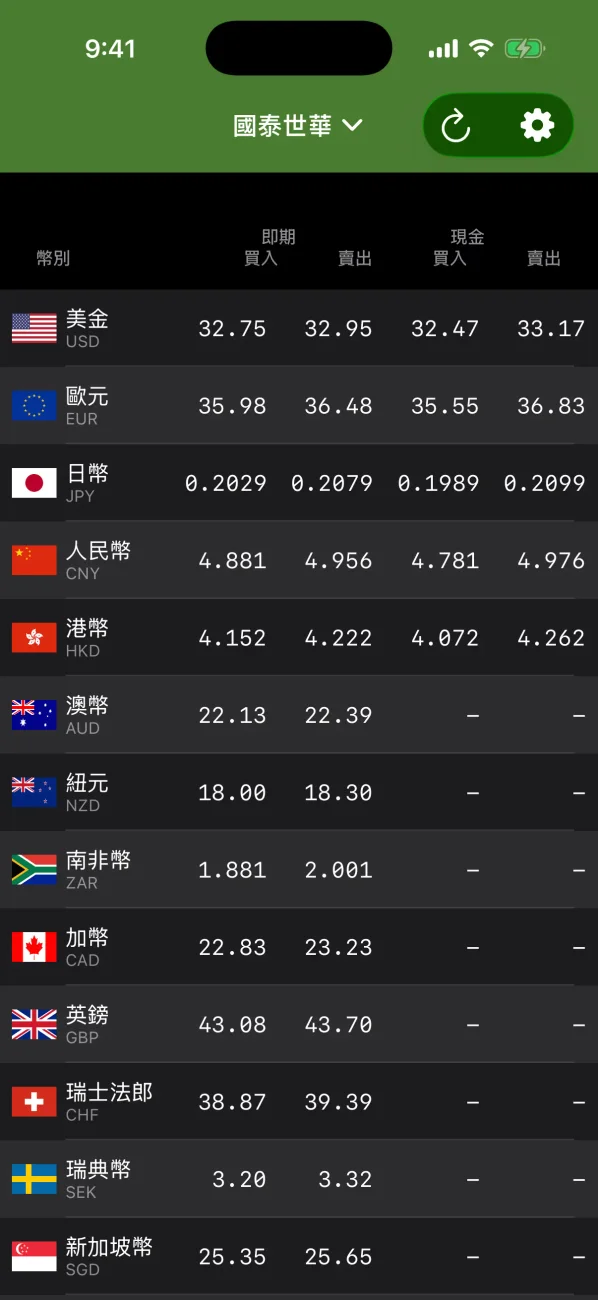
一次查看臺灣各家銀行的外幣牌告匯率。即期與現金、銀行買入與賣出,一個畫面看清楚,出國換匯、外幣存款前先比一比。
【提供匯率的銀行】
臺灣銀行、中華郵政、永豐銀行、渣打銀行、上海銀行、彰化銀行、兆豐銀行、新光銀行、國泰世華、第一銀行
【功能】
・即期、現金的銀行買入與賣出匯率,附國旗與幣別代碼
・直接讀取銀行官網公告,並顯示銀行的掛牌時間及資料來源
・點選幣別即可換算:外幣換新台幣、新台幣換外幣
・自動更新:30 秒、1 分鐘、5 分鐘或手動;隨時下拉重新整理
・深色模式,可跟隨系統或自行設定
・iPhone 與 iPad 皆可使用,iPad 以大字清楚顯示
【小工具】
・主畫面小工具(小、中、大)及鎖定畫面小工具,不用開 App 就能看匯率
・購買「移除廣告」後,中、大尺寸小工具可顯示更多幣別
【Apple Watch】
・在手錶上查看即期與現金匯率,可下拉更新、直接切換銀行
・在 iPhone 上選的銀行會同步到手錶
【移除廣告】
・一次購買即可移除所有廣告,換新手機時按「恢復購買」即可免費取回
匯率資料取自各銀行官方網站公告,僅供參考,實際交易請以銀行公告為準。
What’s new
Version 2.0 · Nov 15, 2026
2.0 版全面改版:
・直接讀取各銀行官網的牌告匯率,並顯示銀行的掛牌時間及資料來源
・新增點選幣別換算金額
・新增深色模式,以及 30 秒、1 分鐘、5 分鐘或手動的自動更新
・全新的主畫面及鎖定畫面小工具
・全新的 Apple Watch App,可在手錶上切換銀行
・iPad 以大字顯示
・修正彰化銀行即期與現金匯率對調的問題
・不再使用推播通知
・需要 iOS 17 或以上版本(Apple Watch:watchOS 10 或以上)
App privacy
What Sam Tseng declares on the App Store about how this app handles data.
-
Data not collected
The developer does not collect any data from this app.
Privacy practices may vary, for example with the features you use or your age.
Information
- Seller
- Sam Tseng
- Category
- Finance
- Version
- 2.0
- Updated
- Nov 15, 2026
- Released
- Oct 24, 2014
- Size
- 8.0 MB
- Requires
- iOS 17.0 or later
- Age rating
- 4+
- Price
- Free
- In-app purchases
- Yes
- Languages
- Traditional Chinese
- Copyright
- © The Paradiso
You might also like
-
 即時匯率Finance
-
 換錢, 匯率哪好?Finance
-
 Global Currency Real TimeFinance
-
 Simple Rate - Currency CalcInstant converter & calculator
-
 GCurrency - Currency Converter160+ currencies · rate history
-
 YoYoRate 外幣匯率比較Finance
-
 台灣匯率通-最即時銀行匯率到價提醒Finance
-
 Currency Converter ExchangeMoney Dollar Euro Peso Ex Rate
-
 Currency Converter: Real-TimePerfect choice for travelers!
-
 Handy Expense Trackerbest personal money manager