
Appointment Scheduler: Planize
Calendar, Clients & Reminders
Designed for iPhone, iPad, Mac, iPod touch
Free · In-app purchases
- Age rating12+
- CategoryBusiness
- DeveloperIRFAN ONGUC
- LanguagesEnglish+ 26 more
- Size45.8 MB
Links to the official App Store page
Download.org hosts no file of Appointment Scheduler: Planize. The button opens its official App Store page, published by IRFAN ONGUC. Listing last checked on Nov 27, 2026.
Screenshots
About
Your appointments, clients, and team in one place.
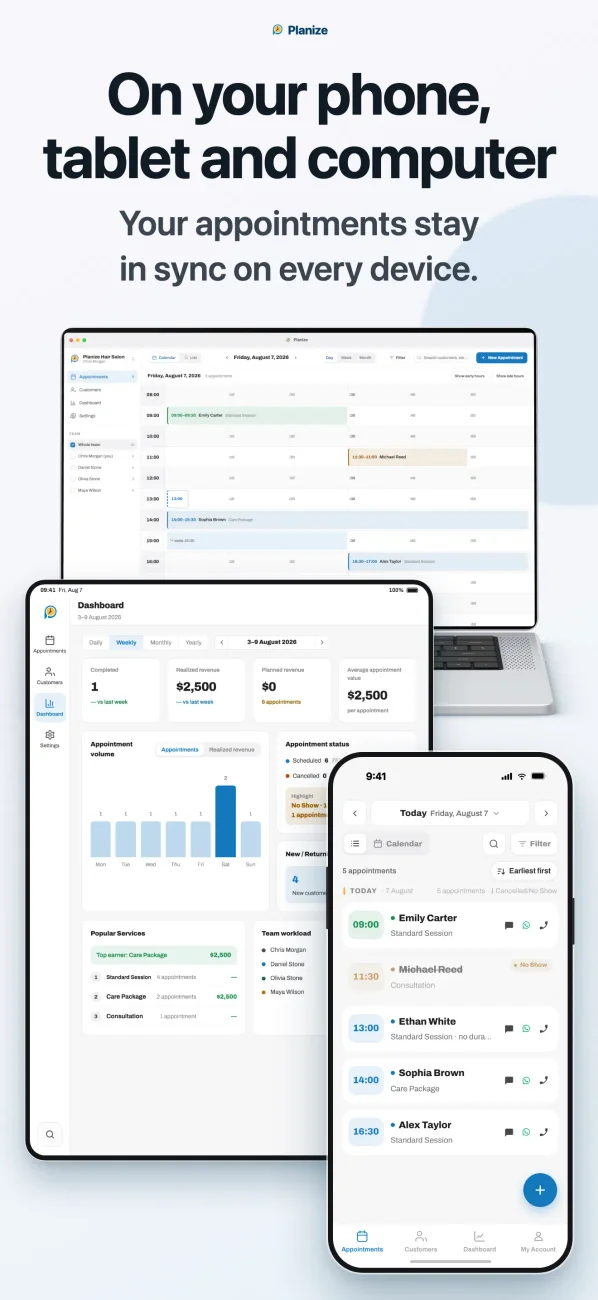
Planize is a simple appointment manager for anyone who works by appointment or by client visit — hair salons and barbers, clinics, physiotherapists, dietitians and psychologists, tutors, consultants, field sales or promotion reps, home and on-site service providers, and beauty and nail studios. Plan a busy workday quickly from your iPhone or iPad. With one account, Planize works on iPhone, iPad, Android, Mac and Windows: plan the week on your computer and run the day from your phone.
CALENDAR & APPOINTMENT REMINDERS
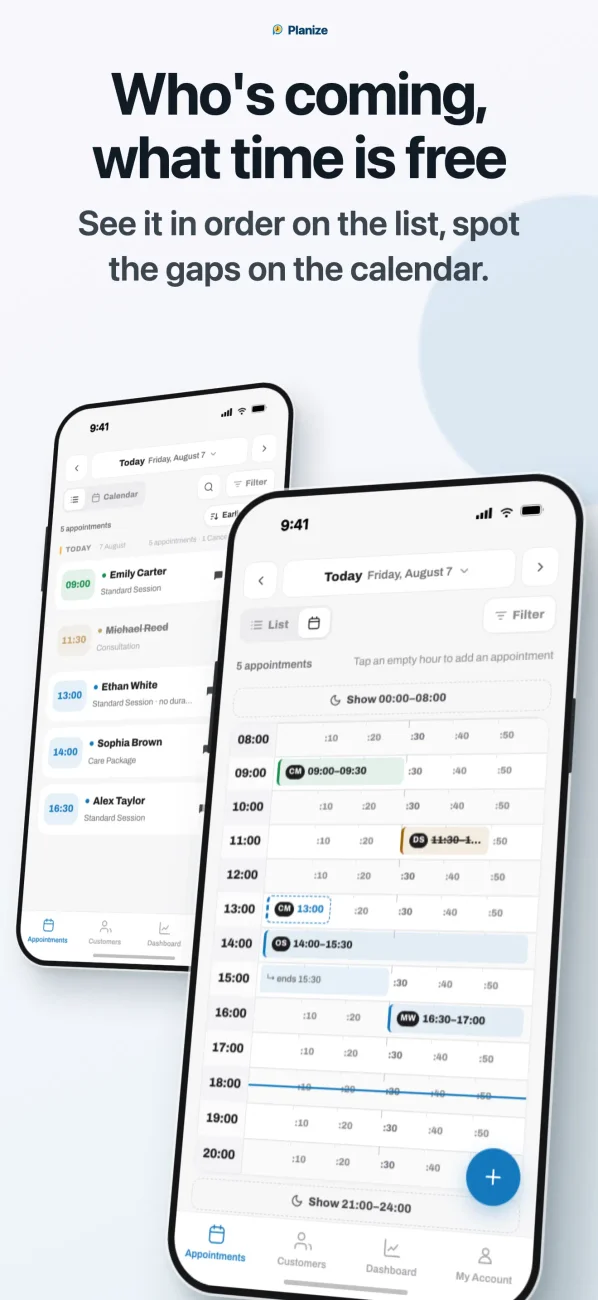
• See open and booked times at a glance in the daily timeline.
• Tap an open time to create an appointment and view overlapping bookings side by side.
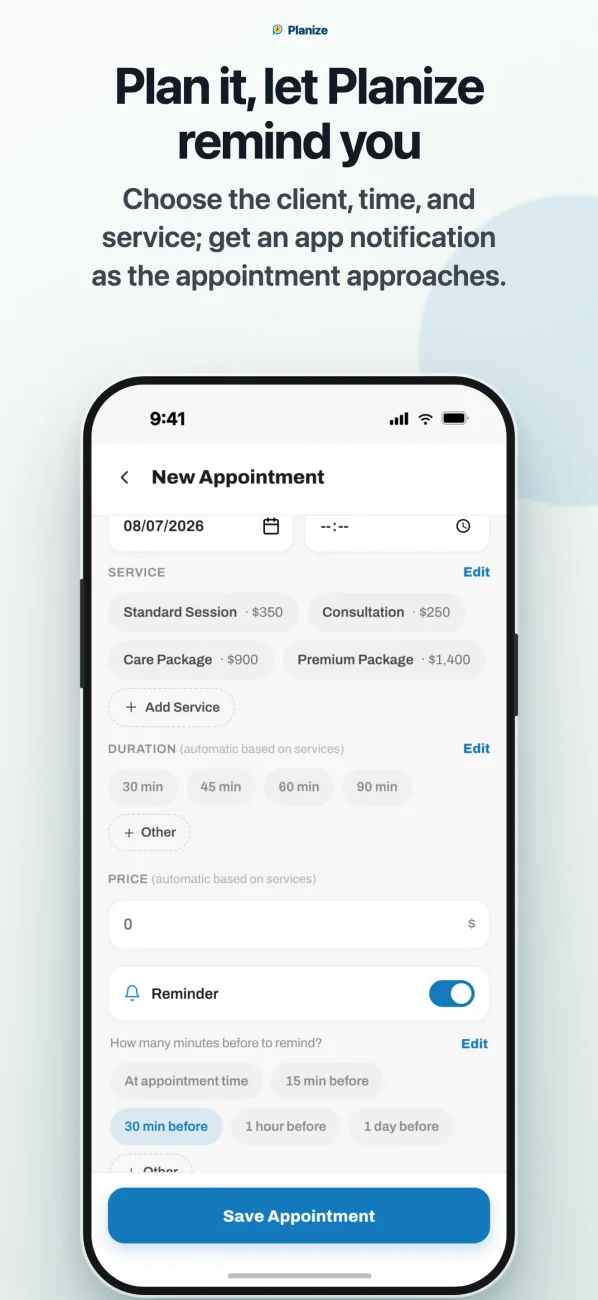
• Turn on notifications and choose how many minutes before an appointment to be reminded.
FAST APPOINTMENT MANAGEMENT
• Create an appointment in seconds with a name, time, and service.
• Switch between Today, Tomorrow, This Week, and All appointments.
• Search by client, phone number, or service.
• Filter by service, team member, or status.
• Add duration, price, notes, and status to each appointment.
ON ALL YOUR DEVICES, WITH ONE ACCOUNT
• Apps for iPhone, iPad, Android, Mac and Windows.
• An appointment added on your computer shows up on your phone, and changes made on your phone reach your computer automatically.
• On Mac and Windows, use a large calendar with day, week and month views and drag and drop to reschedule.
CAN WORK OFFLINE
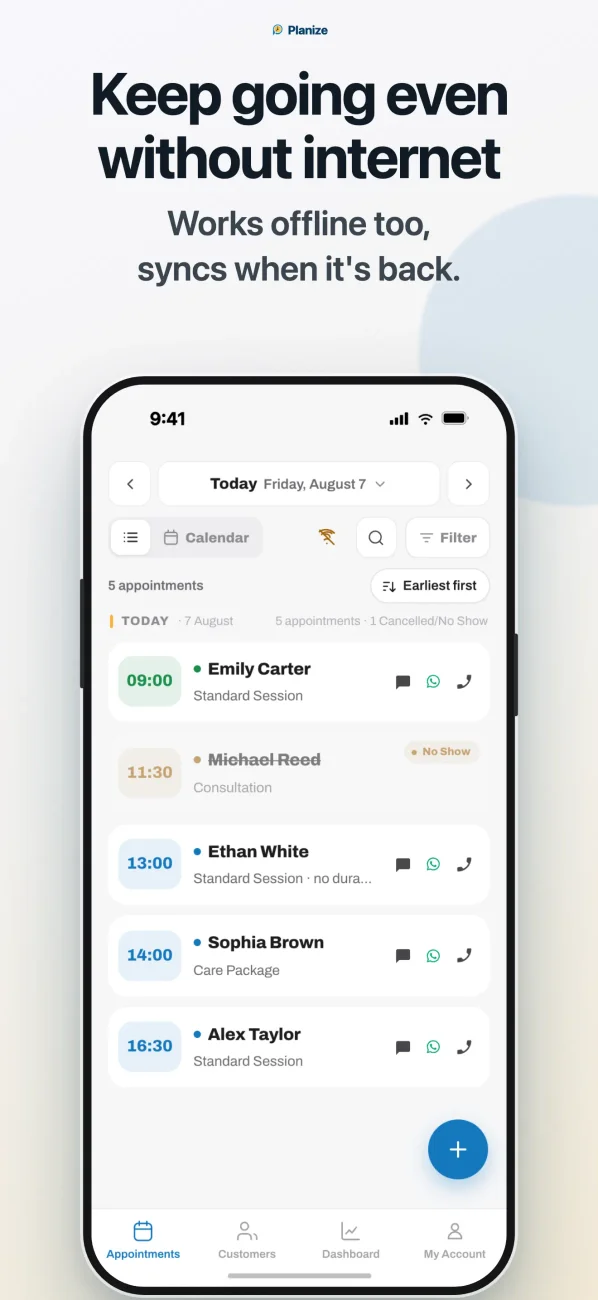
• View, create, and edit appointments when you have no connection.
• Pending changes sync automatically when you are back online.
KNOW YOUR CLIENTS
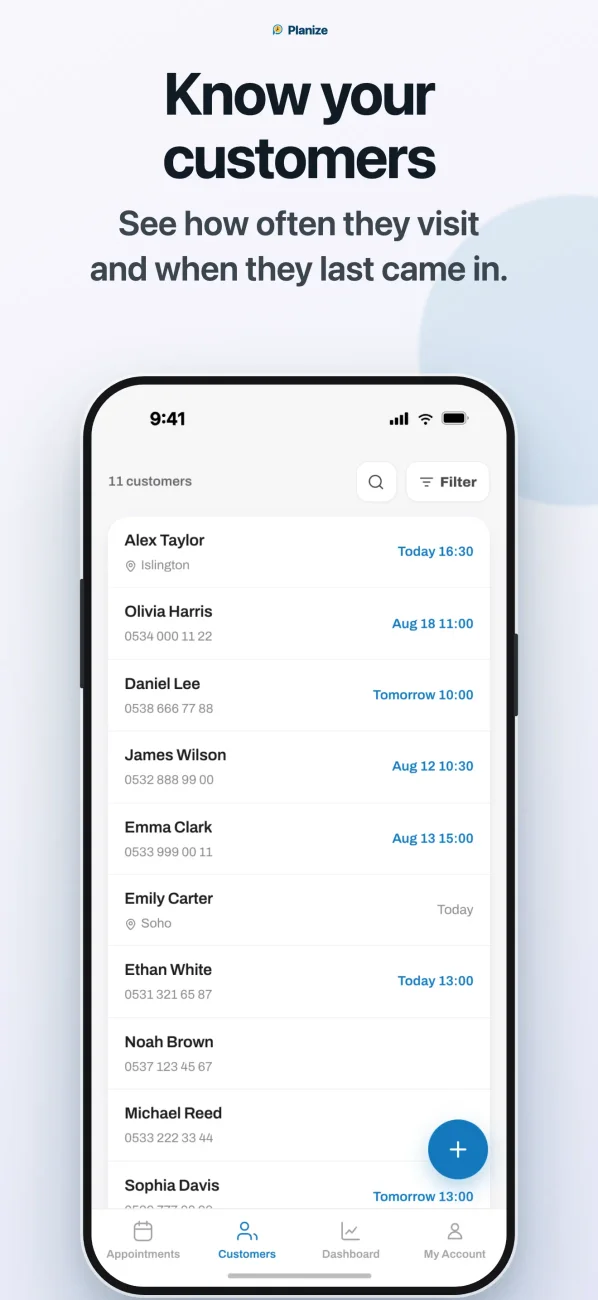
• Pick clients from your phone's contacts in one tap; their name and number are filled in automatically.
• See upcoming appointments, recent visits, and visit history on each client card.
• Reach call, SMS, or WhatsApp actions with one tap.
FOR HOME AND ON-SITE SERVICES
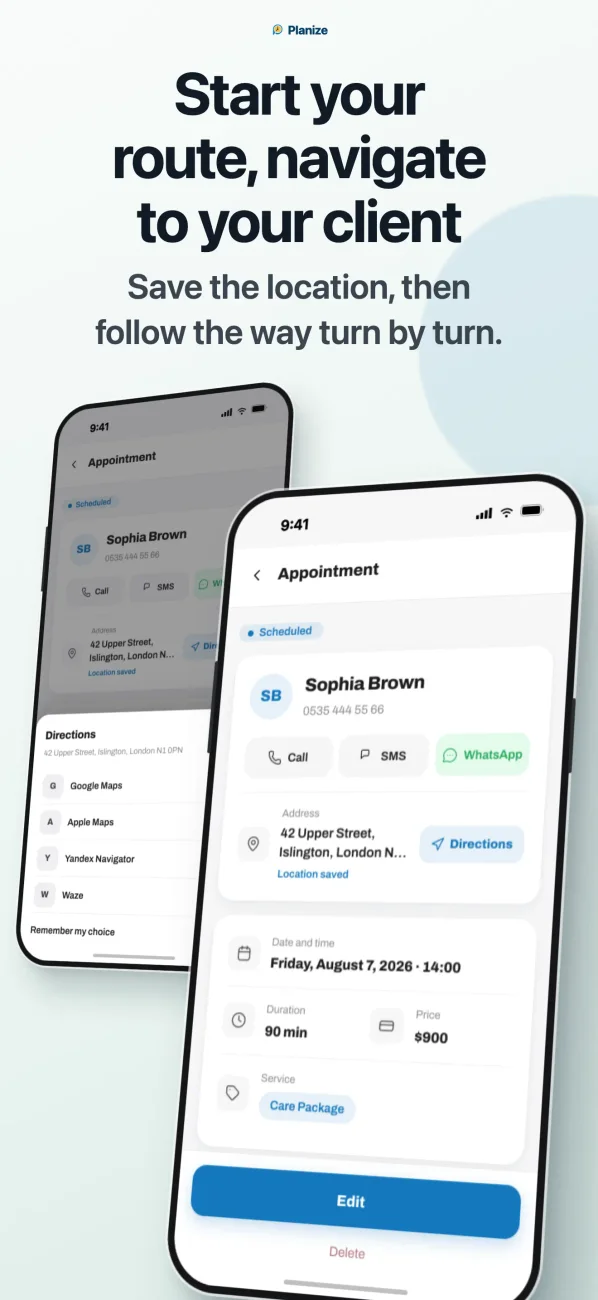
• Save each client's address and exact map location on their card.
• Use your current location, or paste a map link, coordinates or a Plus Code.
• Get directions in one tap.
MANAGE AS A TEAM
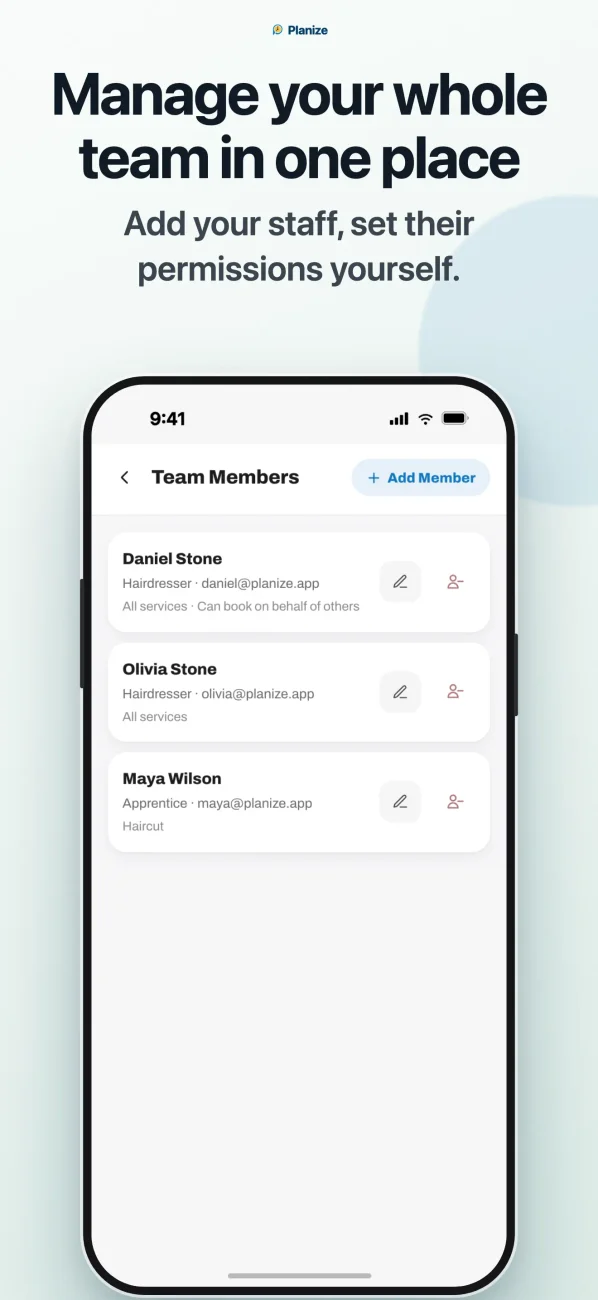
• Add staff and choose which services each team member can provide.
• Keep business appointments coordinated across your team.
• Manage members and access from the owner account.
SEE HOW YOUR BUSINESS IS DOING
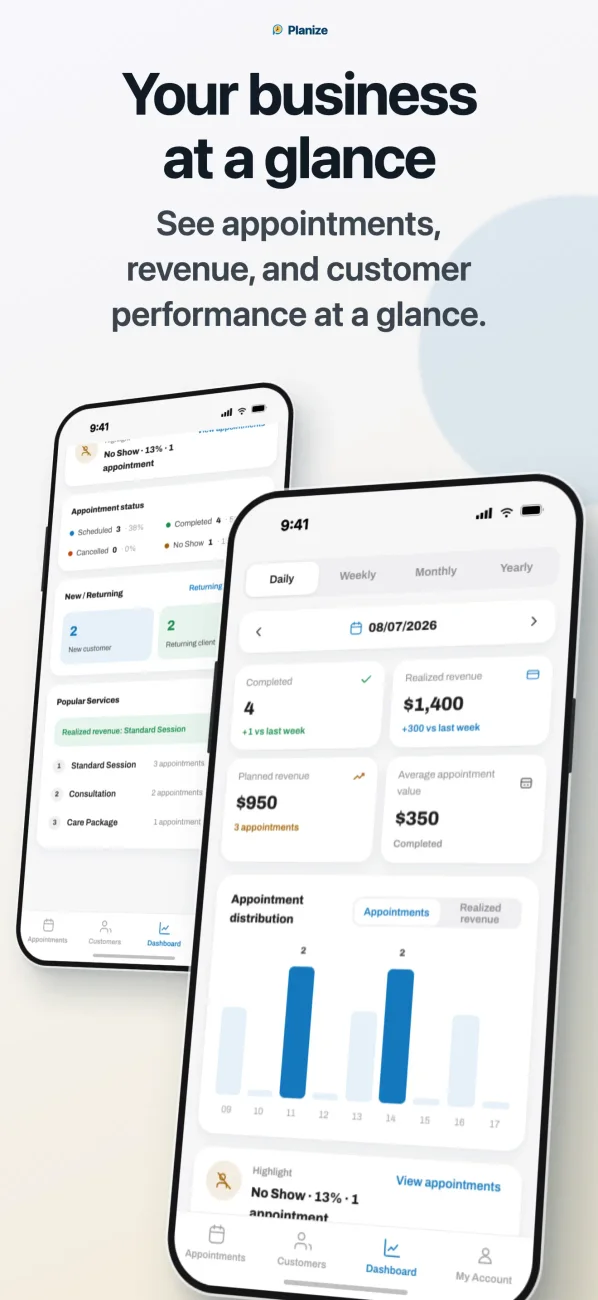
• Review daily, weekly, and monthly appointment activity.
• Track completed and canceled appointments.
• View revenue totals and popular services.
TRACK VISITS AND MEETINGS
• Save client visits and meetings the same way you save appointments.
• Write down what was discussed; the note stays on the client card.
• When someone says “let’s talk again next month”, set a reminder for that follow-up.
• See who you met and when in each client’s visit history.
HOME SCREEN WIDGET
• See today's appointments on your home screen without opening the app.
• Available on iPhone, iPad, Android, Mac and Windows 11; show the service instead of client names if you prefer.
MESSAGE TEMPLATES
• Send clients a ready-made SMS or WhatsApp message: confirmation, reminder, reschedule, cancellation and business-specific templates (ready-made texts currently in Turkish).
• Write your own; client name, date and time fill in automatically.
WHO IS PLANIZE FOR?
Hair and barber salons, clinics; physiotherapists, dietitians, psychologists and therapists, trainers and private tutors; consultants, field sales and promotion reps, mobile technicians, home and on-site service providers; nail and lash studios, skin care and aesthetics centers — anyone who works by appointment or by client visit.
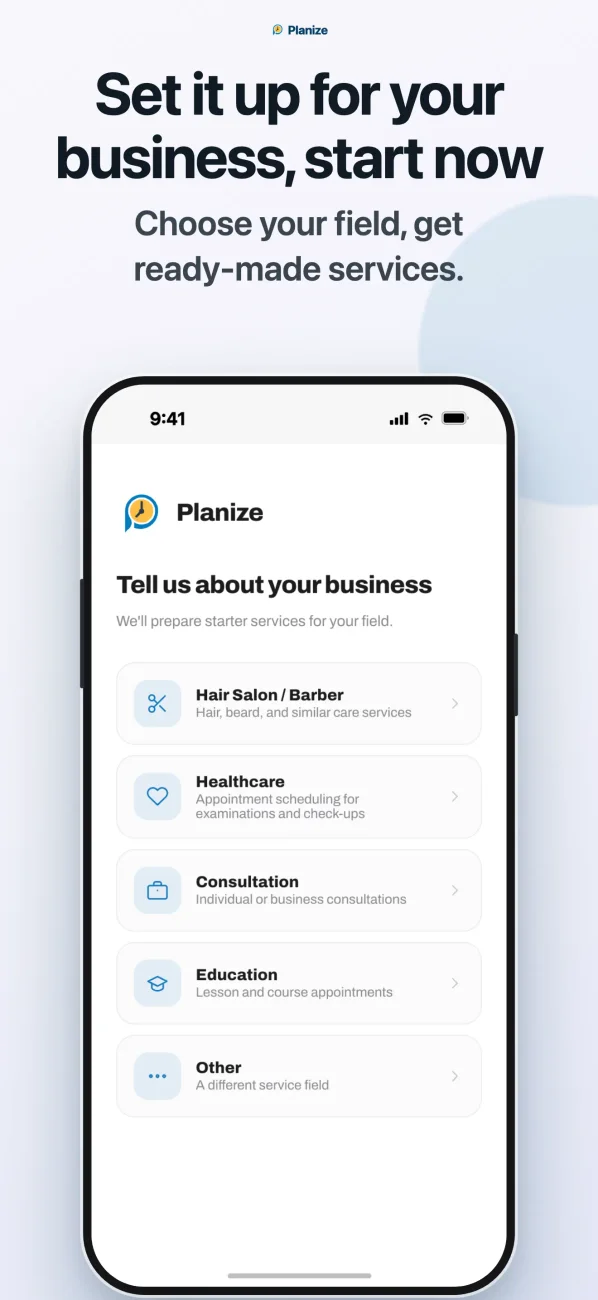
Choose your business sector, organize your service list, and start with a clean, focused interface.
Try Planize free for 14 days with all features. Planize offers optional auto-renewable subscriptions. You can manage or cancel your subscription and purchases from your Apple account.
Support: planize@ngcyaz.com
Terms of Use: https://www.apple.com/legal/internet-services/itunes/dev/stdeula/
What’s new
Version 1.3.1 · Nov 18, 2026
• New home screen widget: see today's and upcoming appointments without opening the app.
• New message templates: use ready-made templates for SMS and WhatsApp, or create your own.
App privacy
What IRFAN ONGUC declares on the App Store about how this app handles data.
-
Data linked to you
May be collected and linked to your identity.
- Purchases
- Contact info
- Contacts
- Search history
- Identifiers
- Usage data
-
Data not linked to you
May be collected but is not linked to your identity.
- Diagnostics
Privacy practices may vary, for example with the features you use or your age.
Information
- Seller
- IRFAN ONGUC
- Category
- Business
- Version
- 1.3.1
- Updated
- Nov 18, 2026
- Released
- Nov 25, 2025
- Size
- 45.8 MB
- Requires
- iOS 15.0 or later
- Age rating
- 12+
- Price
- Free
- In-app purchases
- Yes
- Languages
- English, Arabic, Bengali, Czech, Danish, Dutch, Finnish, French, German, Greek, Hindi, Hungarian + 15 more
- Copyright
- © 2025 Planize. All rights reserved.
You might also like
-
 Mobies: Appointment Book & CRMClient Ledger, Cash & Invoices
-
 Meiyue - Beauty AppointmentsNails, lashes, brows, clients
-
 手艺人客户档案 - 客户管理消费记录Productivity
-
 DaySync: Salon BookingAppointments for Beauty Pros
-
 Randevu.biz: PersonelBusiness
-
 Kavilo Pro · Gestión citasBusiness
-
 快約 LumaBusiness
-
 我的美妝店家Business
-
 Salon appointmentsSalon Booking Made Simple
-
 Onehand一手通 - 工作室預約管理系統Business