AppPreviewCut: Edit & Convert
Screen Recording > App Preview
Designed for iPhone, iPad, Mac
Free
- Age rating4+
- CategoryDeveloper Tools
- DeveloperInfinity Digital Labs LLC
- LanguagesEnglish
- Size26.7 MB
Links to the official App Store page
Download.org hosts no file of AppPreviewCut: Edit & Convert. The button opens its official App Store page, published by Infinity Digital Labs LLC. Listing last checked on Nov 18, 2026.
Screenshots

About
App Previews are the short promo videos on your app product page. App Store Connect requires very specific formats and resolutions for each device for the videos to be uploaded and accepted. This app is built to create and edit those videos from your screen recordings—with file formats and encoding presets that match Apple developer requirements so you get it right the first time.
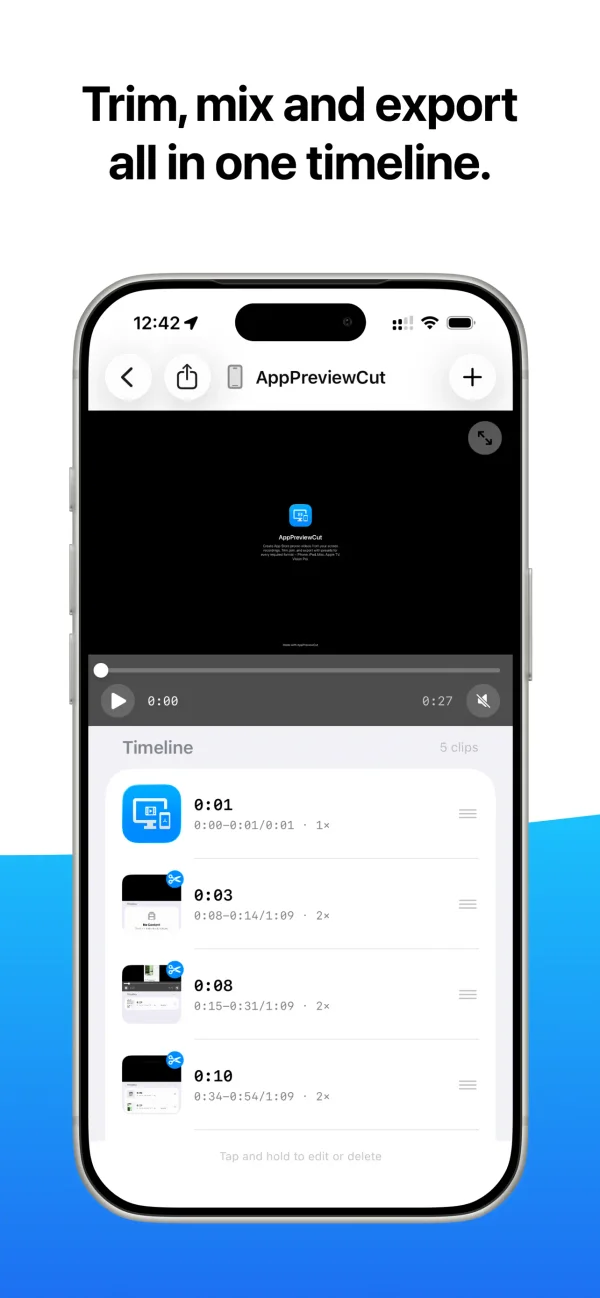
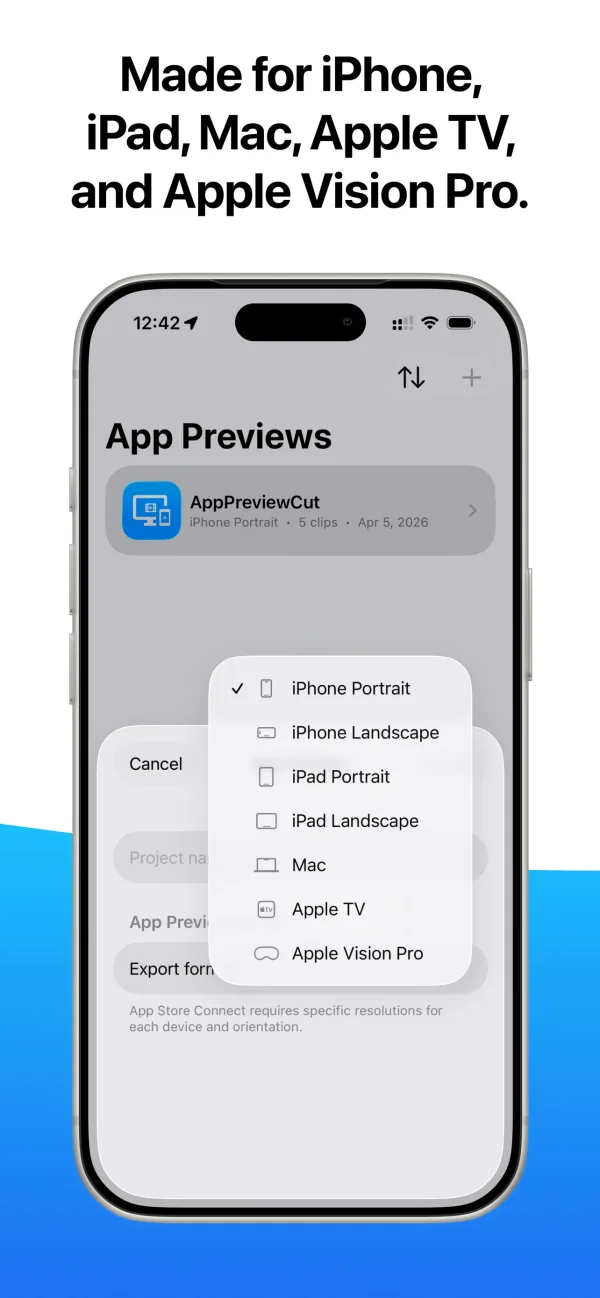
Create a project, pick the device and orientation (e.g. iPhone portrait, iPad landscape, Mac, Apple TV, or Vision Pro). Trim and join your screen recordings, adjust speed, add B-roll, then export. The app uses the exact resolutions and video audio codec specifications required for each App Preview type, so you don’t have to look up dimensions or convert to a different format.
FEATURES
• Built for App Previews—formats and resolutions match App Store Connect requirements
• Presets for iPhone, iPad, Mac, Apple TV, and Vision Pro (portrait & landscape)
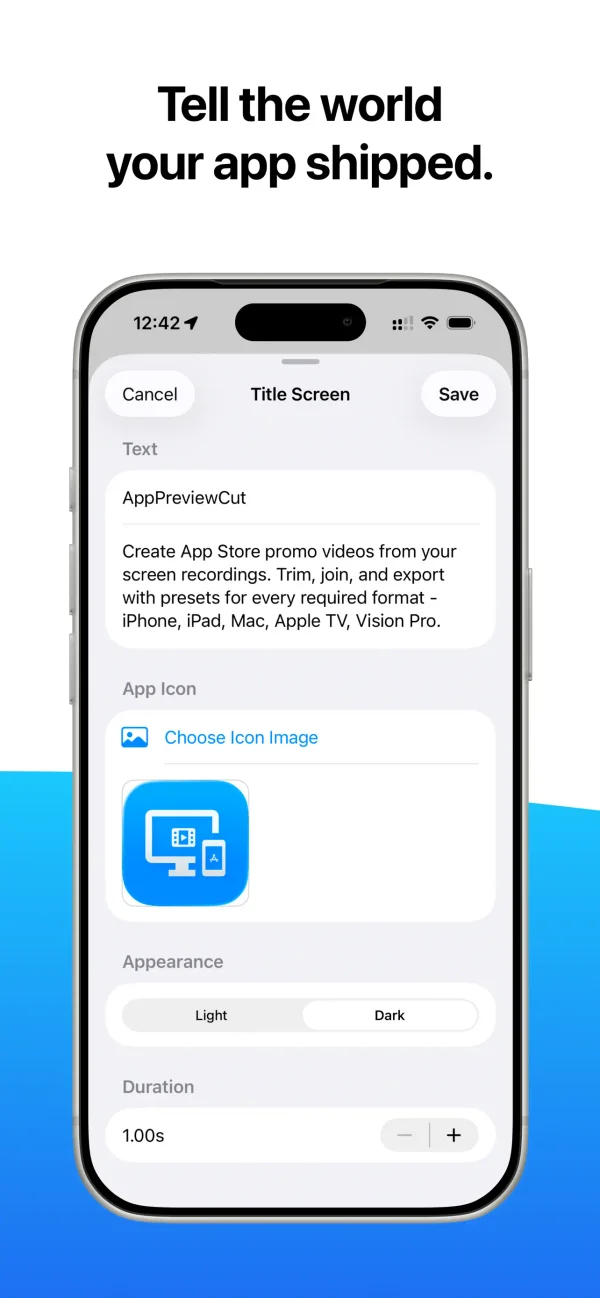
• Insert an introduction title screen
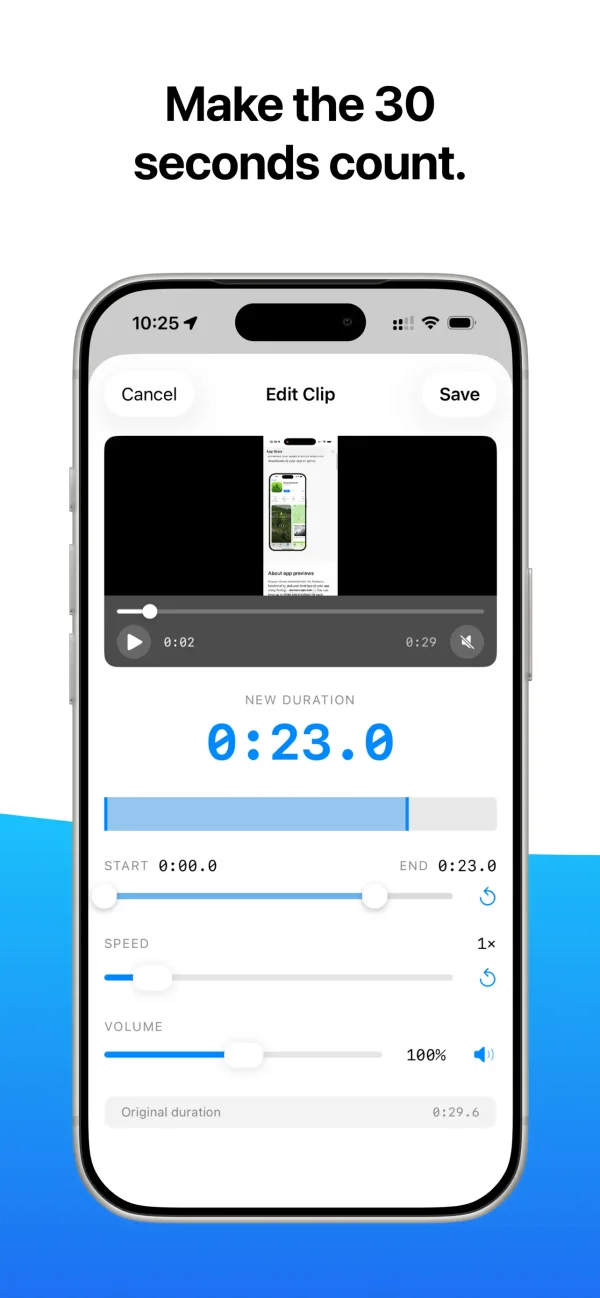
• Trim and join screen recordings
• Speed up or slow down clips
• Per-clip volume and mute
• Create title screen with app icon, title, and description
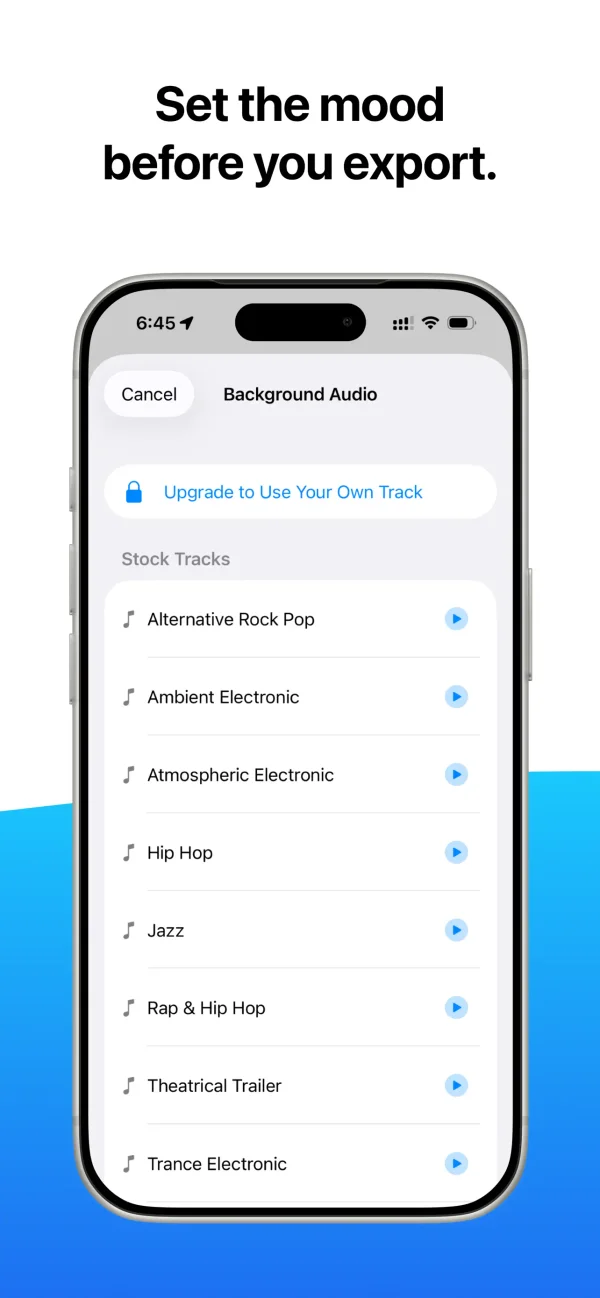
• Add background track from our royalty-free stock music library
EXPORT
Choose a preset when you create a project; export uses that preset’s resolution and aspect ratio. No guessing—just pick the App Preview type you need and export. Save to Files, export to Photos, or AirDrop to your Mac to upload.
Designed for light and dark mode with a clean, neutral interface so your screen recordings stay the focus.
Terms of Use (EULA): https://www.apple.com/legal/internet-services/itunes/dev/stdeula/
What’s new
Version 1.2.5 · Aug 2, 2026
Improved UI and optimized video asset file lifecycle and storage.
App privacy
What Infinity Digital Labs LLC declares on the App Store about how this app handles data.
-
Data not collected
The developer does not collect any data from this app.
Privacy practices may vary, for example with the features you use or your age.
Information
- Seller
- Infinity Digital Labs LLC
- Category
- Developer Tools
- Version
- 1.2.5
- Updated
- Aug 2, 2026
- Released
- Apr 8, 2026
- Size
- 26.7 MB
- Requires
- iOS 26.0 or later
- Age rating
- 4+
- Price
- Free
- Languages
- English
- Copyright
- © 2026 Infinity Digital Labs LLC
You might also like
-
 Chmod ToolkitMaster permissions & cert prep
-
 Dev Notes++Apps, SaaS Bug & Ideas Tracker
-
 App Preview RecorderMake app preview videos
-
 HogLens - PostHog CompanionMonitor Dashboards & Events
-
 Campaign Manager for App AdsSearch Ads Campaigns for Apps
-
 Ping: website monitoringAre your services are online
-
 Protato: 3D Mockup GeneratorApp Screenshots & 3D Animation
-
 Status Bar Tidy - Bar941Set Screenshots to 9:41
-
 ReconPadOSINT Tool
-
 LM PocketRun local AI models on-device