AppStack: Pics & Apps
Photo Widgets & App Launcher
Designed for iPhone, iPad
Free · In-app purchases
- Age rating4+
- CategoryUtilities
- DeveloperJean-Marc Lai
- LanguagesEnglish+ 26 more
- Size14.1 MB
Links to the official App Store page
Download.org hosts no file of AppStack: Pics & Apps. The button opens its official App Store page, published by Jean-Marc Lai. Listing last checked on Nov 16, 2026.
Screenshots


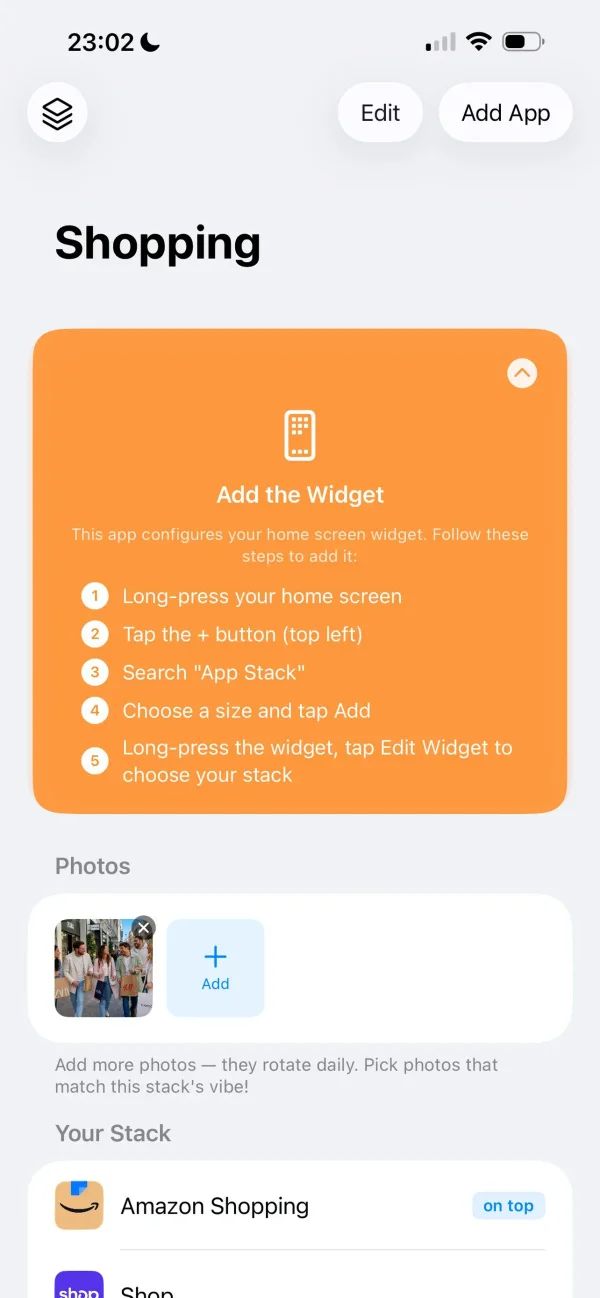
About
Your home screen should be a gallery, not a grid of distractions.
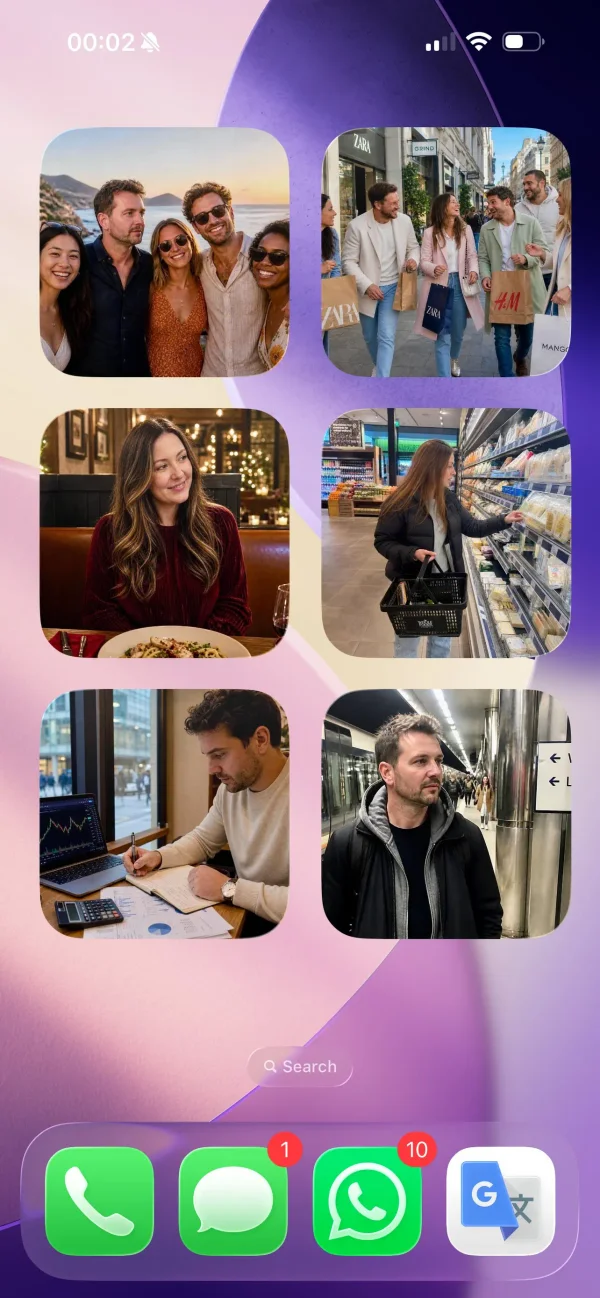
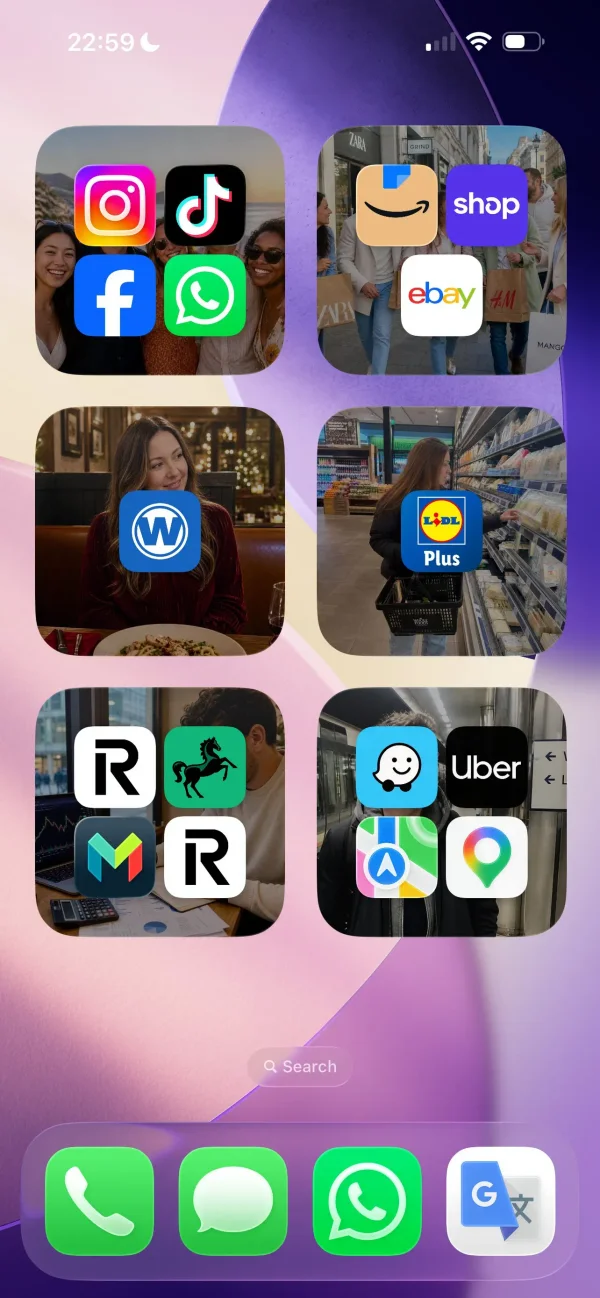
App Stack turns your widgets into photo launchers. Each one displays a picture you have chosen — tap it to reveal the apps underneath and open them instantly. When you are not using them, they stay hidden behind your favourite photos.
No more unlocking your phone and getting pulled into apps you did not mean to open. App Stack lets you launch with intention, not impulse.
How it works:
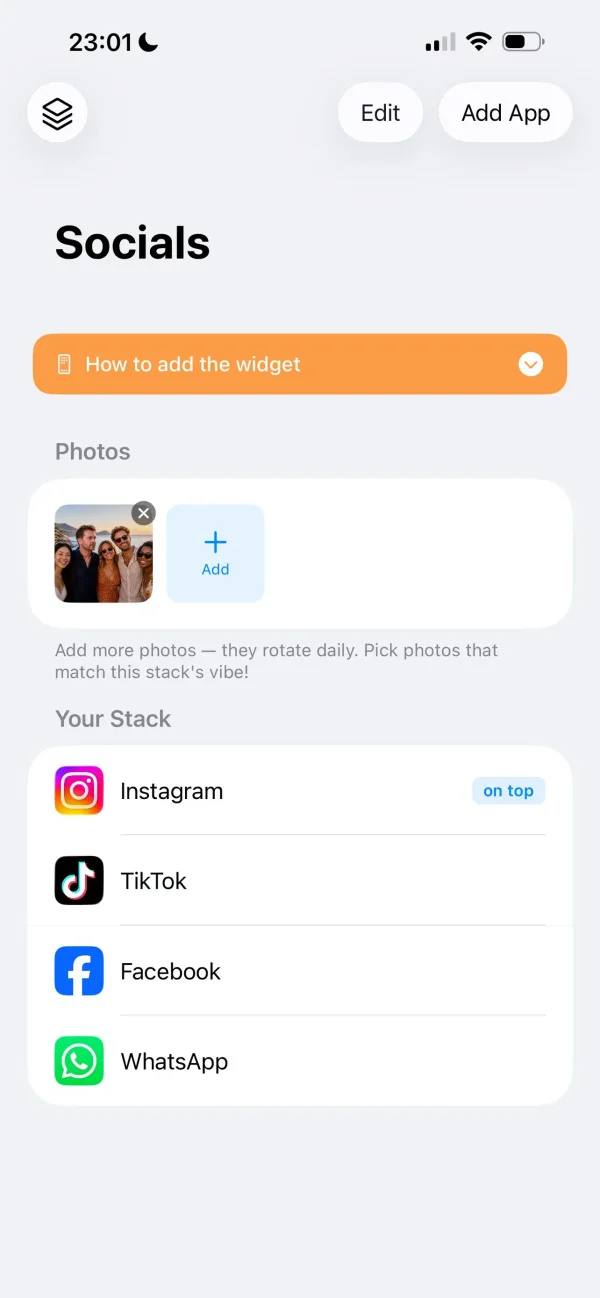
- Create a stack and give it a name — Social, Work, Shopping, whatever suits you
- Add the apps you use together and pick photos that match
- Place the widget on your home screen
- Your photo rotates daily; tap the widget to reveal your apps and launch them
It works with virtually every app on your phone. In the rare case an app needs a little help, App Stack walks you through a quick one-time setup.
Why App Stack:
- Daily photo rotation keeps your home screen fresh
- Multiple stacks for different parts of your life
- Clean, lightweight design with no ads or tracking
- No account required — all photos stay on your device
- Works with virtually any app
Free: 2 stacks, 3 photos, 8 apps per stack.
Pro: Up to 1,000 stacks, 100 photos, and unlimited apps per stack.
Declutter your home screen. Use your phone on your terms.
Terms of Use: https://www.apple.com/legal/internet-services/itunes/dev/stdeula/
Privacy Policy: https://appstack-schemes.app-stack.workers.dev/privacy
What’s new
Version 1.6 · Aug 1, 2026
New: Themes. Pick a curated photo theme and give every stack a whole new look, all at once — with more themes landing over time for Pro.
Pro is now more flexible: choose Monthly, Yearly, or a one-time Lifetime purchase — whatever suits you. Already Pro? Nothing changes, you're all set.
Your stacks and your own photos now back up automatically to your iCloud, so switching phones or reinstalling the app won't cost you your setup. A "Delete My Backup" option is available if you'd rather manage it yourself.
Plus a handful of small safety and polish improvements throughout.
App privacy
What Jean-Marc Lai declares on the App Store about how this app handles data.
-
Data not linked to you
May be collected but is not linked to your identity.
- Identifiers
Privacy practices may vary, for example with the features you use or your age.
Information
- Seller
- Jean-Marc Lai
- Category
- Utilities
- Version
- 1.6
- Updated
- Aug 1, 2026
- Released
- Jun 25, 2026
- Size
- 14.1 MB
- Requires
- iOS 17.0 or later
- Age rating
- 4+
- Price
- Free
- In-app purchases
- Yes
- Languages
- English, Arabic, Danish, Dutch, Finnish, French, German, Greek, Hebrew, Hindi, Indonesian, Italian + 15 more
- Copyright
- © 2026 App Stack
You might also like
-
 LivingGem - SoloKeeperDaily care for solo livers.
-
 FoundMe: Lock Screen RecoveryShow contact info on lock
-
 WDIL - When Did I LastDone Log: Chores & Life Admin
-
 Contact TimelineNever lose a new contact again
-
 StyleCalendar WidgetsStylish Calendar Widgets
-
 Mirror - SLOXUtilities
-
 LaunchDock: Activity LauncherShortcuts on Dynamic Island
-
 PiP WidgetsThey Float Over Apps & Videos!
-
 Kotik Connect: VPNUtilities
-
 SafeArea: Hide Photos VaultSecret Album & Calculator Lock