ArcDay: Countdown Widget
D-Day, Streaks & Habits
Designed for iPhone, iPad, iPod touch
In-app purchases
- Age rating4+
- CategoryLifestyle
- DeveloperChangHyun Nam
- LanguagesEnglish+ 6 more
- Size37.3 MB
Links to the official App Store page
Download.org hosts no file of ArcDay: Countdown Widget. The button opens its official App Store page, published by ChangHyun Nam. Listing last checked on Nov 13, 2026.
Screenshots
About
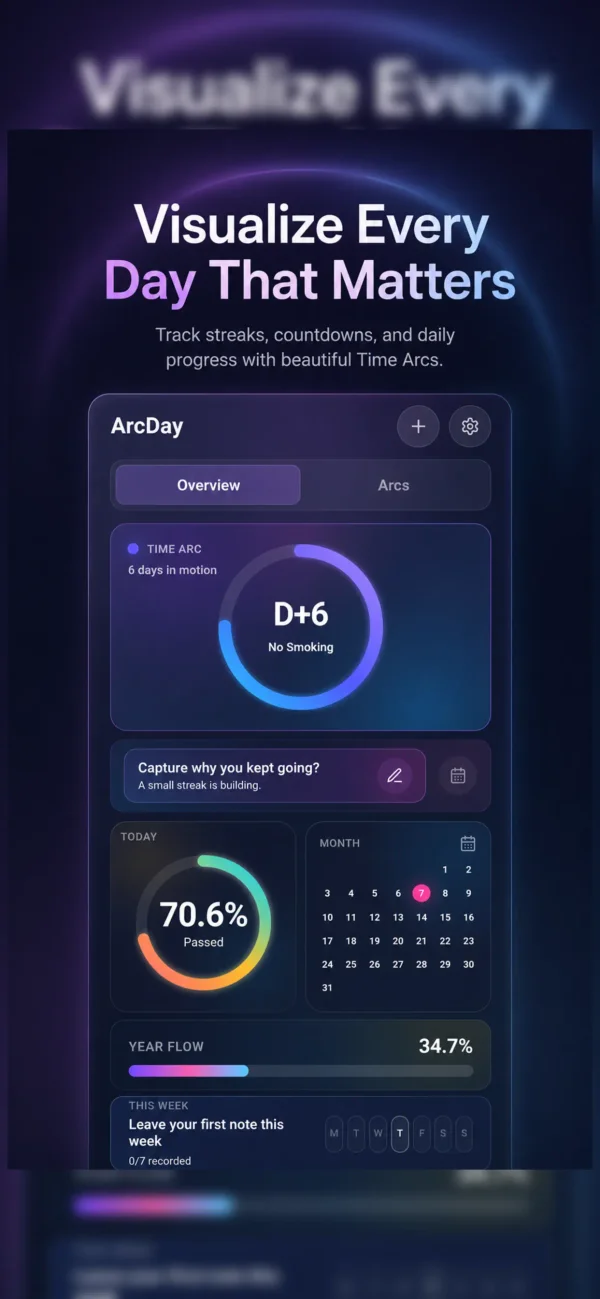
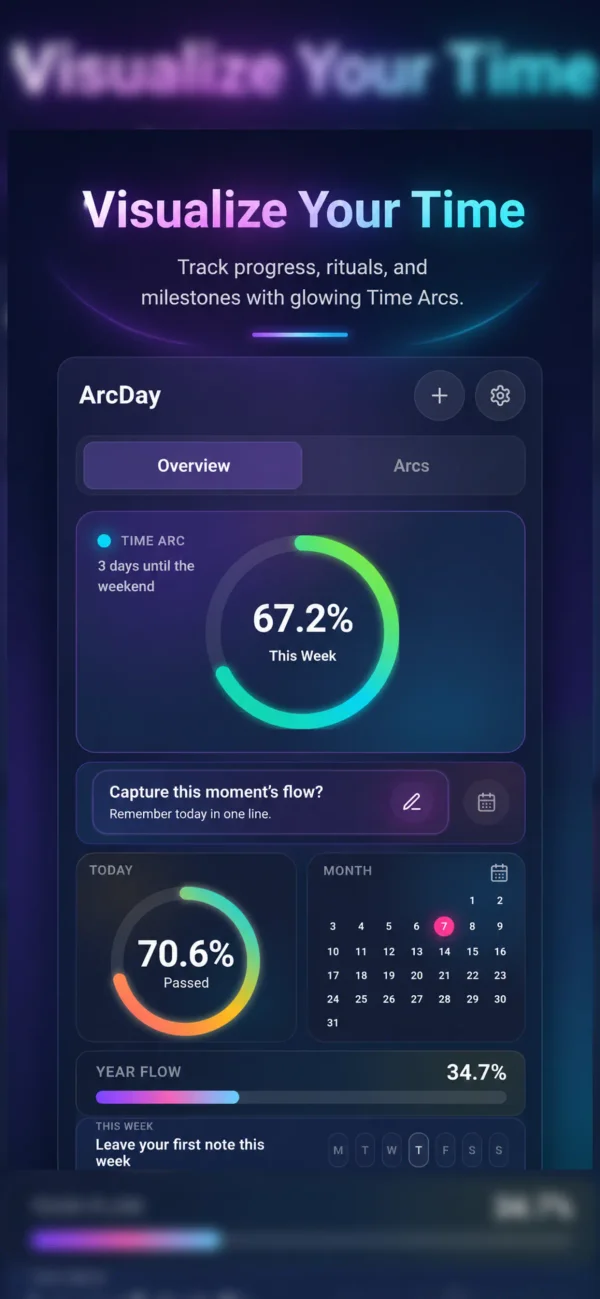
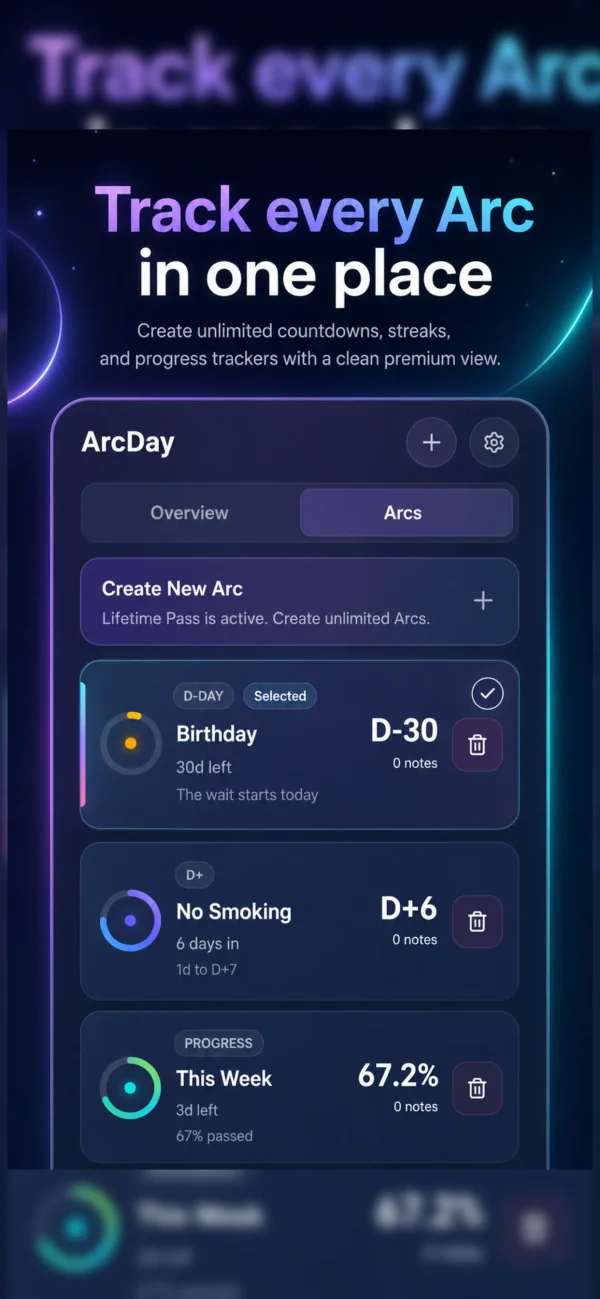
ArcDay is a countdown widget, habit tracker, D-Day calendar, and time progress app that turns important dates and routines into beautiful Time Arcs.
Track the days you wait for, the habits you keep, and the chapters you live through — all in one visual timeline.
Main features
• Countdown / D-Day
Count down to trips, birthdays, exams, anniversaries, concerts, launches, and important events.
• Habit Streaks / D+
Track routines like exercise, study, reading, no smoking, sobriety, daily goals, and personal challenges.
• Chapter Arc
Follow time periods with a start and end date, such as travel, projects, vacations, exam prep, or challenges.
• Progress Arc
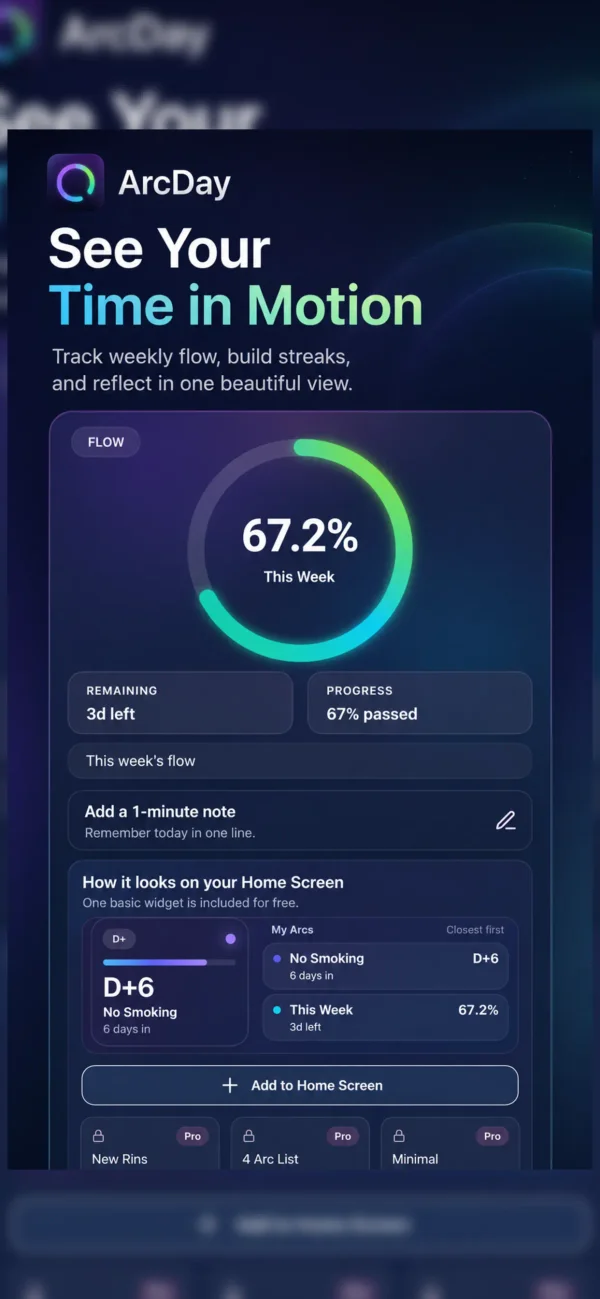
See how today, this week, this month, and this year are moving with beautiful progress arcs.
• Check-ins & Notes
Add your mood, reason, and one-line notes to remember why each arc matters.
• Arc Calendar
View countdowns, streaks, notes, birthdays, milestones, and chapters by date.
• Home Screen Widgets
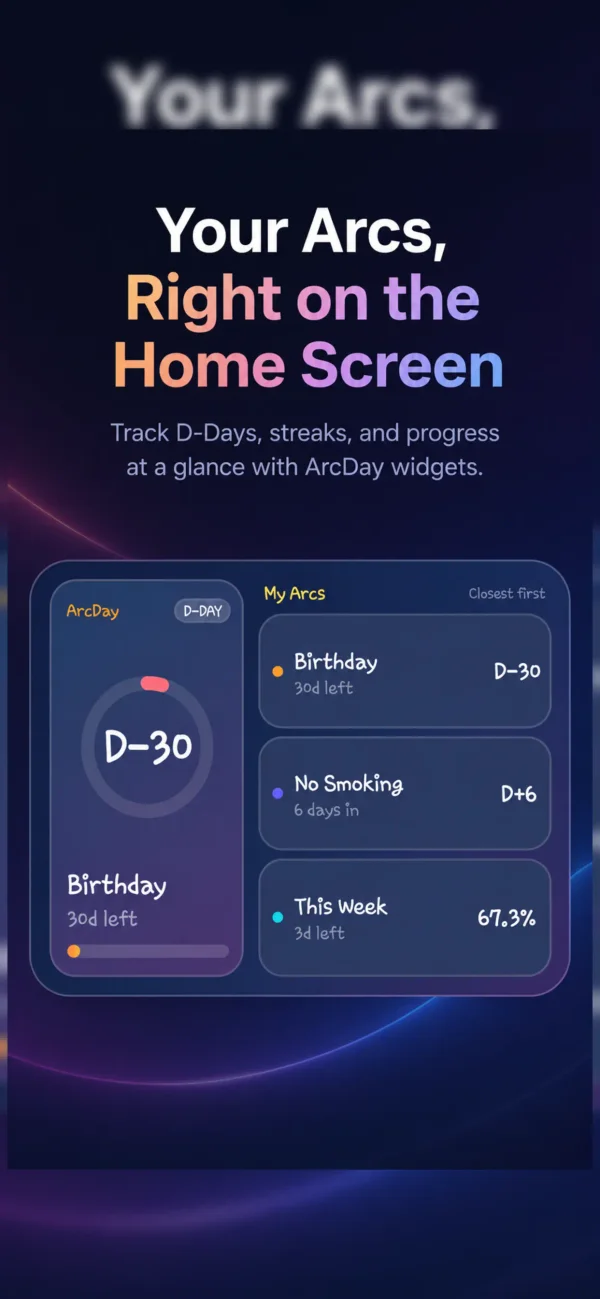
Keep your most important countdowns, habits, and chapters visible on your Home Screen.
ArcDay is made for people who want more than a simple countdown timer. It helps you see time, stay motivated, and keep meaningful dates close.
Use ArcDay to:
• Count down to important dates
• Build habit streaks
• Track D-Day events
• Follow personal chapters
• Record daily notes
• See progress at a glance
• Add beautiful widgets to your Home Screen
Turn your time into a beautiful arc.
Terms of Use (EULA): https://www.apple.com/legal/internet-services/itunes/dev/stdeula/
What’s new
Version 1.1.6 · Jun 4, 2026
Minor bug fixes and stability improvements
App privacy
What ChangHyun Nam declares on the App Store about how this app handles data.
-
Data used to track you
May be used to track you across apps and websites owned by other companies.
- Identifiers
- Usage data
-
Data linked to you
May be collected and linked to your identity.
- Purchases
- Location
- Contact info
- User content
- Identifiers
- Usage data
- Diagnostics
Privacy practices may vary, for example with the features you use or your age.
Information
- Seller
- ChangHyun Nam
- Category
- Lifestyle
- Version
- 1.1.6
- Updated
- Jun 4, 2026
- Released
- Feb 27, 2026
- Size
- 37.3 MB
- Requires
- iOS 15.0 or later
- Age rating
- 4+
- In-app purchases
- Yes
- Languages
- English, French, German, Hindi, Japanese, Korean, Spanish
- Copyright
- © 2026 Memento
You might also like
-
 Atomic Strides - Habit TrackerHabit Stacking & Daily Routine
-
 Sovereign QuitQuit Porn. Track Your Streak.
-
 Auto Try On: AI Outfit StudioAI Clothes & Outfit Try-On
-
 Couple Habits TrackerDaily couple habit tracker
-
 Your Life WeeklyA life, measured in weeks
-
 Dday Planner5in1 Time Manager
-
 Habit Tracker : Build RoutinesTrack habits, routine & goals
-
 Dayvee: Daily Life TrackerHabit, Mood & Journal Diary
-
 Lifetime Ahead: Visualize LifeSee Your Life in Weeks Grid
-
 LifeWeeks – Life TrackerLifestyle