
Arch Master: Model Viewer
For ArchiMate® models
Designed for iPhone, iPad, Mac
$19.99
- Age rating4+
- CategoryProductivity
- DeveloperVolodymyr Sichka
- LanguagesEnglish+ 6 more
- Size2.6 MB
Links to the official App Store page
Download.org hosts no file of Arch Master: Model Viewer. The button opens its official App Store page, published by Volodymyr Sichka. Listing last checked on Nov 12, 2026.
Screenshots


About
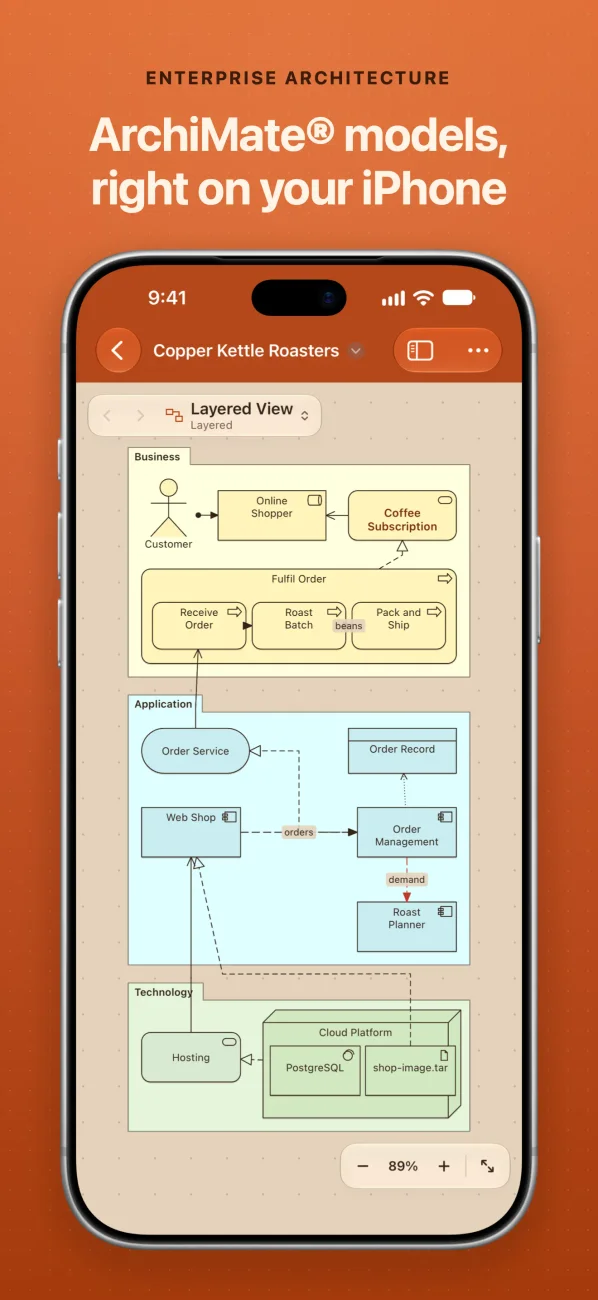
Arch Master opens ArchiMate® models on iPhone, iPad and Mac and draws them the way the specification does. Take the architecture into a meeting, check a view on the go, or follow a relationship across the whole model without a laptop and a modeling tool.
OPENS YOUR MODELS
• Models saved by Archi (.archimate), including the archives Archi writes when a model contains images
• Open Group ArchiMate Model Exchange files (.xml) exported by other modeling tools
• ArchiMate 3.1 and 3.2: every element and relationship, junctions, specializations, documentation and properties
• Files with broken references still open, with the rest of the model shown
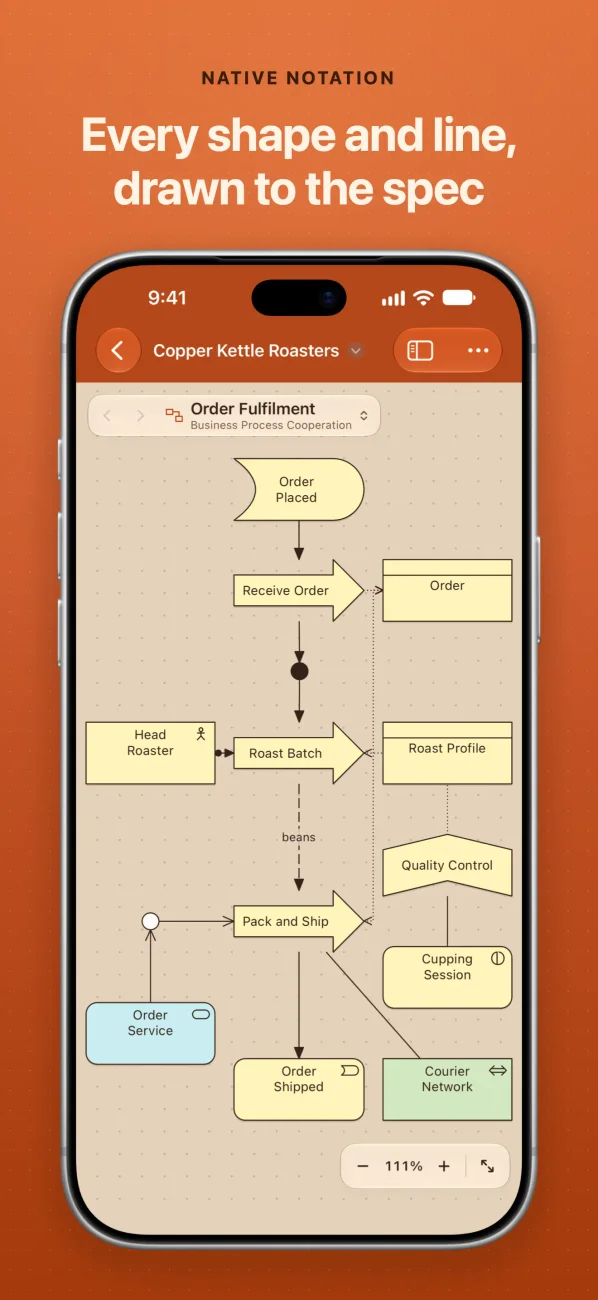
DRAWN TO THE SPEC
• Layer colors, square, rounded and cut corners, and each element's icon
• The alternative figures Archi uses: actor, service, process, node, device, component and more
• Exact line styles and ends for composition, aggregation, assignment, realization, serving, triggering, flow, access, influence and association
• Groups, notes, nested elements, bendpoints and the colors chosen in the file
EXPLORE THE MODEL
• Model browser: every view by folder, every element by layer and type
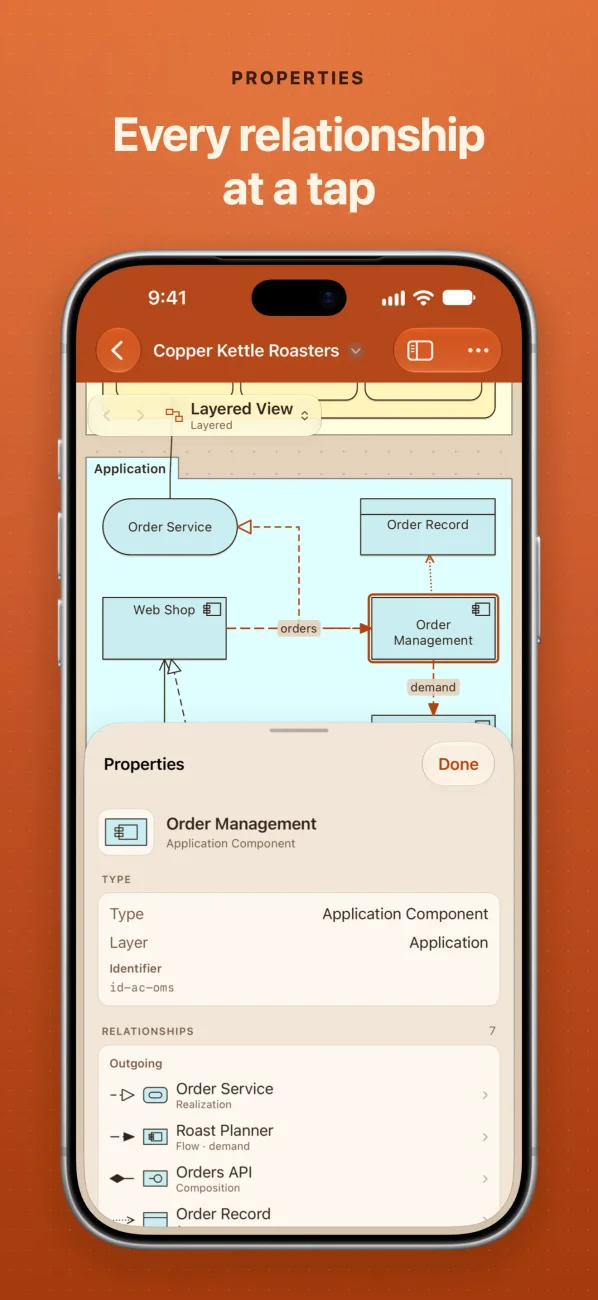
• Properties panel: type, documentation, properties, every relationship and every view an element appears on, each a tap away
• Select a shape and its connections light up; open a view reference to jump to that view
• Go back and forward through the views you opened
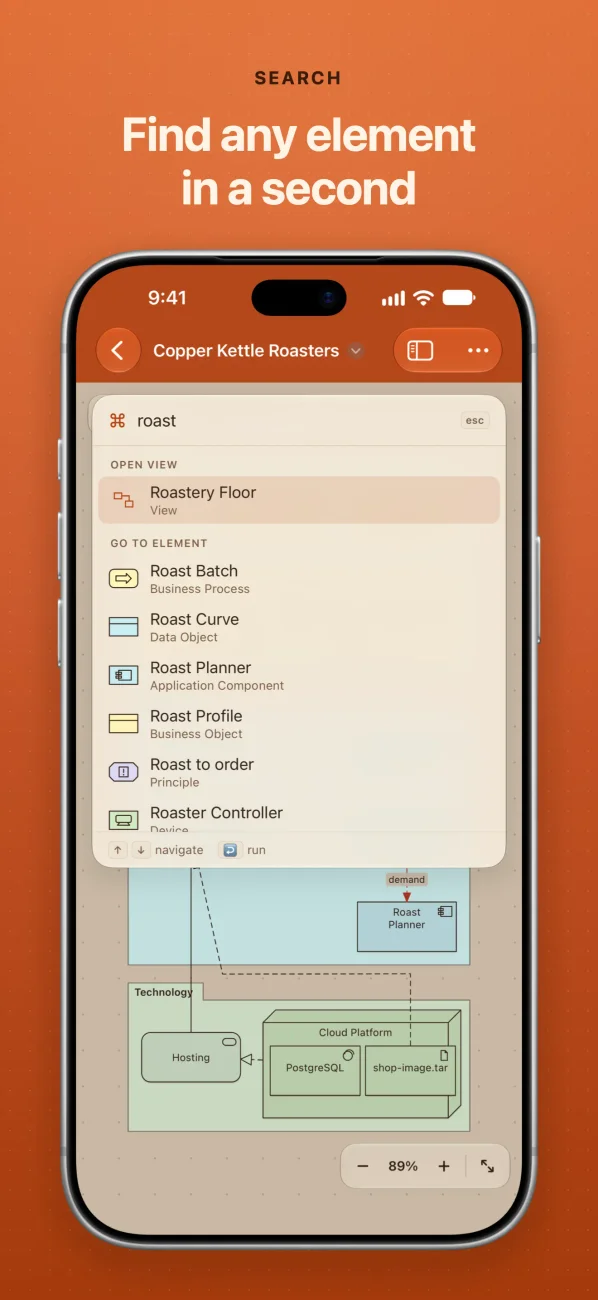
FIND ANYTHING
• Find shapes on the current view by name or ID
• The command palette searches every view, element and relationship by name, ID, property or documentation, and takes you there
SHARE
• Export the current view as PNG or vector PDF, or every view as one PDF
• Print any view
AT HOME ON EVERY DEVICE
• Native on iPhone, iPad and Mac
• Pinch to zoom, minimap, grid and keyboard shortcuts
• Terracotta, Light and Dark themes
• English, German, French, Ukrainian, Spanish, Japanese and Portuguese: choose the language in the app or in system settings
PRIVATE BY DESIGN
No account, no sign-in, no tracking. Your models stay on your device, and the app makes no network connections.
Arch Master is a viewer: it opens and presents models, it does not edit them.
ArchiMate® is a registered trademark of The Open Group in the United States and other countries. Arch Master is not affiliated with or endorsed by The Open Group.
LEGAL
• Privacy Policy: https://vybgss.github.io/arch-master-docs/privacy-policy.html
• Terms of Use: https://www.apple.com/legal/internet-services/itunes/dev/stdeula/
What’s new
Version 1.1 · Nov 8, 2026
• The App Store page now comes in seven languages, with new screenshots
• The app's language can now also be changed in system settings
• The language set in the app and the one in system settings are now a single setting
• The file browser, menus and system dialogs inside the app follow the chosen language
• Model file types appear in your language in Files and Finder
• After you export or print a view, Arch Master may ask you to rate it — at most once per version
• Minor improvements and bug fixes
App privacy
What Volodymyr Sichka declares on the App Store about how this app handles data.
-
Data not collected
The developer does not collect any data from this app.
Privacy practices may vary, for example with the features you use or your age.
Information
- Seller
- Volodymyr Sichka
- Category
- Productivity
- Version
- 1.1
- Updated
- Nov 8, 2026
- Released
- Oct 31, 2026
- Size
- 2.6 MB
- Requires
- iOS 18.0 or later
- Age rating
- 4+
- Price
- $19.99
- Languages
- English, French, German, Japanese, Portuguese, Spanish, Ukrainian
- Copyright
- © 2026 Volodymyr Sichka
You might also like
-
 Habit Tracker - Track todayYour Daily Habit Journal
-
 Spider Notes: Mind MapsSpider-web mind mapping
-
 DoTree - Task OrganizerOutline tasks, projects, plans
-
 Vois: Articles Read AloudOffline Text to Speech & PDFs
-
 Hourly Chime: Reminds Me DailyGet a beep sound each hour.
-
 AIDAC: AI ArchitectAI Architect Assistant
-
 iWrote: Markdown Writer AppDrafts, Outline & Style Check
-
 Oareo3D Room Scans & Floor Plans
-
 Simplify Notes: PDF NotebookHandwriting, Notes & Study
-
 Creative StatesTop of mind flexible workspace