Arciva: Documents with Tasks
Scan, sort and find paperwork
Designed for iPhone, iPad, Mac
In-app purchases
- Age rating4+
- CategoryProductivity
- DeveloperMarius Kaczmarek
- LanguagesGerman+ 2 more
- Size11.9 MB
Links to the official App Store page
Download.org hosts no file of Arciva: Documents with Tasks. The button opens its official App Store page, published by Marius Kaczmarek. Listing last checked on Nov 25, 2026.
Screenshots
About
Arciva does not organise documents. Arciva organises what happens to them.
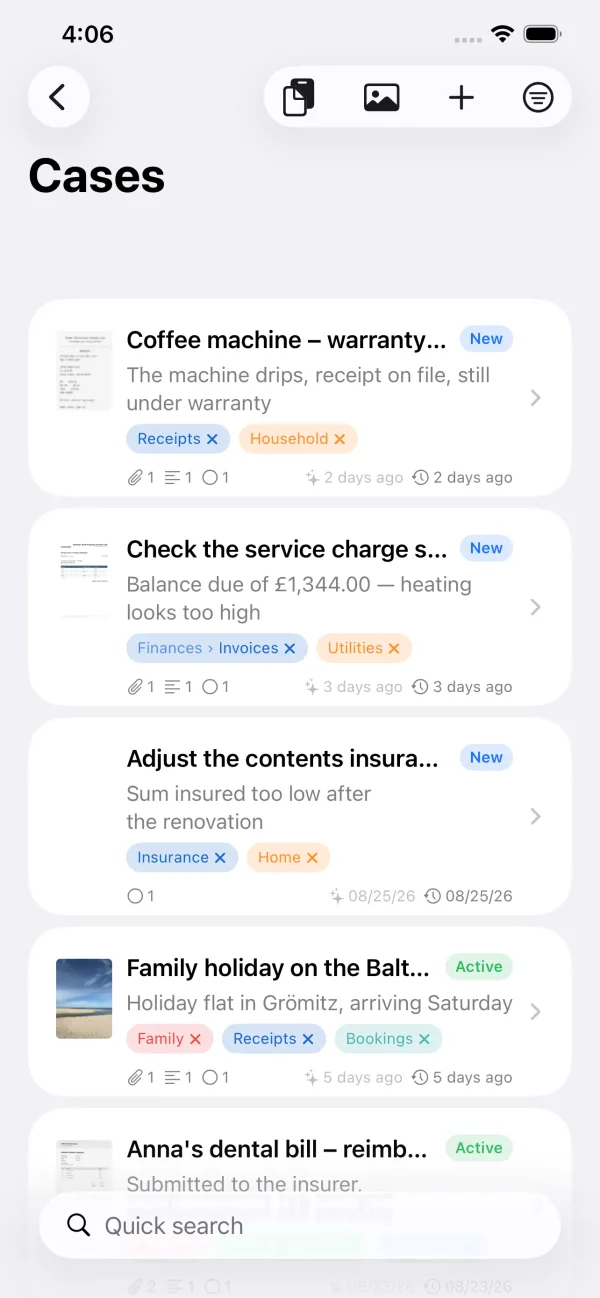
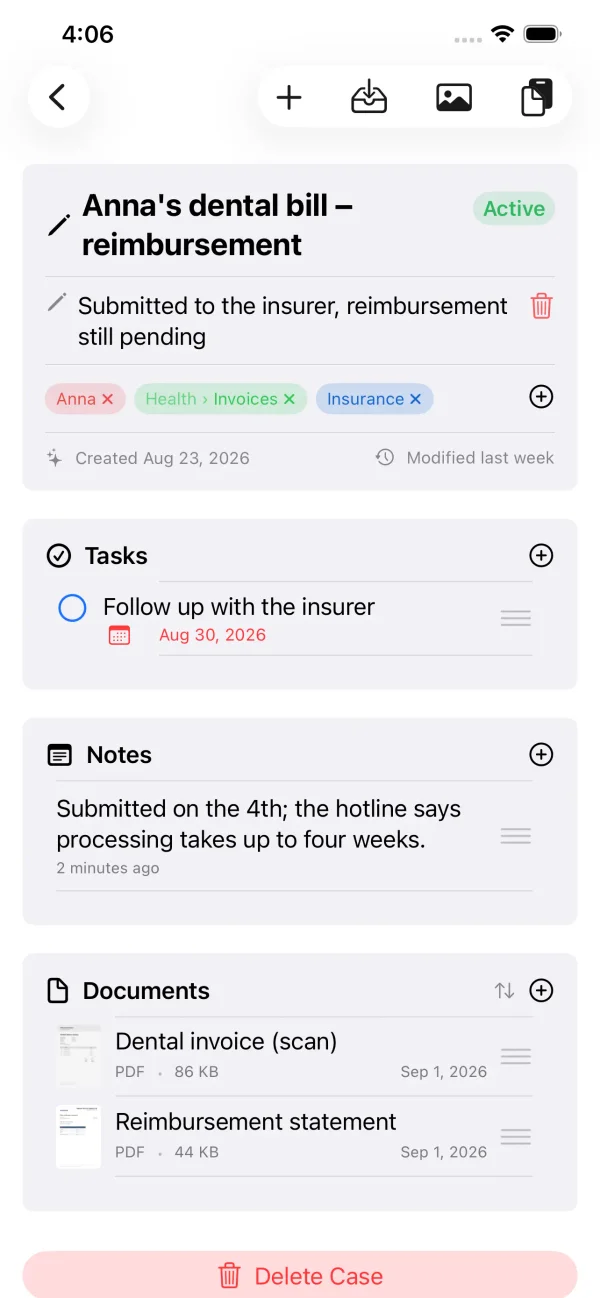
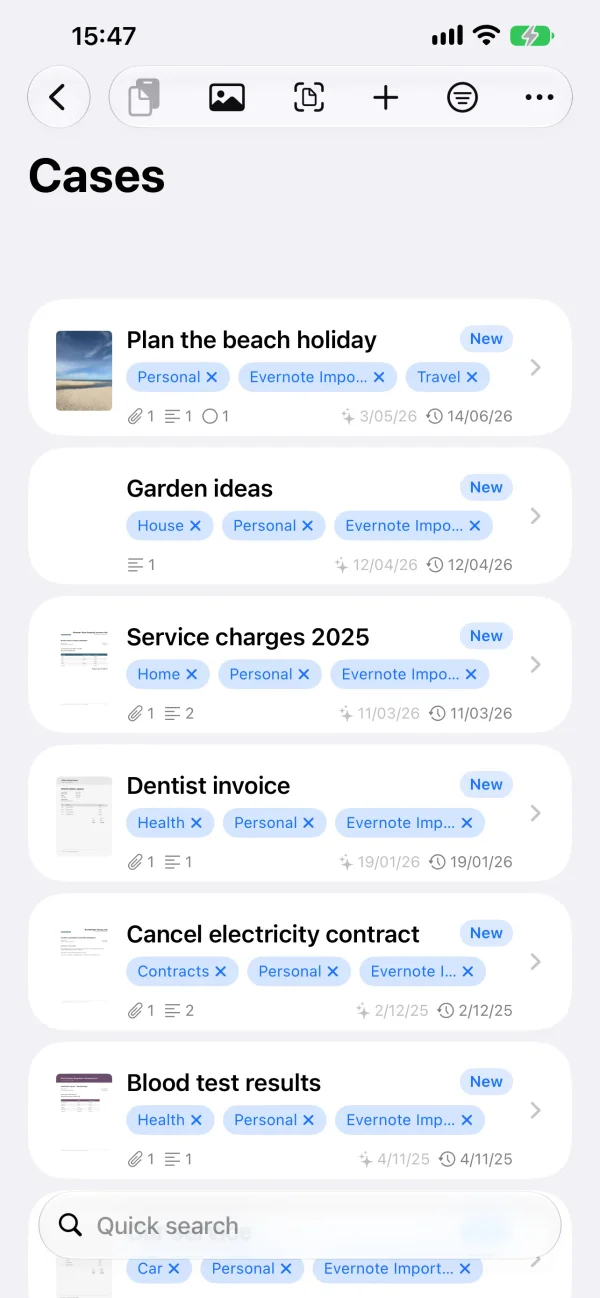
An invoice is rarely just a file. It belongs to something unfinished – an appeal, a reimbursement, a repair. So in Arciva you do not create folders. You create cases.
A CASE HOLDS TOGETHER WHAT BELONGS TOGETHER
Documents, notes and tasks sit in one place until the matter is settled. The status tells you at a glance what is still open, and the history what changed and when.
MOVING FROM EVERNOTE
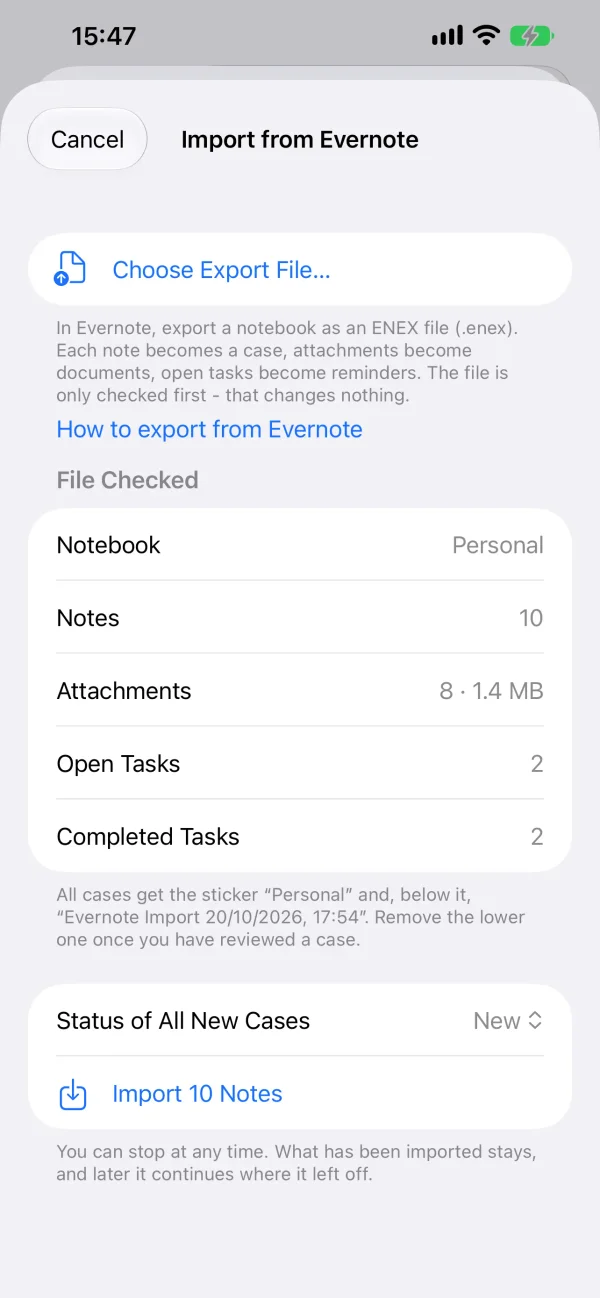
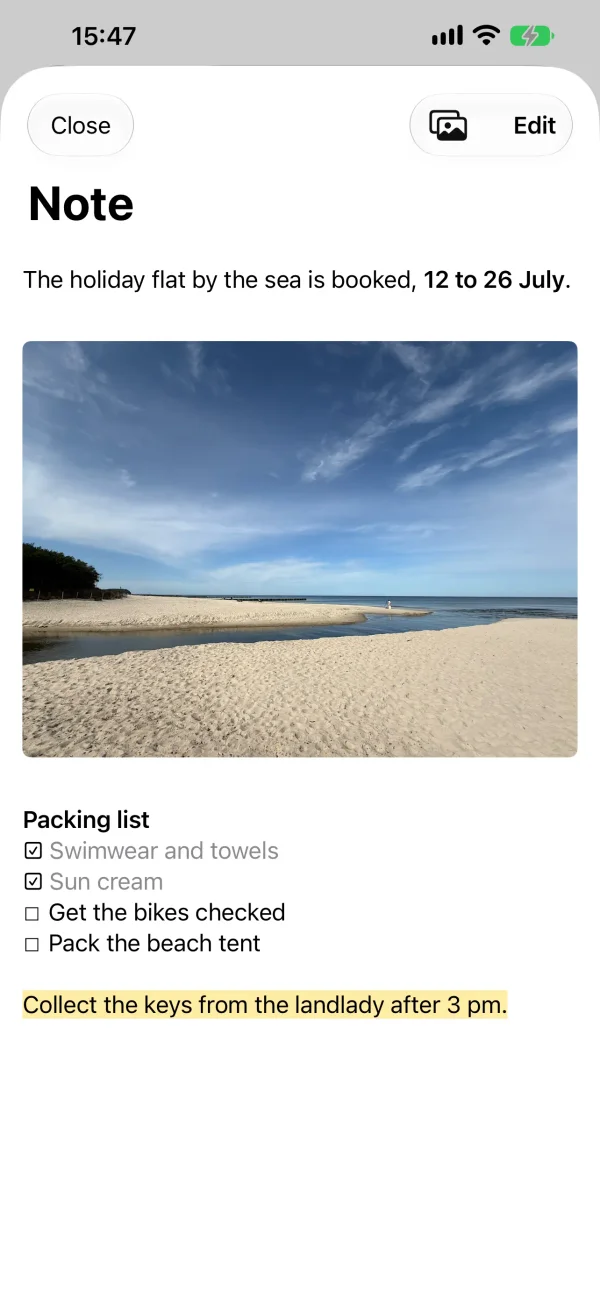
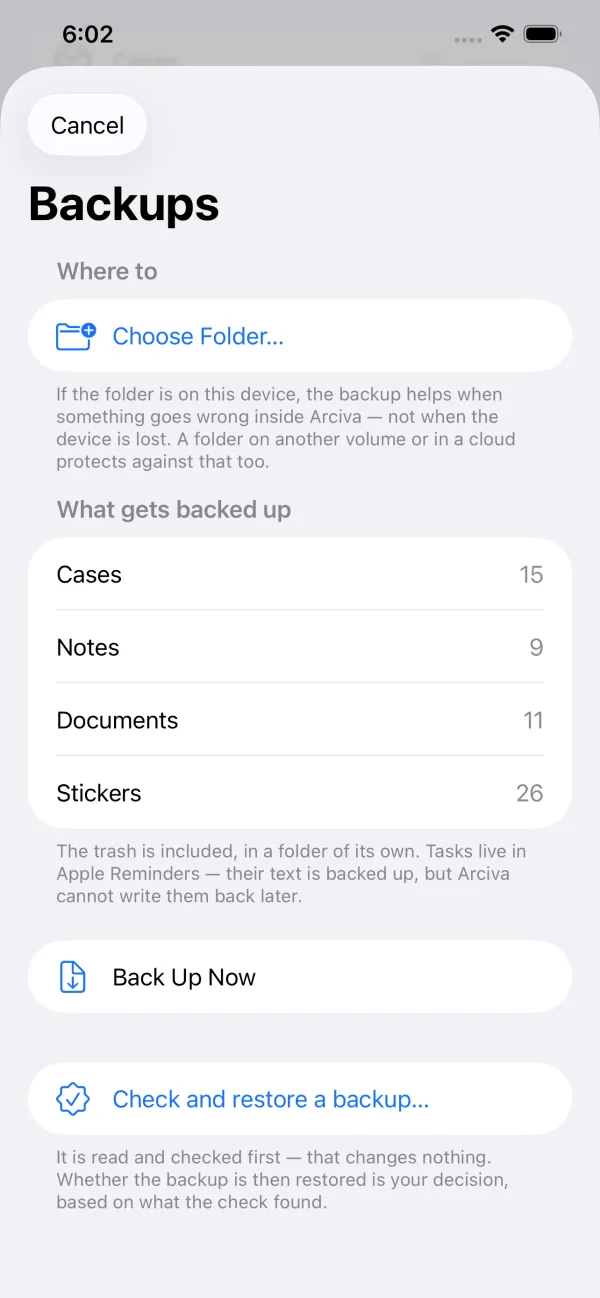
A notebook you have exported from Evernote as an ENEX file comes into Arciva note by note. Each note becomes a case and keeps its dates. Attachments become documents with text recognition, images stay in their place in the text, tags become stickers, open tasks become reminders. The file is checked first, and an import can be undone as a whole.
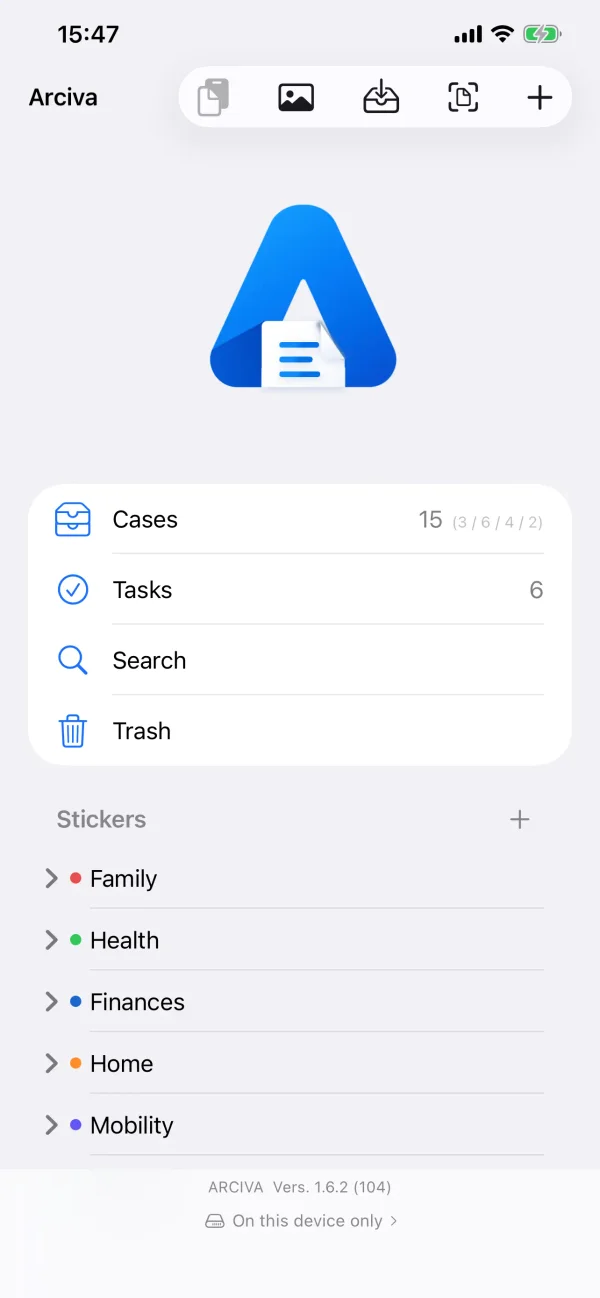
STICKERS INSTEAD OF FOLDERS
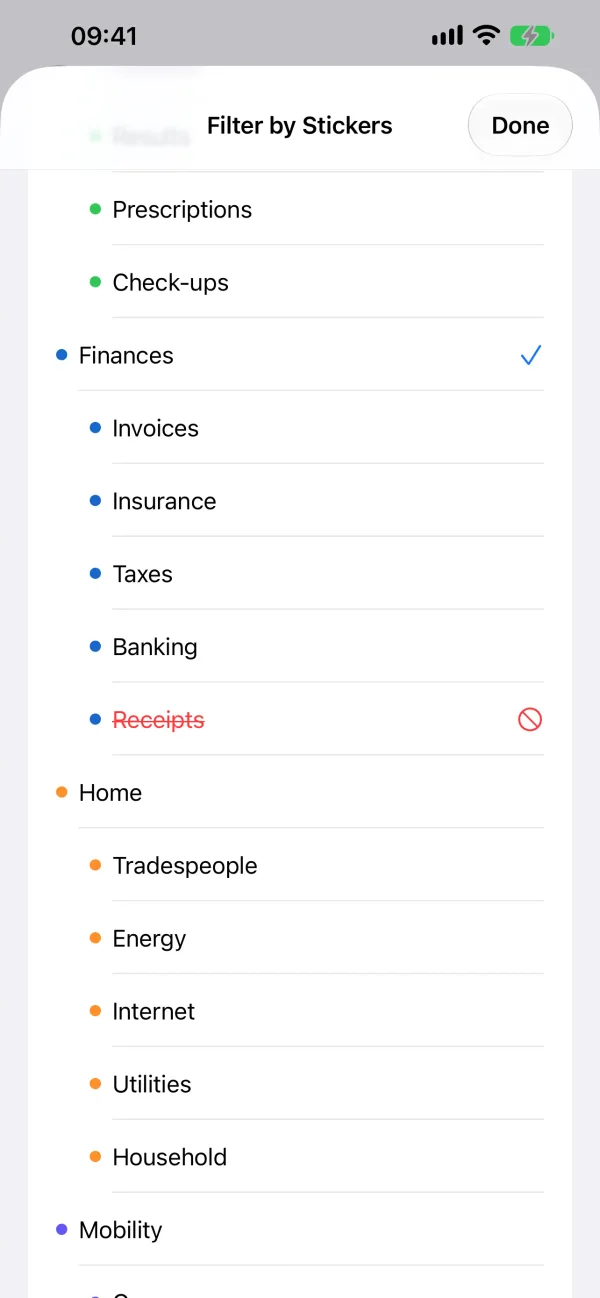
Instead of deciding where to file something, you add stickers. They are two levels deep – Finances, say, with Invoices, Insurance and Taxes beneath it. A case may carry stickers from several branches: the dental bill belongs to Health and to Anna. You will find it from either direction.
DOCUMENTS IN, WITHOUT DETOURS
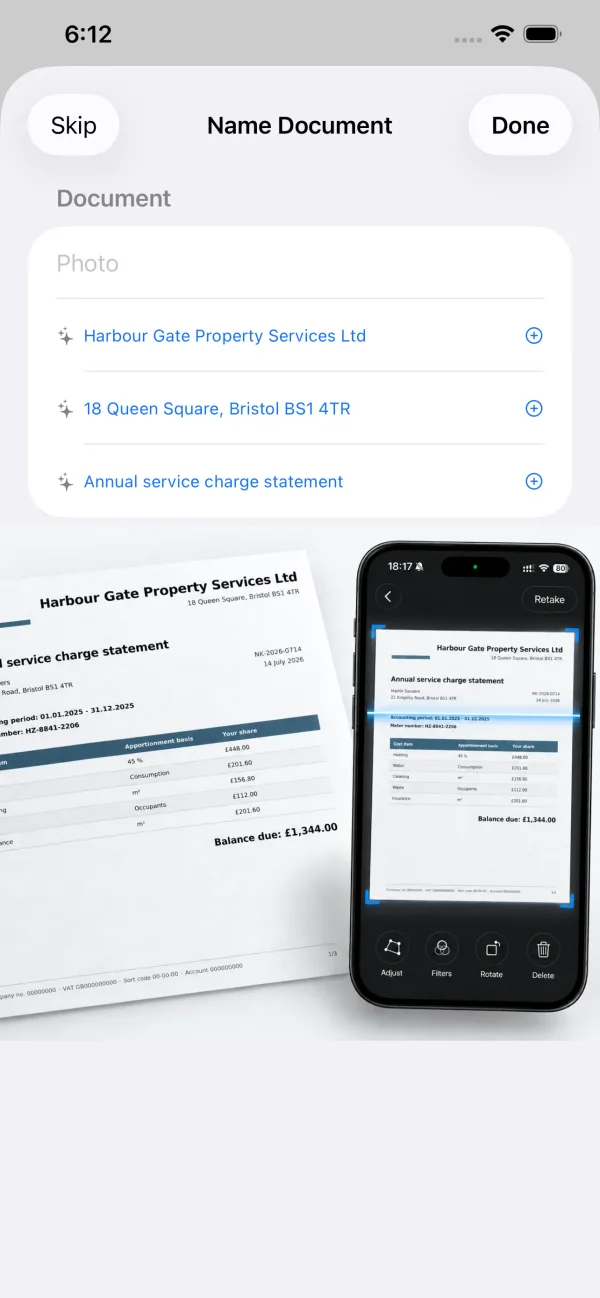
Drag files in or pick them. Photograph paper with the camera. Arciva reads the text and suggests names from it – the sender, the address, the subject. One tap, and the document is called what it should be called.
NOTES THAT ARE EASY TO WRITE
The editor marks up as you type – headings, bold, lists, tick boxes. A bar above sets the characters for you if you do not know the syntax. Documents and images of the case go right into the text where they belong. A selection copied from Excel or Numbers becomes a real table. On iPhone, a tap on a phone number starts the call.
SEARCH WHAT IS INSIDE THE DOCUMENT
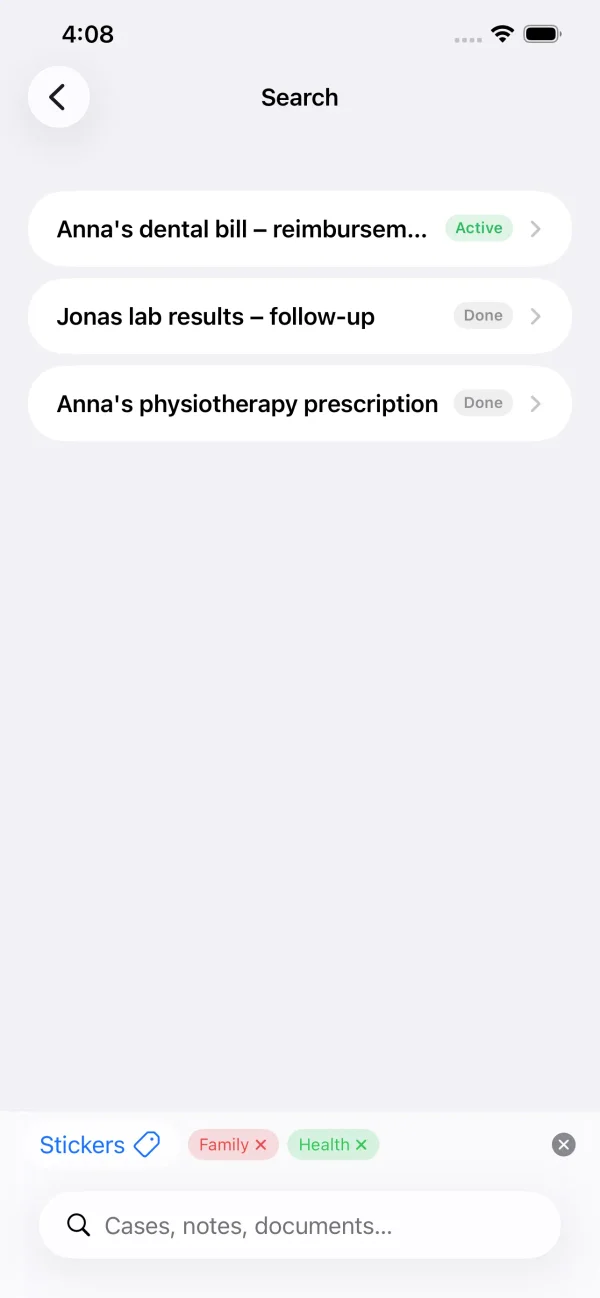
Search covers titles and notes, and also words that appear in the text of a scanned document, even parts of words, with the best matches first. You can narrow it down to stickers when you know roughly where to look.
TASKS WHERE THEY BELONG
Arciva does not build its own task manager. A task on a case is a reminder in Apple Reminders – with a due date, with a notification, repeating if you like, on all your devices and in Siri.
ON MAC, IPAD AND IPHONE
One app for all three, kept in step through iCloud. Start on the Mac, carry on with the iPhone.
YOUR BACKUP IS YOURS
You can write your whole collection into a folder of your choice – onto a drive, into a cloud. The documents sit there as ordinary files, readable without Arciva. From that same folder, Arciva reads everything back in.
WITHOUT A PURCHASE: 10 CASES, 30 DOCUMENTS
Every feature is there – text recognition, search, stickers, tasks, backup, the Evernote import. Only the quantity is limited, and notes are not limited at all. What you have created stays yours, even when a subscription ends.
Deleted cases go to the trash and stay there for 30 days.
Arciva is made for one person, not for a team. Built by a solo developer.
Terms of Use (EULA): https://www.apple.com/legal/internet-services/itunes/dev/stdeula/
Privacy Policy: https://arciva.de/en/app-privacy/
What’s new
Version 1.7.6 · Nov 24, 2026
New features
- Import from Evernote: an exported notebook (.enex) becomes cases, note by note, with dates, attachments, tags and open tasks. In “Backups” → “Import from Evernote…”.
- Arciva starts noticeably faster, tested with more than 6,000 cases and 12,000 documents.
- Cases open noticeably faster, even with many documents.
App privacy
What Marius Kaczmarek declares on the App Store about how this app handles data.
-
Data not collected
The developer does not collect any data from this app.
Privacy practices may vary, for example with the features you use or your age.
Information
- Seller
- Marius Kaczmarek
- Category
- Productivity
- Version
- 1.7.6
- Updated
- Nov 24, 2026
- Released
- Sep 11, 2026
- Size
- 11.9 MB
- Requires
- iOS 26.0 or later
- Age rating
- 4+
- In-app purchases
- Yes
- Languages
- German, English, Polish
- Copyright
- © 2026 Marius Kaczmarek
You might also like
-
 PureStructProductivity
-
 Papierfrei – Paperwork & PDFsScan Receipts, Sign & Convert
-
 Documents & Scanner - DocDuckPrivate PDF Vault & Search
-
 BaunarioProductivity
-
 foldy: German Mail & DeadlinesScan & translate letters, PDF
-
 Bauordner: Hausbau & SanierungProductivity
-
 Notelune: Private NotesHide photos, videos & files
-
 OpenCommanderProductivity
-
 BauRapport: BautagesberichtProductivity
-
 SF ArchivProductivity