
- Age rating17+
- CategoryUtilities
- DeveloperCity of Longview
- LanguagesEnglish
- Size45.8 MB
Links to the official App Store page
Download.org hosts no file of Ask Longview. The button opens its official App Store page, published by City of Longview. Listing last checked on Nov 12, 2026.
Screenshots

About
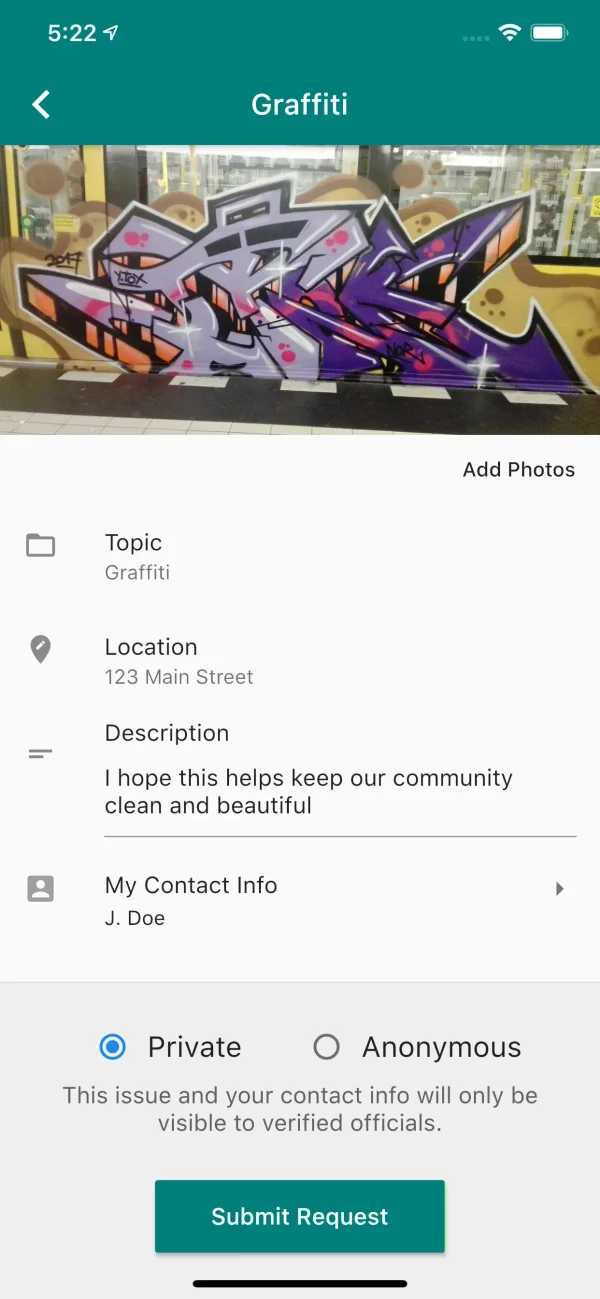
Potholes that need filling, barking dogs that need quieting, and graffiti that needs removing can now be reported using your iPhone with the launch of ASK Longview's new mobile application.
iOS users simply open the application, select an issue, take a picture, and submit. The application picks up the exact location and sends the issue directly to the Longview staff member who can fix it.
The GPS and camera features built into your device make it simple for residents to alert City of Longview officials about a variety of issues around the clock while they're mobile. Residents will know their issue went to the right person without ever going to an office or sitting down at a computer, and they can also receive status updates on those issues. This improvement in customer service allows previous time-consuming visits or phone calls to be handled on the go (mobile) or via the web.
The application can be downloaded by searching for ASK Longview in the Apple App store or by going to the City's website at www.mylongview.com and clicking on the blue ASK Longview button. There is no charge to download the application.
What’s new
Version 5.28.1 · Feb 4, 2024
Bug fixes and performance improvements
App privacy
What City of Longview declares on the App Store about how this app handles data.
-
Data not collected
The developer does not collect any data from this app.
Privacy practices may vary, for example with the features you use or your age.
Information
- Seller
- City of Longview
- Category
- Utilities
- Version
- 5.28.1
- Updated
- Feb 4, 2024
- Released
- Mar 15, 2018
- Size
- 45.8 MB
- Requires
- iOS 14.0 or later
- Age rating
- 17+
- Price
- Free
- Languages
- English
- Copyright
- © 2024 GOGovApps, Inc