
AssignToMe
Plan your week without dates
Designed for iPhone, iPad, Mac
Free · In-app purchases
- Age rating4+
- CategoryProductivity
- DeveloperElephantApps
- LanguagesEnglish+ 1 more
- Size31.5 MB
Links to the official App Store page
Download.org hosts no file of AssignToMe. The button opens its official App Store page, published by ElephantApps. Listing last checked on Nov 23, 2026.
Screenshots




About
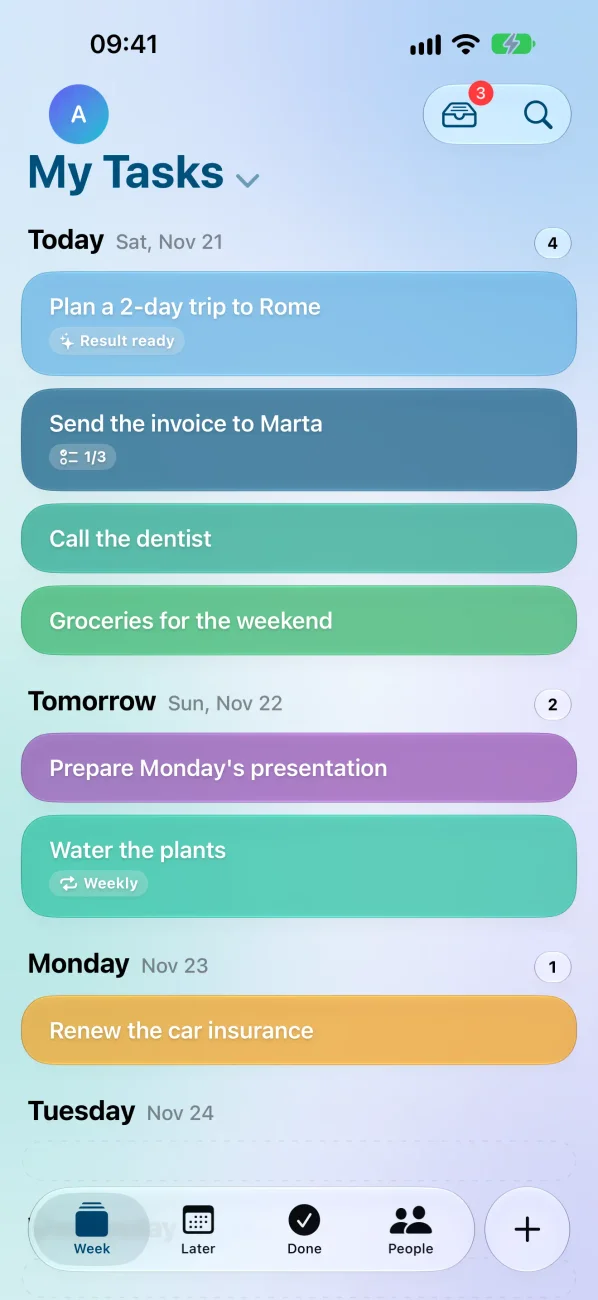
Most tasks don't need a date. They need a rough "when": today, tomorrow, later this week, next month, some day. AssignToMe plans the way you think and keeps today short and clear.
THIS WEEK, DAY BY DAY
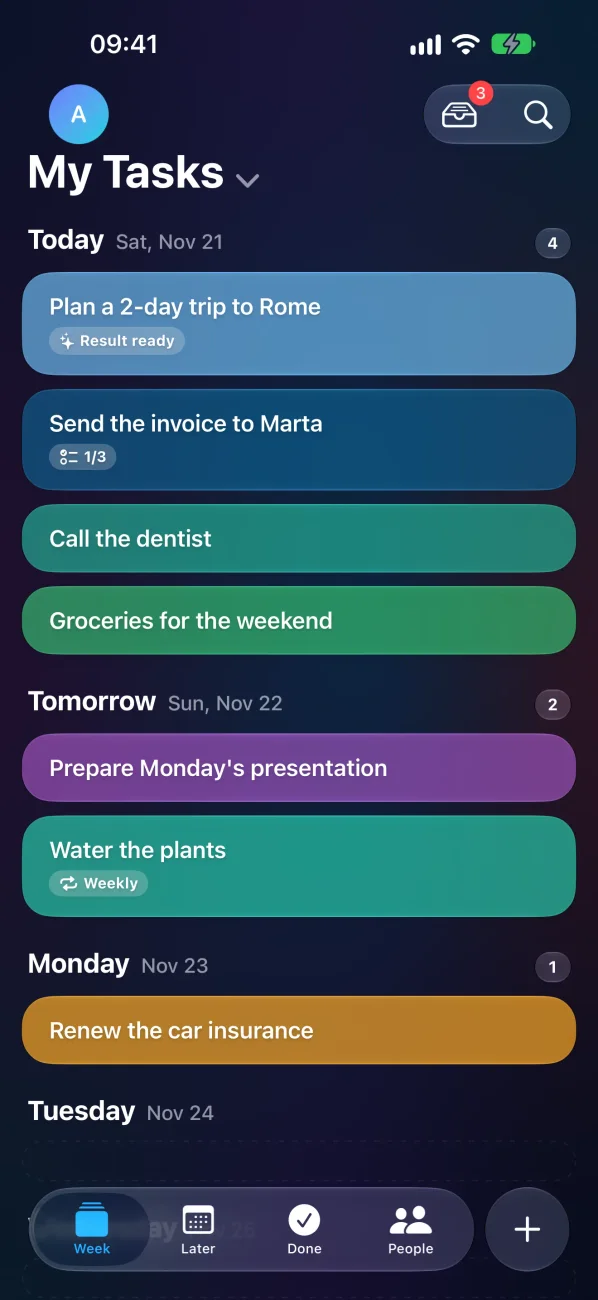
Today, Tomorrow and the rest of the week each have their own list, in the order you choose.
LATER, WITHOUT A CALENDAR
Next week, the weeks after it, the coming months, and Someday for ideas. When the time comes, a task lands on the first workday of its week or month.
NOTHING GETS LOST
Whatever you don't finish moves to the next workday by itself, to the top or the bottom of the list. A badge shows how many times a task has carried over.
DRAG, SWIPE, DONE
Hold a task and drag it to another day, week or month, or up and down by priority. Swipe right to finish it.
GIVE A TASK TO SOMEONE
Some tasks are not yours to do. Give one to a friend with a link or a QR code. It waits in their Inbox until they put it on a day of their own, or decline it. People shows what you gave to whom and how it is going, and one tap sends a reminder. Nobody can be found by searching: friends are added only by invite.
AN AGENT THAT HELPS (PRO)
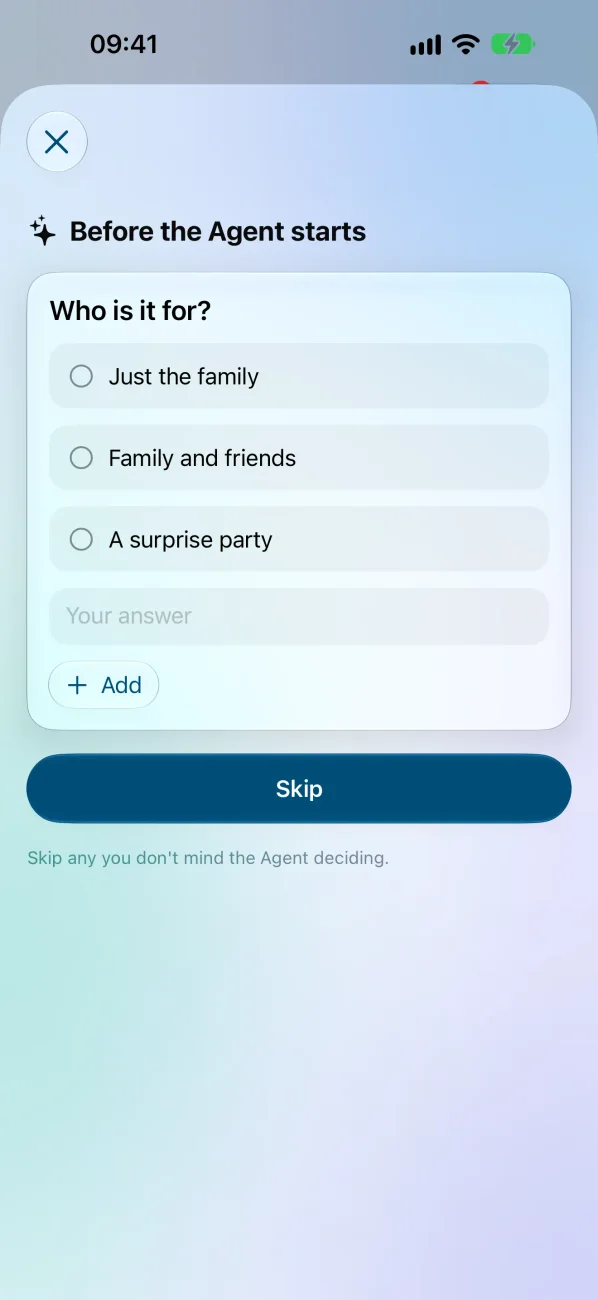
Stuck on a task? Ask the Agent. It asks a few short questions, most answered with a tap, then searches the web and writes: research, comparisons, plans, drafts, a recipe with its shopping list, a workout with its sets. It reads the photos and PDFs you attach, lists its sources, and can hand the result back as a Word, Excel, PowerPoint or PDF file. Steps become the task's checklist with one tap. The task stays yours, and the Agent cannot act in your accounts.
MORE
• Repeating tasks: daily, on weekdays, weekly, every two weeks or monthly
• Reminders at a time you pick; on iPhone and iPad a task can ring like an alarm
• Notes and a checklist on every task, and 13 colours
• Your workdays: tasks skip the days you don't work
• Widgets for the Home Screen, Lock Screen, StandBy and the Mac desktop
• An Apple Watch app with complications
• iPhone, iPad and Mac, in light and dark mode
• Shared lists with their own board for everyone in them (creating one is part of Pro; joining is free)
• Photos and PDFs attached to tasks (Pro)
• Notifications when a task is given to you, accepted, completed or needs a nudge
NO ACCOUNT NEEDED
Open the app and start. Without signing in, your tasks never leave your devices. Sign in with Apple or with your email when you want your tasks on all your devices or want to share them; sync runs on ElephantApps' own servers in the EU. No ads, no tracking, and you can delete your account and data in the app at any time.
ASSIGNTOME PRO
Pro adds shared lists, the Agent with a monthly number of runs, photos and PDFs on tasks, and outside AI assistants: Claude and others that support MCP can see, add and plan your tasks, once you allow them in the app. When you ask the Agent for help, that task's text and attachments are sent to Anthropic's Claude to do the work; nothing else of yours is.
Pro is an auto-renewable subscription, monthly or yearly, with a free week for new subscribers. Payment is charged to your Apple Account when you confirm the purchase. The subscription renews automatically unless you cancel it at least 24 hours before the end of the current period. You can manage or cancel it in your App Store account settings.
Terms of use: https://elephantapps.co/en/assigntome/terms
Privacy policy: https://elephantapps.co/en/assigntome/privacy
What’s new
Version 2.1 · Nov 22, 2026
Give tasks to others, and get an AI agent's help.
• Friends: give a task to someone by link or QR code; they pick the day or decline
• People: see what you gave to whom and how it is going, and send a reminder
• Shared lists with their own board (Pro)
• The Agent (Pro): it asks a few questions, researches and writes, reads what you attach, and can make Word, Excel, PowerPoint and PDF files
• Photos and PDFs on tasks (Pro)
• Sign in with your email, as well as with Apple
• A new task page with When, Repeat, Reminder and Colour in one row
• On iPad and Mac: a board with a column per day
App privacy
What ElephantApps declares on the App Store about how this app handles data.
-
Data linked to you
May be collected and linked to your identity.
- Purchases
- Contact info
- User content
- Identifiers
-
Data not linked to you
May be collected but is not linked to your identity.
- Usage data
- Diagnostics
Privacy practices may vary, for example with the features you use or your age.
Information
- Seller
- ELEPHANTAPPS YAZILIM DANISMANLIK VE DIS TICARET LIMITED SIRKETI
- Category
- Productivity
- Version
- 2.1
- Updated
- Nov 22, 2026
- Released
- Feb 22, 2019
- Size
- 31.5 MB
- Requires
- iOS 26.0 or later
- Age rating
- 4+
- Price
- Free
- In-app purchases
- Yes
- Languages
- English, Turkish
- Copyright
- © 2026 ElephantApps
You might also like
-
 Domoro – Pomodoro Focus TimerBuild to beat distractions
-
 Clari: AI Daily PlannerAI Personal Planning Assistant
-
 Görev YoldaşıProductivity
-
 DayStack - Daily Task ManagerStack your day with purpose
-
 Assignments for iPhoneScholastic Organizer
-
 KarmaBankOriginal Currency Generator
-
 Plan&JournalProductivity
-
 Now... WhatsNextOrganise recurring tasks
-
 Zinnect: Contact Centric To-doPlanner, Reminder & Group Todo
-
 Anywork Mobile and WorkflowStreamline Tasks and Processes