
- Age rating4+
- CategoryProductivity
- DeveloperYvgen Troshchiy
- LanguagesEnglish+ 12 more
- Size61.7 MB
Links to the official App Store page
Download.org hosts no file of Assorta. The button opens its official App Store page, published by Yvgen Troshchiy. Listing last checked on Nov 13, 2026.
Screenshots



About
Save everything. Find it in seconds.
That recipe, that video, that apartment listing, that gift idea - all in one place, each already filed where you'd think to look for it.
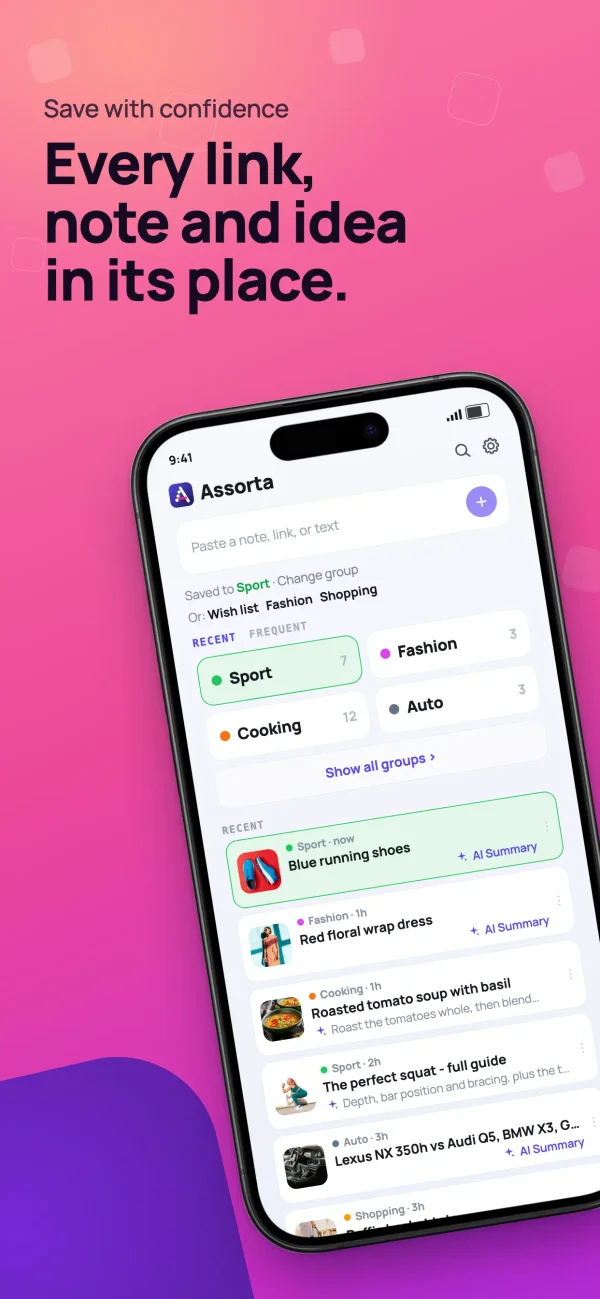
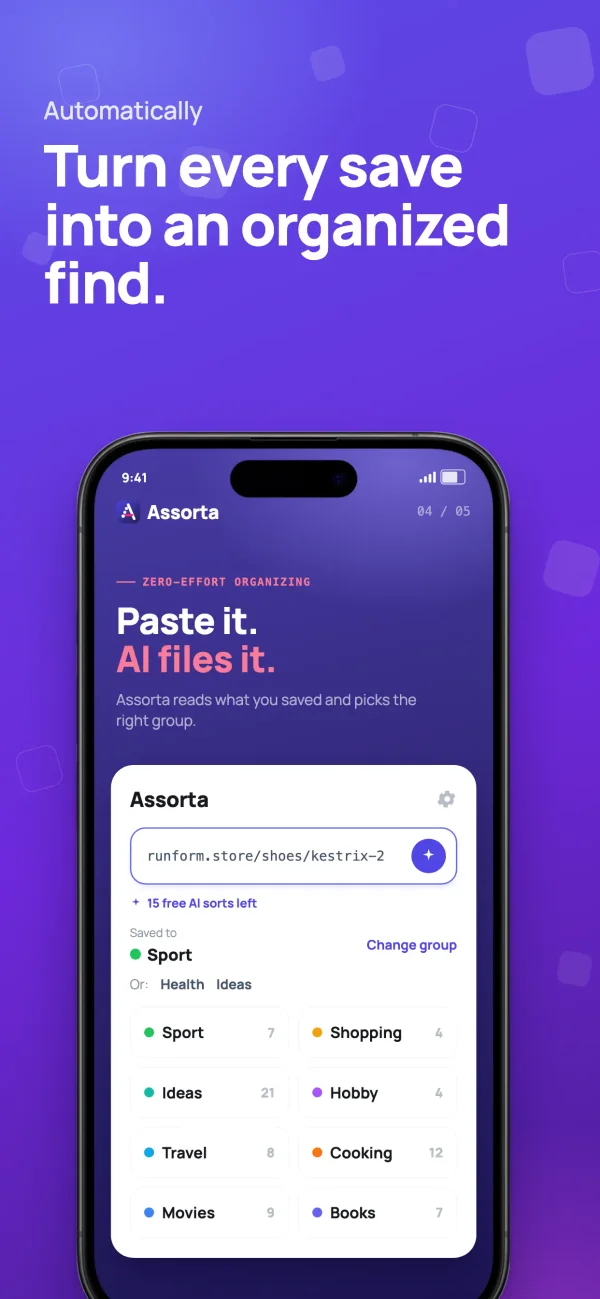
Assorta is one fast inbox for everything worth keeping. Paste a note or share a link - AI instantly understands what it is and files it into the right group. No folders to create, no tags to manage, no cleanup day.
HOW IT WORKS
1. Drop it in. Paste text, or share straight from YouTube, TikTok, Instagram, Safari, or any other app - Assorta lives in your share sheet.
2. AI files it. The item lands in the right group: Travel, Cooking, Wish list, Movies, Health, Finance, and 30+ more.
3. Find it fast. One colorful dashboard, rich link previews with thumbnails, and search across your notes and groups - everything where you'd expect it to be.
4. Remember why. Tap AI Summary on a saved link and the page comes back in a few lines, right there in the list. Included with Assorta Pro. When a page gives it nothing to work with, Assorta says so instead of inventing a summary.
WHY ASSORTA
• Two-tap saving from the share sheet
• AI sorts notes and links into 30+ smart groups - no setup needed
• The first 15 AI sorts are free; Assorta Pro removes the limit - and sorting keeps working either way
• Disagree with the AI? Change the group with one tap
• Search across your notes and groups when you want one exact save
• Link previews with thumbnails and titles, so you recognize saves at a glance
• Tap AI Summary on a saved link and read the page in a few lines, without opening it - included with Pro
• Summaries are saved with the note, so opening one again is instant and works offline
• Saving finishes in the background, even if you switch apps mid-add
• Light and dark themes
• Available in 13 languages
Drop in your first link. The filing is already done.
Terms of Use: https://assorta.app/terms
Privacy Policy: https://assorta.app/privacy
What’s new
Version 1.1.0 · Aug 19, 2026
• New: AI Summary - tap a saved link and read the page in a few lines, without opening it. 15 free, then part of Pro.
• New: open a note on its own screen to read and edit it, and rename it from the row menu.
• Improved: the Pro screen lists everything a subscription includes.
• Improved: onboarding can be skipped from any page.
• Fixed: a link pasted without https:// is saved as a link, not text.
App privacy
What Yvgen Troshchiy declares on the App Store about how this app handles data.
-
Data linked to you
May be collected and linked to your identity.
- Purchases
- Contact info
- User content
- Identifiers
- Usage data
- Diagnostics
-
Data not linked to you
May be collected but is not linked to your identity.
- Identifiers
Privacy practices may vary, for example with the features you use or your age.
Information
- Seller
- Yvgen Troshchiy
- Category
- Productivity
- Version
- 1.1.0
- Updated
- Aug 19, 2026
- Released
- Aug 12, 2026
- Size
- 61.7 MB
- Requires
- iOS 18.2 or later
- Age rating
- 4+
- In-app purchases
- Yes
- Languages
- English, Arabic, French, German, Indonesian, Italian, Japanese, Korean, Polish, Portuguese, Spanish, Turkish + 1 more
- Copyright
- © 2026 Assorta
You might also like
-
 Savely - Your Personal SpaceSave images, links & notes
-
 Stash: Save & ReuseSave text,links,images & files
-
 SaveCross: Clipboard LibrarySave links. Find them later.
-
 Haberdashery: Bookmark LibrarySave posts, links, screenshots
-
 Qiki - Your Essentials.Save text, photo, files & more
-
 Amber: Snippets, Images, DocsClipboard & text templates
-
 SnipTray: Universal ClipboardSync Text, Clips & Templates
-
 SnipStash: Snippet ManagerSave, tag & paste anywhere
-
 SavedThat: Video Bookmark MCPSearch & AI summary for Reels
-
 Choregether: Chore ChartFamily teamwork & rewards