
At First Sight: Sight Reading
Piano & Sight Reading Trainer
Designed for iPhone, iPad
Free · In-app purchases
- Age rating4+
- CategoryMusic
- DeveloperCOLBY JUAN HERMAN CABRERA
- LanguagesEnglish+ 11 more
- Size81.5 MB
Links to the official App Store page
Download.org hosts no file of At First Sight: Sight Reading. The button opens its official App Store page, published by COLBY JUAN HERMAN CABRERA. Listing last checked on Nov 23, 2026.
Screenshots


About
You can't train sight-reading on music you already know.
Play through a book exercise twice and your fingers start running on muscle memory. Your eyes stop reading. At First Sight generates new piano sheet music right on your device at your level, so every session puts unfamiliar notes in front of you.
PRACTICE YOUR WAY
• Live MIDI & On-Screen Piano: Plug in a USB or Bluetooth MIDI keyboard, or play the built-in on-screen keys. Practice right hand, left hand, or both hands together with real-time feedback.
• Wait Mode & Tempo Mode: In Wait Mode, the score holds until you play the right notes. Switch to Tempo Mode for a count-in and metronome to work on keeping steady time.
• Practice Scorecards: After each run, see a breakdown of right, missed, and wrong notes while the sheet music stays open on screen.
• Play Along or Read Cold: Set your iPhone or iPad on an acoustic piano stand and read quietly, or tap Play at any speed when you want to hear how a rhythm goes.
SHEET MUSIC AT YOUR LEVEL
• 10 Difficulty Levels: Start with single-hand five-finger positions and work up to two-hand independence, syncopation, and wider spans.
• Circle-of-Fifths Key Selector: Choose from all 30 major and relative minor keys (0 to 7 sharps and flats) with a live staff preview and your choice of sharps or flats spelling, or leave it on Random.
• Meter & Accompaniment: Practice simple and compound time signatures with block chords, broken chords, Alberti bass, waltz, and stride left-hand patterns.
• Custom Composition (Pro): Adjust hand coordination, rhythm complexity, hand span, accompaniment style, and piece length.
LEARN TO READ MUSIC
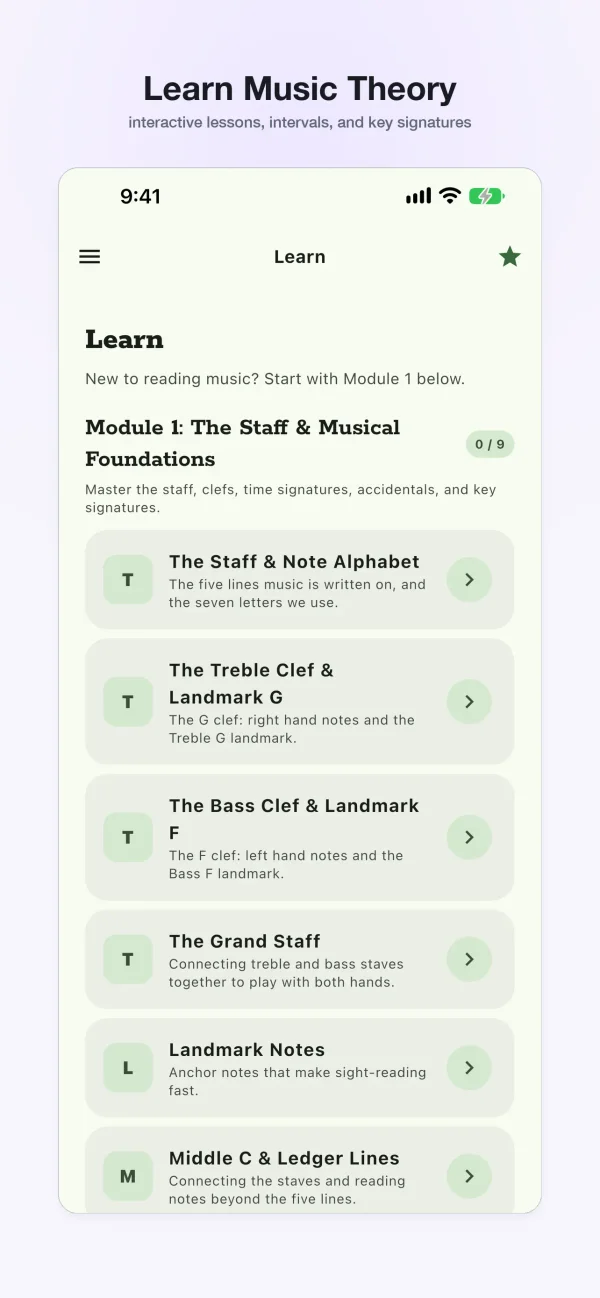
32 short lessons with interactive quizzes across 4 modules:
1. The Staff & Musical Foundations (clefs, notes, accidentals, key and time signatures)
2. Rhythm, Silence & Meter (note values, rests, dotted rhythms, compound time)
3. Harmony, Keys & Advanced Reading (circle of fifths, relative minors, triads)
4. Directional Sight-Reading & Intervals (reading by steps, skips, and leaps)
EVERYDAY DETAILS
• Clear Notation on Any Screen: Classical engraving sized for iPhone, iPad (with taller on-screen keys), and foldable tabletop mode.
• Apple Watch App: Drill treble, bass, and mixed-clef notes straight from your wrist.
• Works Offline, No Ads: Everything generates on your device, so it works in practice rooms or at an acoustic piano with no Wi-Fi.
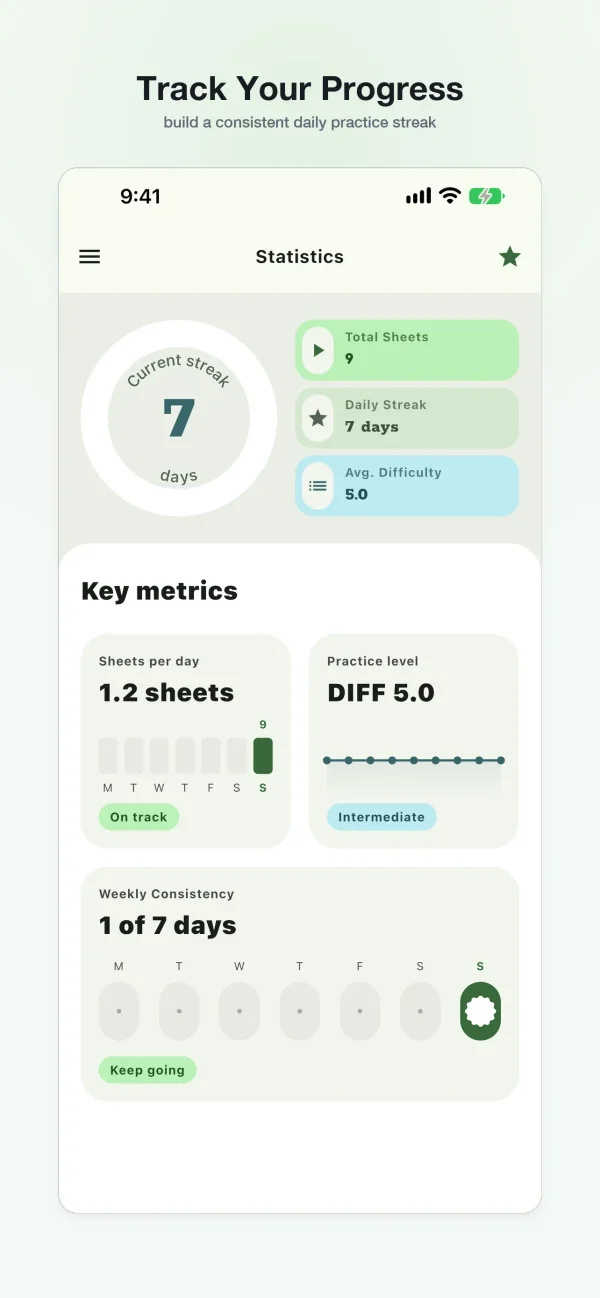
• Track Your Habit: Follow your daily streak, set streak goals, check weekly consistency and average difficulty, and turn on optional daily reminders.
FREE AND PRO
• Free: 6 new exercises a day, full Practice Mode (MIDI and on-screen keyboard), audio playback, 19 foundational lessons and quizzes, practice stats, the Apple Watch quiz, and no ads.
• Pro (Monthly, Yearly with Free Trial, or Lifetime): Unlimited daily exercises, all 32 lessons and quizzes, and custom composition settings.
Terms of Use (EULA): https://www.apple.com/legal/internet-services/itunes/dev/stdeula/
Privacy Policy: https://colbycabrera.github.io/At-First-Sight-Privacy-Policy/
What’s new
Version 1.4.2 · Nov 20, 2026
What's New in 1.4.2
• Circle-of-Fifths Key Selector & All Minor Keys: Choose keys on a new interactive wheel with major keys on the outer ring, all relative minors inside (including 8 newly added minor keys), a live key signature preview on the staff, and a saved sharps/flats spelling toggle.
• Redesigned Practice Scorecard: Your sheet music and keyboard stay open behind a refreshed scorecard with a clear breakdown of right, missed, and wrong notes.
• Tabletop Mode & iPad Improvements: Split-screen tabletop layout for the iPhone Duo (sheet music above the crease, controls below), taller on-screen piano keys on iPad, and cleaner Settings layouts on wider screens.
• New Reminder Time Picker: Set your daily practice reminder time right inside Settings with a new scroll picker.
App privacy
What COLBY JUAN HERMAN CABRERA declares on the App Store about how this app handles data.
-
Data not linked to you
May be collected but is not linked to your identity.
- Identifiers
- Usage data
Privacy practices may vary, for example with the features you use or your age.
Information
- Seller
- COLBY JUAN HERMAN CABRERA
- Category
- Music
- Version
- 1.4.2
- Updated
- Nov 20, 2026
- Released
- Oct 7, 2026
- Size
- 81.5 MB
- Requires
- iOS 18.5 or later
- Age rating
- 4+
- Price
- Free
- In-app purchases
- Yes
- Languages
- English, Arabic, French, German, Hindi, Italian, Japanese, Korean, Portuguese, Russian, Simplified Chinese, Spanish
- Copyright
- © LunaWorks
You might also like
-
 MusicDream: Hum to Sheet MusicSing your song, get guitar tab
-
 SolioMusic
-
 Pitch Fox: Ear Training GamesMusic Theory, Rhythm & Harmony
-
 Klef: Learn Music & TheoryEar training & sight reading
-
 Pitchear - Ear TrainingIntervals & Chords Practice
-
 MUZLY: Vocal AnalysisKnow your voice, in data
-
 Vocal Sensei:Singing ExercisesPractice With Purpose
-
 Ear DojoHear, Train, Test, Improove.
-
 Jazzlore ScalesThe jazz musician's scale book
-
 Piano Pal PlusEar Training & Music Theory