
Atenium: Study & Flashcards
Revision, marks, notes & focus
Designed for iPhone, iPad
In-app purchases
- Age rating4+
- CategoryEducation
- DeveloperPatrick Perazzini
- LanguagesItalian+ 14 more
- Size118.4 MB
Links to the official App Store page
Download.org hosts no file of Atenium: Study & Flashcards. The button opens its official App Store page, published by Patrick Perazzini. Listing last checked on Nov 29, 2026.
Screenshots

About
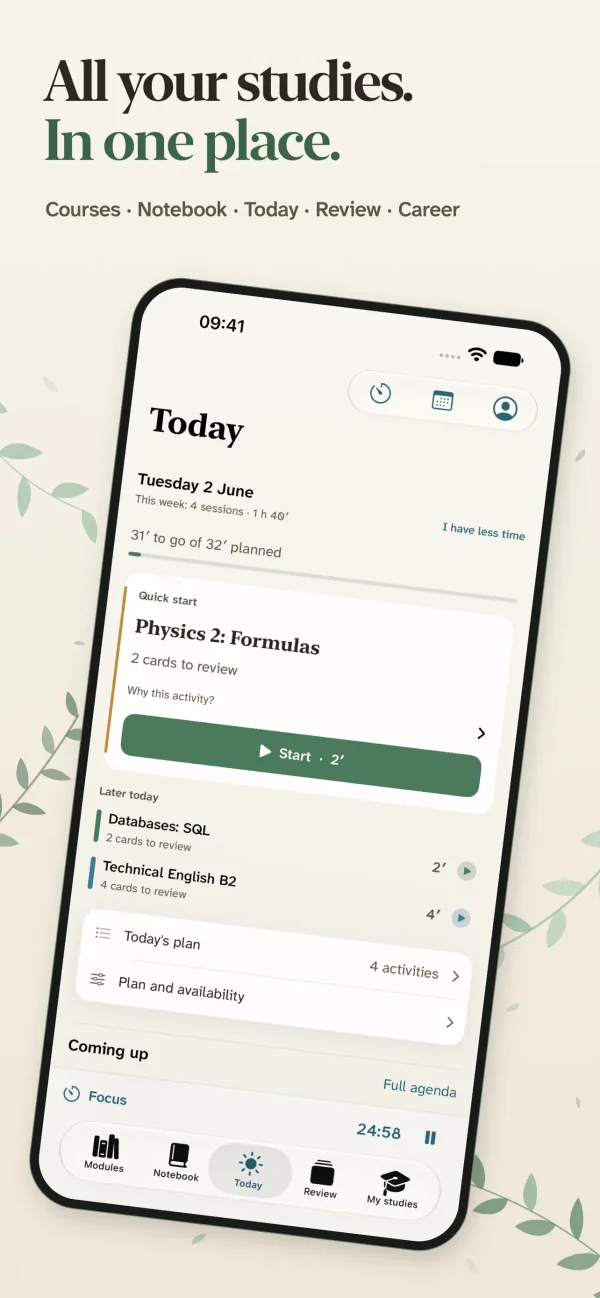
Atenium is a marks tracker, study planner, flashcard app, handwriting notebook and Pomodoro timer in one calm app built for university life.
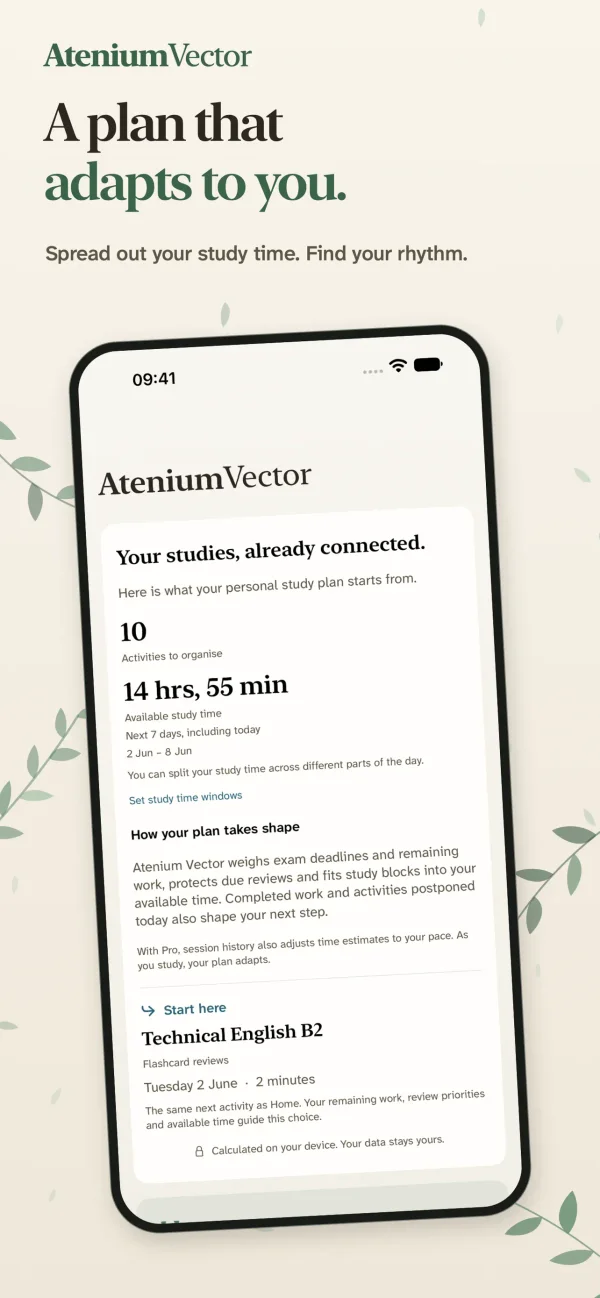
AteniumVector: a plan that adapts to you
AteniumVector brings modules, exams, coursework deadlines, tasks, flashcard revision and the time you really have into one study plan. It shows you what to work on today and, with Pro, plans up to two months ahead, refining its estimates on your actual study sessions. Planning runs on your device.
Flashcards and spaced repetition
• FSRS scheduling with parameters optimised on your own reviews
• Generate flashcards from notes, images and PDFs
• Cloze deletion, image occlusion, audio, formulae, code and exercise cards
• Import and export APKG, plus CSV and JSON
• Per-deck presets, learning steps, flags and subdecks
• Search with tags, filters and saved searches
• Last round: a dedicated mode for the 48 hours before an exam
• Revise from your Apple Watch
Notebook and handwriting
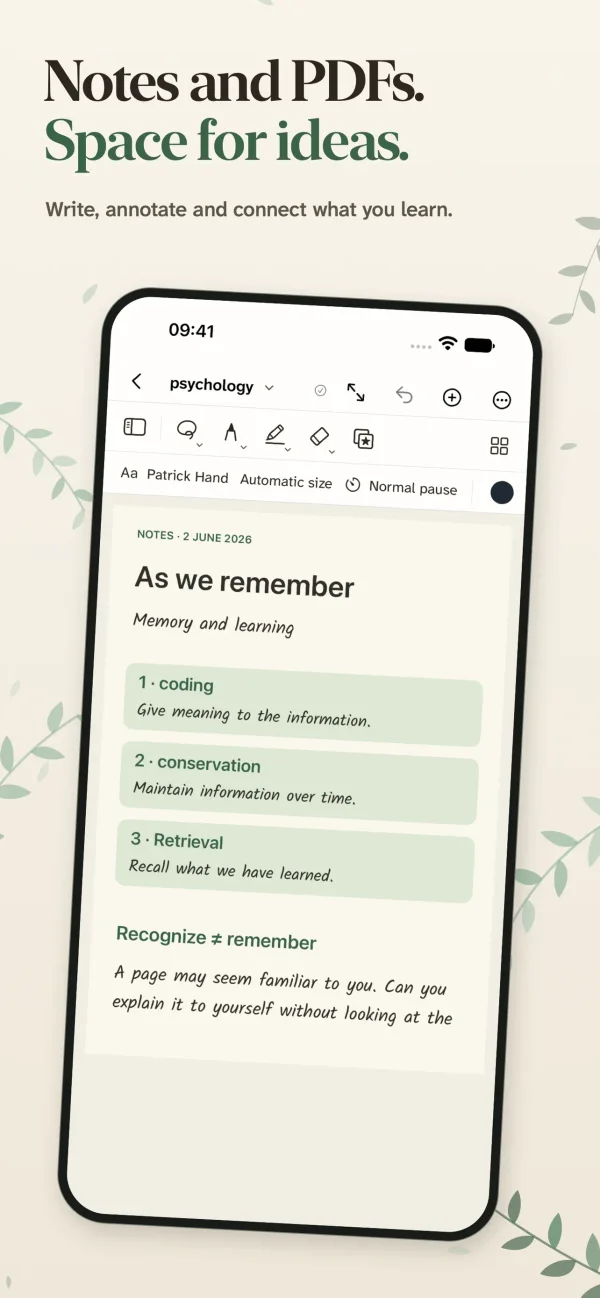
• Write and draw with Apple Pencil on lined, grid, dotted and planner pages
• Turn handwriting into typed text and handwritten formulae into LaTeX
• Hold the pen to snap perfect shapes; ruler, set squares, protractor and compasses included
• Templates, stickers and icon libraries, from anatomy to law
• Annotate PDFs and keep flashcards linked to their source page
• Back up notebooks to iCloud, Google Drive, Dropbox or OneDrive
Concept maps
Build maps from your notes, link nodes to decks, see your mastery on the map and present it as slides.
Marks, modules and academic progress
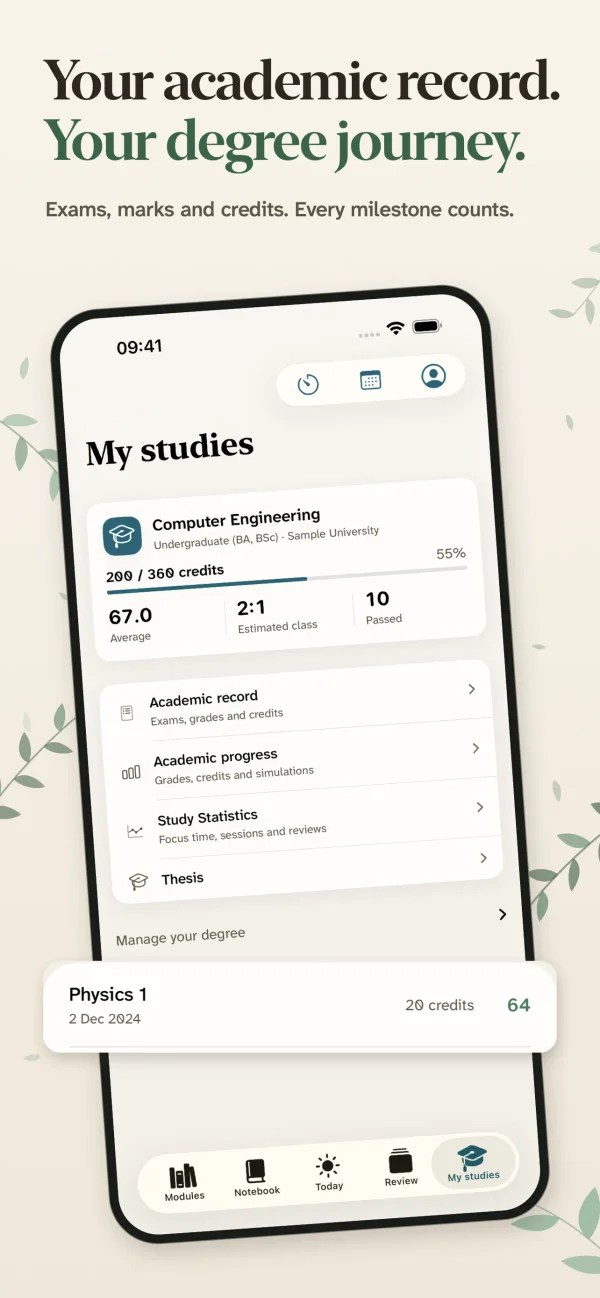
Track modules, exams, attempts, individual assessments, credits, weighted averages, UK degree classifications, GPA where applicable and your projected final result.
Atenium supports different academic systems, as well as complex paths such as joint and double degrees, Erasmus and study abroad. Simulate future marks and see their effect on your average and final result without touching your real record.
Plan exams, lectures and your dissertation
• Timetable for lectures, exams, coursework deadlines and attendance
• A daily plan that recalculates when your workload changes
• Module content, prerequisites, materials and reading lists found by ISBN
• Dissertation workspace with stages, deadlines, Focus sessions, supervisor meetings and viva practice
• Flexible availability for students who also work
Lectures, materials and on-device AI
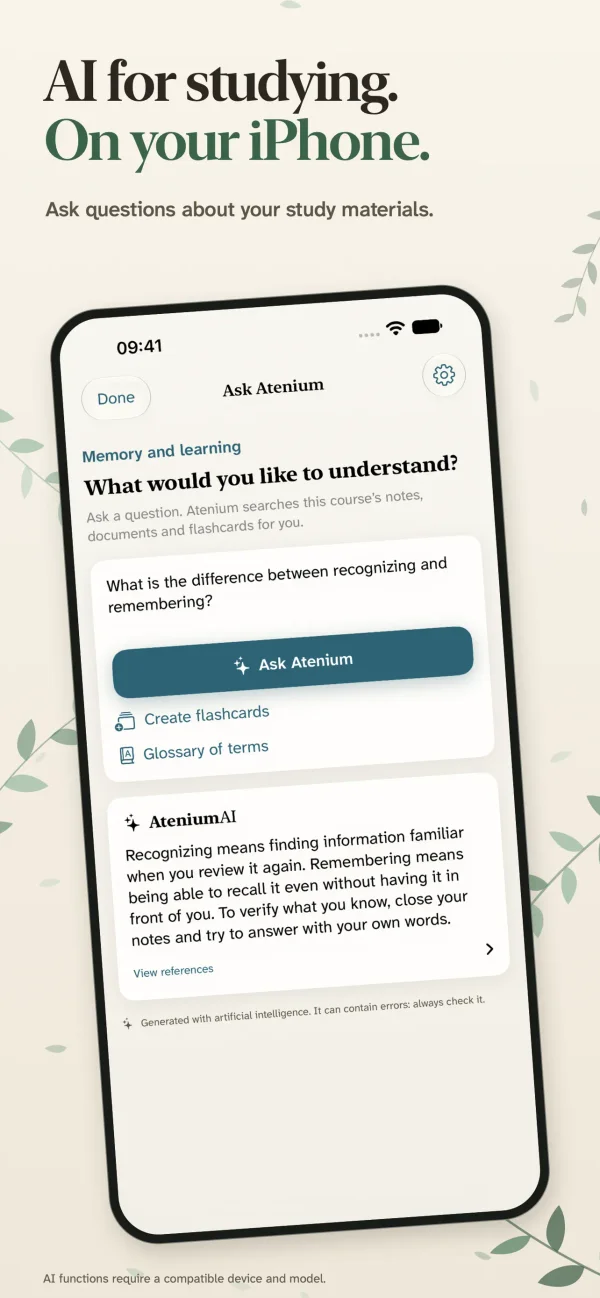
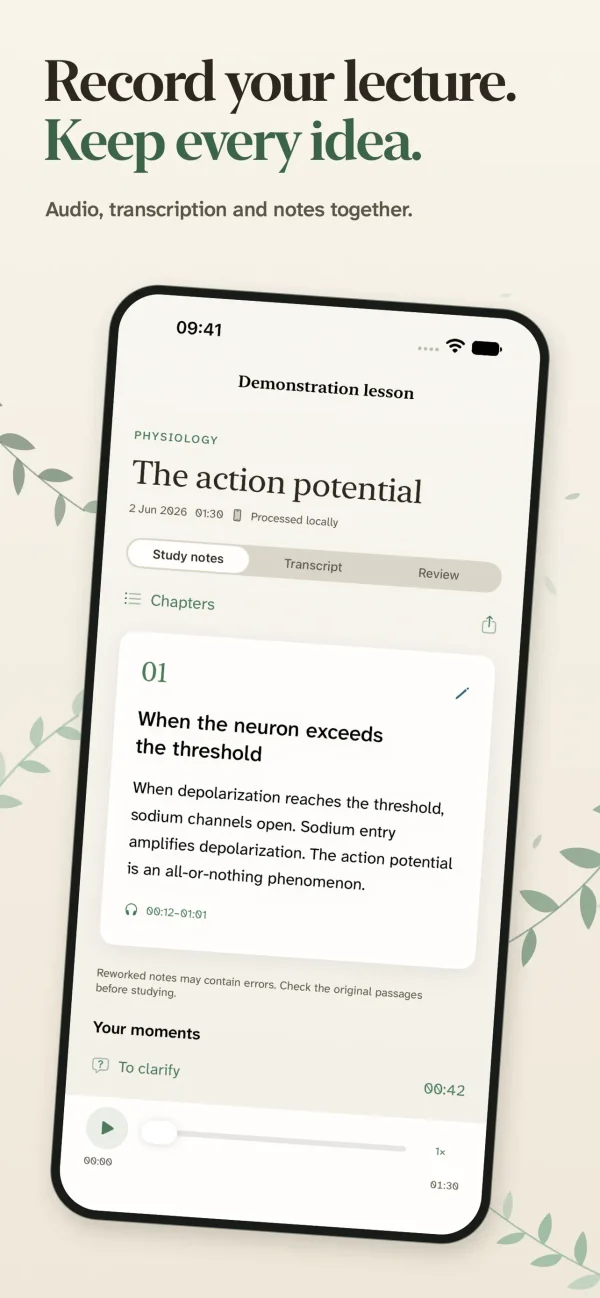
Record lectures, add markers, transcribe them when your device and language allow, search transcripts and turn them into structured notes and question drafts. Read and annotate PDFs, extract text with OCR and ask questions across your own library. AI features run on your device, at no cost, on iPhone and iPad models that support them.
Focus, alone or together
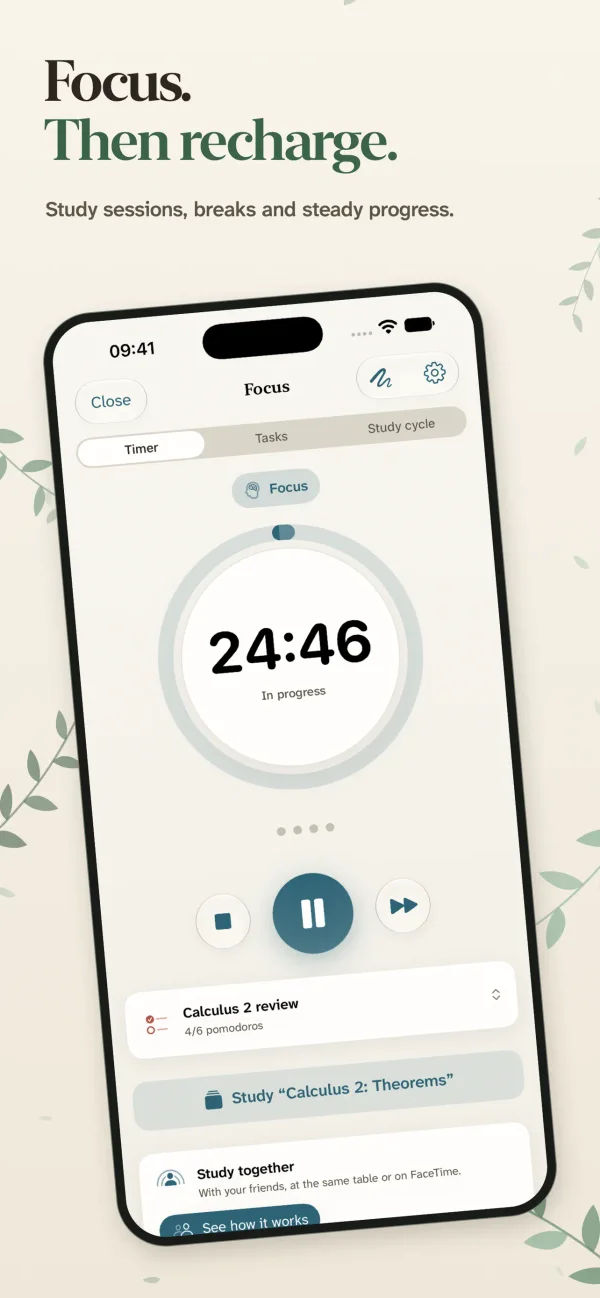
Pomodoro, Live Activities, Dynamic Island and Study Garden. Revise with friends over SharePlay: a shared timer, quizzing each other in turns, passing a deck around. With Pro, block distracting apps while you study.
Atenium counts rest days and reminds you that studying well does not mean studying all the time.
Made to be readable
Study aids to switch on by need: guided reading, typo-tolerant answers, extra time. VoiceOver and Dynamic Type supported.
Lecturer and academic mode
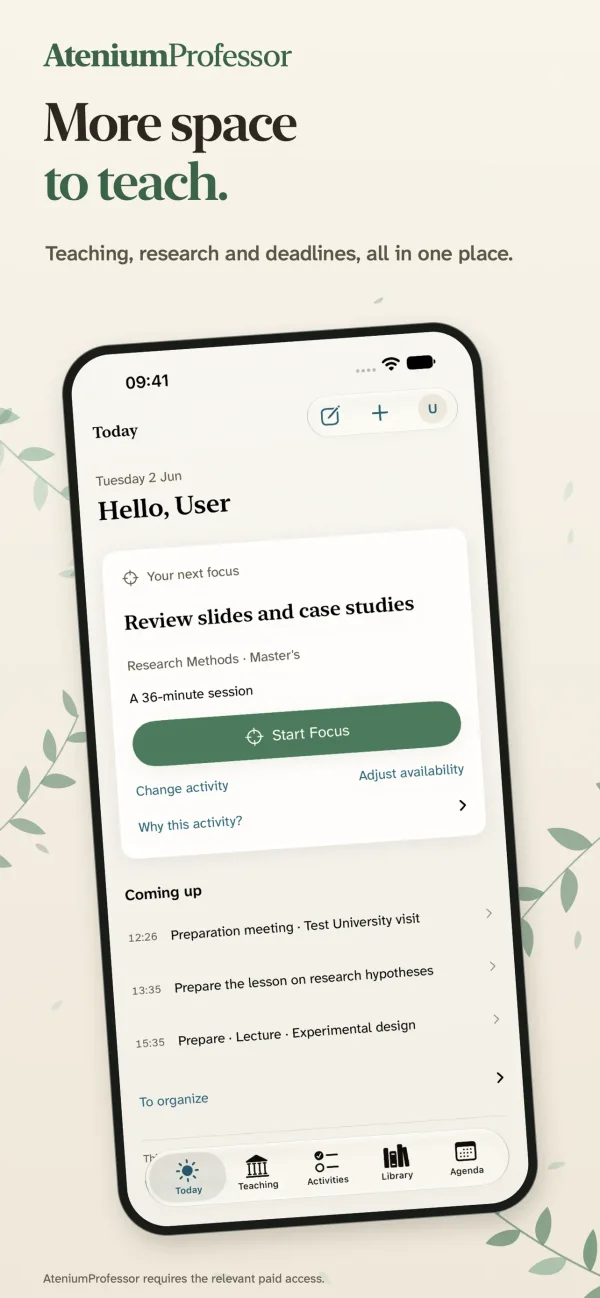
AteniumProfessor is a separate space for people who teach and do research: modules, teaching, marking, rubrics, office hours, supervision, papers and projects, kept apart from your student environment.
Privacy first
Atenium is local-first. Study offline, sync supported data to your private iCloud and keep intelligent features on your device.
No ads. No tracking.
Atenium Pro expands the Free plan limits and unlocks extended planning, advanced analytics, simulations, international mobility tools, Atenium Web in any browser and more.
Atenium Complete also includes AteniumProfessor.
Terms of Use: https://atenium.app/en/terms
Privacy: https://atenium.app/en/privacy
What’s new
Version 1.2.7 · Oct 23, 2026
Atenium comes to iPhone Duo, with a full text editor and spoken oral exams.
iPhone Duo
• Revise flashcards like a book: the card on one side, your ratings on the other.
• The notebook opens like a book, with the list of pages on the other side. Your transcript and lectures also read across two pages.
• Close it and carry on on the outer display. If you turn it on, closing the phone also ends your Pomodoro session.
Spoken oral exam
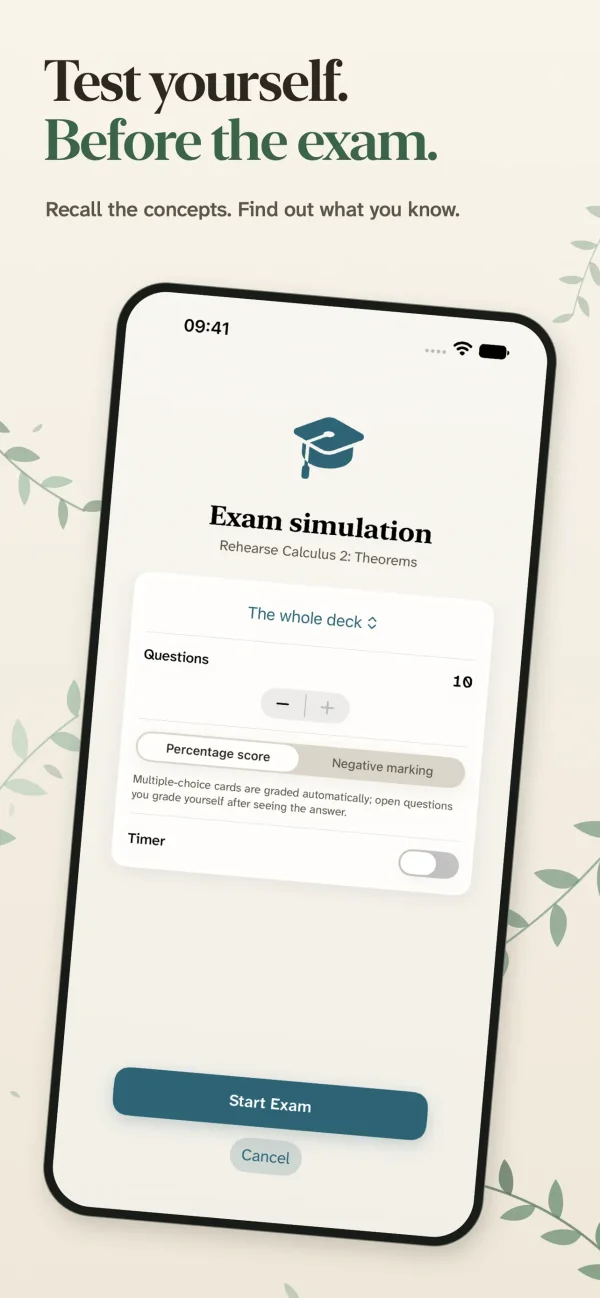
• Atenium tests you out loud on your decks: it listens to your answer, asks follow-up questions and at the end tells you what you covered and what to revise.
• Everything stays on your device. Available on compatible devices, additional in-app downloads required. Questions are generated by AI and may contain mistakes.
Text editor in the notebook
• Text documents next to your handwritten pages: headings, lists, tables, formulae, code, quotes and highlighter.
• Type "/" to insert images, scans, PDFs, audio recordings with transcripts and links to other documents.
• Outline with collapsible sections, printing, export to PDF and Markdown, version history.
• Footnotes and citations with a bibliography (APA, Chicago, ISO 690, IEEE), finding the article from its DOI; Word export keeps the footnotes.
• Make flashcards from selected text. Requires iOS 26.
And also
• Formula pen: write a formula by hand in the notebook and Atenium typesets it in place of your handwriting. Not available on iOS 26.
• Study key: an NFC sticker, or a printed QR code on iPad, keeps the apps you choose locked until you scan it again. Free.
• New cards can start from the difficulty of similar cards you've already studied. Off unless you turn it on.
• Save in Atenium: from Safari, Files or Photos, tap Share › Atenium and text, links, images and PDFs land in the document you choose.
• Fill the image: drag the words back onto the diagrams on your image cards, with decoys from the same deck. Practice only, your revision dates don't change.
• You choose what to share to improve the app, and you can change your mind at any time in Settings › Privacy.
• The study plan opens and scrolls smoothly even with tens of thousands of cards.
• If iCloud sync stops, you see a code to send us so we can find the cause.
App privacy
What Patrick Perazzini declares on the App Store about how this app handles data.
-
Data linked to you
May be collected and linked to your identity.
- Purchases
- User content
- Identifiers
- Diagnostics
- Other data
-
Data not linked to you
May be collected but is not linked to your identity.
- Usage data
- Diagnostics
Privacy practices may vary, for example with the features you use or your age.
Information
- Seller
- Patrick Perazzini
- Category
- Education
- Version
- 1.2.7
- Updated
- Oct 23, 2026
- Released
- Aug 12, 2026
- Size
- 118.4 MB
- Requires
- iOS 18.0 or later
- Age rating
- 4+
- In-app purchases
- Yes
- Languages
- Italian, Catalan, Czech, Danish, Finnish, French, Greek, English, Norwegian Bokmål, Dutch, Polish, Portuguese + 3 more
- Copyright
- © 2026 Patrick Perazzini
You might also like
-
 Aucta: Study, Timer & GradesPomodoro, review & exams
-
 Chimpa LearnEducation
-
 Semestre Filtro - MedicinaEducation
-
 UniTracks CaptureEducation
-
 Veterinaria - Semestre FiltroEducation
-
 LaurisEducation
-
 Flashcards Made Easy. Learn!Remember words & facts faster!
-
 BrainGuin: Smart FlashcardsSmart Study Buddy & Planner