Atkinson
Retro 1-bit dither camera
Designed for iPhone, iPod touch
Free · In-app purchases
- Age rating4+
- CategoryPhoto & Video
- Developerkoyachi
- LanguagesEnglish+ 1 more
- Size18.6 MB
Links to the official App Store page
Download.org hosts no file of Atkinson. The button opens its official App Store page, published by koyachi. Listing last checked on Nov 24, 2026.
Screenshots
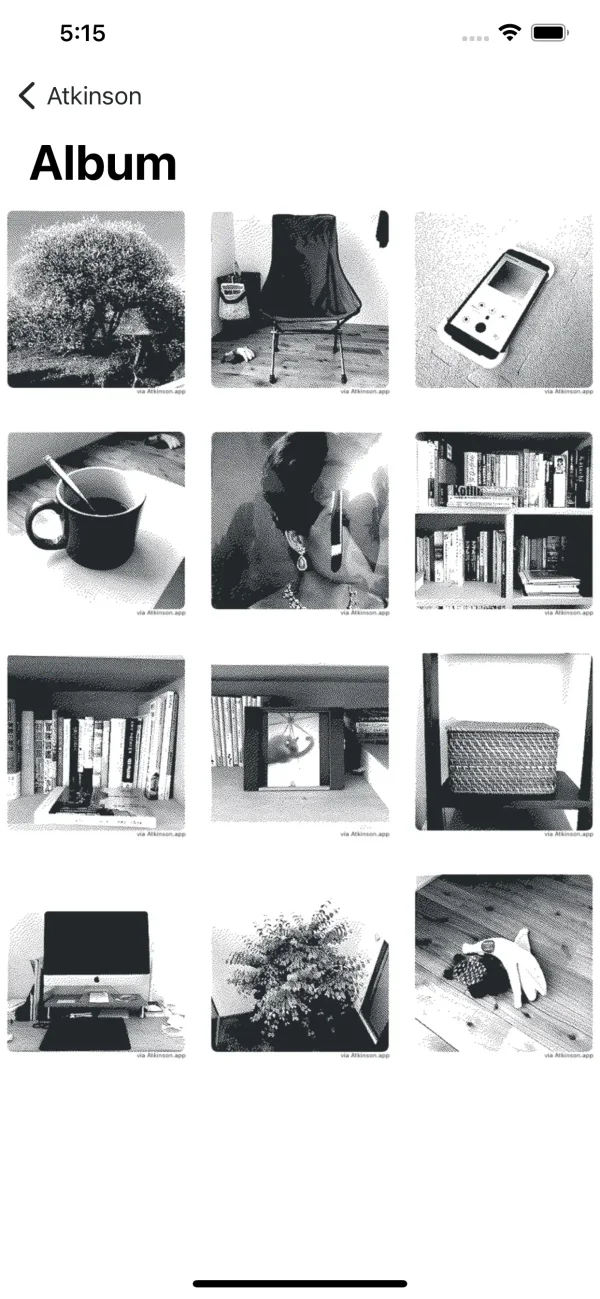
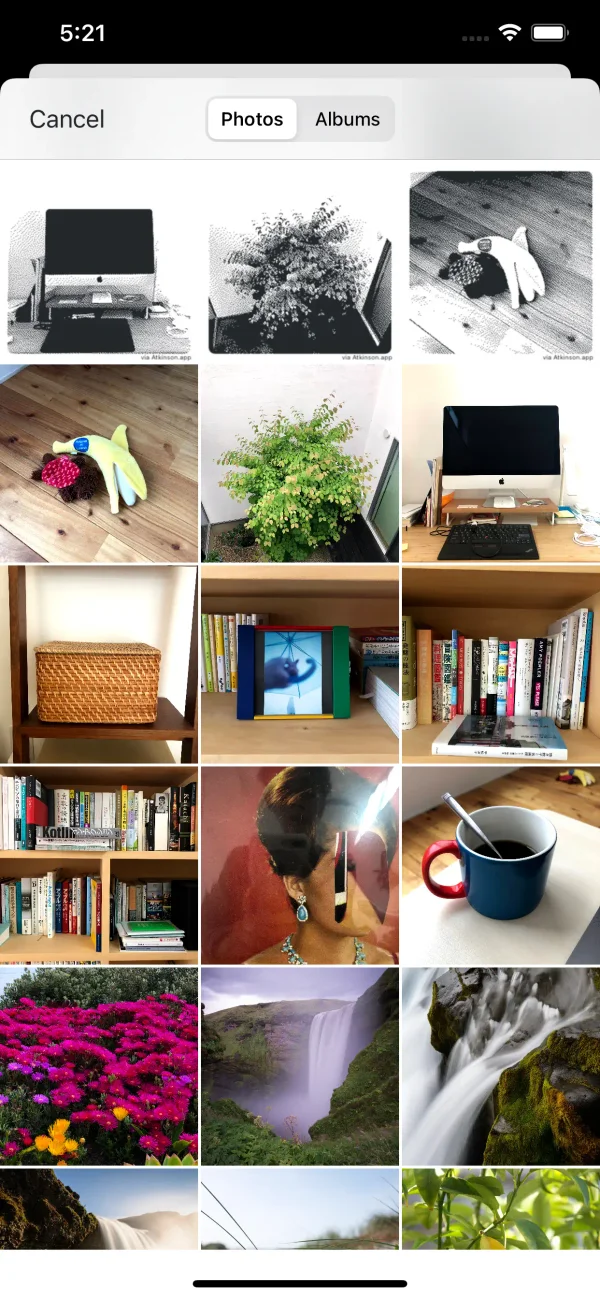
About
Transform your photos with the iconic Atkinson dithering algorithm — the same technique used on the original Macintosh by
Bill Atkinson. Create stunning retro-style images with a single tap.
# What is Atkinson Dithering?
Atkinson dithering was the algorithm behind the classic 1-bit graphics of early Macintosh computers. It converts photos i
nto beautiful two-tone pixel patterns, producing images with a distinctive vintage charm and remarkably small file sizes.
# Features
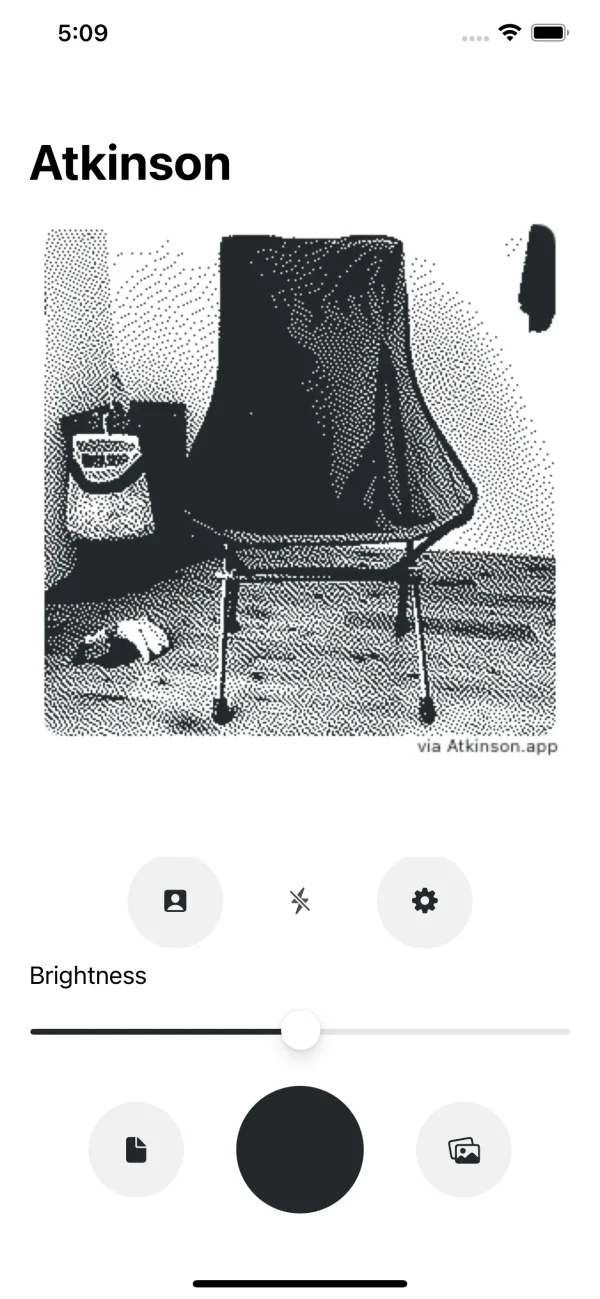
- Real-time Atkinson dithering preview through your camera
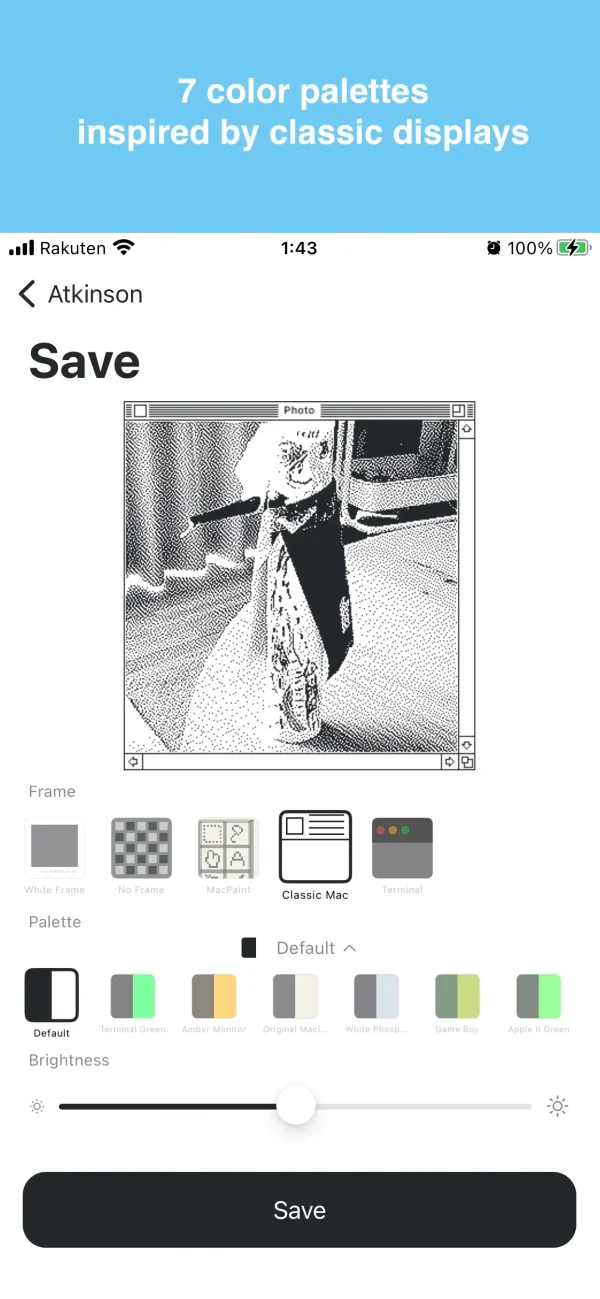
- 7 retro-tech color palettes: Terminal Green, Amber Monitor, Original Macintosh, Game Boy, Apple II Green, White Phospho
r, and classic black & white
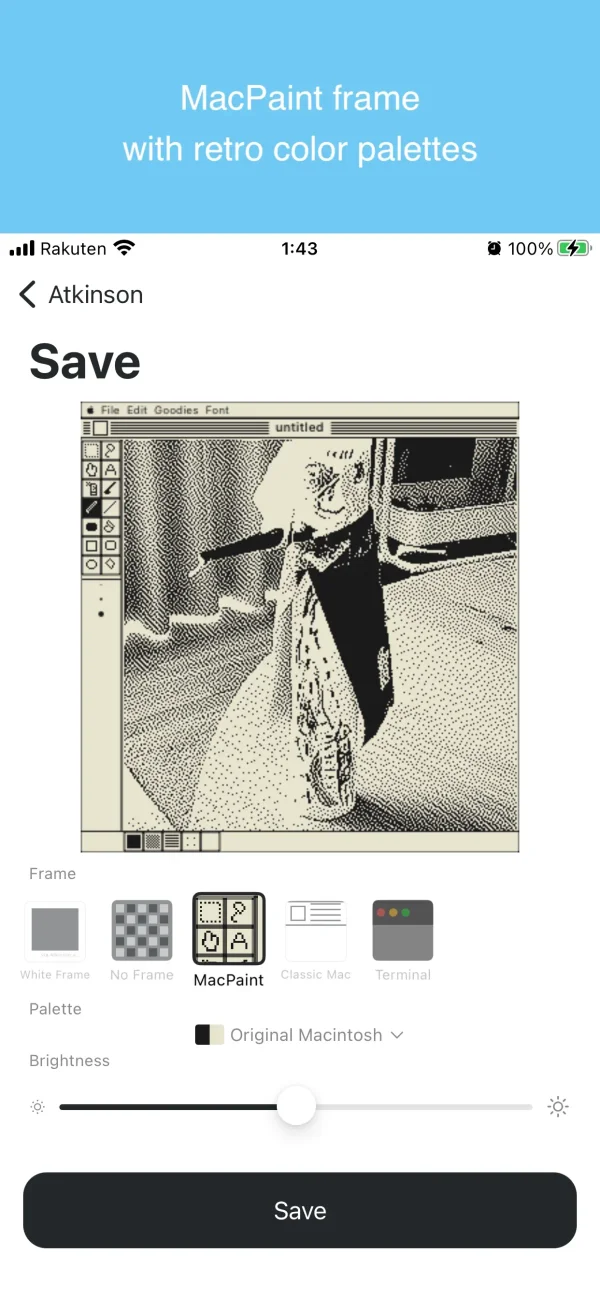
- 5 iconic frames inspired by computing history: MacPaint, Classic Mac window, Terminal, White Frame, and frameless
- Adjustable brightness control
- Rounded corner option
- Square photo output optimized for social media
- Lightweight PNG output with tiny file sizes
# Color Palettes
Go beyond black and white. Choose from color palettes inspired by legendary displays — the green glow of VT100 terminals, the warm amber of IBM monitors, the creamy screen of the original Macintosh, and more.
# Retro Frames
Wrap your dithered photos in frames inspired by classic software. The MacPaint frame features pixel-perfect tool palettes and menu bars, just like Bill Atkinson's legendary paint program. The Classic Mac frame recreates the iconic window chrome of early Macintosh.
# Perfect for
- Retro and vintage photo enthusiasts
- Pixel art lovers
- Social media posts with a unique aesthetic
- Anyone who appreciates the beauty of 1-bit graphics
What’s new
Version 1.2.3 · Nov 23, 2026
- After you take or choose a photo, the purchase screen shows once per install.
- The next time, you go straight to your photo.
App privacy
What koyachi declares on the App Store about how this app handles data.
-
Data used to track you
May be used to track you across apps and websites owned by other companies.
- Location
- Identifiers
- Usage data
- Diagnostics
-
Data not linked to you
May be collected but is not linked to your identity.
- Location
- Identifiers
- Usage data
- Diagnostics
Privacy practices may vary, for example with the features you use or your age.
Information
- Seller
- Tsutomu Koyachi
- Category
- Photo & Video
- Version
- 1.2.3
- Updated
- Nov 23, 2026
- Released
- May 30, 2021
- Size
- 18.6 MB
- Requires
- iOS 15.0 or later
- Age rating
- 4+
- Price
- Free
- In-app purchases
- Yes
- Languages
- English, Japanese
- Copyright
- © 2021 koyachi
You might also like
-
 2-Bit Camera2-bit Photography
-
 DitherProgDither processing application.
-
 Trichromycompact trichromatic camera
-
 PIXEL86: Pixel Art & ColoringRetro photo & video effects
-
 ChoCho: Y2K,波点,拼贴Photo & Video
-
 PHOTO.EXE: Retro PhotoshareDelightful dithered pixel art
-
 Ditherable: Retro & Pixel artFeeling old-school today?
-
 pixpic - ASCII Photo EditorTurn Photos Into ASCII Art
-
 WengiWengiMultiple dimension photos!
-
 14PXPlay random pixel