
- Age rating4+
- CategoryProductivity
- DeveloperSimon Schwartz
- LanguagesEnglish
- Size64.7 MB
Links to the official App Store page
Download.org hosts no file of Attention Fund. The button opens its official App Store page, published by Simon Schwartz. Listing last checked on Nov 15, 2026.
Screenshots
About
Stay off your phone. Keep your word.
Attention Fund is a screen time app with teeth. You pick the apps that take your time, set a daily limit, and when you hit it, those apps stop. Not a reminder. A block.
HOW IT WORKS
1. Pick the apps that actually take your time.
2. Set your daily limit.
3. Write one sentence about what you will do with the time instead.
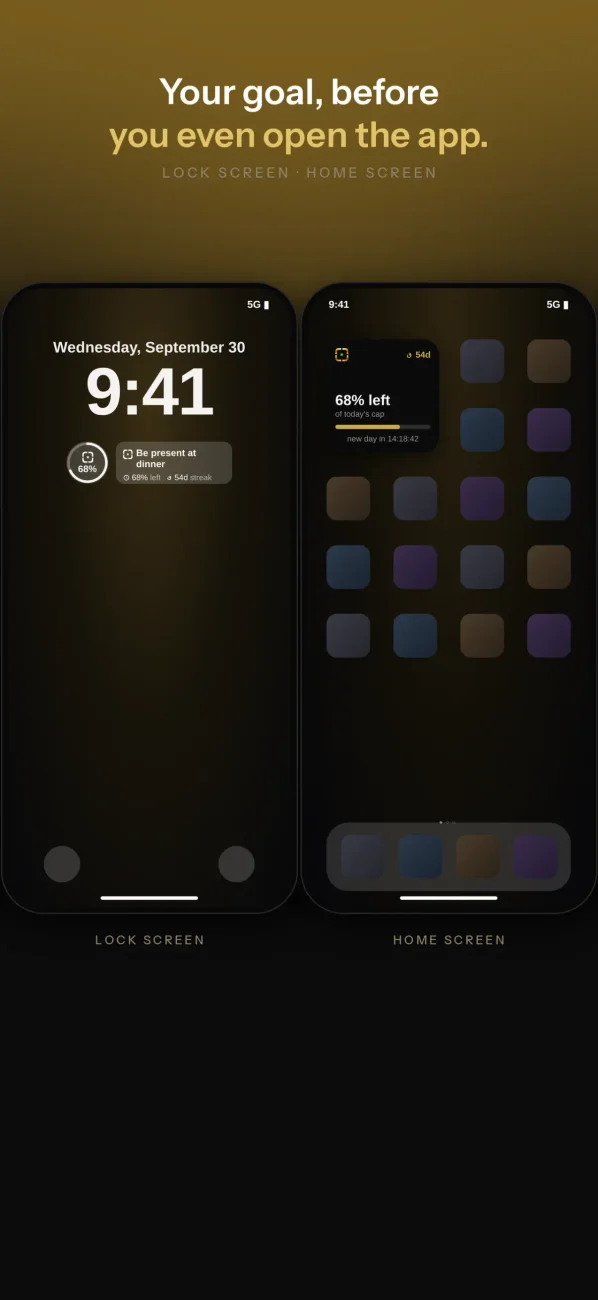
That sentence is on your block screen, on your Lock Screen widget, and on your Home Screen widget. It is there every time you reach for the phone.
PARENT MODE (US)
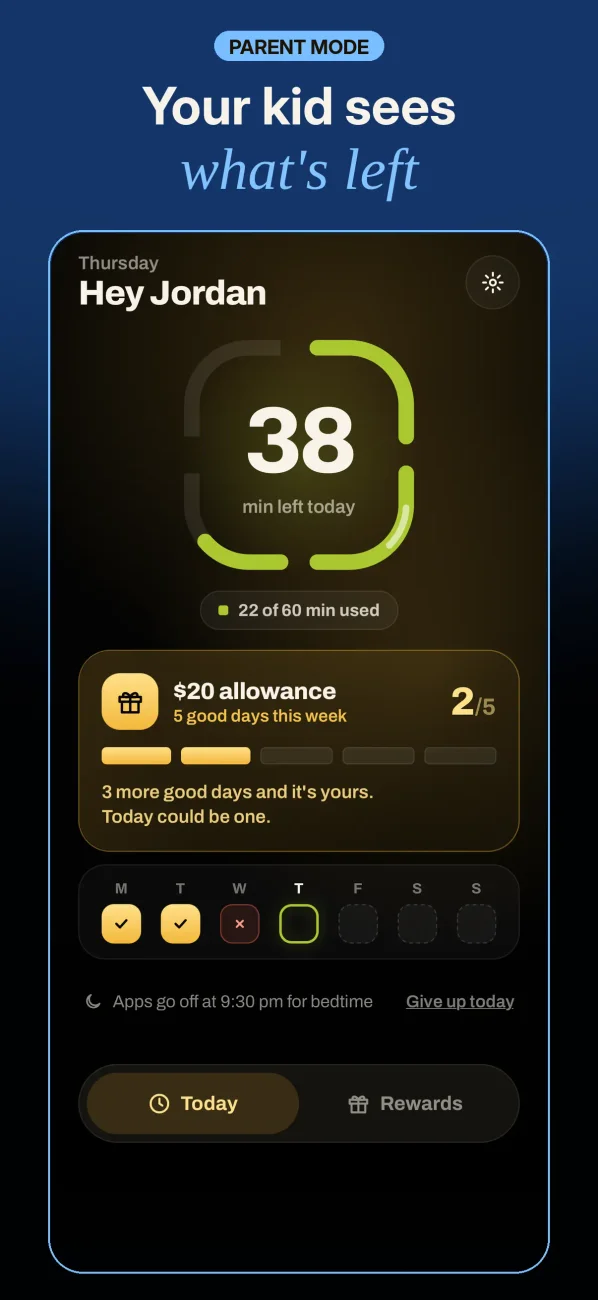
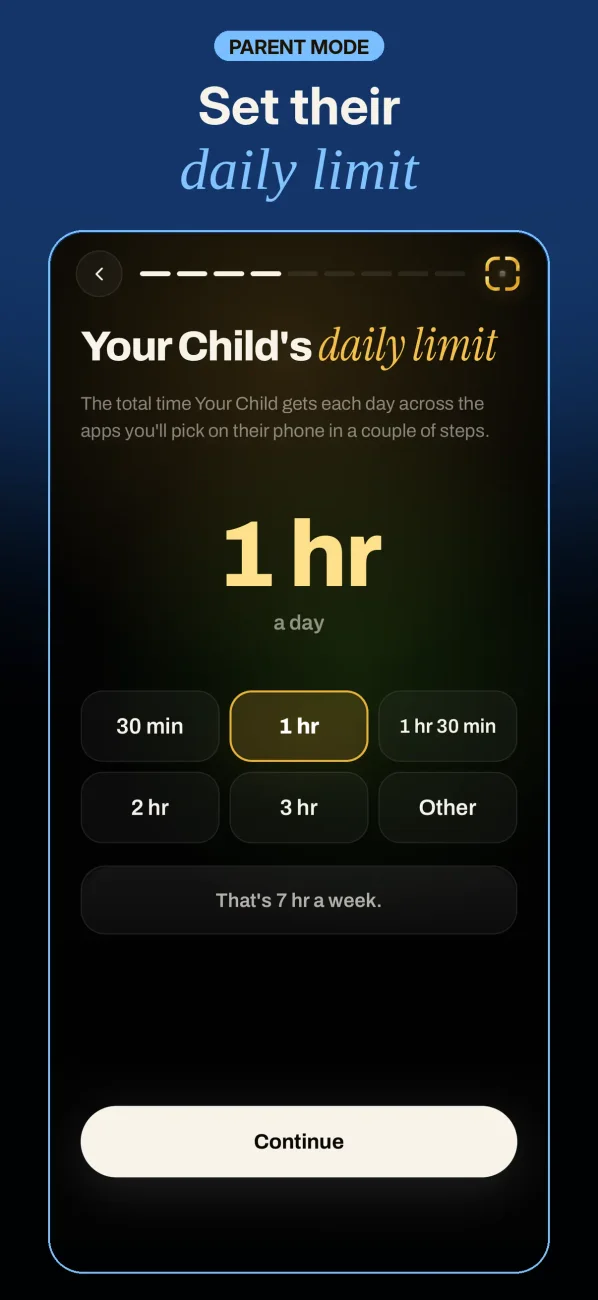
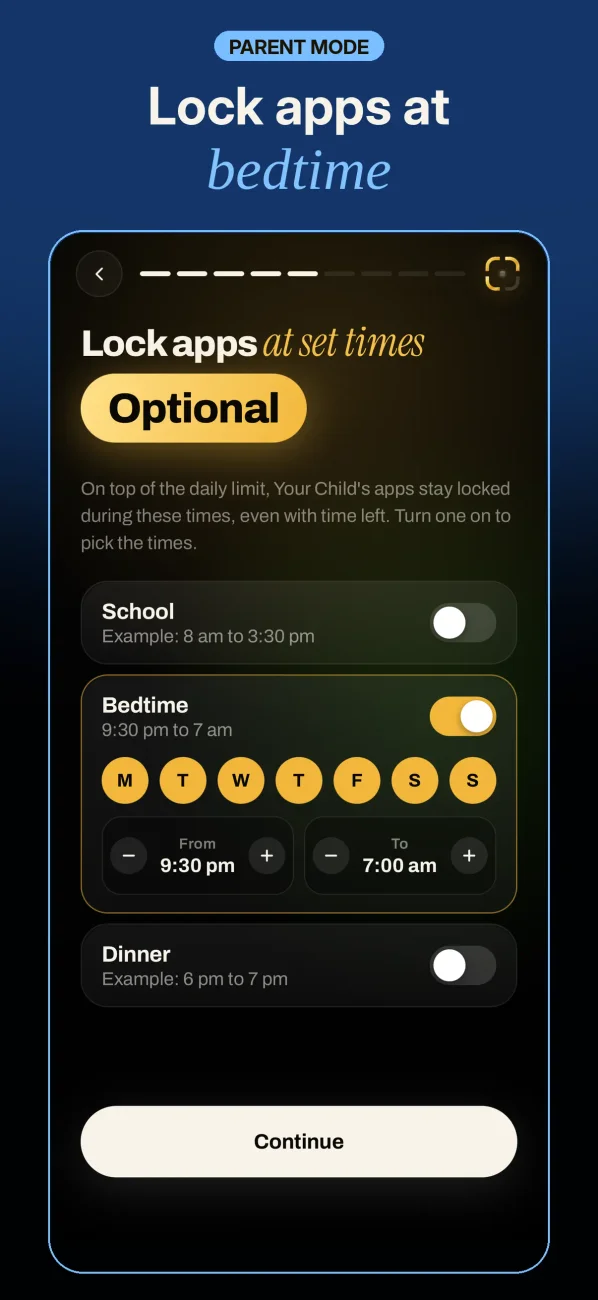
Set a daily screen time limit for your kid, together. You pick the apps with them, set the limit and any blocked times, and choose a reward for good days. Then lock it with your Apple ID, so it can't be deleted or switched off without you.
Your kid sees how much time is left in a simple countdown, and gets a heads up before the limit hits. You get an alert if Screen Time is turned off, the phone's clock is changed, or the phone stops checking in. Change the limit or the apps any time with your Parent Key.
The first week is free.
THE BLOCK SCREEN
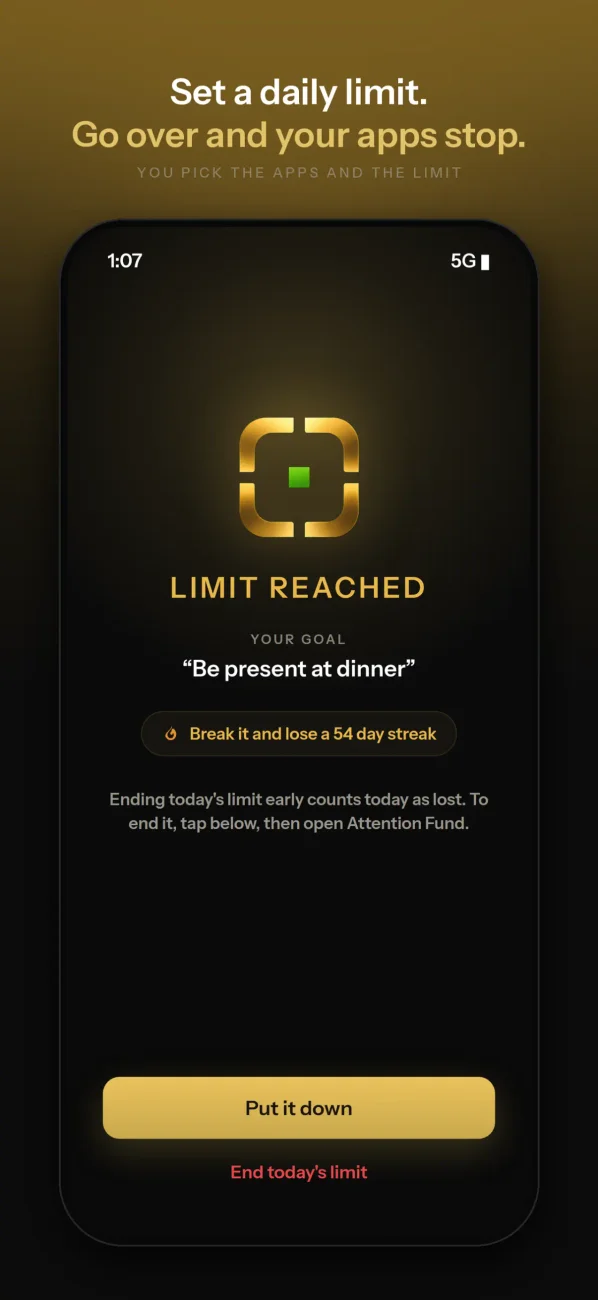
When you hit your limit, your apps stop. The screen shows your goal, your streak, and two buttons. Put it down, or end today's limit. Ending it counts the day as lost. Nobody has to judge whether you followed through. Your phone already counted.
HITTING YOUR LIMIT IS NOT FAILING
Cap reached, day still safe. Nothing is lost unless you choose to push through, and you get warnings before you get anywhere near it.
THE FUND
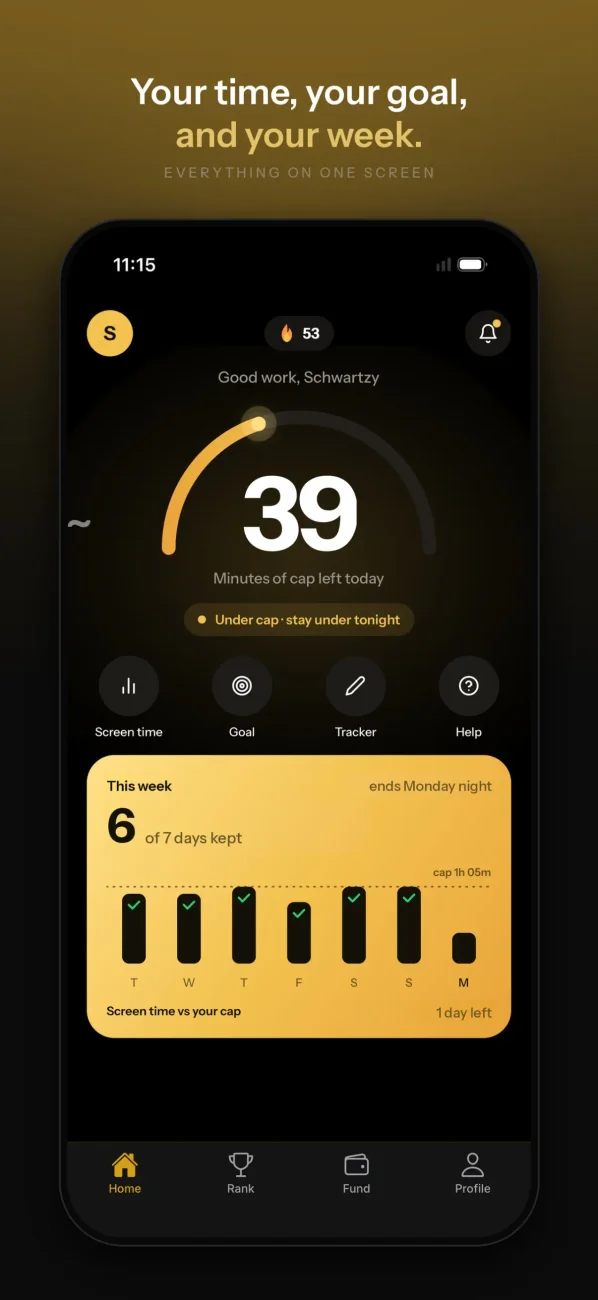
Every clean day earns coins. Coins are never bought, only earned, and they cannot be spent or cashed out. They are a score of how many days you kept your word. Collect them and they grow on their own. Keep a streak going and they grow faster. Your fund climbs through seven stages, from a piggy bank to a hedge fund, and nobody can ever knock you back down a stage.
RANK
Everyone with a fund is on the board. Your league is your stage, and your place in it is decided by the coins you earned this month, so a new user can top their league in their first month. It resets on the first of every month.
ONE STREAK, ACROSS EVERY WEEK
Your streak counts clean days back to back. Only ending your own limit early breaks it.
WIDGETS
A ring on your Lock Screen showing how much of today's limit is left. A Home Screen tile with your goal, your streak, and a countdown to the new day.
YOUR SCREEN TIME STAYS YOURS
Your per app breakdown opens in Apple's own on-device report. Those numbers never leave your phone and we never see them.
YOUR COMMITMENT
The app is free to download. Your weekly commitment is set up and managed on attentionfund.app, outside the app. The app handles your limit, your block, your coins, and your rank.
Attention Fund needs an iPhone with Screen Time and uses Apple's Family Controls framework to block the apps you choose.
What’s new
Version 1.2.2 · Nov 9, 2026
Parent Mode is here (US only).
Set a daily screen time limit for your kid, pick the apps together, and lock it with your Apple ID so it can't be deleted or turned off. Choose a reward for good days, and get an alert if Screen Time is turned off, the clock is changed, or the phone stops checking in.
Also new: a faster signup, single app picks instead of whole categories, and fixes.
App privacy
What Simon Schwartz declares on the App Store about how this app handles data.
-
Data linked to you
May be collected and linked to your identity.
- Purchases
- Contact info
- User content
- Identifiers
- Usage data
-
Data not linked to you
May be collected but is not linked to your identity.
- Diagnostics
Privacy practices may vary, for example with the features you use or your age.
Information
- Seller
- Simon Schwartz
- Category
- Productivity
- Version
- 1.2.2
- Updated
- Nov 9, 2026
- Released
- Aug 17, 2026
- Size
- 64.7 MB
- Requires
- iOS 17.0 or later
- Age rating
- 4+
- Price
- Free
- Languages
- English
- Copyright
- © 2026 ATTN Studio, LLC
You might also like
-
 TuffScreenTimeProductivity
-
 KhanflowPlan your day around your life
-
 Hints | AI Powered PodcastsRecaps of news you care about
-
 Franchise CommandFranchise Command Mobile App
-
 24SevenOffice AI ApprovalProductivity
-
 EXL AI PlaygroundAI-Playground
-
 Social CuratorPost Creator and Scheduler
-
 TLCC - Tessitura NetworkProductivity
-
 WhenWeMeet? - Group SchedulingGroup Meeting Scheduling
-
 Mapit GISMobile GIS & Data Collection