Attenya: App Blocker, Focus
Block apps, earn screen time
Designed for iPhone, iPad
Free · In-app purchases
- Age rating4+
- CategoryProductivity
- DeveloperLAURENZ ZUSER
- LanguagesEnglish
- Size11.1 MB
Links to the official App Store page
Download.org hosts no file of Attenya: App Blocker, Focus. The button opens its official App Store page, published by LAURENZ ZUSER. Listing last checked on Nov 26, 2026.
Screenshots




About
Attenya turns focus into screen time.
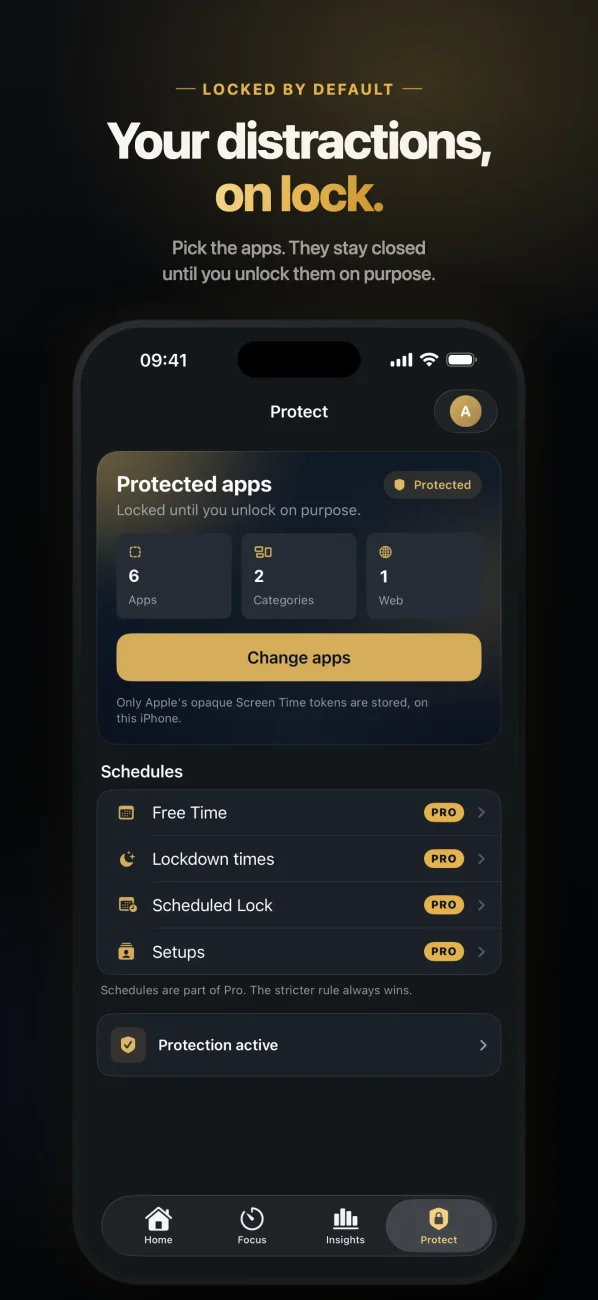
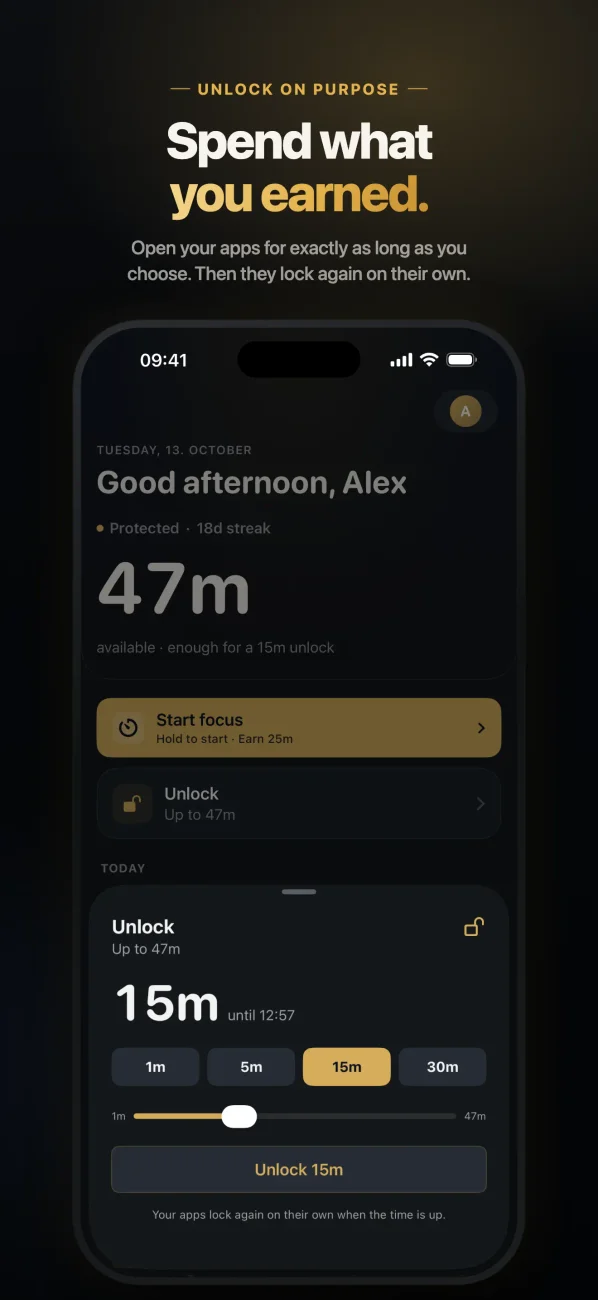
Your distracting apps stay locked. Focus to earn credit, then spend it on purpose: unlock your apps for exactly as long as you choose, and they lock again on their own.
HOW IT WORKS
• Choose the apps that take your time. Attenya locks them with Apple's Screen Time.
• Start a focus session: Timer, Pomodoro or Stopwatch. Finish it, and its length becomes credit.
• Spend your credit on a deliberate unlock. When the time is up, your apps lock again.
BUILT FOR STUDYING
• Subjects: tag each session with what you're working on.
• Exams: count down to your next exam.
• Rate how focused you were. Your Insights use it later.
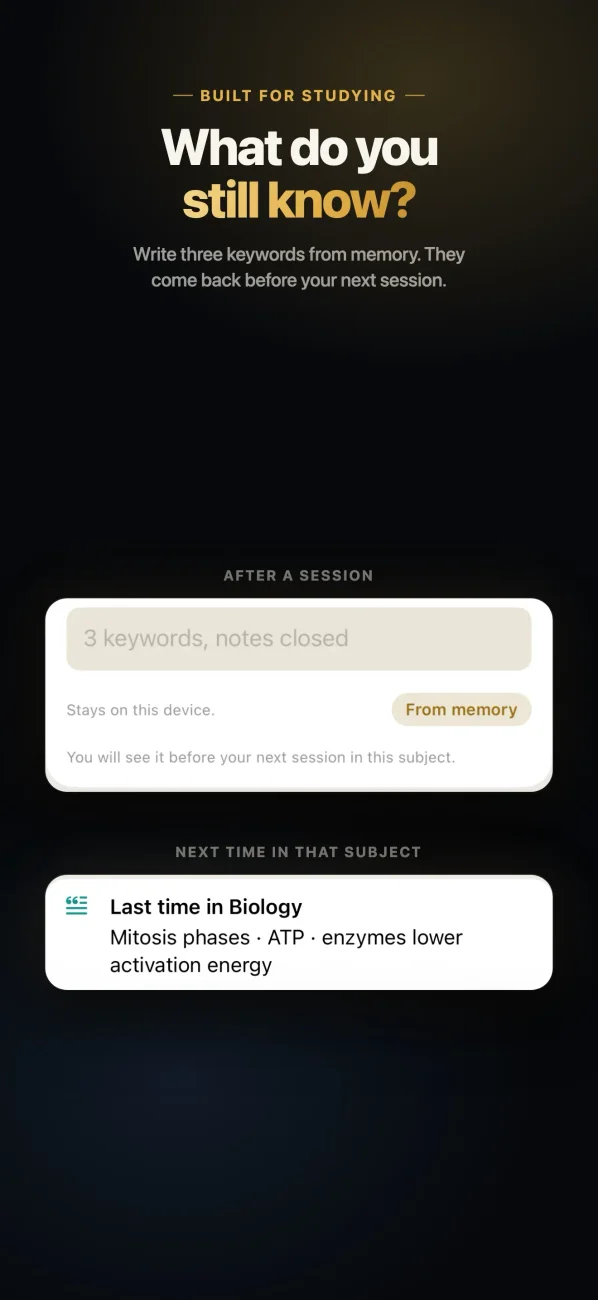
• From memory: write three keywords after a session. They come back before your next session in that subject.
• Pomodoro plans like 4 × 25 or 2 × 50, block by block.
INSIGHTS
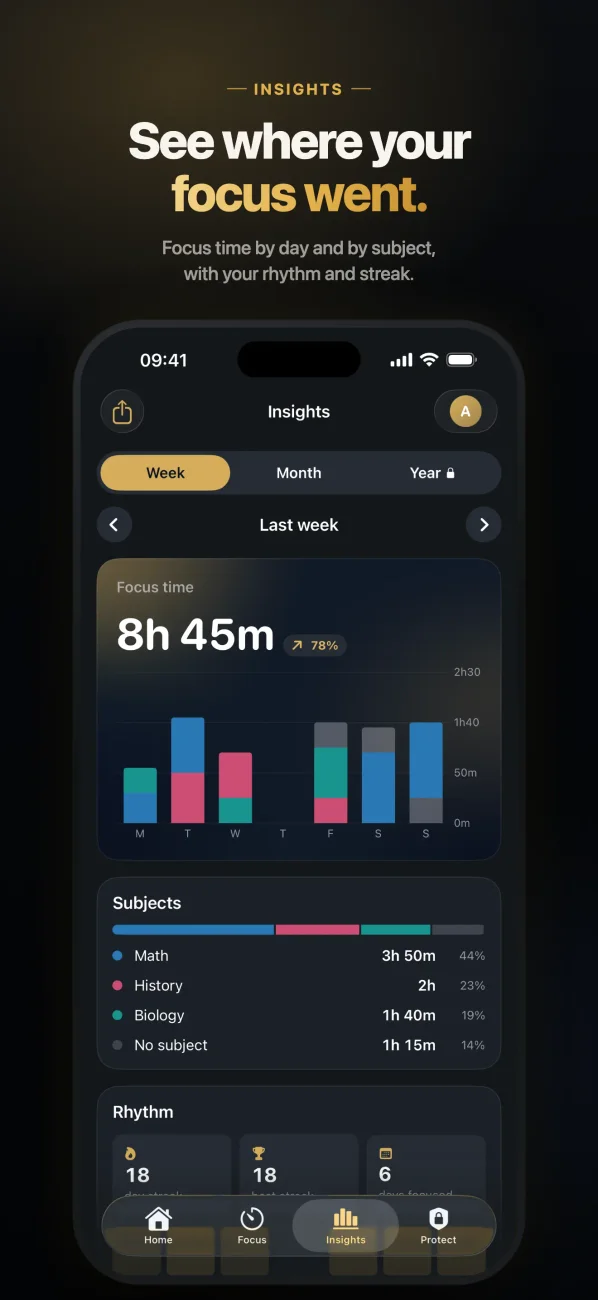
• Focus time by day, week and month, and by subject.
• Your rhythm, and a streak that allows one rest day a week.
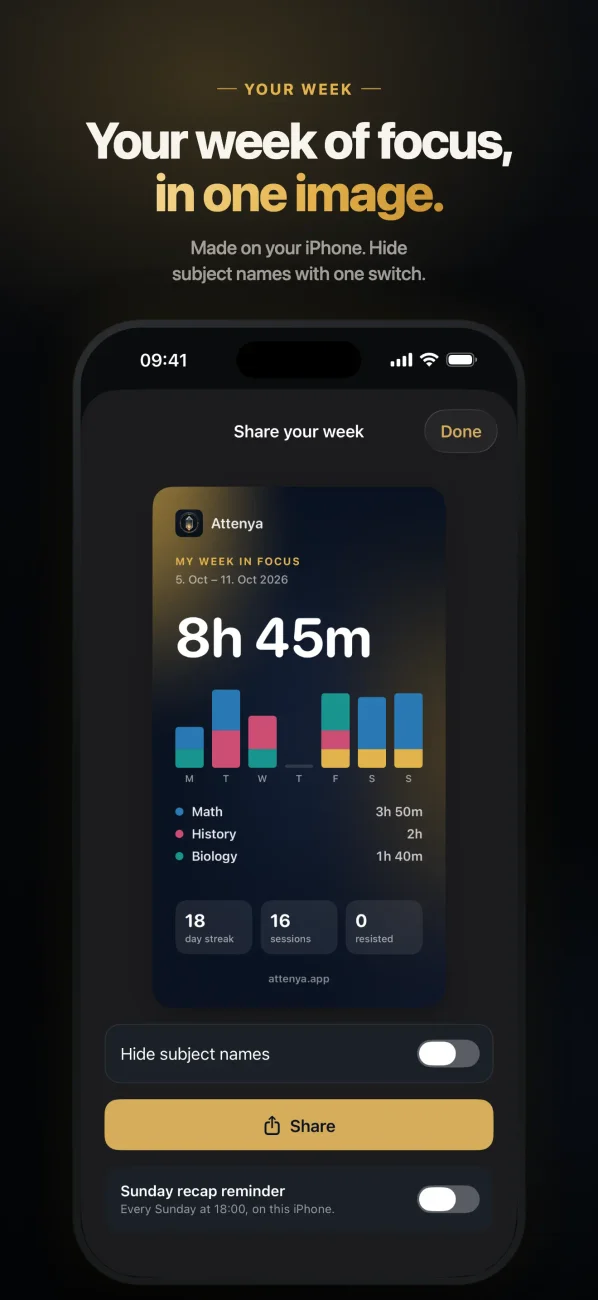
• Share your week as an image. Subject names can stay hidden.
ALWAYS AT HAND
• Widgets for your Home Screen and Lock Screen.
• A Live Activity while you focus (iPhone).
• Start a focus from Control Center, the Lock Screen or the Action button.
• A calm shield screen with your credit and your own Plan B. From iOS 26.4, start a focus or unlock in Attenya right from it.
YOUR KEY (PRO)
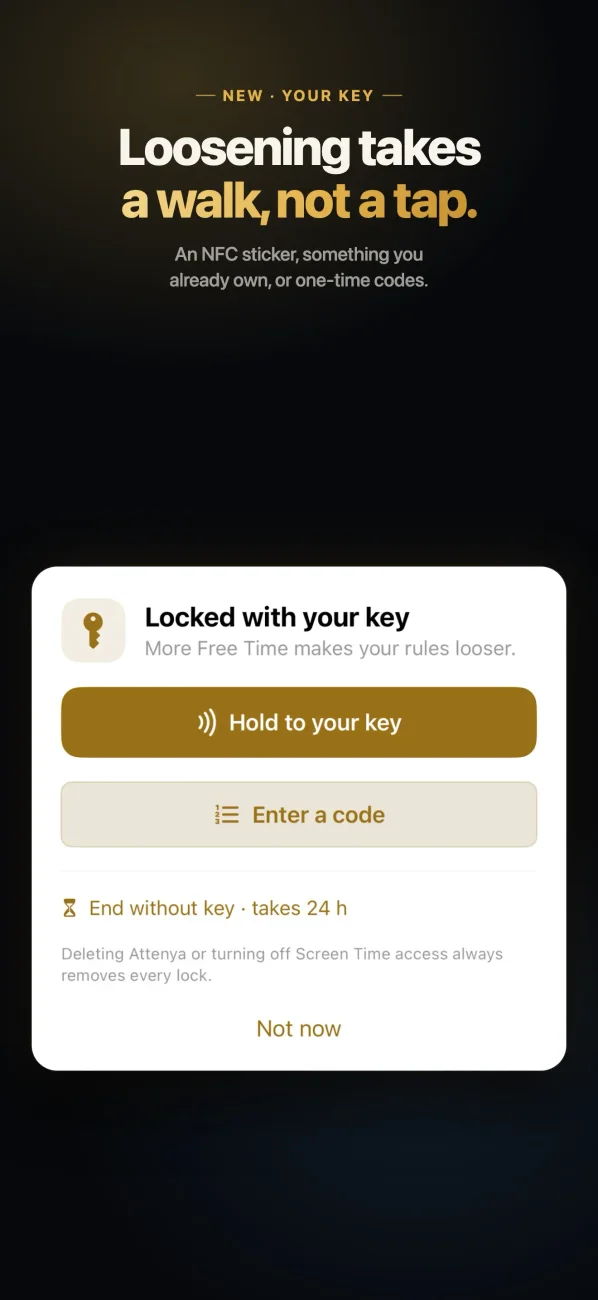
• Put an NFC sticker in the hallway or a list of one-time codes in a drawer. While your key is on, loosening your own rules takes a walk, not a tap.
• You choose what needs it. Stricter changes always work right away.
• No key at hand? End it without the key: it ends 24 hours later. Deleting Attenya or turning off its Screen Time access always removes every lock at once.
• iPhone uses an NFC object or the code list; iPad uses the code list.
ON IPHONE AND IPAD
Attenya runs on iPhone and iPad. On larger screens and the open iPhone Duo, Home, Focus, Insights and Protect use two columns. Stand the iPhone Duo half open and Focus becomes a desk clock. Optional iCloud sync (Pro): one credit, your study history and your key on iPhone and iPad. Stored in your private iCloud and never sent to us. Off by default. Attenya Pro works on every device that uses the same Apple Account.
PRIVATE BY DESIGN
No account. No ads. No tracking. What you do in the app is stored on your device and, only if you turn on iCloud sync, in your private iCloud. It is not sent to us. Apple's Screen Time gives the app only opaque tokens for the apps you protect, not a readable list.
ATTENYA PRO
The free version covers the full loop. Pro adds your key, Deep Focus (lock extra apps while you focus), Schedules & Sleep Guard, the long view in Insights (the whole year, older periods, your best time of day, exam pace and more than one exam), all themes and a custom earn ratio.
Pro is available as a monthly or yearly subscription, with a free trial for eligible new subscribers, or as a one-time purchase. Subscriptions renew automatically unless cancelled at least 24 hours before the end of the current period. Manage or cancel anytime in Settings → [your name] → Subscriptions.
Attenya is a self-control tool, not a medical product. Blocking relies on Apple's Screen Time and can be interrupted, for example by iOS changes or your own settings.
Terms of Use (Apple Standard EULA): https://www.apple.com/legal/internet-services/itunes/dev/stdeula/
Supplemental Attenya Terms: https://attenya.app/terms
Privacy Policy: https://attenya.app/privacy
What’s new
Version 2.3.1 · Nov 25, 2026
New: iCloud sync (Pro, optional). Keep one credit, your key, study history and schedules on your iPhone and iPad. A focus can run on both devices, and unlocks too if you turn that on. End a focus on one device and it ends on the other as well, with credit settled as if you had ended it there.
Sync stays off until you turn it on in Settings → iCloud sync. Your data is stored in your private iCloud, and your app choices stay on each device.
Also in this update: clearer permission screens and updated Terms of Use (version 1.3.1). The app shows what changes, and the new terms apply to you only once you agree.
App privacy
What LAURENZ ZUSER declares on the App Store about how this app handles data.
-
Data not collected
The developer does not collect any data from this app.
Privacy practices may vary, for example with the features you use or your age.
Information
- Seller
- LAURENZ ZUSER
- Category
- Productivity
- Version
- 2.3.1
- Updated
- Nov 25, 2026
- Released
- Jul 14, 2026
- Size
- 11.1 MB
- Requires
- iOS 18.0 or later
- Age rating
- 4+
- Price
- Free
- In-app purchases
- Yes
- Languages
- English
- Copyright
- © 2026 Laurenz Zuser
You might also like
-
 Earn The Scroll: App BlockerBuild a habit, or just move
-
 Dr Brainrot: App BlockerEarn screen time with quizzes
-
 Toll: Earn Your App TimeClear tasks. Buy screen time.
-
 Habit Bank: Habit TrackerFocus, Routine Planner & Goals
-
 Treat: Focus Timer & BlockerDopamine Detox & App Limits
-
 Earn your screen time: UnlockdWalk & Push-Ups to Unlock Apps
-
 FocusGate: Screen Time ControlApp Blocker & Gentle Reminders
-
 Minutio: Kids Chore ChartChores Tracker & Reward Chart
-
 the boring app.App blocker, screen time limit
-
 FocusFirst Screen Time ControlBlock Apps, Earn Screen Time