- Age rating4+
- CategoryBooks
- DeveloperStefan Samne
- LanguagesEnglish
- Size2.9 MB
Links to the official App Store page
Download.org hosts no file of Audbin. The button opens its official App Store page, published by Stefan Samne. Listing last checked on Nov 18, 2026.
Screenshots


About
A beautiful, private audiobook player for your personal library — plus thousands of free public domain audiobooks to discover.
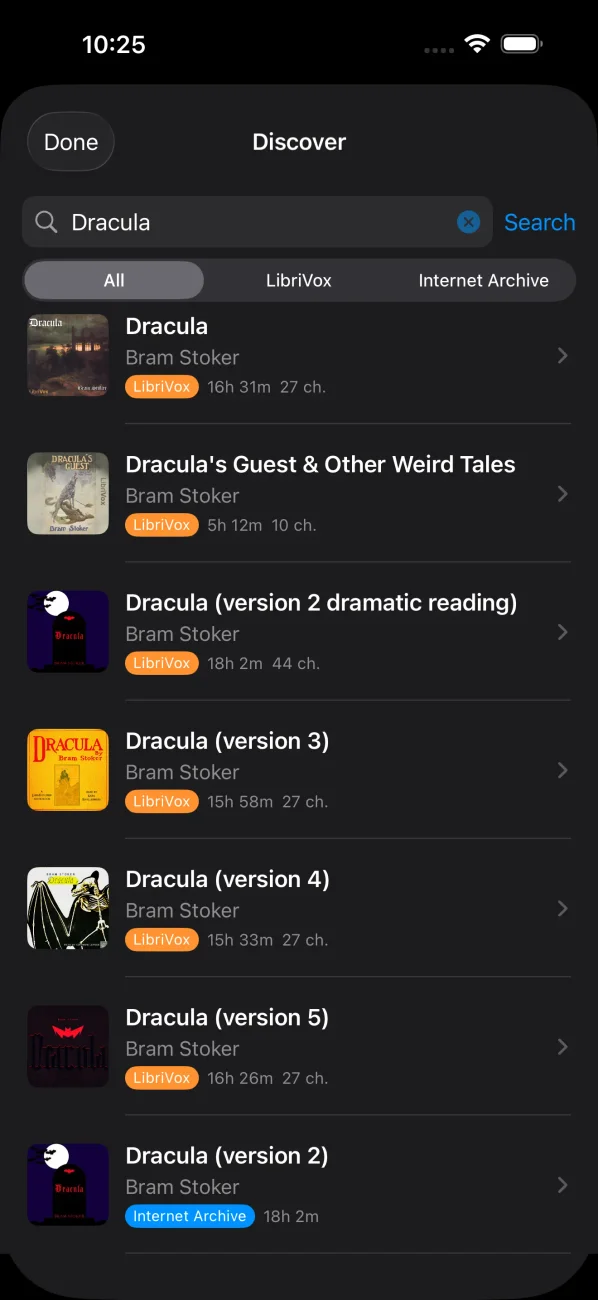
DISCOVER FREE AUDIOBOOKS
Browse and download from LibriVox and Internet Archive. Thousands of classic titles, completely free. No account needed.
SUPPORTED FORMATS
MP3, M4A, M4B, AAC, AIFF, WAV
Import your audiobooks or discover free ones and start listening. Free to use with up to 3 books. Upgrade for unlimited books and premium features.
FREE
- Import up to 3 books
- Discover free audiobooks from LibriVox & Internet Archive
- Play/pause, seek, skip
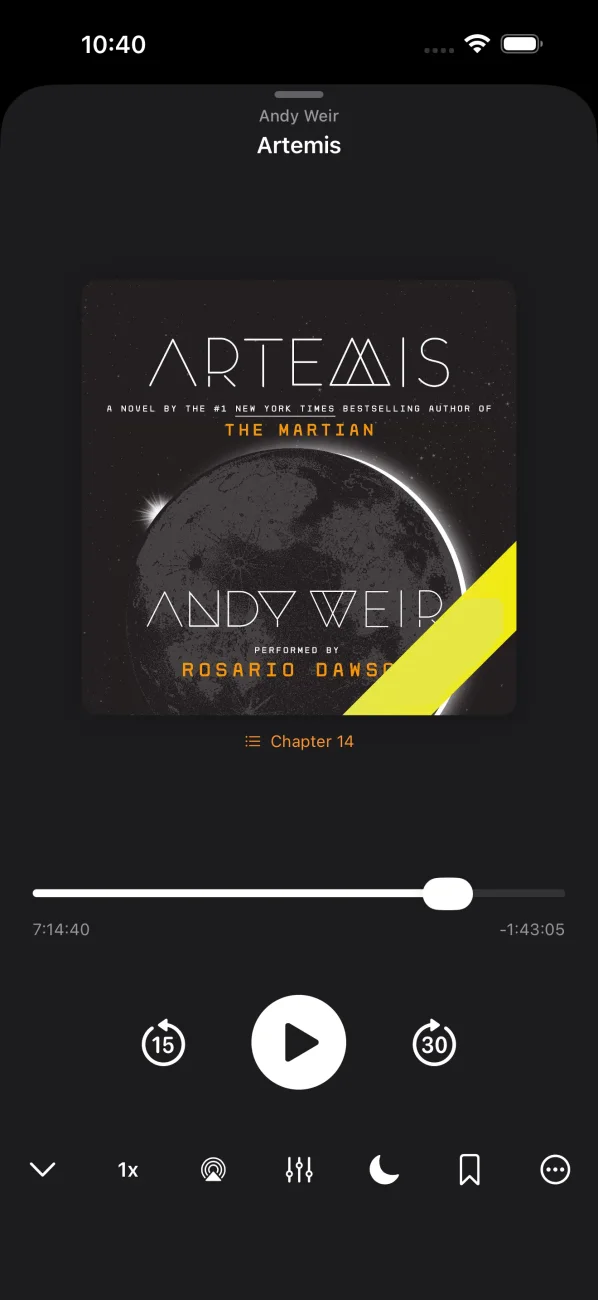
- Variable speed (0.5x - 2x)
- Sleep timer (15/30/45/60 min)
- Lock Screen & AirPods controls
- AirPlay streaming
- Smart auto-rewind on resume
- Light/Dark theme
AUDBIN (one-time purchase)
Everything free, plus:
- Unlimited books
- Chapter navigation (M4B)
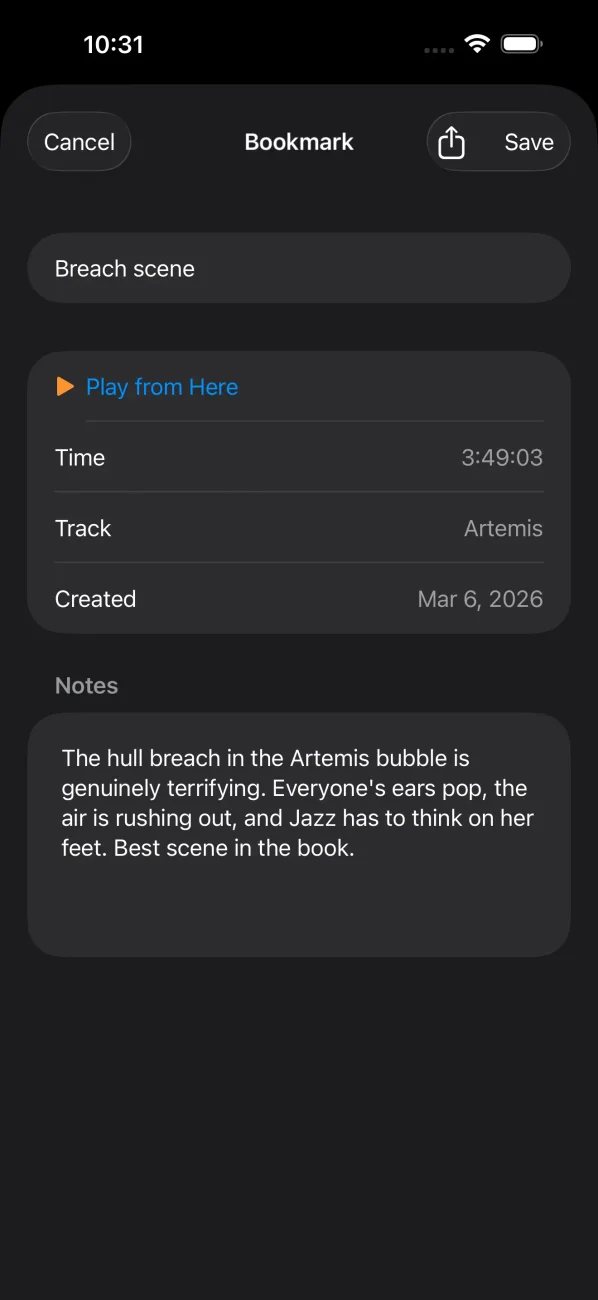
- Rich bookmarks with titles and notes
- Book offloading (free storage, keep your data)
- Re-download offloaded catalog books with one tap
- Export & share bookmarks and notes
- Share what you're listening to with cover art
- Online cover art fetching
- Companion documents (PDF, EPUB)
- Custom sleep timer (5 min - 3 hours)
- Manual library reordering
- All sort modes
- Book notes & mark as finished
AUDBIN PRO (subscription)
Everything in Audbin, plus:
- 10-band equalizer with presets (Voice Boost, Spoken Word, Bass, and more)
- Listening statistics & streaks
- Share stats as a branded card
- Branding-free sharing
- Speed up to 3x
- End-of-chapter sleep timer
- Sleep timer fade-out
- "Still Listening?" detection
- Siri Shortcuts
FEATURES
Discover & Import
- Browse free public domain audiobooks
- Download directly from LibriVox and Internet Archive
- Import from Files app
- Automatic metadata extraction
- Search and sort your library
- Manual reordering
- Companion documents
- Offload books to save storage
- Re-download catalog books after offloading
Bookmarks & Notes
- Add bookmarks while listening with a single tap
- Open any bookmark to add rich notes
- Play from any bookmark position
- Export all bookmarks and notes as text
Playback
- Chapter navigation for M4B audiobooks
- Auto-advance to next track
- Variable speed saved per book
- Customizable skip intervals
- Multiple sleep timer modes
- Background playback
- AirPlay to speakers and TVs
- Return to position after jumping to bookmarks
- Tap anywhere on a track to play
Equalizer (Pro)
- 10-band graphic EQ
- Voice Boost, Spoken Word, Bass Boost, Treble Boost, Loudness presets
- Custom band adjustments
- Settings persist across sessions
Sharing
- Share books with cover art
- Export bookmarks and notes
- Share individual notes with context
- Share listening stats as image cards
Controls
- AirPods: tap to play/pause, double-tap skip
- Lock Screen and Control Center
- Siri voice commands
- Mini player stays visible while browsing
- Tap book header to resume playback
Privacy
- All data stays on your device
- No accounts required
- No analytics or tracking
- Works completely offline (imported books)
Privacy Policy: https://audbin.app/privacy.html
Terms of Use (EULA): https://www.apple.com/legal/internet-services/itunes/dev/stdeula/
What’s new
Version 2.3.0 · Apr 27, 2026
Audbin 2.3 - Free Cover Art + Share to Audbin
Now Free: Online Cover Art Fetching
- Cover art fetching is now included for everyone, on every tier. New books automatically pull artwork from public book databases on import.
- You can toggle it off in Settings if you'd rather skip it.
New: Share Audiobooks to Audbin
- Audbin now appears in the iOS share sheet for audio files. Open an audio file in Files, Mail, Messages, or Safari, tap Share, and pick Audbin to import.
- Long-press Audbin in the share sheet and add it to Favorites for quicker access.
Both changes came straight from user feedback. Keep it coming.
App privacy
What Stefan Samne declares on the App Store about how this app handles data.
-
Data not collected
The developer does not collect any data from this app.
Privacy practices may vary, for example with the features you use or your age.
Information
- Seller
- Stefan Samne
- Category
- Books
- Version
- 2.3.0
- Updated
- Apr 27, 2026
- Released
- Feb 3, 2026
- Size
- 2.9 MB
- Requires
- iOS 18.6 or later
- Age rating
- 4+
- Price
- Free
- In-app purchases
- Yes
- Languages
- English
- Copyright
- © 2026 Audbox
You might also like
-
 dublreaderTurn ebooks to audiobooks
-
 BookDeck!Your Audiobook Sanctuary
-
 CocoReader: Book to AudiobookListen to Your Books & Stories
-
 Morrow: Read and ListenYour books, read and heard
-
 Unison ReaderBooks and audiobooks in sync
-
 GodansBookRead, Learn and Listen
-
 Talefall — Audiobook PlayerListen, read, create AI books
-
 14-Min Book Summaries Audio2000+ Audio Book Summaries
-
 Books for Women: NovelsStories, Romance & Self-Care
-
 Gutenvox: Classic AudiobooksOffline Books Read Aloud by AI