Audio Converter・Audio Editor
Convert, Edit & Extract Audio
Designed for iPhone, iPad, iPod touch
Free · In-app purchases
- Age rating4+
- CategoryUtilities
- DeveloperChengdu Xiaomeng Huanian Technology Co., Ltd.
- LanguagesEnglish+ 14 more
- Size119.1 MB
Links to the official App Store page
Download.org hosts no file of Audio Converter・Audio Editor. The button opens its official App Store page, published by Chengdu Xiaomeng Huanian Technology Co., Ltd. Listing last checked on Nov 25, 2026.
Screenshots


About
Convert any video or audio file in seconds!
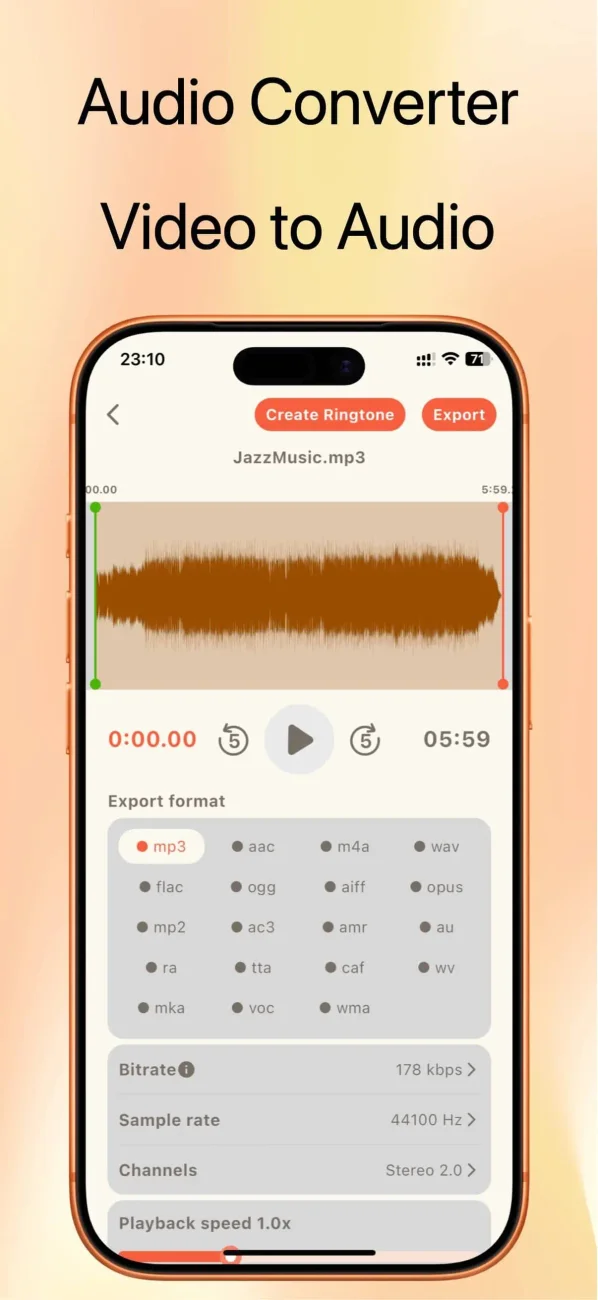
Audio Converter is your all-in-one mobile studio to extract high-quality music from videos, convert between 18+ formats, and create custom ringtones—100% offline and secure.
Whether you need to turn a music video into an MP3 or batch-convert voice memos for work, our powerful local engine ensures lightning-fast processing without ever uploading your data to the cloud.
WHY USERS LOVE AUDIO CONVERTER:
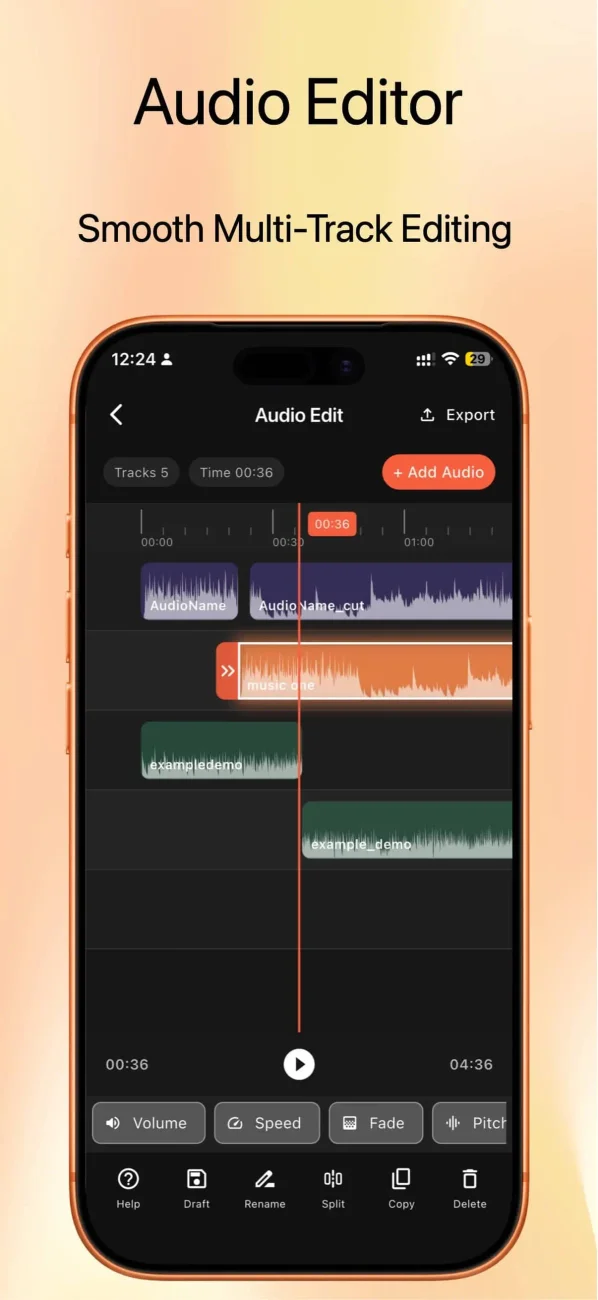
Powerful Multitrack Editing: Added a professional multitrack audio editing system supporting simultaneous cutting and advanced multi-file mixing.
Privacy First: Everything is processed locally. No internet? No problem.
Batch Power: Convert or extract audio from multiple files simultaneously to save time.
Pro Editing: Precisely trim audio down to the millisecond for the perfect clip.
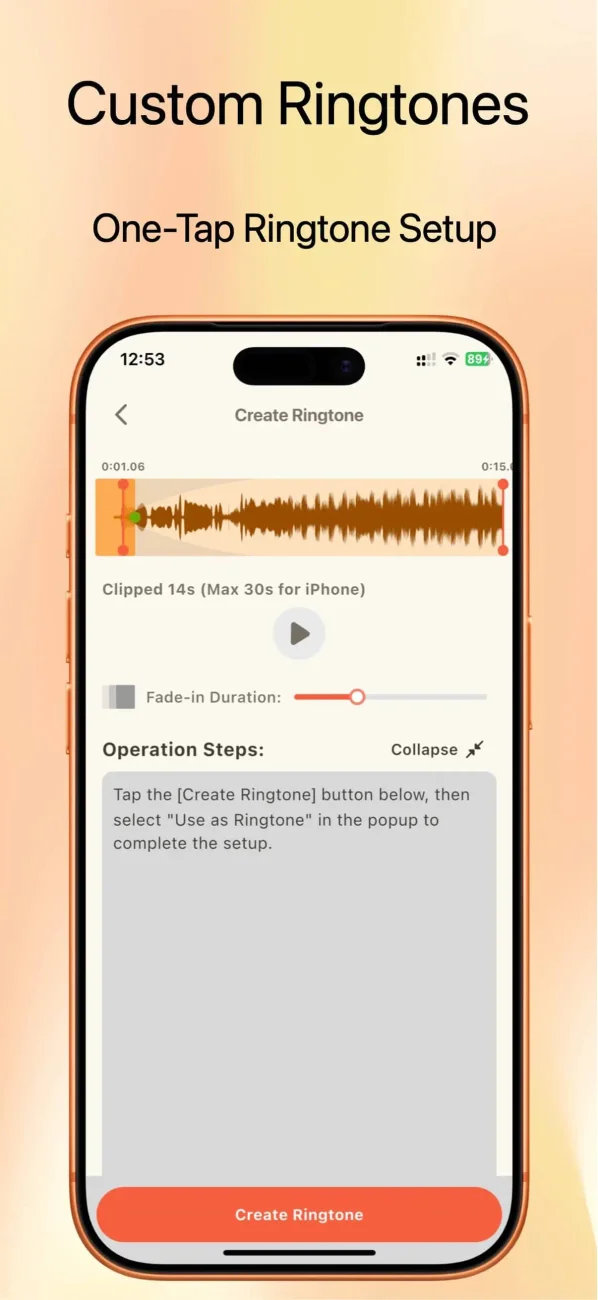
One-Tap Ringtones: Create and set custom tones for alarms or texts directly (no GarageBand required).
KEY FEATURES:
1. Universal Format Converter
Support for 18+ formats: MP3, M4A, AAC, WAV, FLAC, OGG, AIFF, OPUS, AMR, WMA, and more. Ideal for podcasts, lectures, and music libraries.
2. High-Speed Video Extractor
Extract crystal-clear audio from MP4, MOV, or AVI files. Perfect for grabbing that catchy background music from your favorite clips.
3. Advanced Audio Editor
Trim & Cut: High-precision waveform editing.
Export Options: Customize Bitrate, Sample Rate, and Channels.
Speed Control: Adjust playback speed for study or transcription.
4. Smart Import & Export
Import from iCloud, Files, Music Library, or WiFi Transfer.
"Recent Works" folder for quick access and management.
5. Clean & Minimalist Design
No complex menus. Just a straightforward, efficient workflow designed for both casual users and pros.
Support & Feedback
We are constantly updating! Use the in-app "Feedback" button or contact us if you have suggestions.
Privacy Policy: https://fishy-puppet-bb8.notion.site/100368becc0b80769c45c4f4c85765ea
Terms of Use: https://fishy-puppet-bb8.notion.site/100368becc0b801ba21ffdaf0ef59f64
What’s new
Version 1.0.57 · Nov 24, 2026
1. Refined UI layout and visual details, fixed known issues, and improved overall app stability.
2. Improved customer support access: Added a "Contact Support" shortcut in Settings so you can easily reach us whenever you need help.
3. Enhanced the membership subscription page: Clarified pricing, billing cycles, and fee details for each plan, making purchase buttons and billing information clear at a glance.
App privacy
What Chengdu Xiaomeng Huanian Technology Co., Ltd. declares on the App Store about how this app handles data.
-
Data not collected
The developer does not collect any data from this app.
Privacy practices may vary, for example with the features you use or your age.
Information
- Seller
- Chengdu Xiaomeng Huanian Technology Co., Ltd.
- Category
- Utilities
- Version
- 1.0.57
- Updated
- Nov 24, 2026
- Released
- Sep 15, 2024
- Size
- 119.1 MB
- Requires
- iOS 15.6 or later
- Age rating
- 4+
- Price
- Free
- In-app purchases
- Yes
- Languages
- English, Arabic, Dutch, French, German, Indonesian, Italian, Japanese, Korean, Portuguese, Simplified Chinese, Spanish + 3 more
- Copyright
- © Chengdu Xiaomeng Huanian Technology Co., Ltd.
You might also like
-
 Calculator mini - ComboHistory & Widget
-
 Net - 系统监测网速展示流量统计工具网速显示抢票时间灵动岛悬浮窗显示工具
-
 订阅日期Utilities
-
 flixUtilities
-
 ByePhotos - Free Up StoragePhoto Clean, Delete Duplicates
-
 小熊拦截 - 电话防骚扰助手、来电显示和骚扰广告推销电话识别Utilities
-
 Fileso: zip rar 7zip ExtractorPreview,video,audio,convert
-
 LED Banner - Marquee controlScrolling text led board
-
 AGC - Video PlayerYour personal home theater
-
 Convert Me - Video Audio PDFEfficient file processing tool