
Audio Extractor-Audio Editing
Audio Extractor, audio editor
Designed for iPhone, iPod touch
Free · In-app purchases
- Age rating4+
- CategoryMusic
- Developer正军 刘
- LanguagesEnglish+ 1 more
- Size36.1 MB
Links to the official App Store page
Download.org hosts no file of Audio Extractor-Audio Editing. The button opens its official App Store page, published by 正军 刘. Listing last checked on Nov 14, 2026.
Screenshots


About
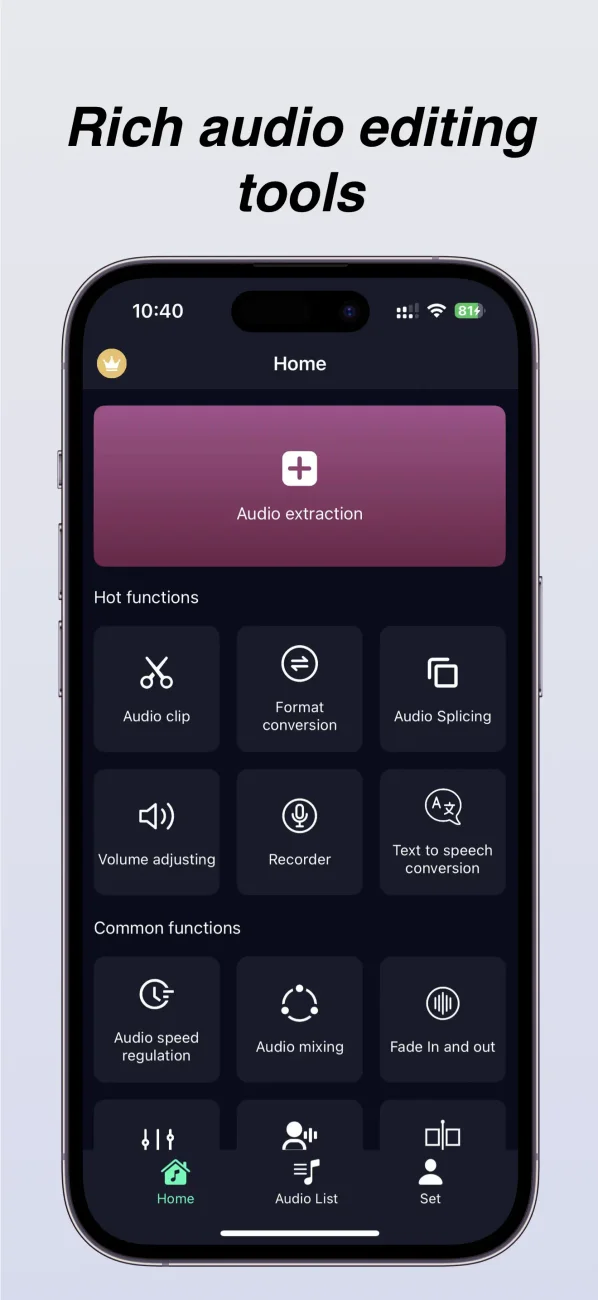
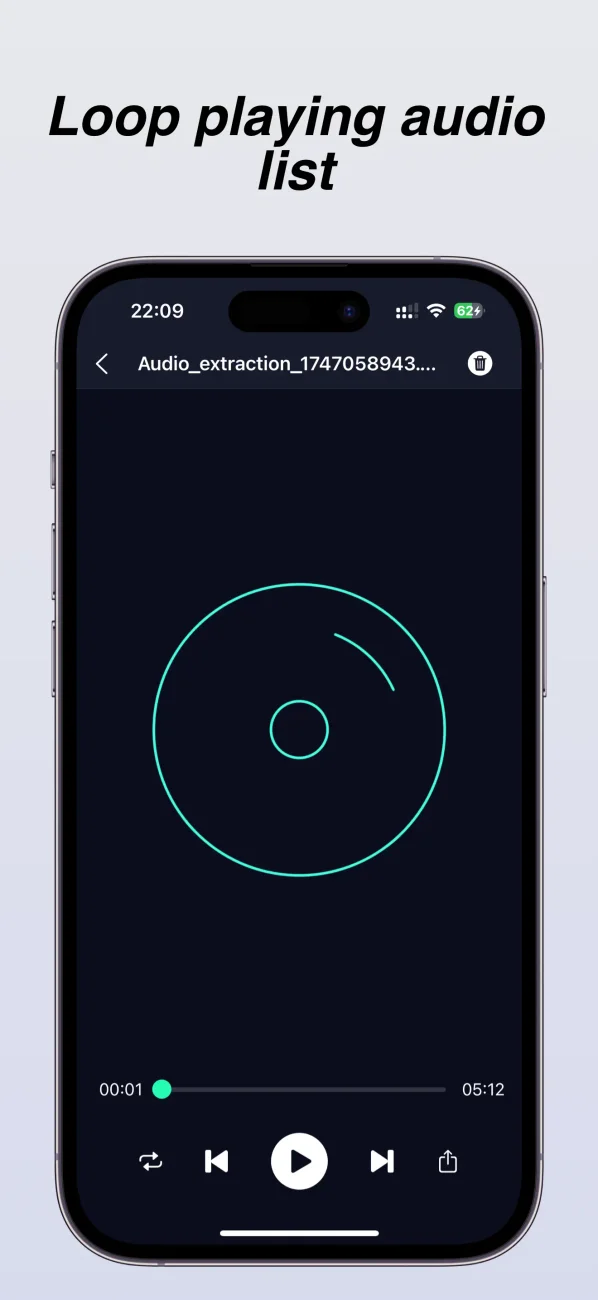
Audio extractor is a simple and professional audio extraction and editing tool that can quickly extract sound from videos, while ensuring that the audio is not distorted or damaged. It also supports defining and extracting audio segments from the video. You can specify which audio segment to extract from the video. When you find a beautiful background music while watching a short video and want to set it as your phone ringtone but cannot obtain the source audio, you can download and save the short video to your phone album, and then use an audio extractor to extract the music from the video. After extraction, you can directly set it as the ringtone.
At the same time, the audio extractor also provides professional audio processing tools such as audio format conversion, batch conversion of audio formats, audio merging and splicing, volume adjustment, audio acceleration and deceleration, fade in and fade out, audio mixing, recording, etc., which can meet most of your audio processing needs and no longer worry about downloading a push of applications just to process a song.
Main features:
[Audio Extraction]
The audio extractor can quickly extract and save the audio from the video to the phone, and the extracted audio has the same sound quality as the original video, ensuring the quality of the audio
[Audio Editing]
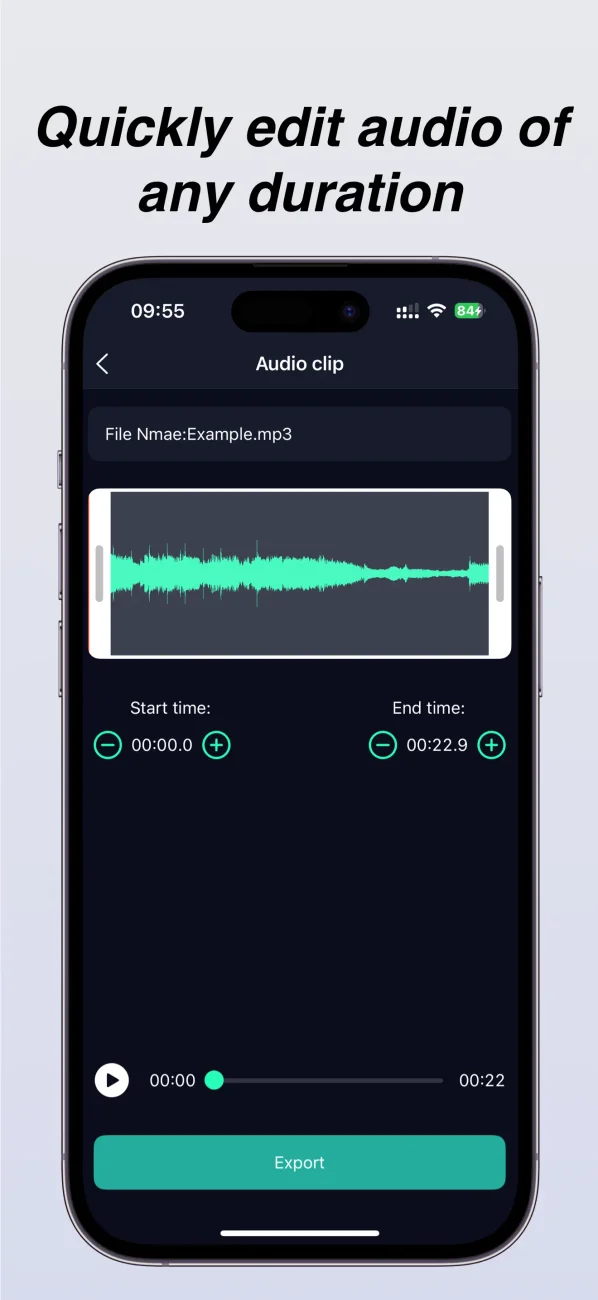
The audio extractor provides audio cropping function, which extracts a selected segment from your favorite audio to generate a new audio file. It supports splitting and deleting the middle segment of the audio, accurate to 0.1 seconds, and supports loading long audio
[Format Conversion]
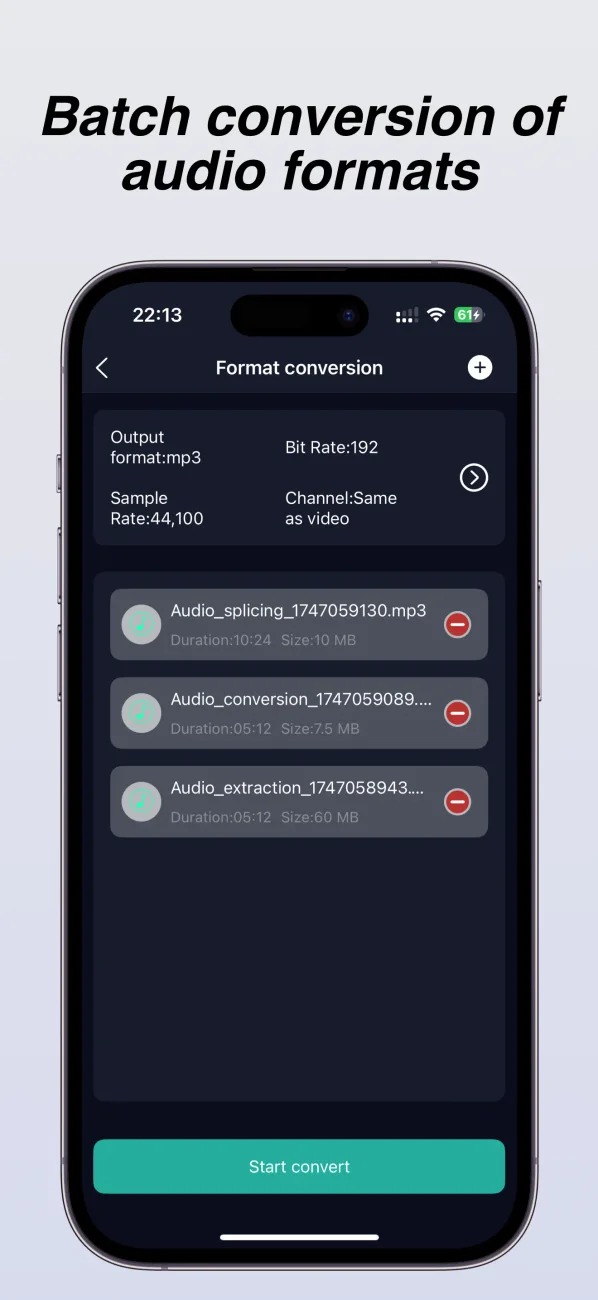
The audio extractor provides mutual conversion between multiple audio formats to meet your needs for different audio formats, and supports custom parameter settings such as bit rate, sampling rate, channel, etc. The supported formats include mp3, flac, aac, wav.m4a, wma, and many other commonly used audio formats
[Audio Splicing]
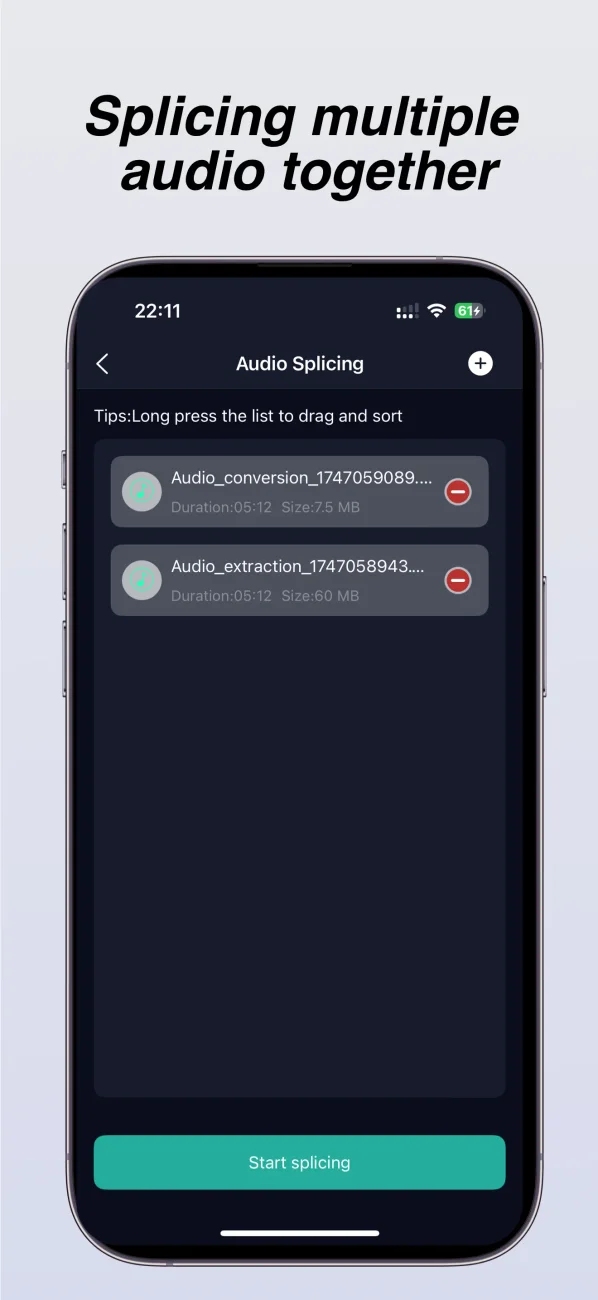
The audio extractor can merge and splice multiple audio files into one MP3 format audio file, and can manually drag and sort the list of audio files to be spliced.
Volume adjustment
The audio extractor can amplify and reduce the volume of MP3 or other format audio files (in decibels)
Audio speed regulation
The audio extractor can adjust the playback speed of audio files, achieving faster or slower playback of audio, helping you create personalized music, and supporting speed adjustment range of [0.5-2.0]
[Fading in and out]
The fade in/fade out function allows you to add fade in/fade out when making phone ringtones, so that the ringtone will not suddenly play loudly when the phone calls
[Audio Mixing]
The audio mixing function can add background music to existing music, making your music more distinctive
[Recorder]
You can record your desired voice anytime, anywhere, during meetings, class notes, business negotiations, and other occasions.
Member subscription:
Payment: The "continuous monthly/annual subscription" product is an automatic renewal product. After confirming the purchase, the fee will be deducted from your Apple iTunes account;
Renewal: 24 hours before the expiration of your subscription period, Apple will automatically deduct the fee from your iTunes account, and the membership benefits will be automatically extended upon success;
To cancel automatic renewal, please manually disable it in your Apple ID account settings at least 24 hours before the subscription period expires. Once disabled, no further charges will be made.
The automatic renewal subscription price is ¥ 15 per month and ¥ 69 per year
The non automatic renewal subscription price is: ¥ 9 for weekly members, ¥ 19 for monthly members, and ¥ 99 for annual members
Privacy Policy: http://appmanager.cn/privacy/app/ios/privacy/audio_editor_privatestatement_ios.html
User Agreement: http://appmanager.cn/privacy/app/ios/userAgreement/audio_editor_user_agreement_ios.html
【 Contact Us 】
Email: yuanshundevelop@163.com
What’s new
Version 2.0.0 · Aug 18, 2026
1. Optimize the UI display of iOS 26 system.
2. Fix the issue of clicking on the list in iOS 26.5.0.
3. Fix the issue that the format conversion parameters cannot be adjusted
App privacy
What 正军 刘 declares on the App Store about how this app handles data.
-
Data not linked to you
May be collected but is not linked to your identity.
- Identifiers
- Diagnostics
Privacy practices may vary, for example with the features you use or your age.
Information
- Seller
- 正军 刘
- Category
- Music
- Version
- 2.0.0
- Updated
- Aug 18, 2026
- Released
- May 23, 2024
- Size
- 36.1 MB
- Requires
- iOS 15.0 or later
- Age rating
- 4+
- Price
- Free
- In-app purchases
- Yes
- Languages
- English, Simplified Chinese
- Copyright
- © 2024 Liu Zhengjun
You might also like
-
 Audio Converter-Video to AudioRingtone Maker·Audio Edit·TTS
-
 Audio Extractor: Vid2AudioTrim, Edit, Convert & Batch
-
 Audio Editor: Video to Audiomusic editor & MP3 converter
-
 MP3 Converter-Remove Vocalsaudio editor, vocal extractor
-
 Audio FusionA powerful audio editor
-
 Audio Extractor &MP3 ConverterExtract audio, Ringtone Maker
-
 Remove Vocals-vocal extractorSeparate voice and music
-
 MP3 Audio ConverterㅤConvert Video to WAV, M4A, AAC
-
 虫虫钢琴-钢琴谱钢琴教学钢琴陪练Music
-
 Audio Editor: MP3 ConverterMusic maker,mp3 cutter,merger