Audio Recorder Trigger Lite
Sound recording with trigger
Designed for iPhone, iPad
Free
- Age rating4+
- CategoryUtilities
- DeveloperPhilip Braham
- LanguagesEnglish
- Size3.7 MB
Links to the official App Store page
Download.org hosts no file of Audio Recorder Trigger Lite. The button opens its official App Store page, published by Philip Braham. Listing last checked on Nov 22, 2026.
Screenshots


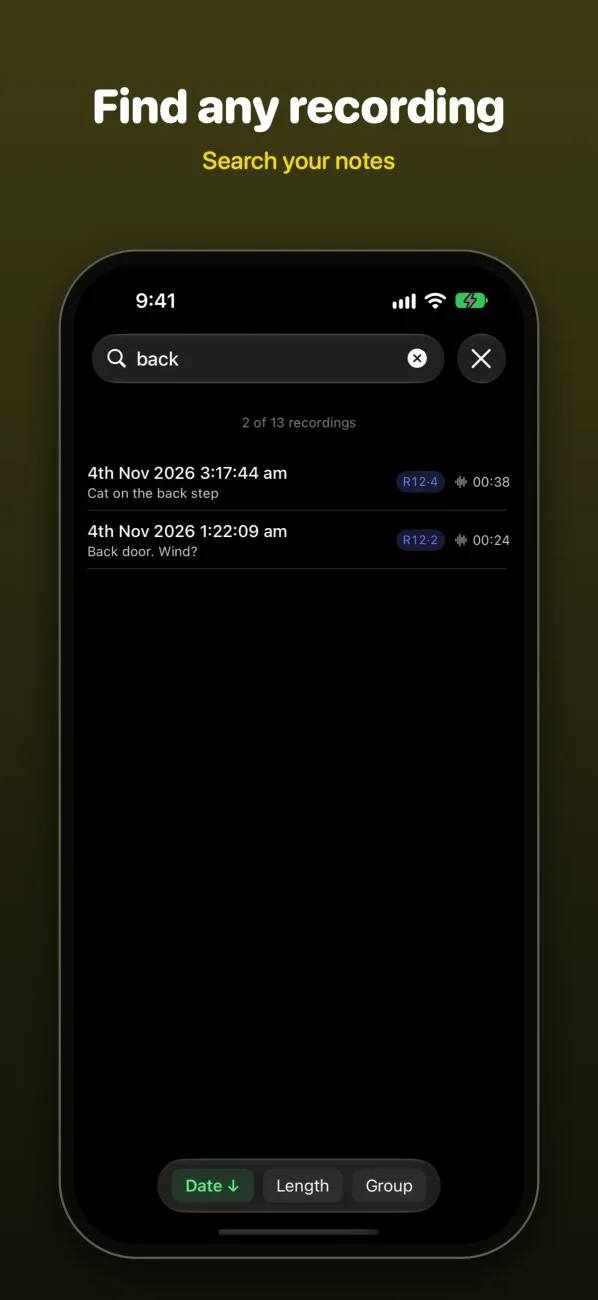
About
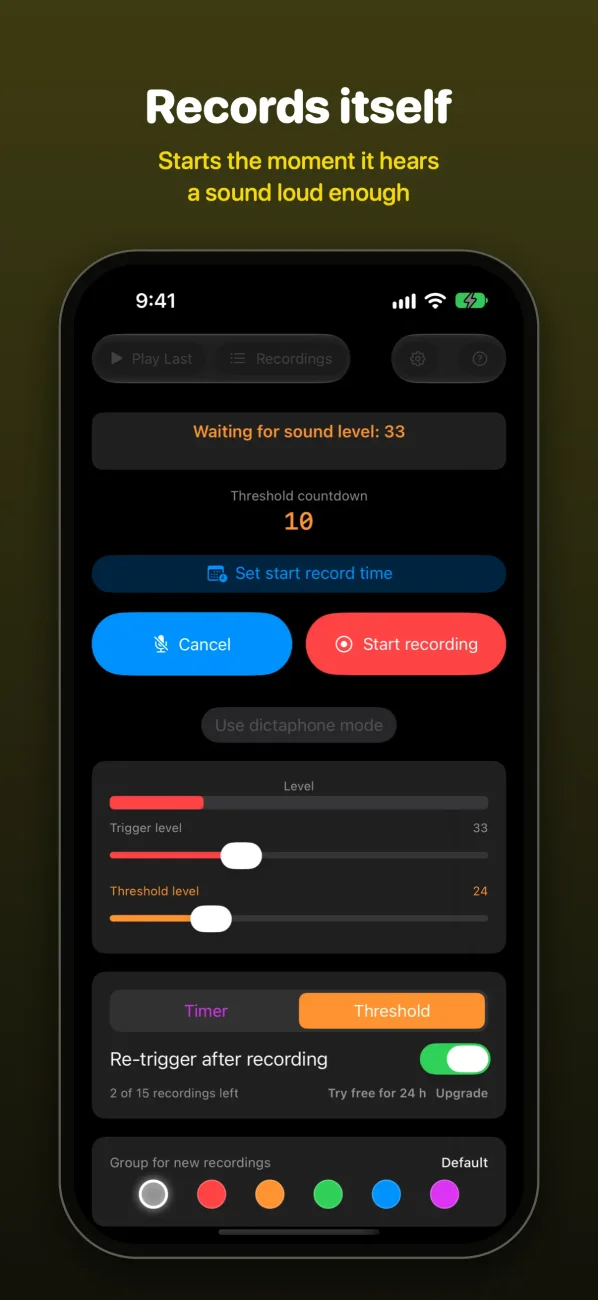
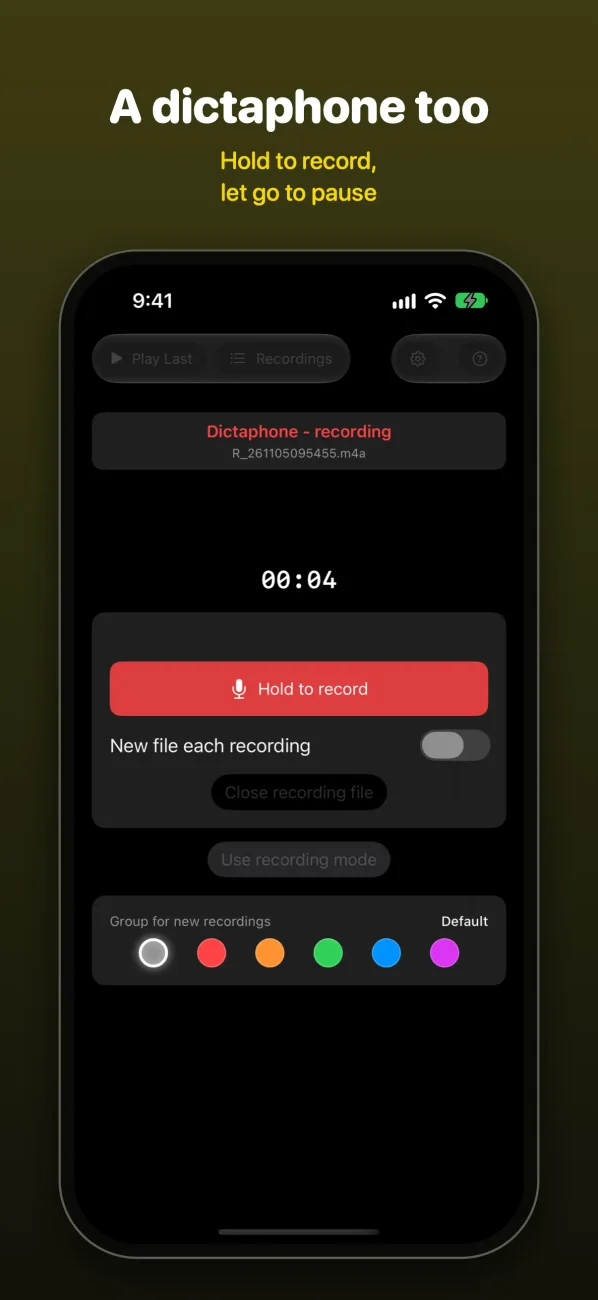
Recorder with trigger is the ultimate recording app. It will start recording when a trigger level of sound is reached (or just start it manually) or in Dictaphone mode recording takes place as long as the record button is held down.
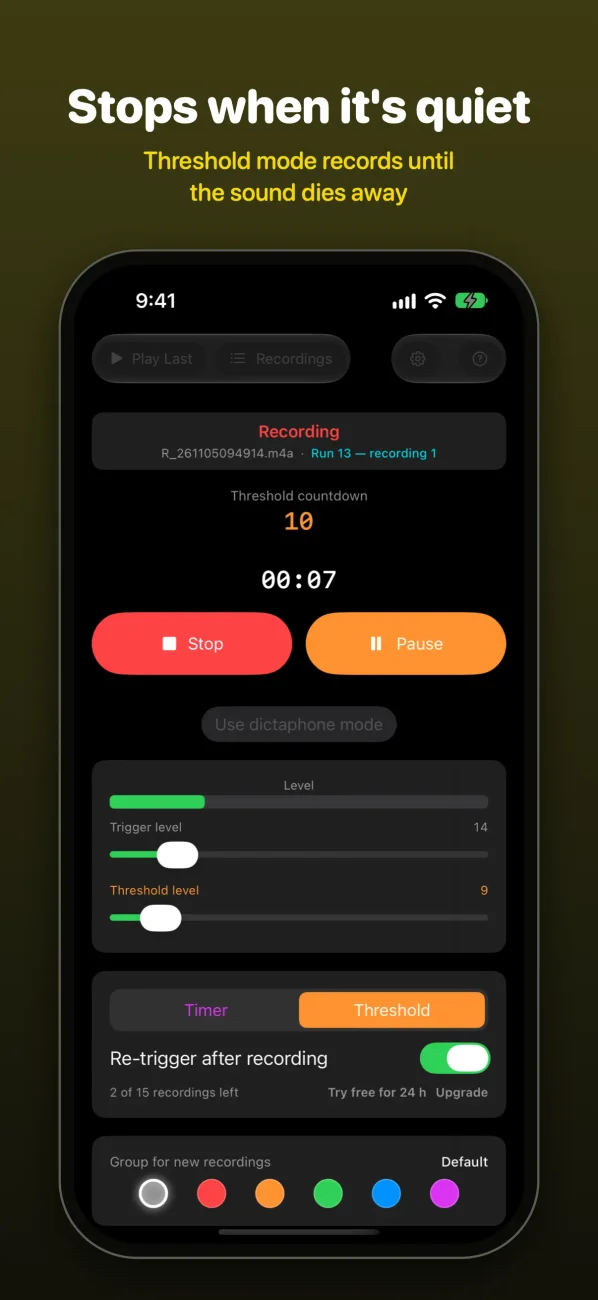
Options to stop recording after a time interval or when the sound level drops.
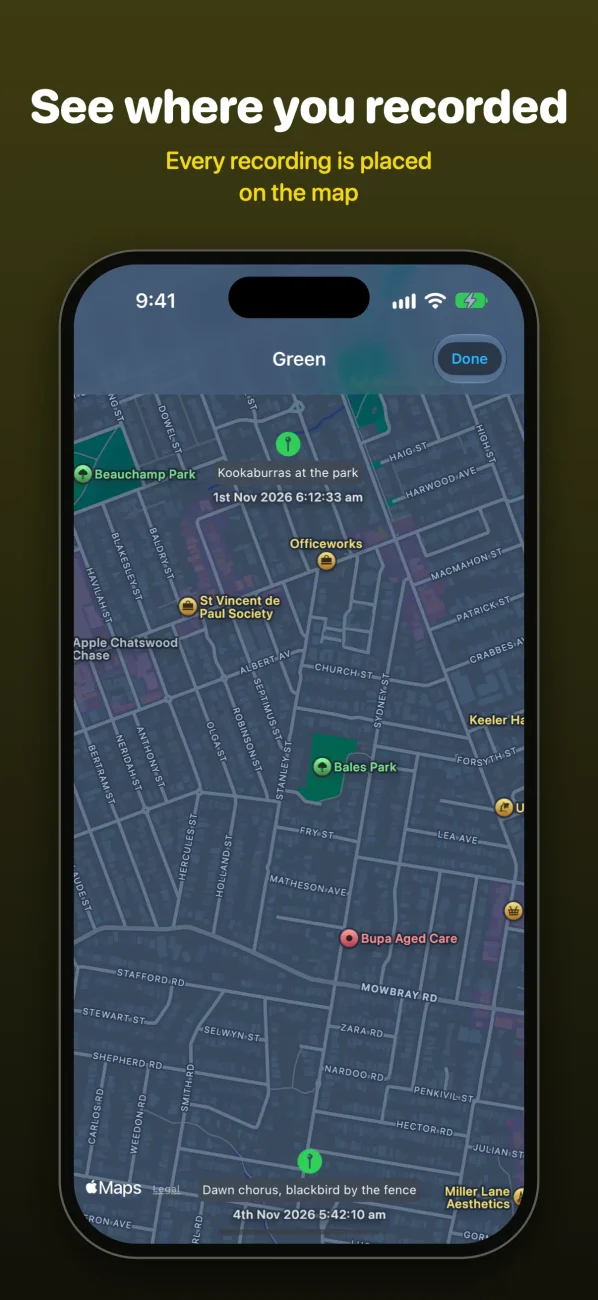
Recordings are geo-tagged so the location of the recording can be seen on a map.
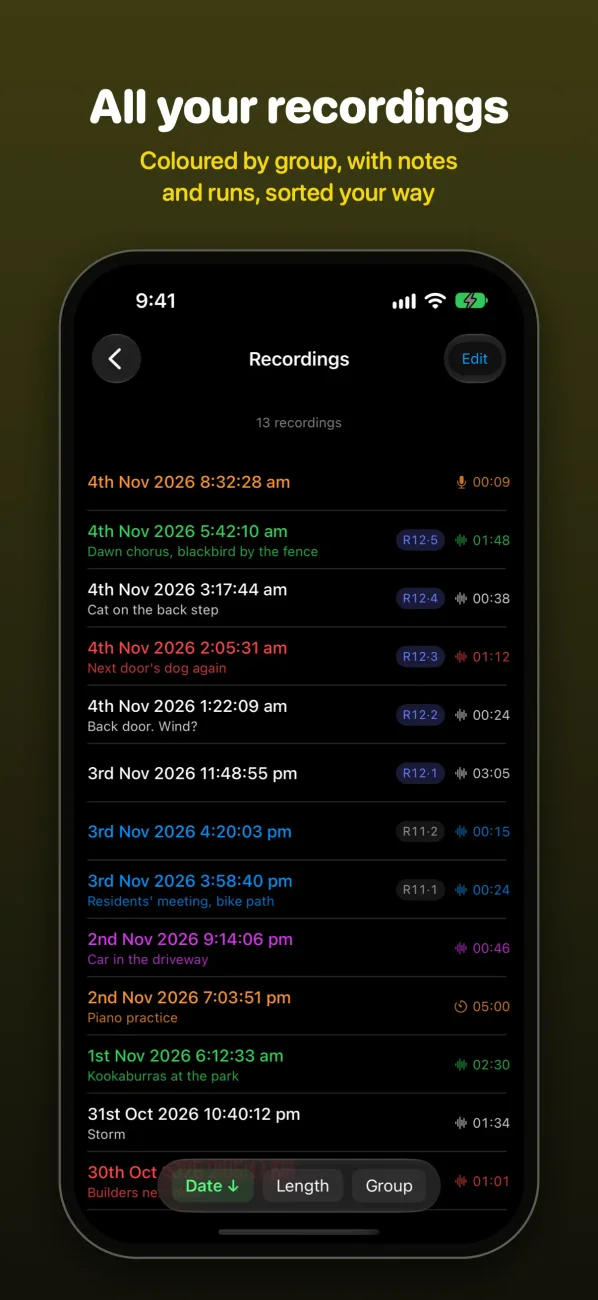
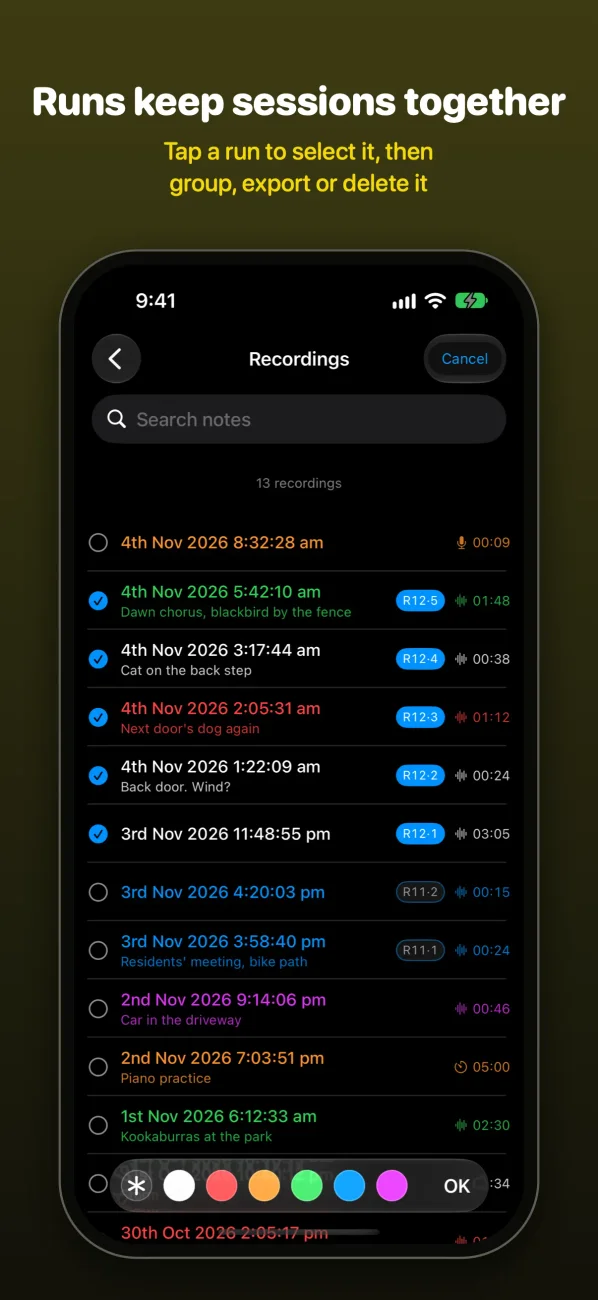
Put the recordings into colour groups and show all their locations. Add notes to a recording. Share the recordings.
Use in the car. Recording will start when you shout!
KEY FEATURES:
- High quality voice recording.
- Record immediately or wait for trigger
- Schedule a recording to start (Full version or 24-hour pass)
- Pre-record automatically so the you hear before the trigger sound (adjustable in full version)
- Record for a certain time, until the ambient sound drops or until stopped manually
- Automatically set to wait for a sound to start recording again
- Dictaphone note-taking mode
- View waveform of recording
- Record songs, lectures, speeches etc.
- Transcribe recordings. Recordings with speech are written out automatically, so you can search for what was said. It records, and writes it down. the first few words
- Search transcripts for a word or phrase in a recording
- A timer to keep track of your recording time.
- Use it to monitor your sleep talk!
- Best quality
- Play, pause, stop audio files.
- Send / Share your recording.
- Delete or upload your recording right from the app.
- Add notes to your recordings.
- Save / pause / resume / abort the recording process control
- Geo-tagged Recordings: Recordings are geo-tagged so the location of the recording can be seen on a map. Every recording automatically includes your location. This makes it ideal for journalists, travellers, and professionals who want detailed location context for every sound clip.
Set trigger level to record high quality voice recordings. Recording starts when a trigger level of sound is reached. Say goodbye to missed moments! Set a trigger threshold, and Recorder with Trigger will automatically begin recording whenever the surrounding sound exceeds that level and can stop when the level drops.
Dictaphone Recordings:
In Dictaphone mode recording takes place as long as the record button is held down. This audio recording app allows you to easily capture notes and memos by voice, as well as record meetings, lectures, interviews, and everyday sounds. Instead of writing notes by hand, simply record everything you need, from quick to-do lists to important memos using speech.
Colour Group recordings
Put the recordings into colour groups and show all their locations. Add notes to a recording. Group all your vocal recordings into defined categories. Mark your favourite talks and memos. Place recordings, choose colours and folders. Achieve clear and sharp sound.
Map View of Recordings
See all your geo-tagged recordings displayed on an interactive map, either on its own or the whole group. Tap any pin to instantly see the notes. Recordings can also be shown on the Maps app.
Share Recordings Easily
Share your recordings quickly through email, or social apps. Export them for transcription, editing, or storage — all in a few taps.
Why Choose Recorder with Trigger?
Voice Recorder Audio Memos is more than just a simple recorder, it’s a powerful, automatic voice recorder with sound timer & trigger, location tagging, and intuitive organisation. Capture everything that matters automatically, efficiently, and in quality sound.
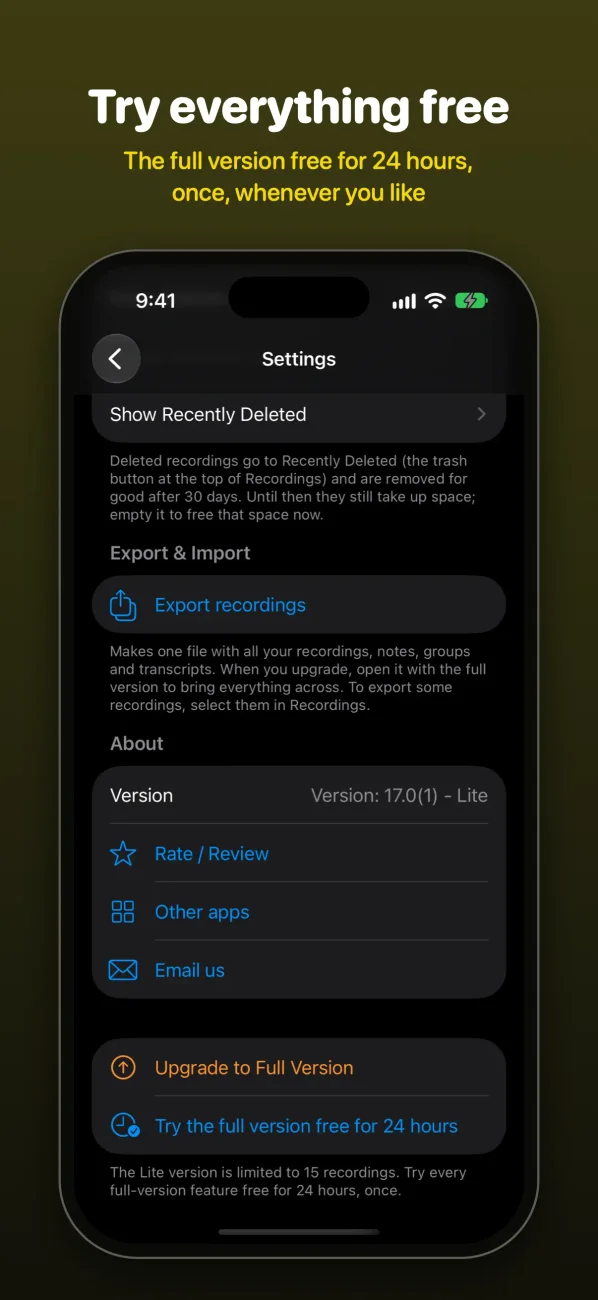
More features are available in the full version: Full transcription, background recording, trim, pre-record up to 10 seconds,
PRIVATE
Everything happens on your phone. Sound recognition and transcription run on the device, and nothing is uploaded. No account, no subscription, no ads.
Transcription needs iOS 26 or later.
From Realtime Software, an independent Australian developer. Questions or ideas? Use 'Email us' in Settings.
What’s new
Version 17.2 · Nov 20, 2026
New in this version:
• See the time of day: Playback now shows the clock time under the time into the recording: when it started, the moment playing now, and when it stopped. They're in the recording's group colour.
• Video Recorder with Trigger: our other app films when it hears a sound or sees movement. It has a free Lite version too. You'll find it at the bottom of Settings.
App privacy
What Philip Braham declares on the App Store about how this app handles data.
-
Data not collected
The developer does not collect any data from this app.
Privacy practices may vary, for example with the features you use or your age.
Information
- Seller
- Philip Braham
- Category
- Utilities
- Version
- 17.2
- Updated
- Nov 20, 2026
- Released
- Feb 29, 2024
- Size
- 3.7 MB
- Requires
- iOS 17.6 or later
- Age rating
- 4+
- Price
- Free
- Languages
- English
- Copyright
- © 2026 Philip Braham
You might also like
-
 Peak Sound Recorder : Owl Rec.Noise Triggered Sound Recorder
-
 Noise Recorder - ProDecibel Meter & Sound Reports
-
 Pipit: Baby Monitor & AlertsSound Monitor for Deaf & Home
-
 QuietCaseNoise Evidence & Complaints
-
 RouteViewsUtilities
-
 Soonish AppEvent Countdown Timer & Widget
-
 Security Bug FinderDevice & Microphone Monitor
-
 PretakeCapture Audio Before Recording
-
 GolfSense: Golf Swing AnalyzerAI Analysis, Drills & Replay
-
 POOL IQ HUBUtilities