
- Age rating4+
- CategoryBooks
- DeveloperMikhail Vaganov
- LanguagesEnglish
- Size2.0 MB
Links to the official App Store page
Download.org hosts no file of AudioFox. The button opens its official App Store page, published by Mikhail Vaganov. Listing last checked on Nov 12, 2026.
Screenshots



About
AudioFox — Your Personal Audiobook Player
Listen to your audiobooks on your terms. AudioFox is a clean, focused audiobook player that lets you import your own audio files and enjoy them with a beautifully simple interface.
Import Your Library
Bring your audiobooks from the Files app with ease. Import individual MP3, M4A, and M4B files, or import an entire folder as a single multi-file audiobook.
AudioFox automatically reads metadata — title, author, cover art, and chapters — so your library looks great from the start.
Smart Playback
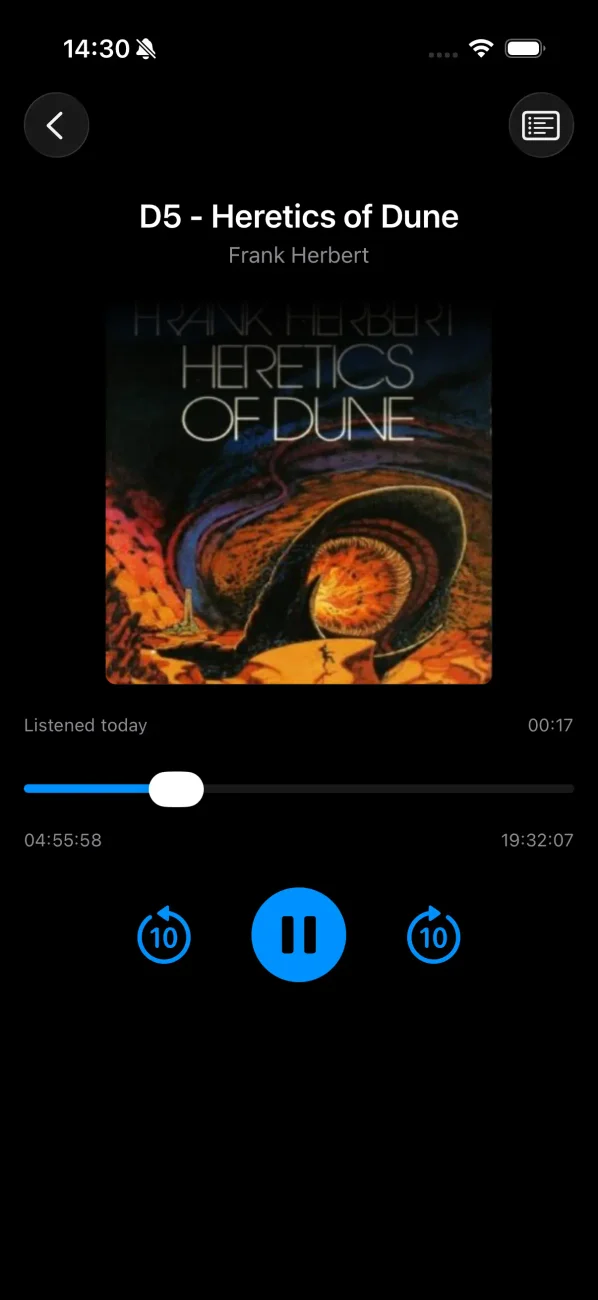
Pick up right where you left off. AudioFox remembers your exact position in every book, even if you switch between titles.
Skip forward or back 10 seconds, scrub through the progress bar, or jump straight to any chapter.
Chapter Navigation
Browse and jump between chapters with a single tap. AudioFox reads embedded chapter markers from your files, and for multi-file audiobooks, it automatically creates chapters from each file — so you always know where you are.
Daily Listening Goals
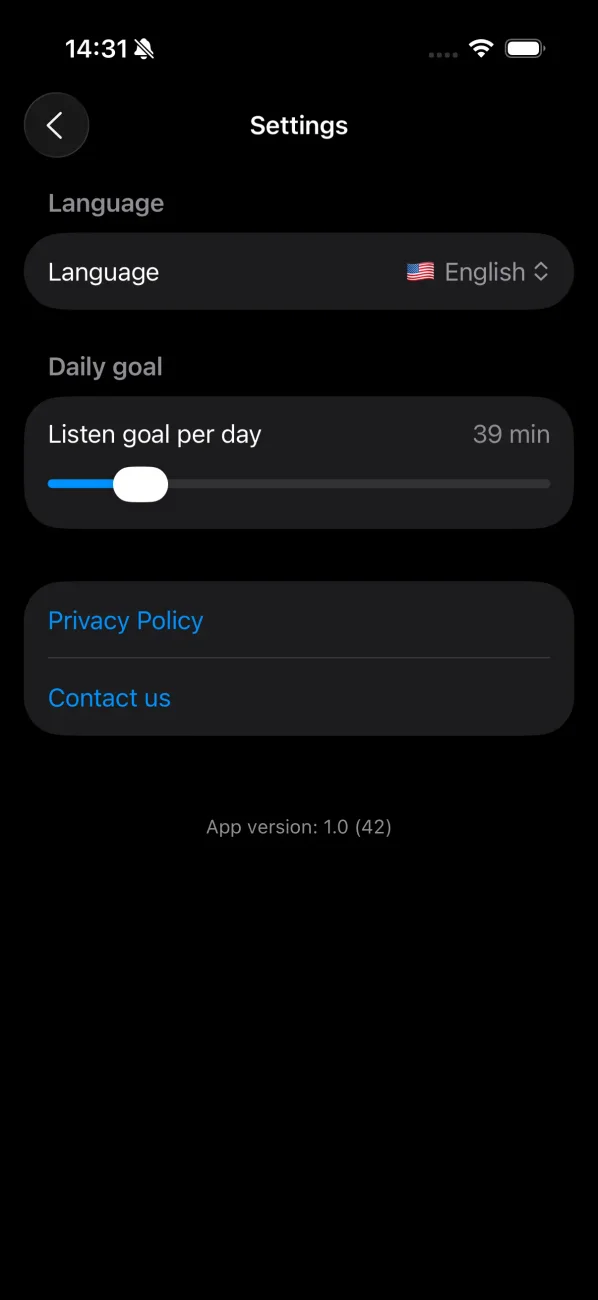
Set a personal listening goal (from 5 to 240 minutes) and track your progress with a visual ring right in the toolbar. When you hit your goal, AudioFox sends you a congratulatory notification to keep you motivated.
Lock Screen & Background Playback
Keep listening when you lock your phone or switch apps. Full lock screen controls let you play, pause, skip, and scrub — complete with album artwork and progress displayed in the Now Playing widget.
Track Your Progress
See how far you've gotten into each book at a glance — with time listened, total duration, and percentage complete shown right in your library. Mark books as complete when you're done, or let AudioFox track it automatically.
Beautiful & Adaptive Design
A clean, modern interface that adapts to how you hold your device. Portrait mode gives you a focused, vertical player. Rotate to landscape and the layout shifts — artwork on the left, controls on the right — for a comfortable widescreen experience.
Multilingual
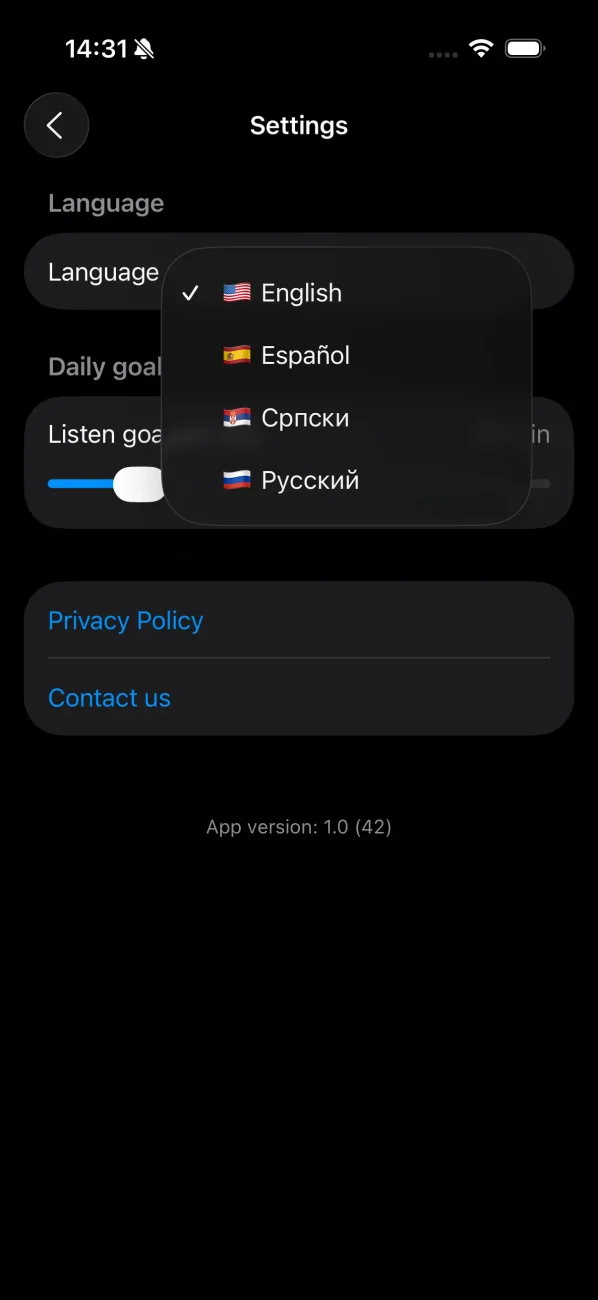
AudioFox speaks your language. Available in English, Spanish, Serbian, and Russian, with the full interface translated — switch anytime from Settings.
Features at a Glance
- Import MP3, M4A, and M4B audiobooks from Files
- Single-file and multi-file (folder) audiobook support
- Automatic metadata extraction (title, artist, artwork, chapters)
- Persistent playback position per book
- Chapter navigation with one-tap seeking
- 10-second skip forward & backward
- Customizable daily listening goal with progress ring
- Goal completion notifications
- Lock screen & Control Center playback controls
- Now Playing info with album artwork
- Mark books as complete
- Library management with swipe-to-delete
- Portrait and landscape orientation support
- Available in 4 languages
- Private and offline — your data stays on your device
App privacy
What Mikhail Vaganov declares on the App Store about how this app handles data.
-
Data not collected
The developer does not collect any data from this app.
Privacy practices may vary, for example with the features you use or your age.
Information
- Seller
- Mikhail Vaganov
- Category
- Books
- Version
- 1.0
- Updated
- Mar 17, 2026
- Released
- Sep 12, 2026
- Size
- 2.0 MB
- Requires
- iOS 26.0 or later
- Age rating
- 4+
- Languages
- English
- Copyright
- © Mike Vaganov
You might also like
-
 Vellum ReaderElegant Book Reader
-
 Bible - CompanionBible Study Tools to Grow
-
 eBookReader: FB2 & EPUB ReaderFB2 Reader, eBook Reader
-
 Holy Bible + Audio200+ Languages + Audio
-
 Inkveil - Comic ReaderYour comics, always with you
-
 BookPlayer: MP3/M4B/M4A/MP4Play audio books offline
-
 BookPlayerPlays M4B/M4A/MP3 audiobooks