Audiory: Audiobook Player
The easy listening experience
Designed for iPhone, iPad
Free
- Age rating4+
- CategoryBooks
- LanguagesEnglish
- Size20.7 MB
Links to the official App Store page
Download.org hosts no file of Audiory: Audiobook Player. The button opens its official App Store page, published by . Listing last checked on Nov 16, 2026.
Screenshots

About
Audiory is a beautiful, native audiobook player that puts you in control. Stream directly from your home server, download for offline listening, or import local files — all in one elegant app.
Stream From Your NAS
Connect to SMB (Windows/NAS shares) or SFTP servers and stream audiobooks directly without taking up storage on your device. Download individual books for offline listening when you're on the go.
Smart Playback Features
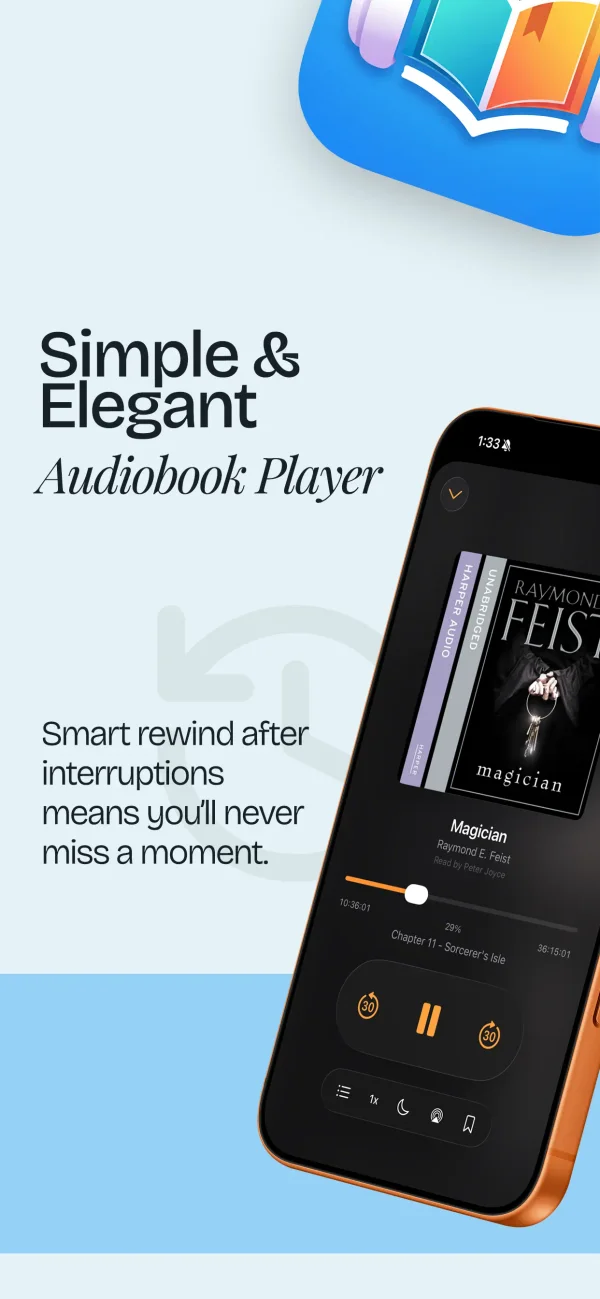
• Smart Rewind — Automatically rewinds a few seconds when you resume, so you never lose your place
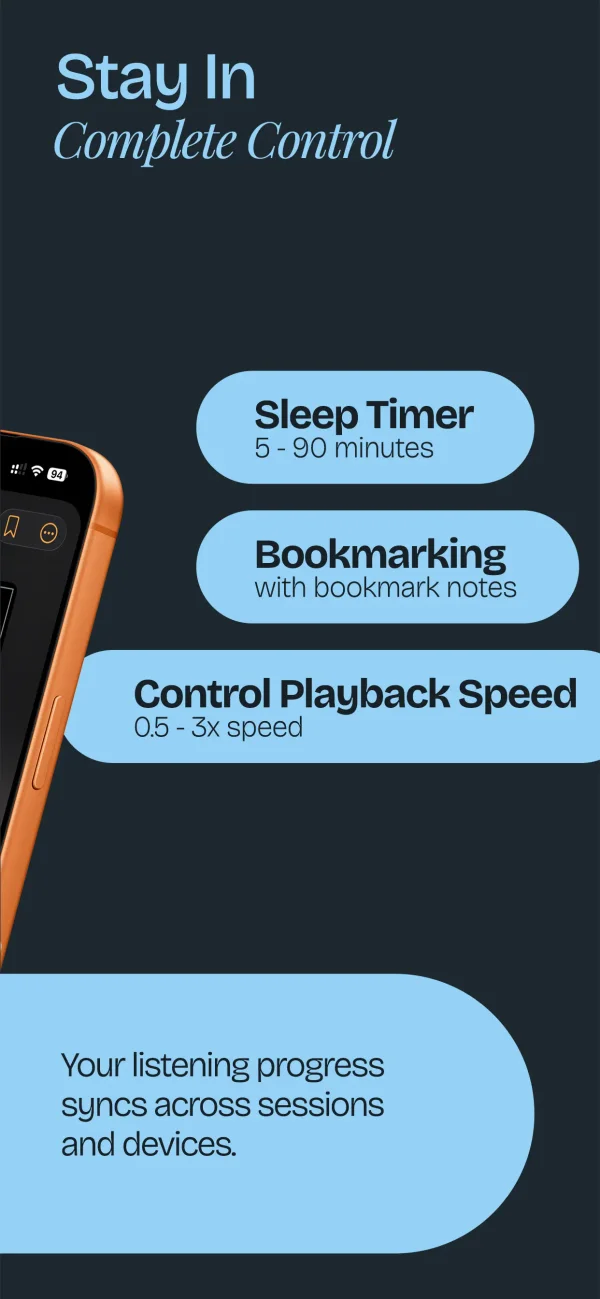
• Sleep Timer — Set timers from 5 to 90 minutes and drift off without losing your spot
• Variable Speed — Listen at 0.5x to 3x speed to match your preference
• Bookmarks — Mark important moments with optional notes
• Chapter Navigation — Jump between chapters with ease
Organise Your Library
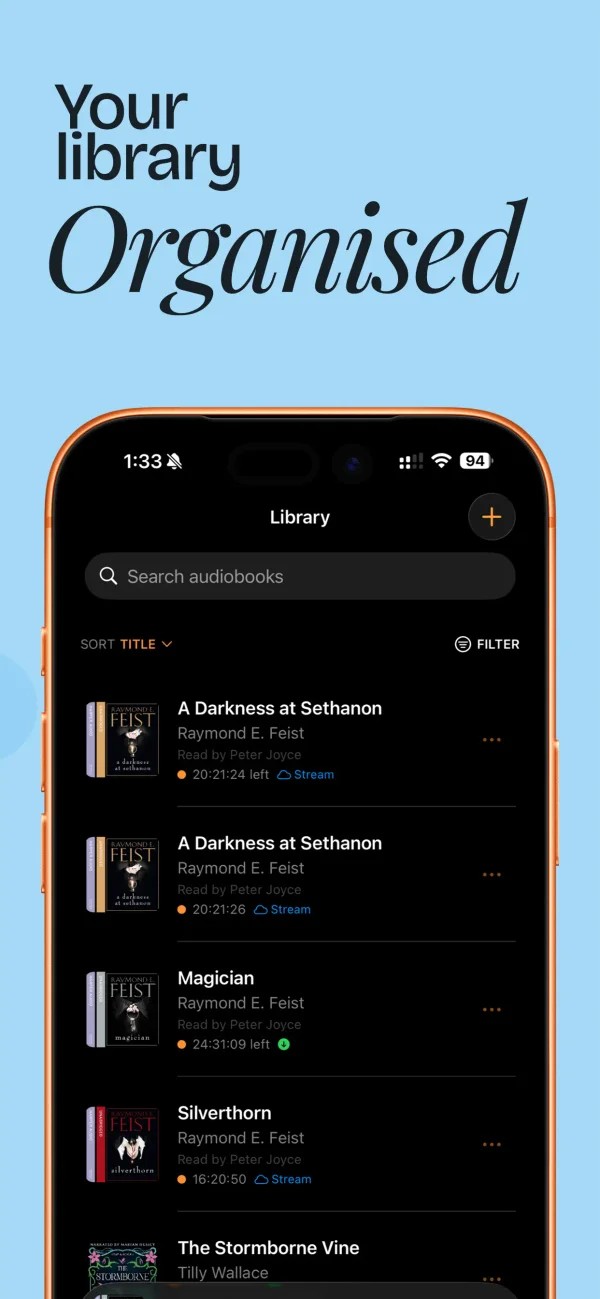
• Sort by title, author, recent activity, or duration
• Filter by download status or listening progress
• Search your entire collection instantly
• Track progress across all your books
Fix Messy Metadata
Audiory can fetch accurate metadata, cover art, and chapter names from Apple Books and Audible — perfect for cleaning up poorly-tagged files.
Formats Supported
M4B, M4A, MP3, and AAC — including multi-file audiobooks where each chapter is a separate file.
Designed for Audiobooks
• Lock screen and Control Center integration
• AirPlay support for streaming to speakers
• Beautiful blurred cover art backgrounds
• 9 accent colours to personalise your experience
No subscriptions. No cloud accounts. Just your audiobooks, your servers, your way.
What’s new
Version 1.2.0 · Sep 12, 2026
CarPlay
Audiory now works in the car. You get your recently played books, your
whole library and your downloads on the head unit, and you can skip
chapters, save a bookmark, jump to any point in the book or turn voice
boost up without ever picking up your phone.
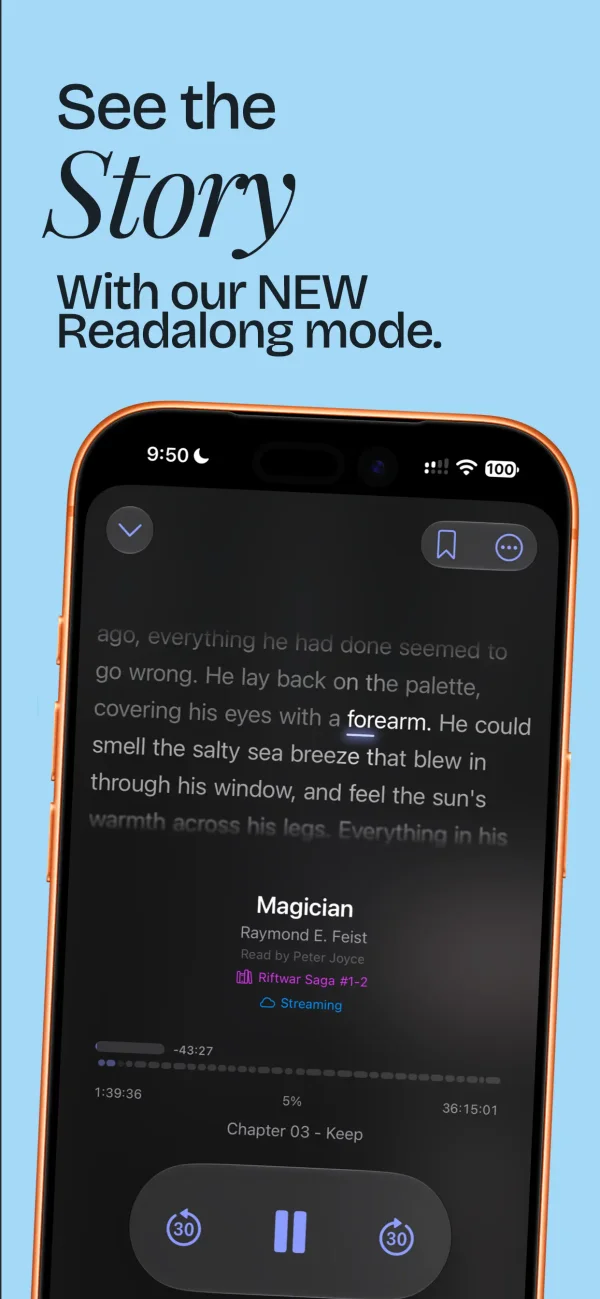
Read along with the narration (iOS 26)
As the narrator reads, each word lights up on screen. Your phone does the
transcription itself, so it works on books you're streaming as well as
ones you've downloaded. It stays off until you turn it on, either in
Settings under Read-along or from the text button in the player.
Chapter names from the narration (iOS 26)
Plenty of audiobooks arrive with nothing but "Chapter 7" in their chapter
list, even though the narrator reads out a real title at the start of each
one. Audiory can listen to those few seconds and suggest what it hears,
and you get to approve the titles before anything changes.
Scan a whole server at once
If your books live on a NAS, you can point Audiory at an SMB or SFTP share
and it will find every audiobook on there, reading the title, author and
cover from each file without downloading any of it. Everything it finds
appears under Available, where you can import the whole lot in one go or
just the ones you're after, and you can rescan later when you've added more
books.
Chapter-by-chapter downloads
You no longer have to take a whole book to get it onto your phone.
Download a single chapter, delete the ones you've finished with, or turn
on Smart Download and Audiory will keep the next few chapters ready and
clear out the ones behind you.
Series
Sorting by series now breaks the library into sections, with each series
in reading order. Audiory reads the series from the file's own tags where
they have them, and gets it from online databases where they don't.
Fix a book's details in one tap
Open Fix Metadata on a book and Audiory looks it up straight away, so one
tap is usually all it takes to set the cover, description, series and
proper chapter names. Where two editions of the same book exist, it
compares their length against your file to work out which one you've
actually got. You can choose which region it searches in Settings.
Voice boost
Some narrators are simply too quiet for a motorway. Voice boost evens out
the narration in three strengths, and you can reach it from the CarPlay
buttons as well as the player. It makes no difference whether the book is
sitting on your phone or streaming from your server.
Sleep timer
The timer can now run to the end of the current chapter.
The volume fades away over the last few seconds rather than
cutting out. If you want longer, shaking the phone adds five minutes
without you having to unlock it, and a shake just after the book stops
will set it playing again.
Elsewhere
The player's progress bar is now split into chapters, with a haptic tick
as you scrub past each one. The library has a grid layout if you prefer
covers to rows, and it remembers how you last sorted and filtered it. You
can set the app to light or dark on its own, regardless of the system. And
there are around 50 Shortcuts actions now, with your books, chapters and
bookmarks all available by name. A good number of smaller fixes are in
here too.
App privacy
What declares on the App Store about how this app handles data.
-
Data not collected
The developer does not collect any data from this app.
Privacy practices may vary, for example with the features you use or your age.
Information
- Seller
- DEAN LAWRENCE DENNIS WARD
- Category
- Books
- Version
- 1.2.0
- Updated
- Sep 12, 2026
- Released
- Jan 21, 2026
- Size
- 20.7 MB
- Requires
- iOS 17.5 or later
- Age rating
- 4+
- Price
- Free
- Languages
- English
- Copyright
- © Dean Ward
You might also like
-
 Chapters - Audiobook PlayerSpecially for audiobooks
-
 Cynapps AudioBook PlayerLocal audiobooks & podcasts
-
 Sine: Audiobook Player MP3/M4BListen offline, sleep timer
-
 AudiaryYour listening companion
-
 Easy AudioBookAccessible. Simple. Easy.
-
 End Novel: Endless NovelStories That Keep You Reading!
-
 Voxium: Text to SpeechPDFs & eBooks, read aloud
-
 Folune: Book Reader & PlayerRead EPUB, PDF, listen to MP3
-
 Ream: AI Text to SpeechListen to Any PDF or Doc Aloud
-
 PageBack: Books PDFs ComicsBooks, comics, PDFs — offline