
AusTax Receipts
Receipt & tax tracker for EOFY
Designed for iPhone, iPad
In-app purchases
- Age rating4+
- CategoryFinance
- DeveloperYu-Chia Feng
- LanguagesEnglish
- Size74.0 MB
Links to the official App Store page
Download.org hosts no file of AusTax Receipts. The button opens its official App Store page, published by Yu-Chia Feng. Listing last checked on Nov 13, 2026.
Screenshots

About
AusTax Receipts is the simplest way for Australian tradies, sole traders, contractors and employees to track work expenses all year and be ready at tax time.
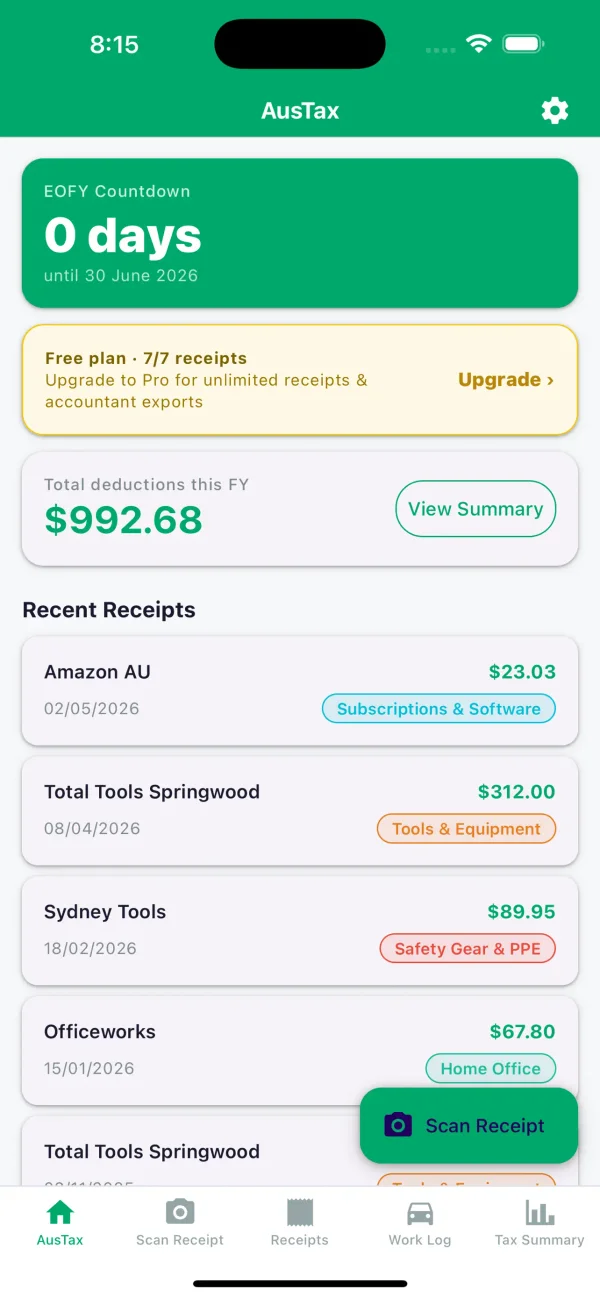
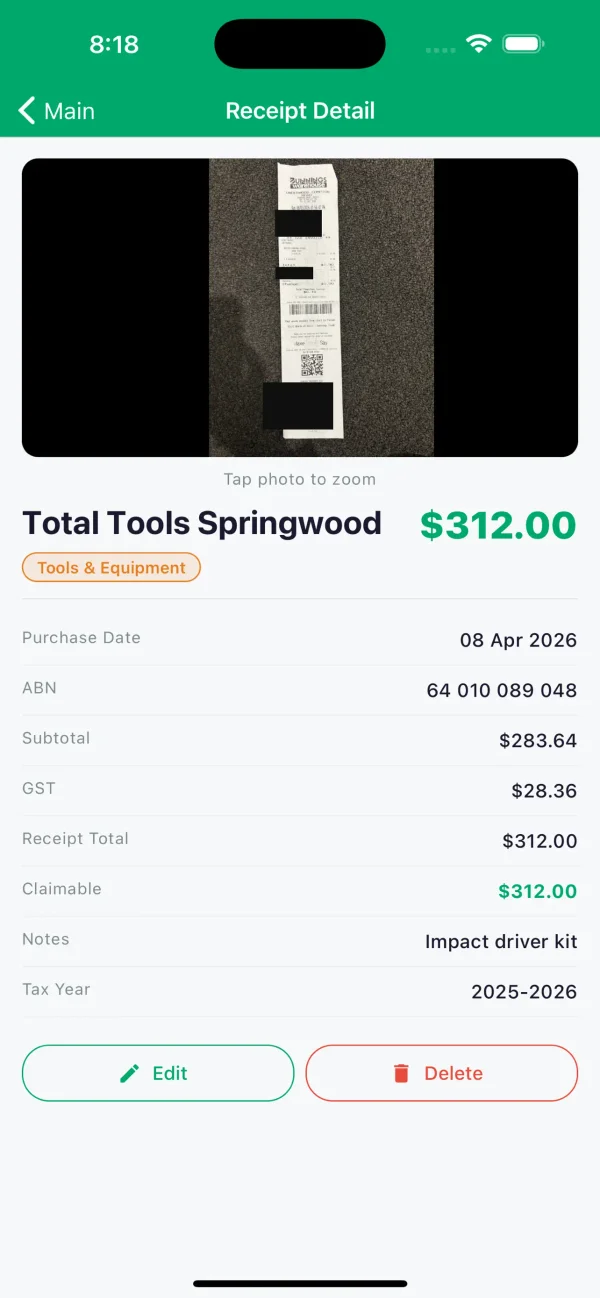
Snap a photo of any receipt and AusTax reads it on your device — vendor, date, GST, total and line items are filled in for you. No typing, no shoebox of faded paper, no cloud account required.
WHY YOU'LL LOVE IT
• Snap & scan — photograph a receipt and the details are auto-filled using on-device text recognition. Long receipt? Take several photos and they're stitched into one.
• Pinch to zoom — open any saved receipt photo full-screen and zoom in to read the fine print.
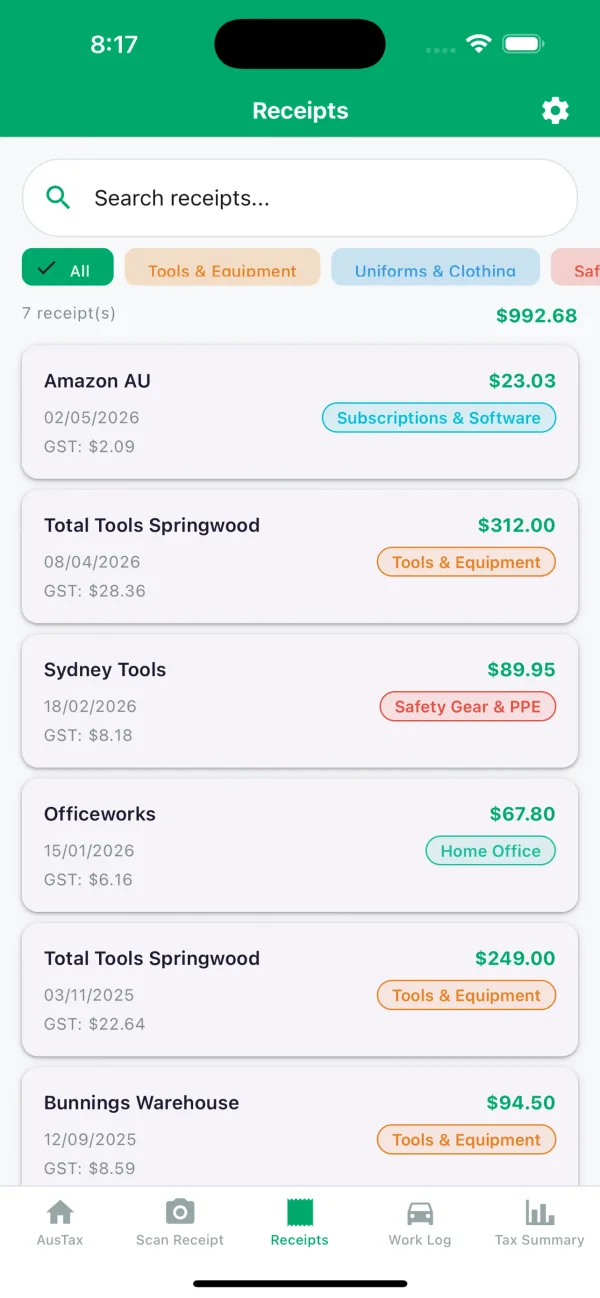
• GST & totals — subtotal, GST and total are captured for every receipt (estimated automatically when a receipt is hard to read).
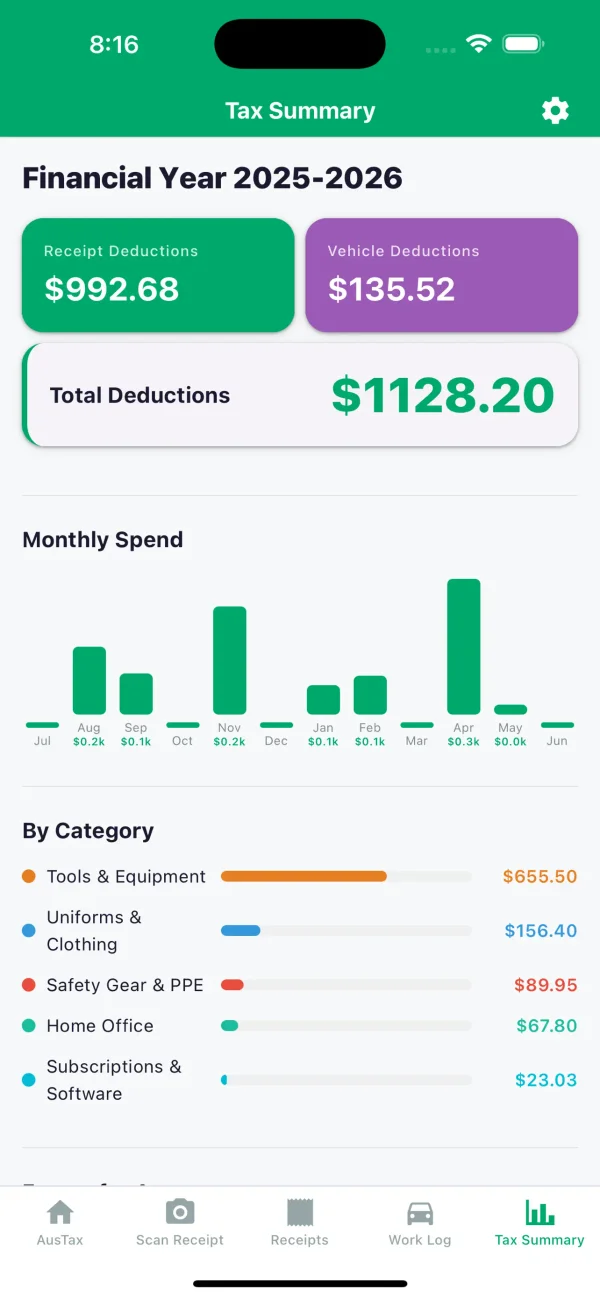
• Smart categories — expenses are sorted into Australian work categories: Tools & Equipment, Uniforms & PPE, Vehicle & Travel, Home Office, and more.
• Partial claims — claim a whole receipt, or just the work-related items on it.
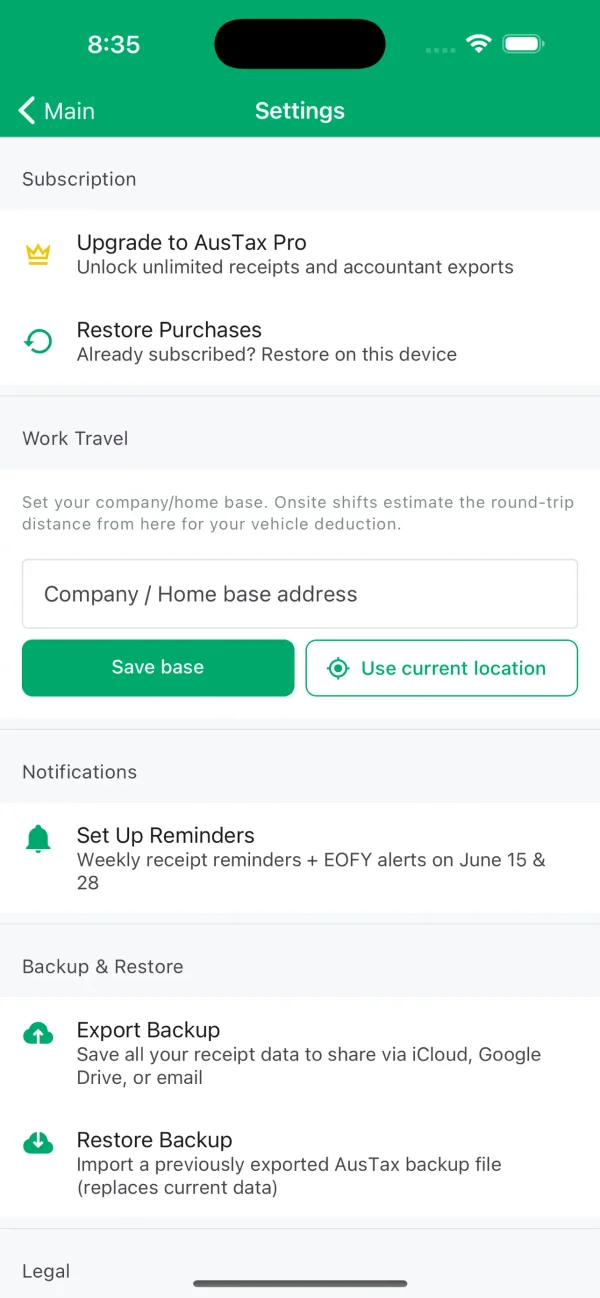
• Work log — record onsite shifts, mileage and business flights. Pick dates on a calendar and times on a 24-hour clock, save your Home or Company address, get the driving distance from Apple Maps, and duplicate a shift to a new day. Vehicle travel is calculated at the ATO cents-per-km rate.
• EOFY summary — see your total deductions, a month-by-month spend chart and a category breakdown at a glance.
• One tap for your accountant — export a PDF report (with receipt photos), a CSV, or a ZIP for your tax agent.
• Private by design — everything is stored on your device. There is no login and no server. Back up or restore your data whenever you like.
FREE & PRO
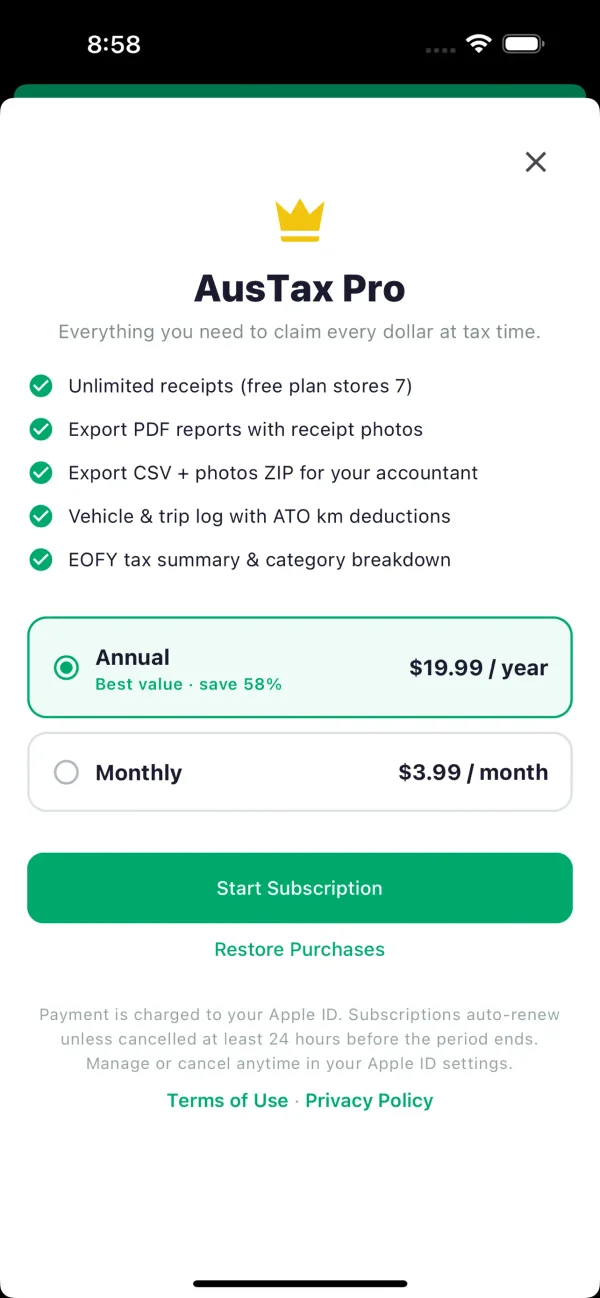
Track up to 7 receipts and 3 work logs free — and try AusTax Pro FREE for 7 days. Pro unlocks unlimited receipts, unlimited work logs and accountant exports:
• AusTax Pro Annual — 7 days free, then A$19.99 / year (best value)
• AusTax Pro Monthly — A$3.99 / month
Payment is charged to your Apple ID. Subscriptions auto-renew unless cancelled at least 24 hours before the end of the period. Manage or cancel anytime in your Apple ID settings.
Privacy Policy: https://chiaoz0115-web.github.io/austax-legal/privacy.html
Terms of Use: https://chiaoz0115-web.github.io/austax-legal/terms.html
AusTax Receipts is a receipt organiser and does not provide tax advice. Always consult a registered tax agent for your circumstances.
What’s new
Version 1.4.0 · Nov 8, 2026
• Calendar date picker and 24-hour clock-in / clock-out times (5-minute steps)
• Overnight shifts now count correctly
• Save departure addresses like Home, Company or Warehouse
• Address search and automatic driving distance from Apple Maps
• Duplicate a shift to a new day in one tap
• The free plan now includes 3 work logs (shifts, trips and flights); AusTax Pro is unlimited
Your existing receipts and work logs carry over unchanged.
App privacy
What Yu-Chia Feng declares on the App Store about how this app handles data.
-
Data not collected
The developer does not collect any data from this app.
Privacy practices may vary, for example with the features you use or your age.
Information
- Seller
- Yu-Chia Feng
- Category
- Finance
- Version
- 1.4.0
- Updated
- Nov 8, 2026
- Released
- Jul 9, 2026
- Size
- 74.0 MB
- Requires
- iOS 16.0 or later
- Age rating
- 4+
- In-app purchases
- Yes
- Languages
- English
- Copyright
- © 2026 AusTax Receipts