- Age rating4+
- CategoryUtilities
- Developer召 吕
- LanguagesEnglish+ 6 more
- Size13.6 MB
Links to the official App Store page
Download.org hosts no file of Auth Guard. The button opens its official App Store page, published by 召 吕. Listing last checked on Nov 6, 2026.
Screenshots


About
The developer has not provided this text in your language.
Auth Guard — 你的验证码,安全由你掌控。
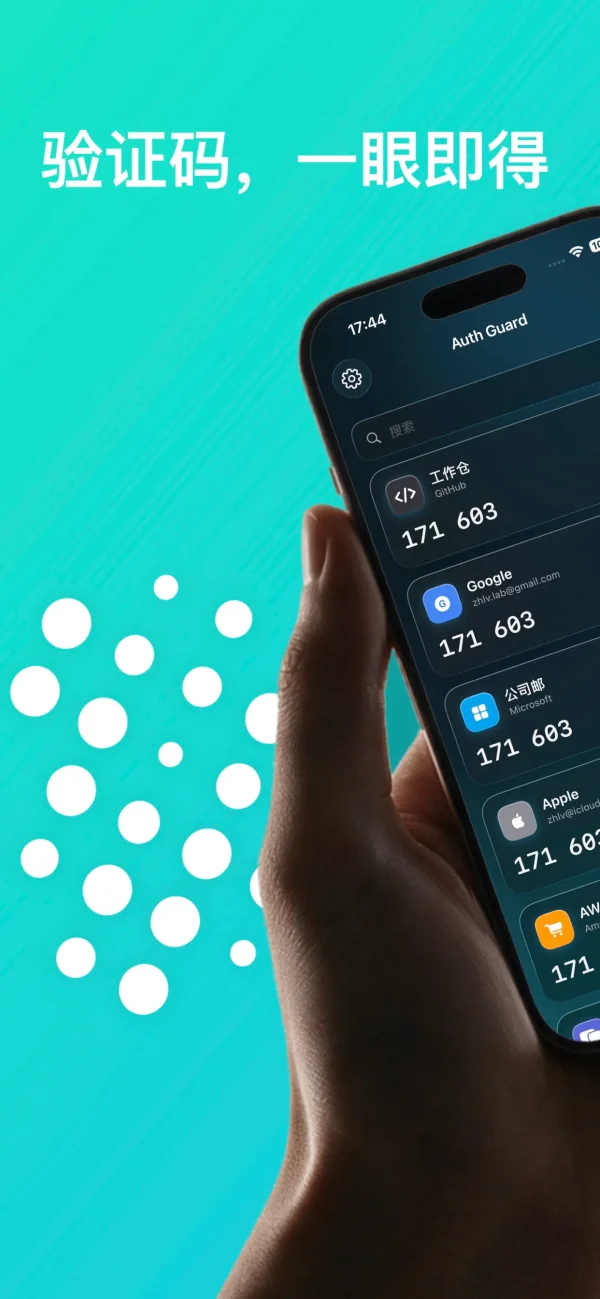
Auth Guard 是一款本地优先的双因素认证(2FA / TOTP)管理器。所有验证码密钥均加密存储在你的 iPhone、iPad 或 Mac 本地,验证码完全离线生成。
【核心功能】
• 标准 TOTP 验证码(6 位 / 30 秒,兼容 Google Authenticator 等)
• 扫描二维码一键添加(otpauth://)
• 手动输入密钥添加账户
• 令牌列表搜索、一键复制验证码
• 桌面与锁屏小组件:不打开 App 也能看码、点按复制
• Mac 菜单栏常驻:点开菜单栏即看码、点按复制,不用切窗口
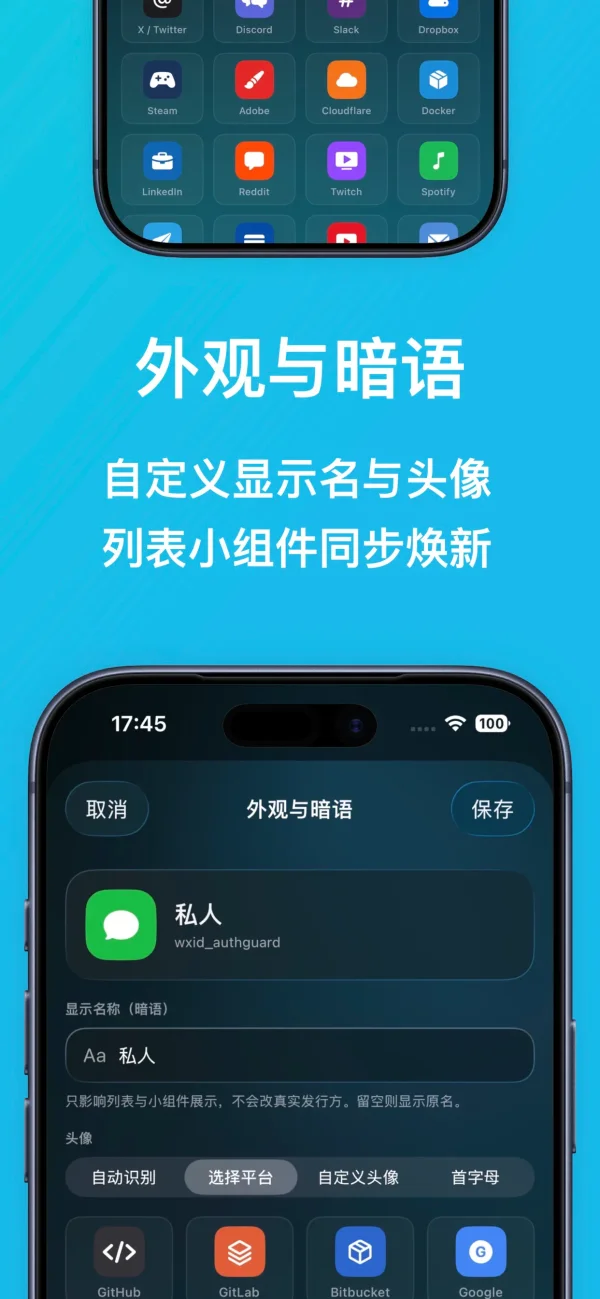
• 外观与暗语:自定义显示名、平台图标或本机头像
• 令牌详情:复制 otpauth 链接、展示二维码、导出备份
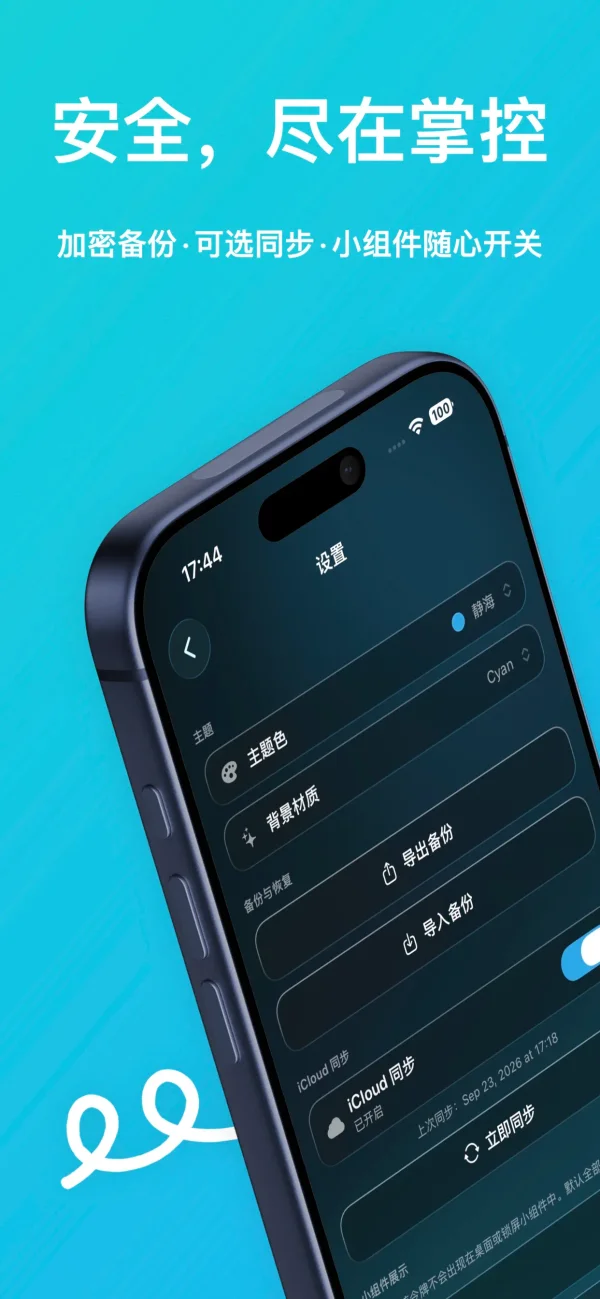
• AES-256-GCM 加密备份:导出 ZIP、导入恢复
• 可选 iCloud 同步:加密后写入你私人的 iCloud Documents(默认关闭)
• 液态玻璃风格界面,主题色与背景材质可定制
【安全设计】
• 密钥存于系统 Keychain(不随 iCloud Keychain 自动同步)
• 小组件与 Mac 菜单栏仅在本机通过 App Group 共享数据,不经开发者服务器
• 账户元数据本地 SwiftData 存储
• 备份与 iCloud 同步均使用 AES-256-GCM
• 不集成广告、分析或追踪类 SDK
【隐私承诺】
• 不收集任何个人数据
• 不要求注册账号
• 相机仅用于扫描二维码;相册仅用于可选自定义头像(Mac 端无相机,改为从图片 / 二维码 ZIP 导入)
• 卸载应用即清除全部本地数据
【设备支持】
• iPhone、iPad(iOS 26.0+)
• Mac(macOS 26.0+)
换机?设置 > 导出备份,或开启可选的 iCloud 同步。
Auth Guard — 安全,就该如此简洁。
What’s new
Version 1.2.1 · Oct 30, 2026
首页列表支持侧滑删除令牌,操作更顺手
修复删除令牌后 iCloud 同步可能把已删令牌重新导回的问题
稳定性与细节优化
App privacy
What 召 吕 declares on the App Store about how this app handles data.
-
Data not collected
The developer does not collect any data from this app.
Privacy practices may vary, for example with the features you use or your age.
Information
- Seller
- 召 吕
- Category
- Utilities
- Version
- 1.2.1
- Updated
- Oct 30, 2026
- Released
- Nov 2, 2026
- Size
- 13.6 MB
- Requires
- iOS 26.0 or later
- Age rating
- 4+
- Price
- Free
- Languages
- English, Arabic, Japanese, Korean, Simplified Chinese, Spanish, Traditional Chinese
- Copyright
- © zhlv