
Authenticator App • 2FA & OTP
Two-Factor Auth Codes & Backup
Designed for iPhone
Free · In-app purchases
- Age rating4+
- CategoryProductivity
- DeveloperRAPID DIJITAL HIZMETLER LIMITED SIRKETI
- LanguagesEnglish+ 11 more
- Size26.0 MB
Links to the official App Store page
Download.org hosts no file of Authenticator App • 2FA & OTP. The button opens its official App Store page, published by RAPID DIJITAL HIZMETLER LIMITED SIRKETI. Listing last checked on Nov 17, 2026.
Screenshots
About
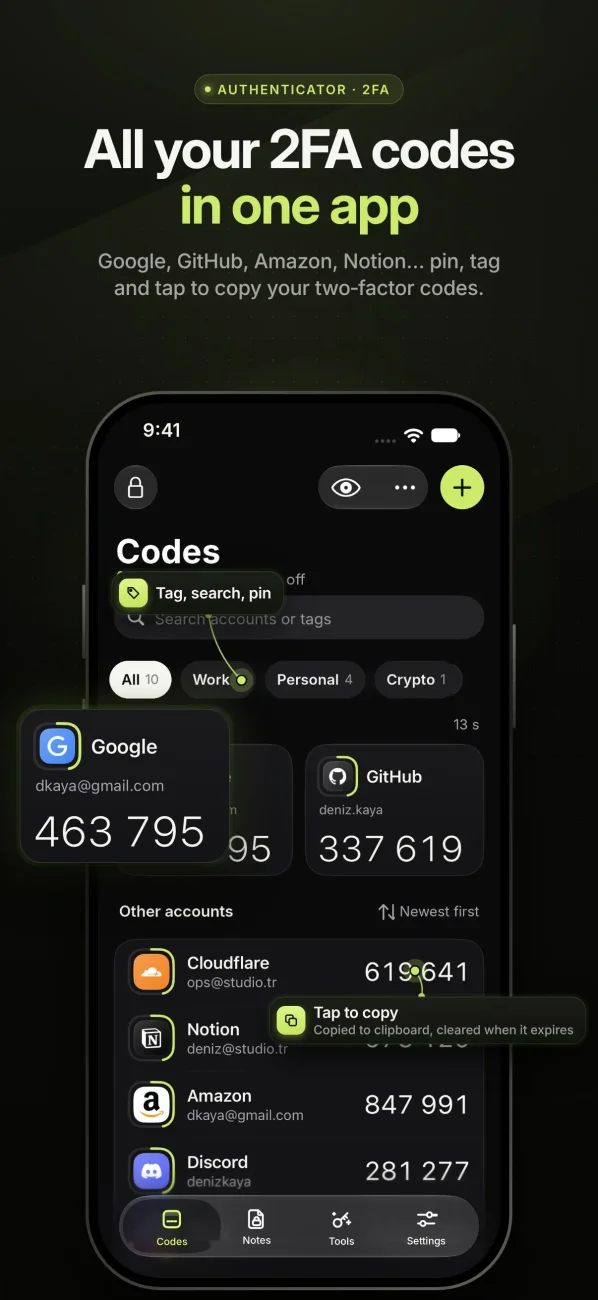
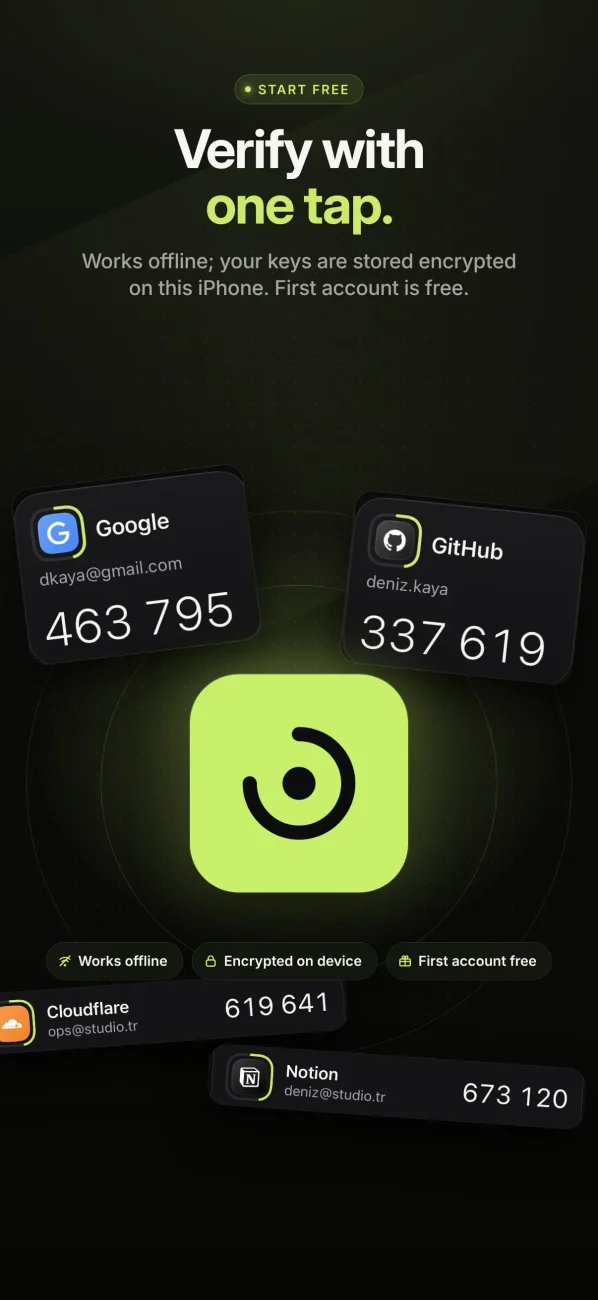
Authenticator brings your two-factor authentication (2FA) codes together in one secure, fast app. It generates 6–8 digit one-time codes (TOTP and HOTP) in seconds for Google, Microsoft, GitHub, Amazon, Binance, Discord, Dropbox and hundreds of other services that support 2FA. No internet connection needed; your setup keys are stored encrypted on this iPhone.
QUICK SETUP
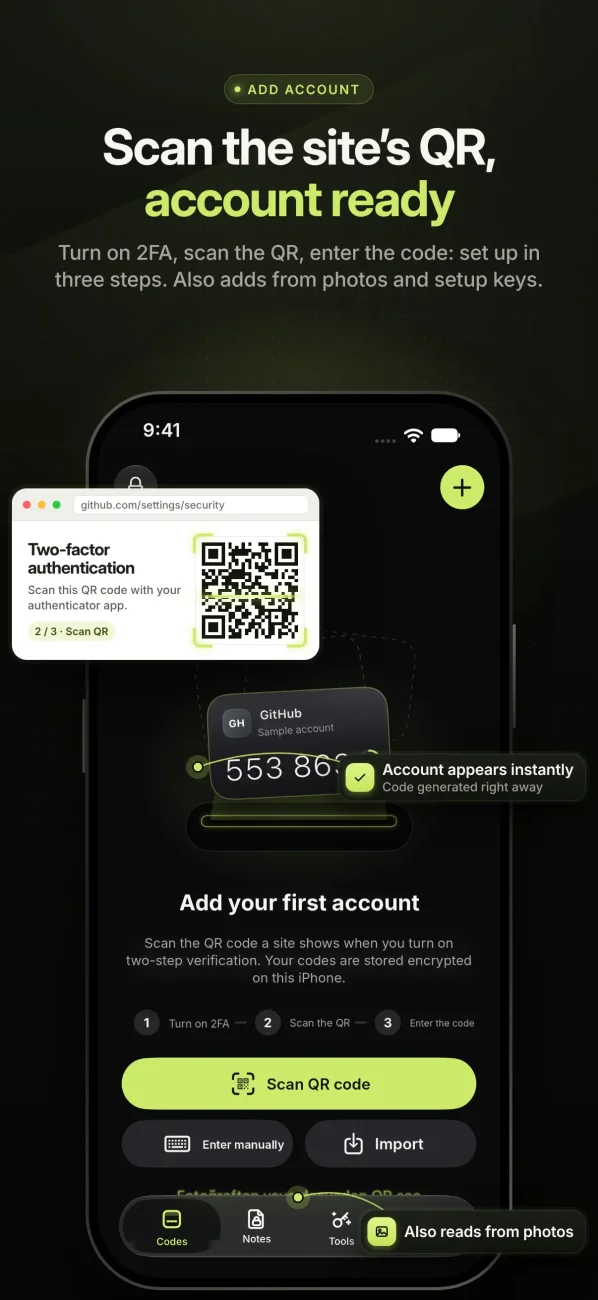
• Scan the QR code on the website with your camera; the account appears in your list instantly.
• Read QR codes from photos, screenshots or files.
• Type or paste the setup key; spaces and dashes are no problem.
• Preview the code before saving to avoid mistakes.
MOVE FROM OTHER APPS
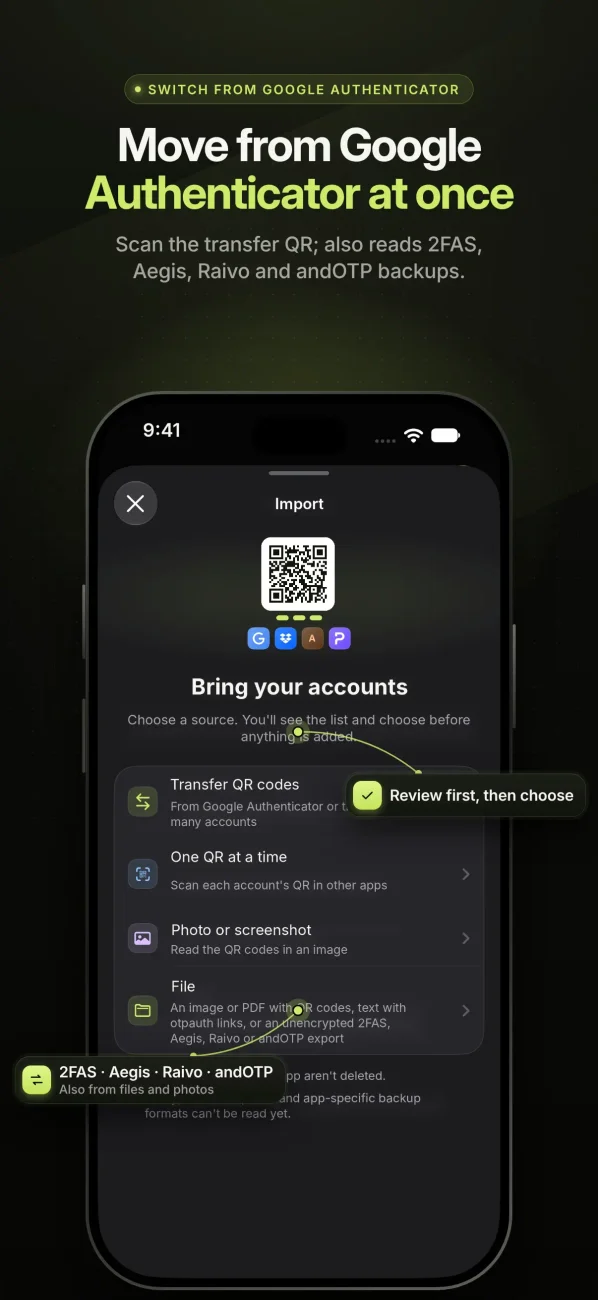
• Scan Google Authenticator transfer QR codes and bring all your accounts over at once.
• Import exports from 2FAS, Aegis, Raivo and andOTP.
• Accounts are listed before they're added, so you choose which ones to bring. Duplicates are skipped.
EVERYDAY USE
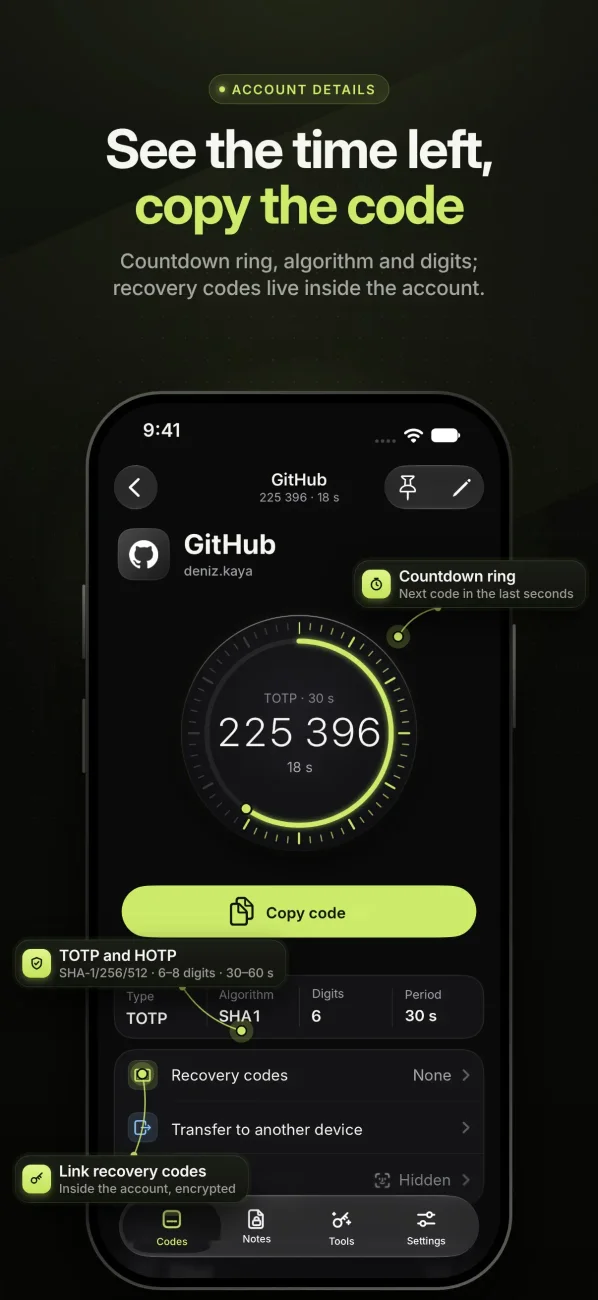
• Tap a code to copy it. Copied codes are cleared from the clipboard when they expire.
• See the time left on the countdown ring; the next code is ready in the final seconds.
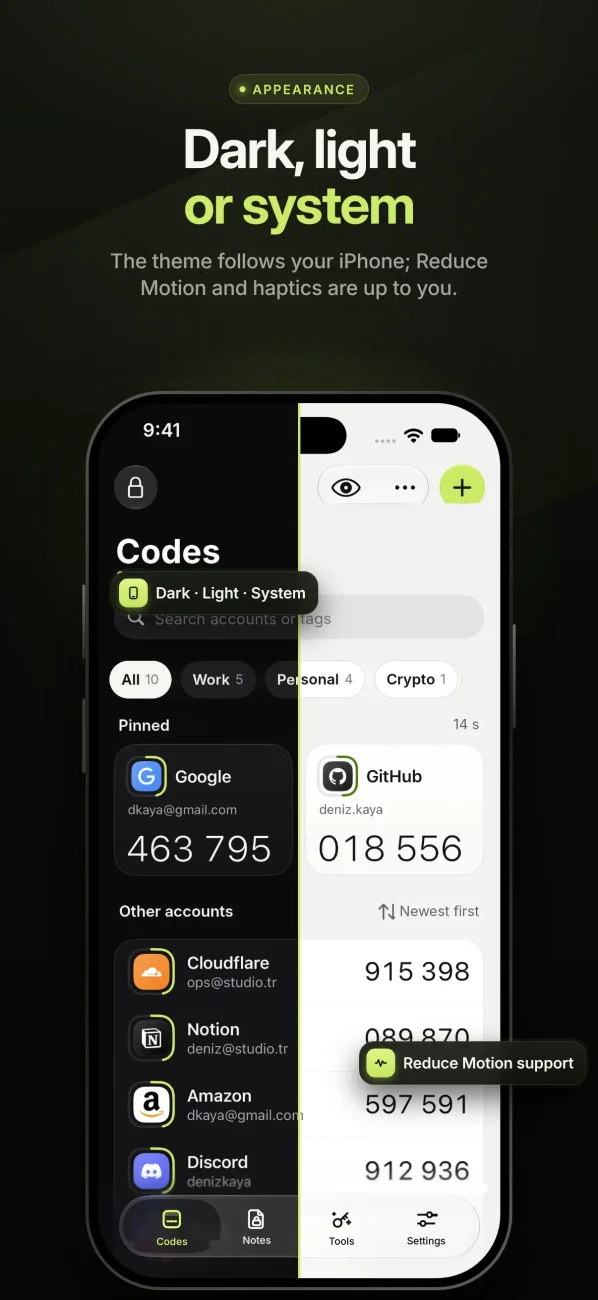
• Pin the accounts you use most, tag them (Work, Personal, Crypto…) and search.
• Recognize accounts at a glance with brand logos.
• TOTP and HOTP · SHA-1, SHA-256, SHA-512 · 6–8 digits · 30–60 seconds.
SECURITY AND PRIVACY
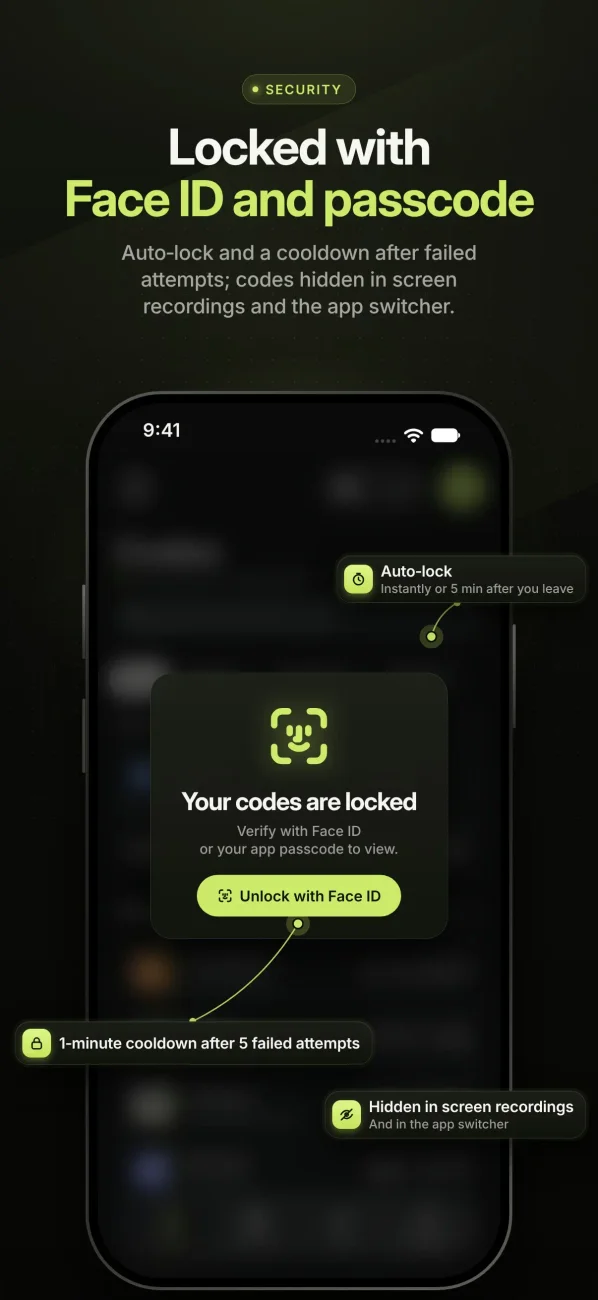
• Lock with Face ID, Touch ID or an app passcode.
• Auto-lock: immediately when you leave the app or after a time you choose.
• Cooldown after failed attempts.
• Codes are hidden in screen recordings, screen mirroring and the app switcher.
• Data is stored encrypted on your device; no ads, no account required.
BACKUP AND TRANSFER
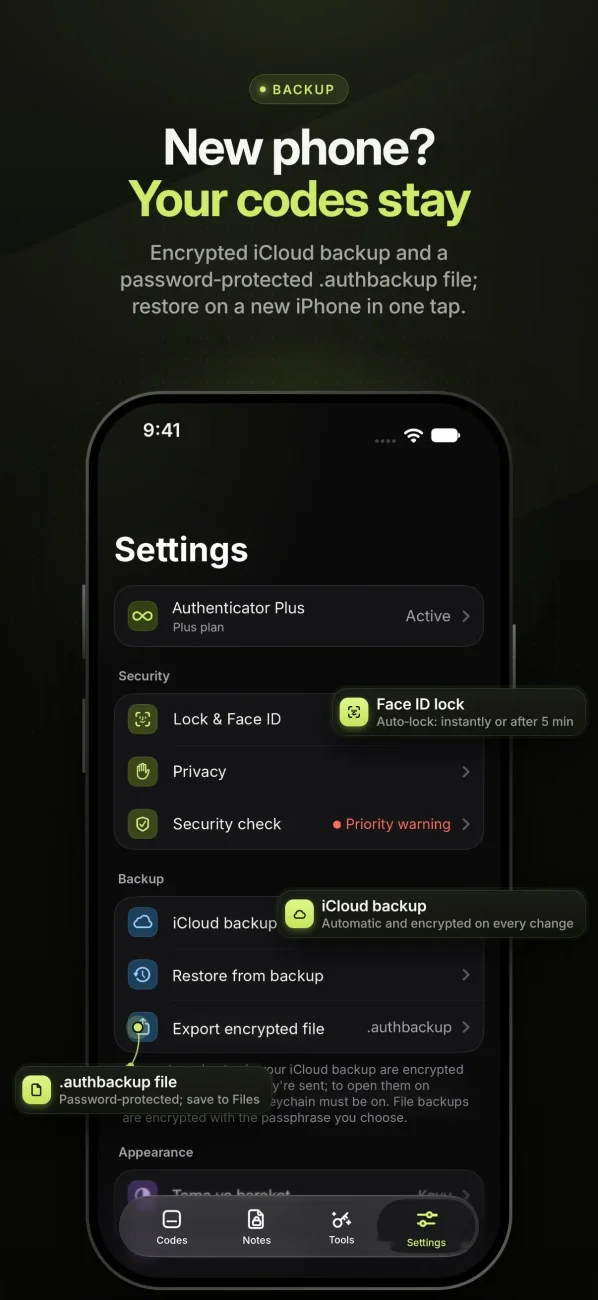
• Encrypted iCloud backup: automatic with every change.
• Password-protected .authbackup file: save it to Files and keep it wherever you like.
• Restore your backup on a new iPhone with one tap.
• Device-to-device transfer: move your accounts to another iPhone with a QR code.
AUTOFILL
• Verification codes appear above the keyboard in Safari and apps.
• The account matching the website is suggested; Face ID verification before filling.
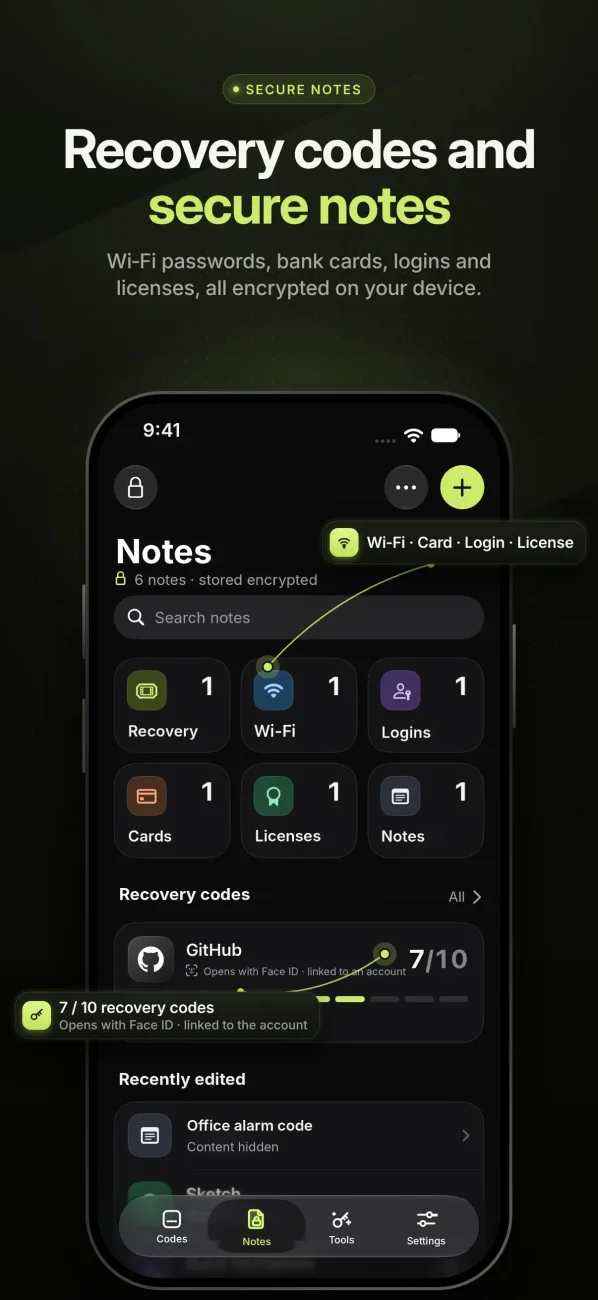
SECURE NOTES
• Keep recovery codes linked to their account and mark the ones you've used.
• Encrypted notes for Wi-Fi passwords, bank cards, logins and license keys.
TOOLS
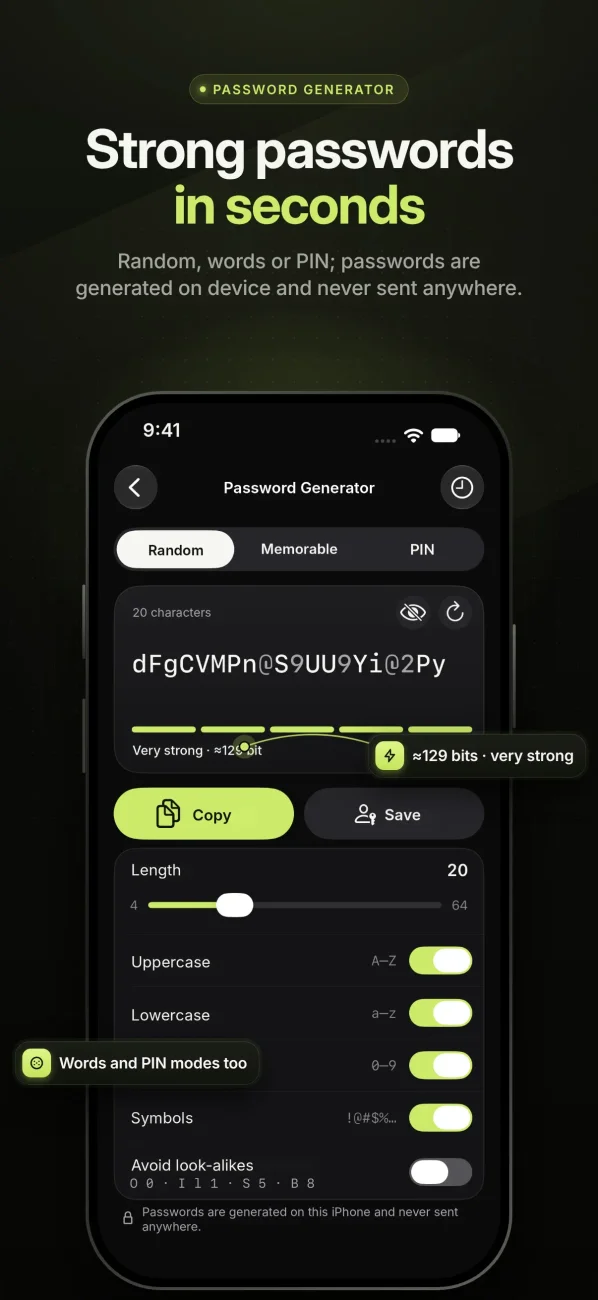
• Password generator: random, words or PIN, with a strength meter.
• QR generator: Wi-Fi, links, contacts, email and text.
• Security check: shows weak spots in your accounts and notes.
BUILT FOR iOS
• Home Screen and Lock Screen widgets, StandBy.
• Live Activity: the copied code's time left in the Dynamic Island.
• Control Center controls and Shortcuts (Siri).
• Dark, light or system theme; Reduce Motion and Dynamic Type support.
AUTHENTICATOR PLUS
You can add 1 account in the free version. With Authenticator Plus:
• Unlimited accounts
• Bulk import
• iCloud backup and backup file export
• Widgets, Live Activity and AutoFill
Subscription details:
• Authenticator Plus is offered as weekly and monthly auto-renewing subscriptions. Prices for your country are shown in the app.
• Payment is charged to your Apple Account when you confirm the purchase.
• The subscription renews automatically unless it is turned off at least 24 hours before the end of the current period; renewal is charged within 24 hours before the period ends.
• You can manage and cancel your subscription after purchase in Settings > Apple Account > Subscriptions.
• If a free trial is offered, any unused portion is forfeited when you purchase a subscription.
Privacy Policy: https://sites.google.com/view/auth-app-privacy-policy
Terms of Use (EULA): https://sites.google.com/view/auth-app-eula
Support: https://sites.google.com/view/auth-application-app
Authenticator is not affiliated with Google, Microsoft, GitHub or any other service named here. All trademarks belong to their respective owners.
What’s new
Version 1.3 · Oct 19, 2026
Authenticator has been completely renewed!
• A modern interface, redesigned from the ground up
• New features and easier everyday use
• Performance and stability improvements
• A smoother, better overall experience
A faster, more modern and more secure Authenticator.
App privacy
What RAPID DIJITAL HIZMETLER LIMITED SIRKETI declares on the App Store about how this app handles data.
-
Data not collected
The developer does not collect any data from this app.
Privacy practices may vary, for example with the features you use or your age.
Information
- Seller
- RAPID DIJITAL HIZMETLER LIMITED SIRKETI
- Category
- Productivity
- Version
- 1.3
- Updated
- Oct 19, 2026
- Released
- Nov 13, 2025
- Size
- 26.0 MB
- Requires
- iOS 17.0 or later
- Age rating
- 4+
- Price
- Free
- In-app purchases
- Yes
- Languages
- English, Dutch, French, German, Italian, Japanese, Korean, Portuguese, Simplified Chinese, Spanish, Traditional Chinese, Turkish
- Copyright
- © Rapid Dijital
You might also like
-
 Authenticator - 2FA/MFATOTP Authentication: 2 factor
-
 Field VerifierProductivity
-
 TerradoroFocus. Grow. Heal the Earth.
-
 SnapDoc PDF - AI ScannerScan Documents, QR, objects
-
 NRB SeQR ScanProductivity
-
 FirstextProductivity
-
 ACES FLIGHT LOGArmy Flight Logbook
-
 Kojo CreditProductivity
-
 U.S. Messenger MobileProductivity
-
 Authenticator: 2FA Codes & OTPSecure Login & Verify Codes