
Auto Clicker: Tap & Scroll
Auto Tapper & Macro for Web
Designed for iPhone
Free · In-app purchases
- Age rating17+
- CategoryUtilities
- DeveloperPaulius Petrusauskas
- LanguagesEnglish+ 2 more
- Size7.5 MB
Links to the official App Store page
Download.org hosts no file of Auto Clicker: Tap & Scroll. The button opens its official App Store page, published by Paulius Petrusauskas. Listing last checked on Nov 17, 2026.
Screenshots
About
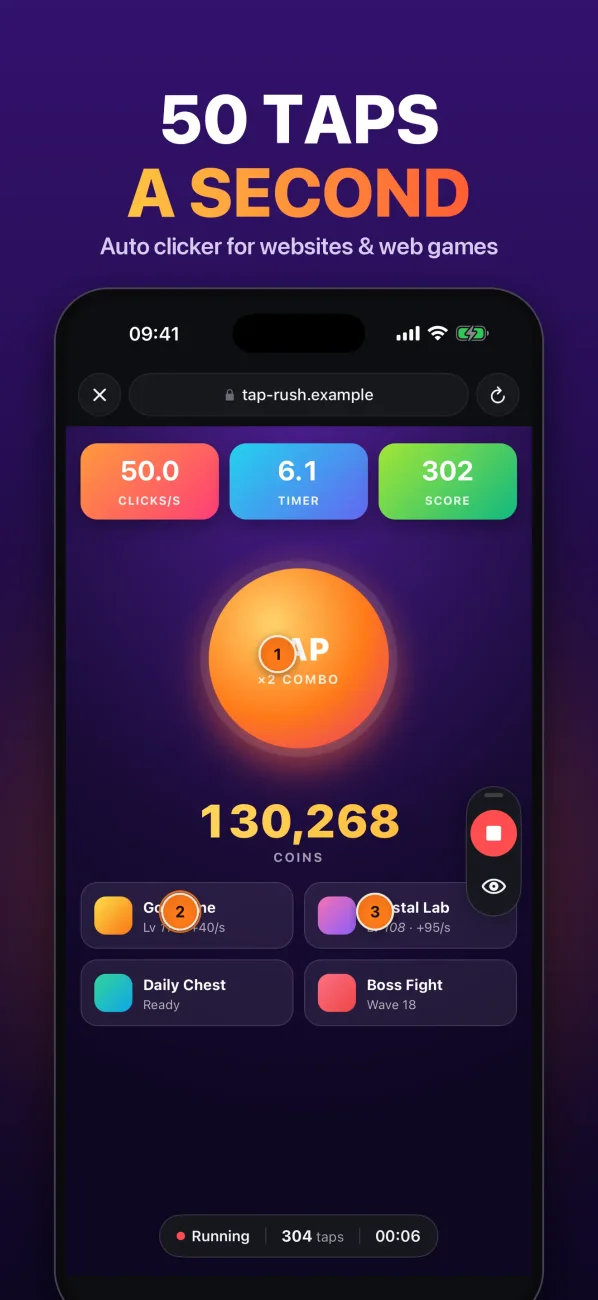
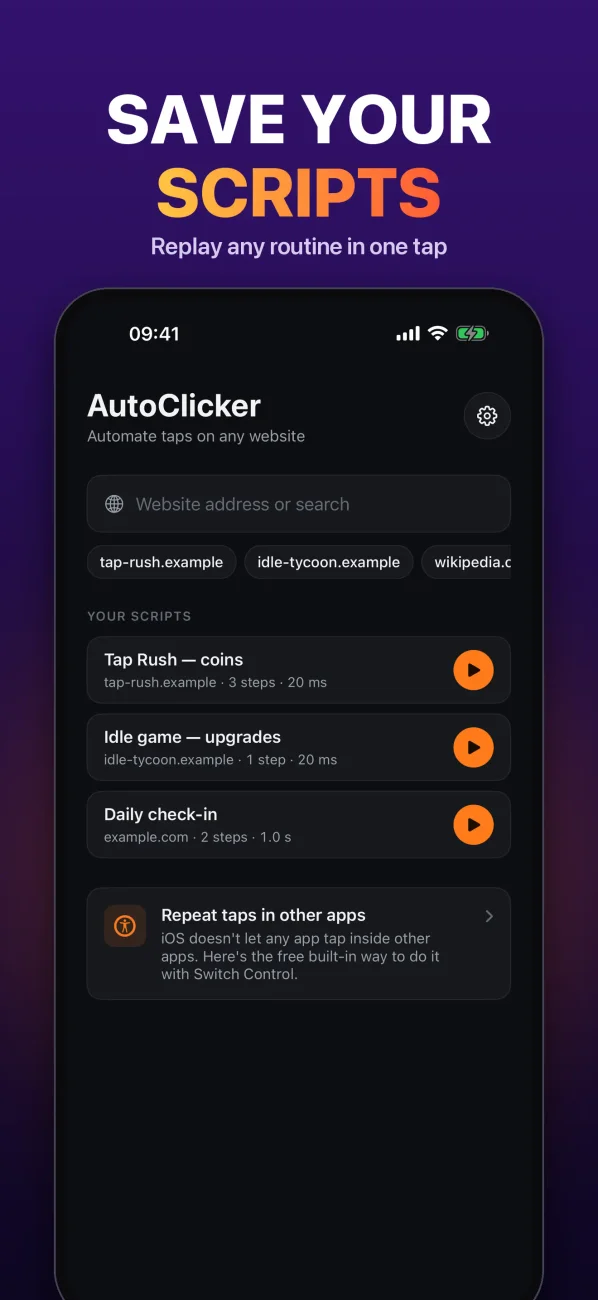
Auto Clicker taps for you on websites and web games, in the order you choose, as fast as 50 times a second.
Open a website inside the app, drop numbered targets where you want taps, and press Play. A live counter shows every tap, and one big Stop button ends it.
WHAT YOU CAN DO
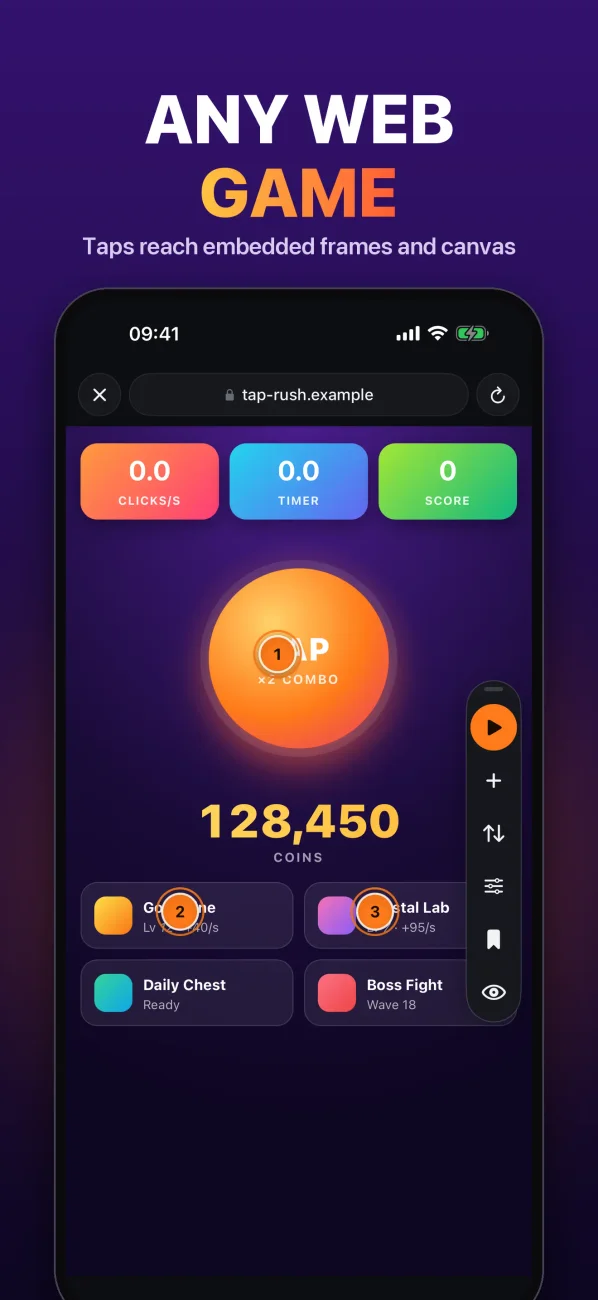
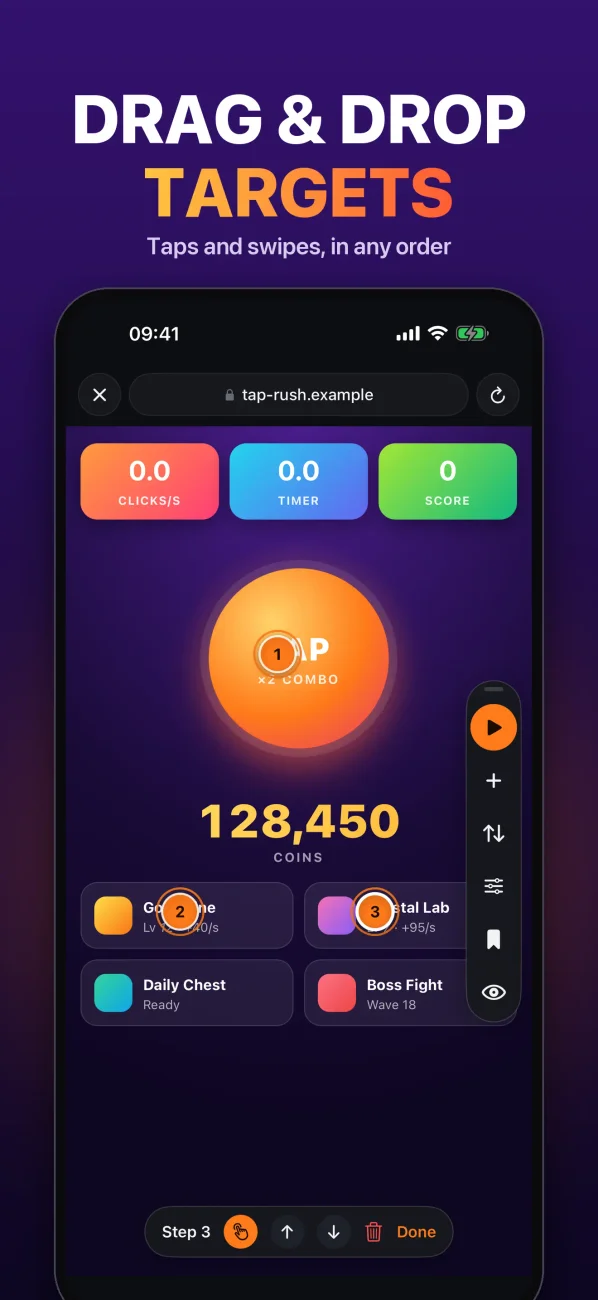
- Drag numbered targets anywhere on the page
- Mix taps with swipe-up and swipe-down steps
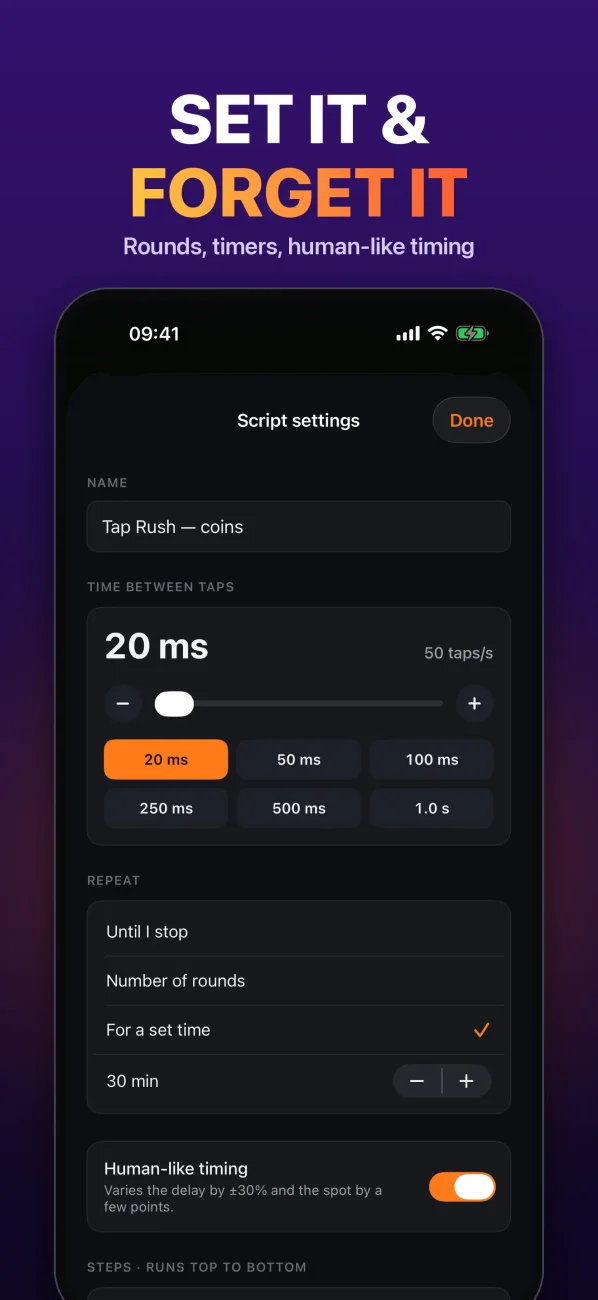
- Set the time between taps from 20 ms to a minute
- Run until you stop, for a number of rounds, or for a set time
- Human-like timing that varies delay and position slightly
- Save scripts and replay any routine in one tap
- Built-in browser with back, reload and address search
TAPS THAT LAND
Taps reach buttons inside embedded frames and web components, and each press is held long enough for canvas and WebGL games to register it. Timing stays accurate even while you scroll.
WHERE IT WORKS
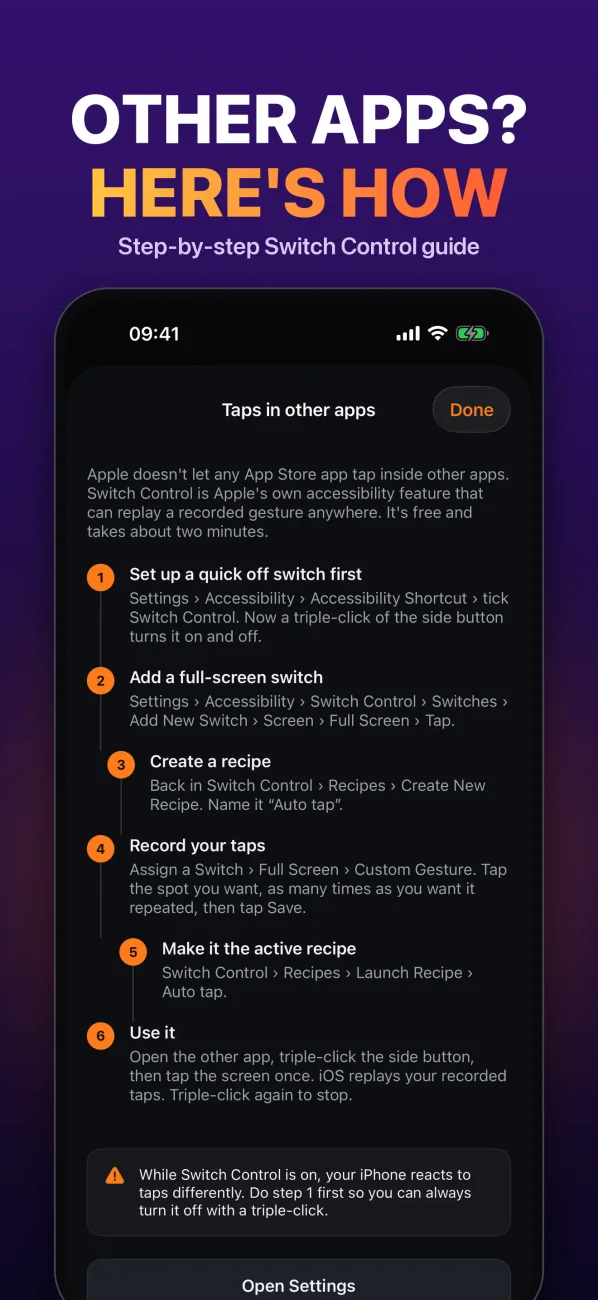
Auto Clicker taps on websites and web games you open inside the app. iOS does not allow any App Store app to tap inside other apps. For those, the app includes a step-by-step guide to Switch Control, the accessibility feature built into your iPhone that can replay a recorded gesture anywhere.
AUTO CLICKER PRO
Running scripts requires Auto Clicker Pro: yearly, weekly, or a one-time lifetime unlock. Pro also removes ads.
Subscriptions renew automatically unless cancelled at least 24 hours before the end of the period. Manage or cancel in Settings > Apple ID > Subscriptions.
Terms: https://gwpjuotdwvjbekhldtly.supabase.co/functions/v1/legal/terms
Privacy: https://gwpjuotdwvjbekhldtly.supabase.co/functions/v1/legal/privacy
What’s new
Version 1.1.1 · Nov 12, 2026
Now available in Simplified and Traditional Chinese.
- Minor fixes and improvements
App privacy
What Paulius Petrusauskas declares on the App Store about how this app handles data.
-
Data used to track you
May be used to track you across apps and websites owned by other companies.
- Identifiers
-
Data not linked to you
May be collected but is not linked to your identity.
- Identifiers
Privacy practices may vary, for example with the features you use or your age.
Information
- Seller
- Paulius Petrusauskas
- Category
- Utilities
- Version
- 1.1.1
- Updated
- Nov 12, 2026
- Released
- May 21, 2025
- Size
- 7.5 MB
- Requires
- iOS 16.0 or later
- Age rating
- 17+
- Price
- Free
- In-app purchases
- Yes
- Languages
- English, Simplified Chinese, Traditional Chinese
- Copyright
- © Paulius Petrusauskas 2025
You might also like
-
 Click Master - Auto ClickerAutomate Taps and Swipes
-
 Auto Clicker - Auto Click ProAuto Clicker
-
 Auto Clicker - Automatic TapsAuto Click, Auto Tap Assistant
-
 Auto Clicker: Tap ToolQuick Touch, Scroll, Refresh
-
 Auto Clicker : Auto ScrollAuto Click & Auto Tapper App
-
 Auto Clicker: My Tap AssistantAutomatic Click - Quick Touch
-
 Auto Clicker ~ Automatic tapAuto Touch - Tapping tool
-
 AutoClicker: Click Assistant⁺Auto Tap, Scroll for Games
-
 AutoClicker - Scroll ReloadScroll, Reload & Save Presets
-
 Auto Click: Automatic TapperRapid Tap, Smart Click Assist