
- Age rating4+
- CategoryTravel
- DeveloperOptimen S.A. de C.V.
- LanguagesEnglish+ 1 more
- Size34.2 MB
Links to the official App Store page
Download.org hosts no file of AVIA1. The button opens its official App Store page, published by Optimen S.A. de C.V. Listing last checked on Nov 17, 2026.
Screenshots



About
AVIA1 — Your Aviation, Simplified
AVIA1 is an application designed for general aviation pilots and operators. Plan flights, manage aircraft and crew, digitize documents, and access aviation information—all in one place.
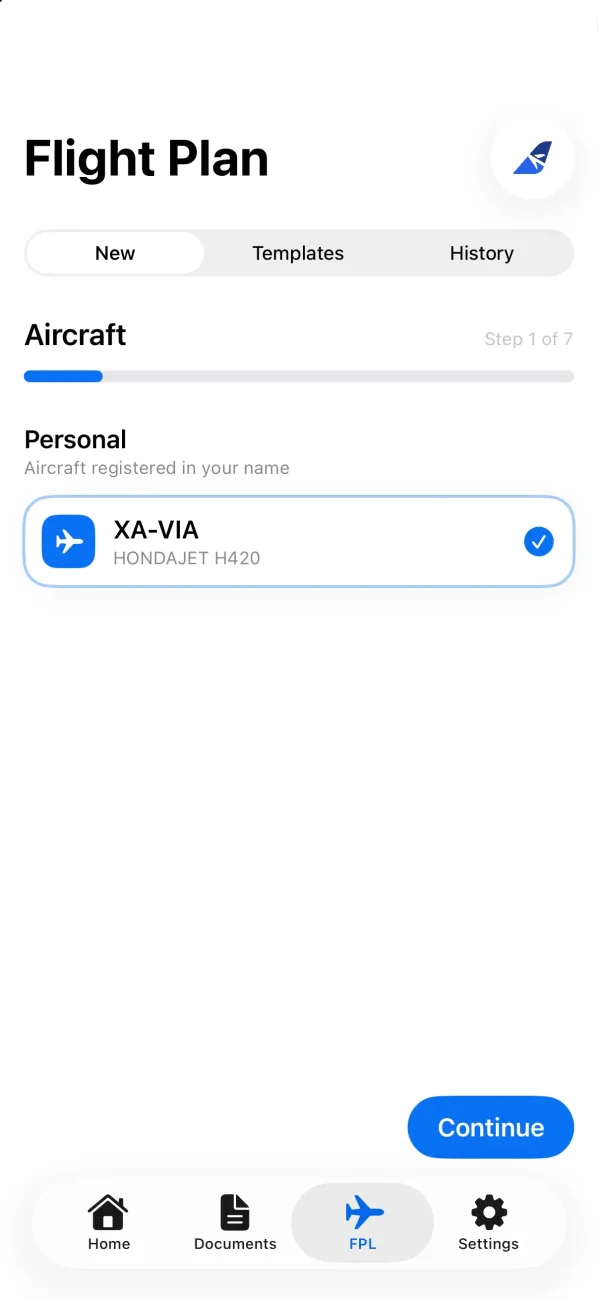
FLIGHT PLANNING
Create VFR and IFR flight plans using a 7-step guided workflow. Calculate distances, headings, suggested flight levels, estimated en route times, and endurance. View your routes on the map and generate PDFs in AFAC format, including flight plans, flight closures, and passenger manifests.
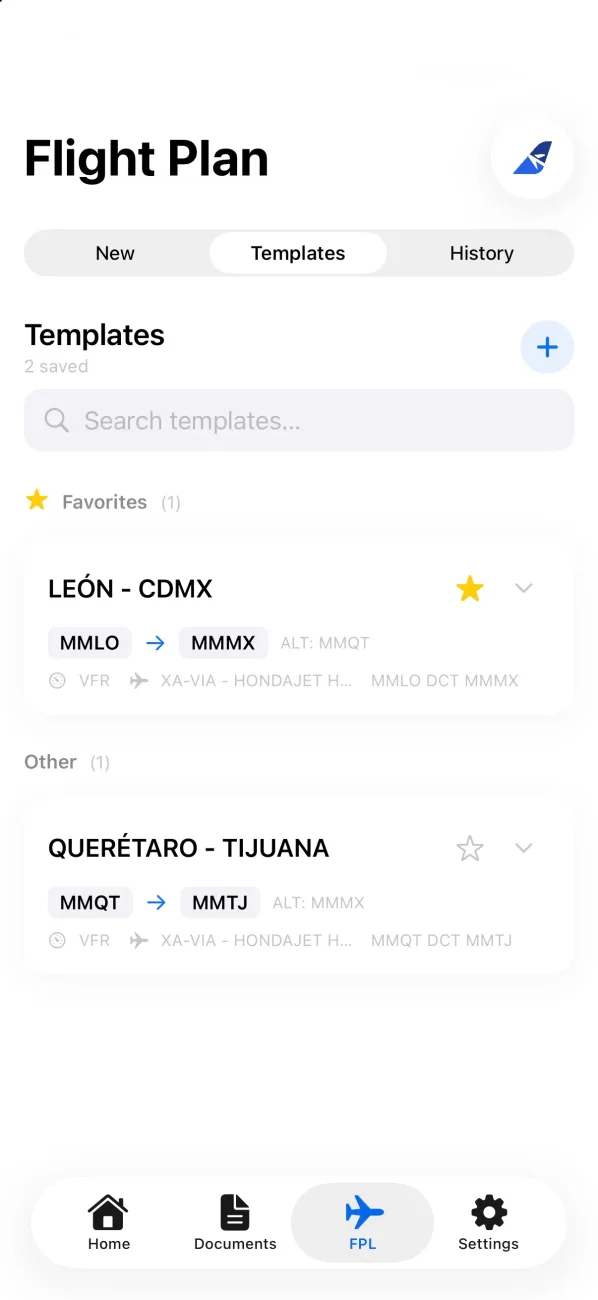
Save templates for your regular routes and access your flight history.
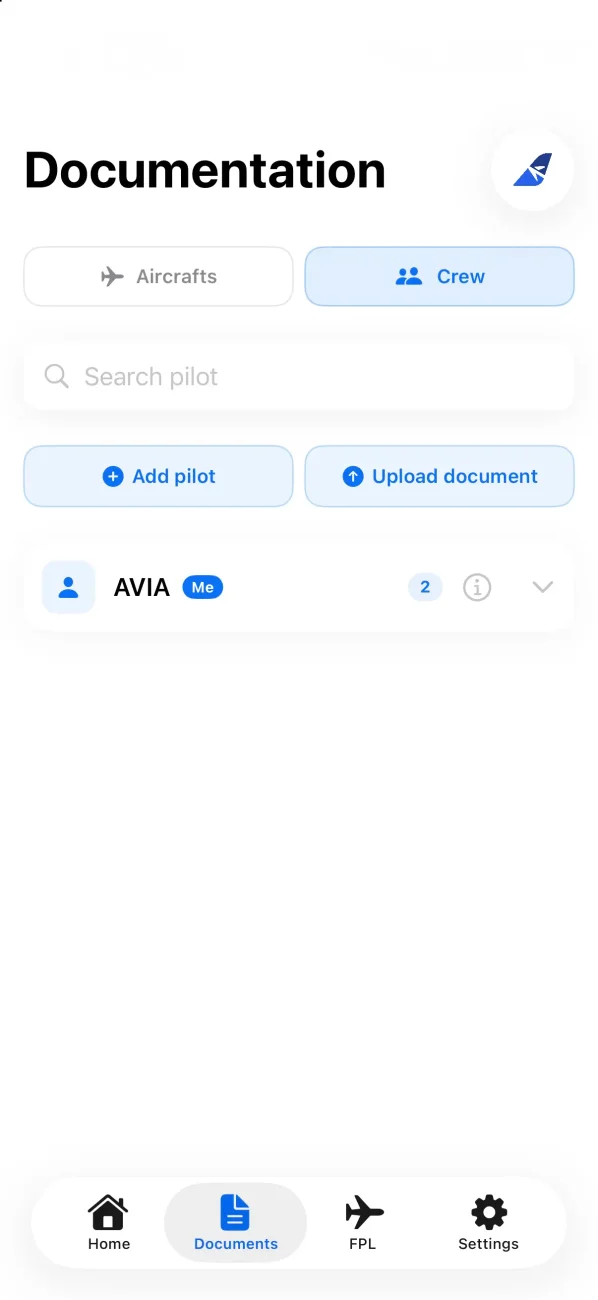
AVIATION DOCUMENTATION
Centralize documents for your aircraft and crew. Digitize files using your camera, photo library, or device, and take advantage of automatic data extraction powered by artificial intelligence.
Manage licenses, medical certificates, insurance policies, airworthiness certificates, and other important documents. Track expiration dates and receive alerts and reminders to keep your documentation up to date.
AIRCRAFT AND CREW MANAGEMENT
Register your aircraft, review their specifications, and organize their documentation. Manage pilot and crew profiles, including their licenses and certificates.
Share document packages as ZIP files and keep your information organized.
AVIATION WEATHER
Check METAR reports using your location, ICAO code, or city. Access weather information such as wind, temperature, visibility, and atmospheric pressure to help prepare for your flights.
WORK ONLINE OR OFFLINE
Access your data and keep working without an internet connection. AVIA1 stores information on your device and syncs supported changes when your connection is restored. Some features, such as file uploads and organization management, require an internet connection.
EVERYDAY TOOLS
- Protect your information with Face ID or Touch ID.
- Check document status using widgets and Siri.
- View alerts, recent flights, and quick-access shortcuts from the home screen.
- Manage organizations, members, and shared aircraft.
AVIA1: EVERYTHING YOU NEED TO ORGANIZE YOUR AVIATION.
Designed to support you from flight preparation to aviation document management.
What’s new
Version 1.1.0 · Nov 16, 2026
AVIA1 WHAT'S NEW
We're constantly improving AVIA1 to provide a more intuitive, complete, and reliable experience for every flight.
New features and improvements:
• Enhanced Guided Tour: a redesigned welcome experience with a Back button and improved adaptation to different screen sizes, including iPad.
• Your Signature, Always Available: save your signature under "My Signature" and have it automatically added to your Flight Plan (FPL), Flight Plan Closure, and Passenger List. A signature guide line has also been added to help you sign in the correct position.
• Improved Weather and METAR: redesigned cards, a wind compass, last-updated indicator, animations, and dynamic day and night icons based on the airport's local time.
• Optimized Passenger Lists: improved passenger name layouts in the FPL and Flight Closure, displaying four passengers per row while providing more space for longer names.
• Simplified Registration: improvements to the registration and onboarding process, with clearer validation for email addresses, names, and passwords.
• Updated Legal Documents: redesigned Terms and Conditions and Privacy Policy, now also available in English.
• Aircraft Document Uploads: fixed issues that prevented users from uploading the International Entry Permit and Weight and Balance documents.
• Improved Document Validation: strengthened required-field validation, including the country of issue for pilot licenses and medical certificates, helping prevent incomplete records.
• More Reliable Connectivity and Synchronization: improved detection of connection issues, automatic recovery when service is restored, and fewer unnecessary technical messages.
• Improved Screen Compatibility: visual adjustments for newer iPhone displays and foldable devices, eliminating unwanted black bars.
• Security and Stability: improvements to server communication and fixes for issues that could occur when opening the app.
Thank you for flying with AVIA1. We're committed to making every flight simpler, safer, and more organized.
App privacy
What Optimen S.A. de C.V. declares on the App Store about how this app handles data.
-
Data linked to you
May be collected and linked to your identity.
- Health and fitness
- Contact info
- User content
- Identifiers
Privacy practices may vary, for example with the features you use or your age.
Information
- Seller
- Optimen S.C.
- Category
- Travel
- Version
- 1.1.0
- Updated
- Nov 16, 2026
- Released
- Oct 27, 2026
- Size
- 34.2 MB
- Requires
- iOS 17.6 or later
- Age rating
- 4+
- Price
- Free
- Languages
- English, Spanish
- Copyright
- © 2026 Optimen S.A. de C.V
You might also like
-
 Jetstream ChartsPDF charts - Jetstream Pilots
-
 Travel Document VaultPassport, Visa & ID Wallet
-
 E6B Flight Computer ProWhiz Wheel Trainer for Pilots
-
 FlashPassCross-Border Flying Made Easy
-
 PFMA E6B LITENavigation
-
 FlyQ+ EFBNavigation
-
 SkyCharts XC EFBGeo plates and charts
-
 RV Trip Planner: Trip WizardRV Life: Camping Site, RV Park
-
 Conecta GFATravel
-
 Private Jets Charter LunaJetsFly Now