AxiSubs Simple Subtitle Editor
Style, time & burn subtitles
Designed for iPhone, iPad, Mac, iPod touch
Free
- Age rating4+
- CategoryProductivity
- DeveloperEren Eksen
- LanguagesEnglish
- Size101.0 MB
Links to the official App Store page
Download.org hosts no file of AxiSubs Simple Subtitle Editor. The button opens its official App Store page, published by Eren Eksen. Listing last checked on Nov 16, 2026.
Screenshots
About
AxiSubs is a simple subtitle editor built for touch. Open an ASS or SRT file, or start from a blank project, then time, style and animate every line against your video. When it looks right, burn the subtitles straight into the video, right on your iPhone or iPad.
Made for content creators, fansubbers, translators and anyone adding captions to their videos for accessibility or social media.
What you see is what you export
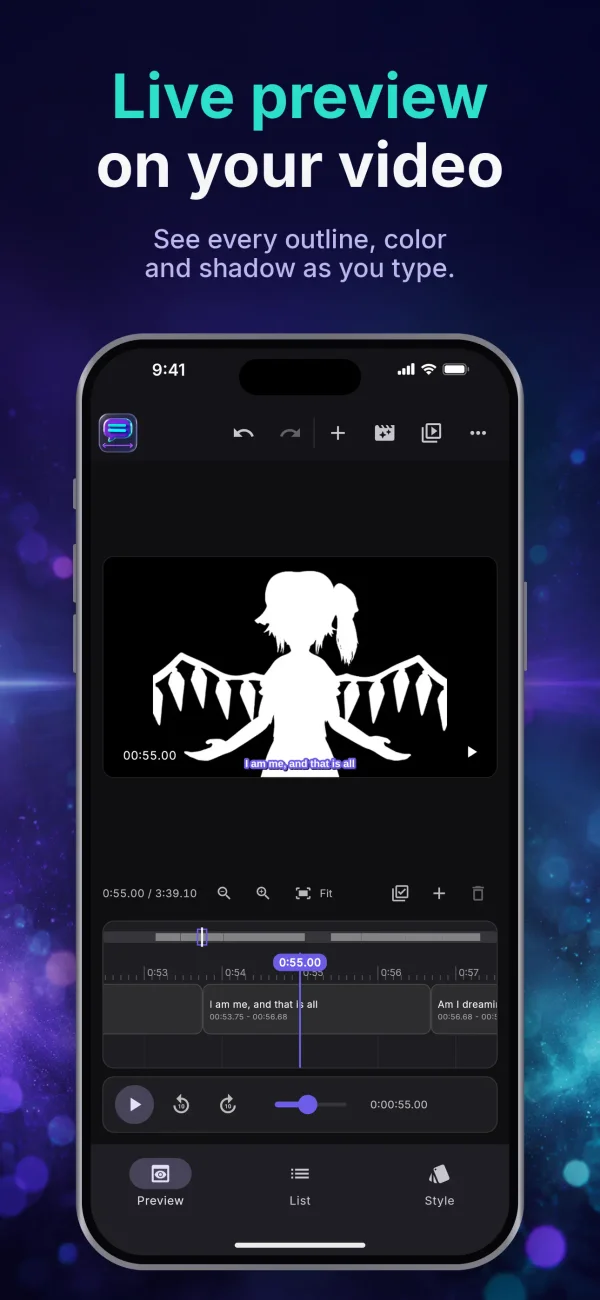
The live preview is drawn by libass, the same subtitle engine that renders your final video. Outlines, shadows, fonts, positions and transitions look in the preview exactly the way they will in the exported file.
A timeline that fits your thumb
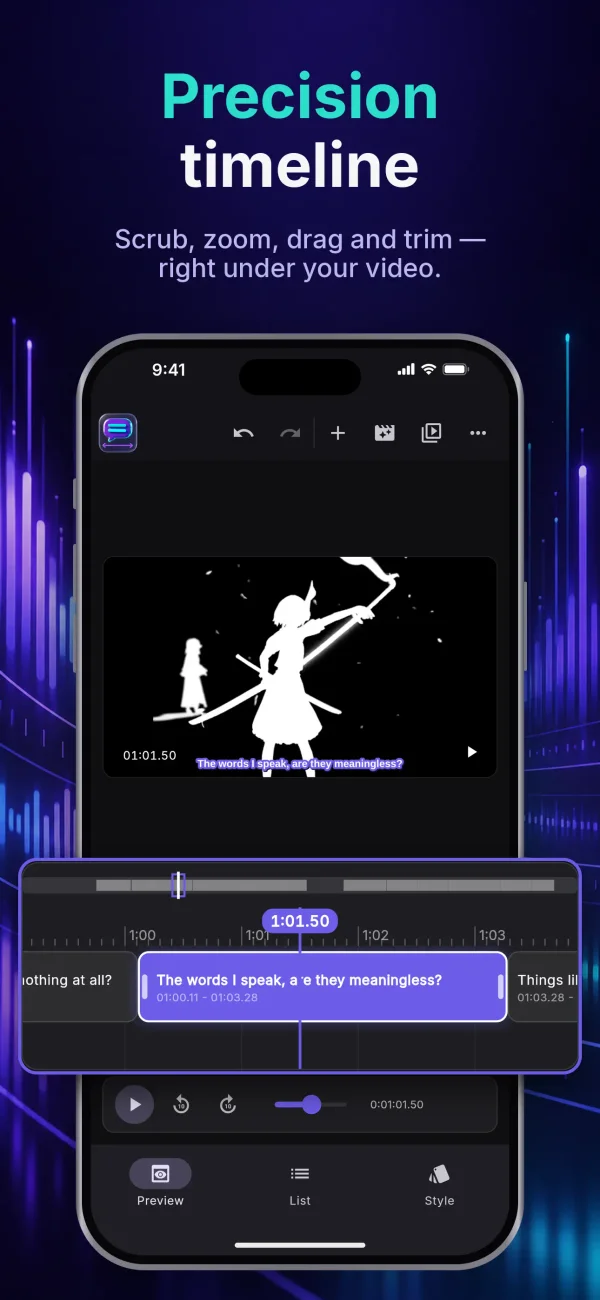
• The playhead stays in the center: swipe to scrub, pinch to zoom
• Tap a block to select it, drag it to move, pull the trim handles to change start and end
• Overlapping lines stack in their own lanes so nothing hides behind anything else
• Set start or end to the playhead with one tap for fast, accurate timing
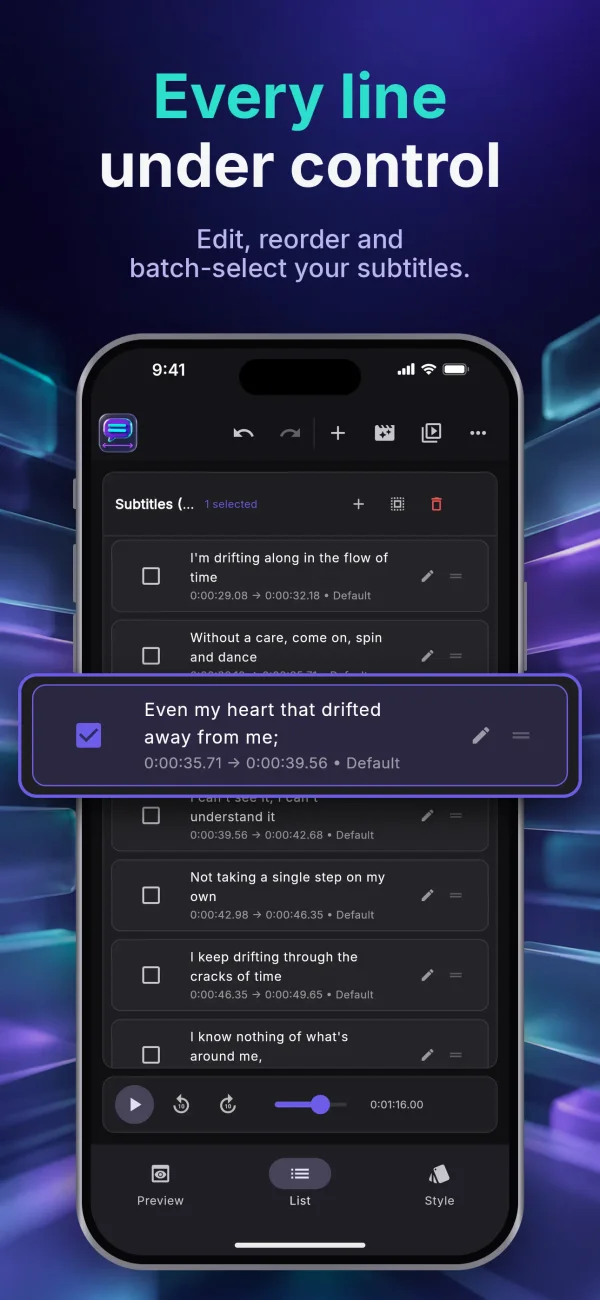
Every line under control
• See every subtitle with its timing and text in one list
• Edit text, and nudge timings back or forward by 500 ms
• Select many lines and change their style, color and position at once, with the result live in the preview
• Undo and redo for every edit
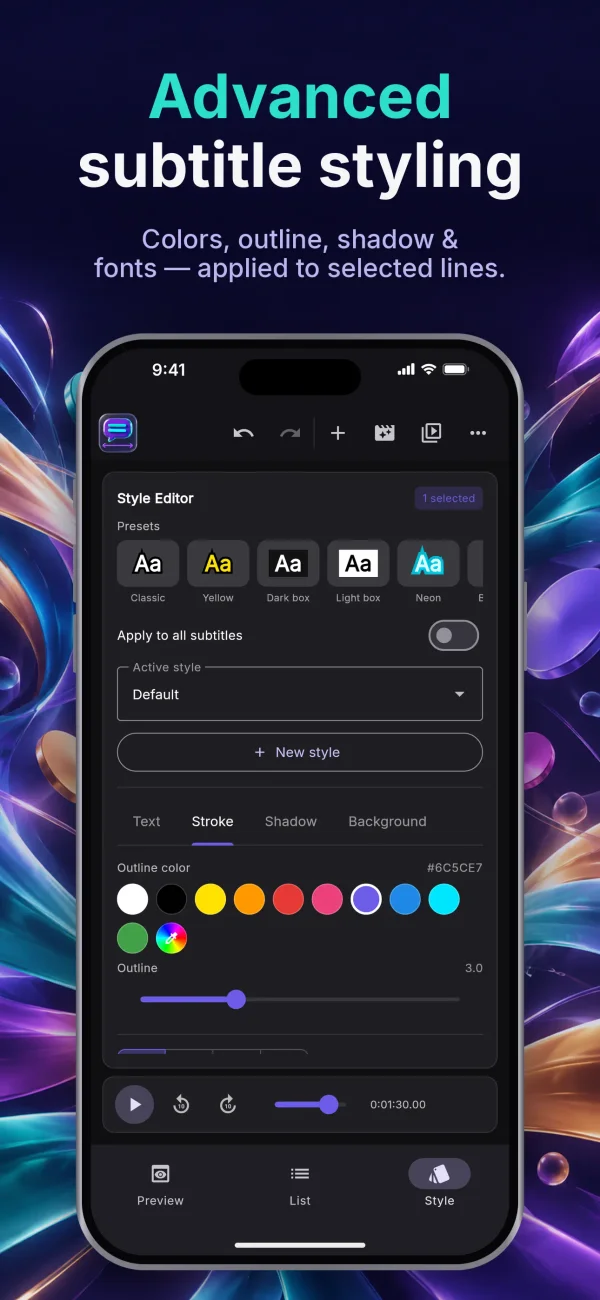
Advanced subtitle styling
• Font, size, text, outline and shadow colors
• Outline and shadow thickness, bold, italic, alignment and margins
• Per-word styling: select a single word in a line to give just that word its own color or shadow
Transitions
Give lines an entrance and an exit with adjustable durations: Fade, Slide up, down, left or right, Zoom, Pop, Blur, Wipe, Spin, Flip, Tracking and Typewriter. Apply them to one line or many.
Fonts for every script
• 37 free font families included, with coverage for Arabic, Hindi (Devanagari), Thai, Korean, Japanese, and Simplified and Traditional Chinese
• Import your own TTF and OTF fonts
• Get a warning when a font is missing characters your text needs
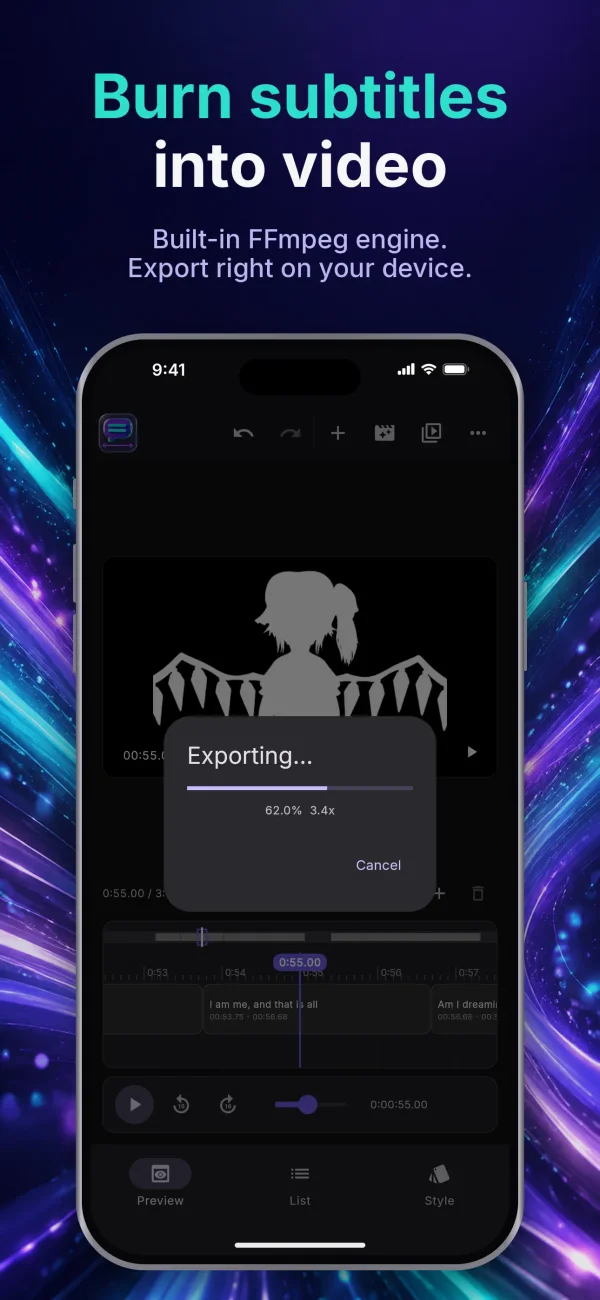
Burn subtitles into video
FFmpeg is built into the app, so there is no extra app or server to set up. Export to MP4, MKV or MOV, choose Fast, Standard or Quality, and keep the original audio as is. You can also save your work as an .ass file.
Private and offline
Editing, preview and export all run on your device. No account, and your videos are never uploaded.
Never lose your work
AxiSubs backs up your project automatically as you edit and offers to pick up where you left off when you come back.
What’s new
Version 2.0.1 · Nov 2, 2026
AxiSubs 2.0 is a complete rebuild of the editor.
• New timeline: the playhead stays in the center, overlapping lines get their own lanes, and you can split or duplicate lines in one step
• The preview now uses libass, the same engine as the export, so what you see is what you get
• New style panel with Text, Stroke, Shadow and Background tabs, letter spacing, rotation and ready-made style presets
• Per-word styling: give a single word its own color or shadow
• Entrance and exit transitions such as Fade, Slide, Zoom, Pop and Typewriter
• 37 free font families with wide script coverage, font import and missing-character warnings
• Undo and redo, plus automatic backup of your project
• The app is now available in 21 languages
• On Mac: drag and drop videos, subtitle files and fonts onto the window
App privacy
What Eren Eksen declares on the App Store about how this app handles data.
-
Data not collected
The developer does not collect any data from this app.
Privacy practices may vary, for example with the features you use or your age.
Information
- Seller
- Eren Eksen
- Category
- Productivity
- Version
- 2.0.1
- Updated
- Nov 2, 2026
- Released
- Dec 10, 2025
- Size
- 101.0 MB
- Requires
- iOS 15.0 or later
- Age rating
- 4+
- Price
- Free
- Languages
- English
- Copyright
- © 2026 Eksen Interactive
You might also like
-
 Subtitle Tool & Converterby EditingTools.io
-
 Subtitle Viewer & TranslatorSrt , Vtt Subtitle Viewer
-
 SRT Subtitle Toolbox MobileCombine, convert & polish SRT
-
 VocaSubtitleAI Sppech-to-text
-
 SubExtractorExtract & transcribe captions
-
 CineSubSubtitle Translation & Timing
-
 Kaption: Video SubtitlesAuto Captions & Easy Editing
-
 Finite Life : Calendar WidgetsLife Calendar & Goal Tracker
-
 CodeQR - Link and QR AnalyticsShort links & QR analytics
-
 pejlyKeep track of anything!