
AZNote: Outline Notes & Tasks
Outliner, to-do lists & agenda
Designed for iPhone, iPad, Mac
In-app purchases
- Age rating4+
- CategoryProductivity
- Developerilevia
- LanguagesItalian+ 1 more
- Size7.5 MB
Links to the official App Store page
Download.org hosts no file of AZNote: Outline Notes & Tasks. The button opens its official App Store page, published by ilevia. Listing last checked on Nov 12, 2026.
Screenshots

About
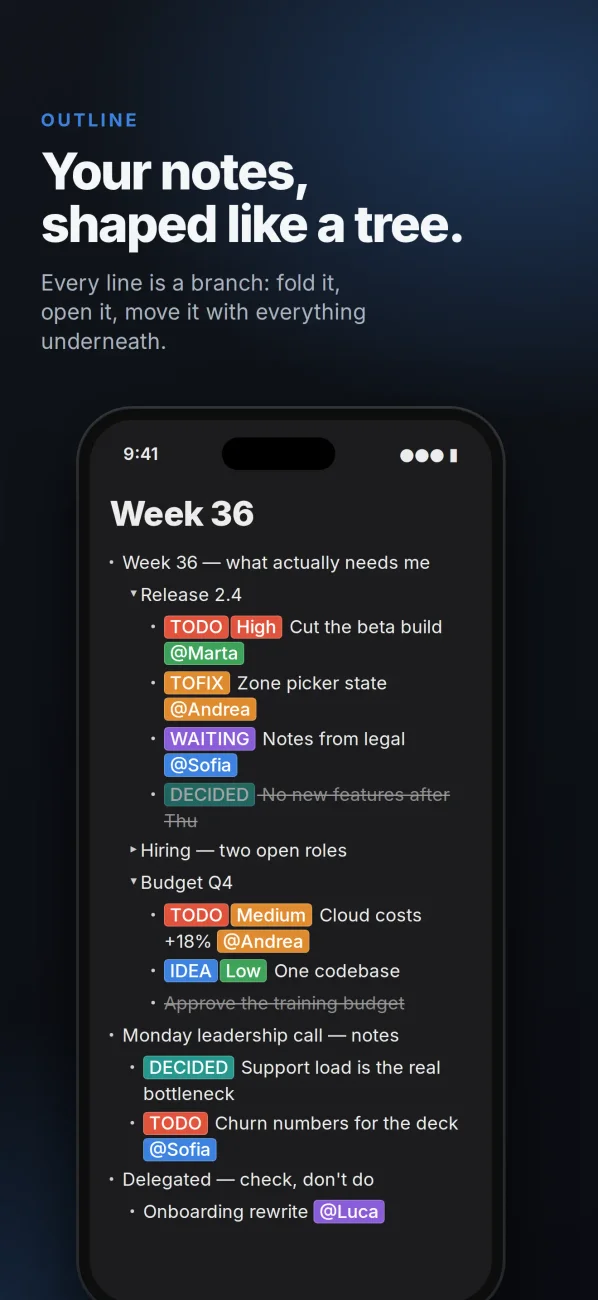
AZNote is a note app built around structure. Every line is its own item, so a note behaves like an outline instead of a wall of text: click a bullet and the branch folds away, click again and it returns exactly as you left it.
WRITE THE WAY YOU THINK
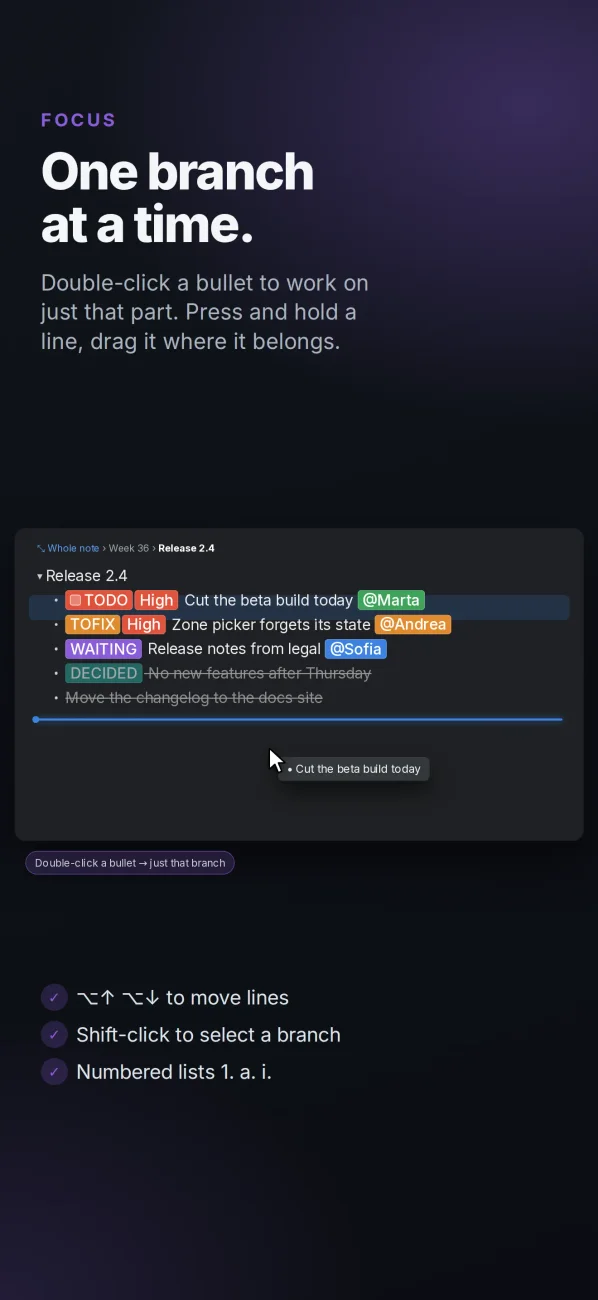
Type "- " to start a list. Tab and Shift-Tab move an item in and out, carrying everything underneath it. Paste a list from anywhere and it becomes a real outline, with its levels intact.
TAGS, PEOPLE, PRIORITIES
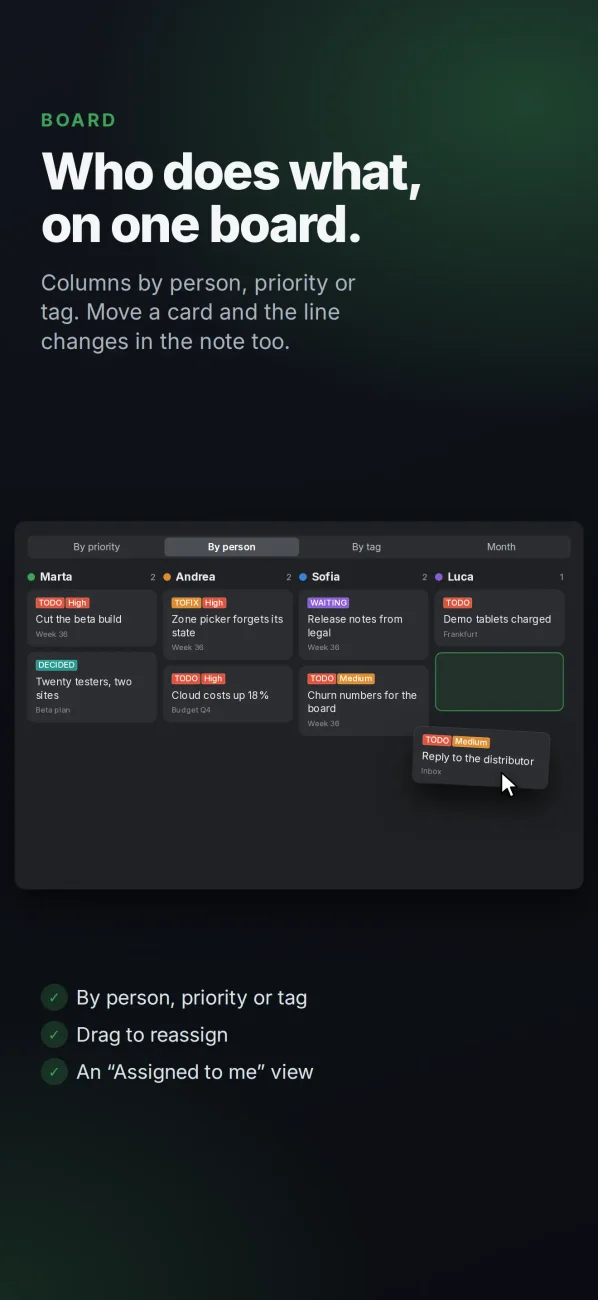
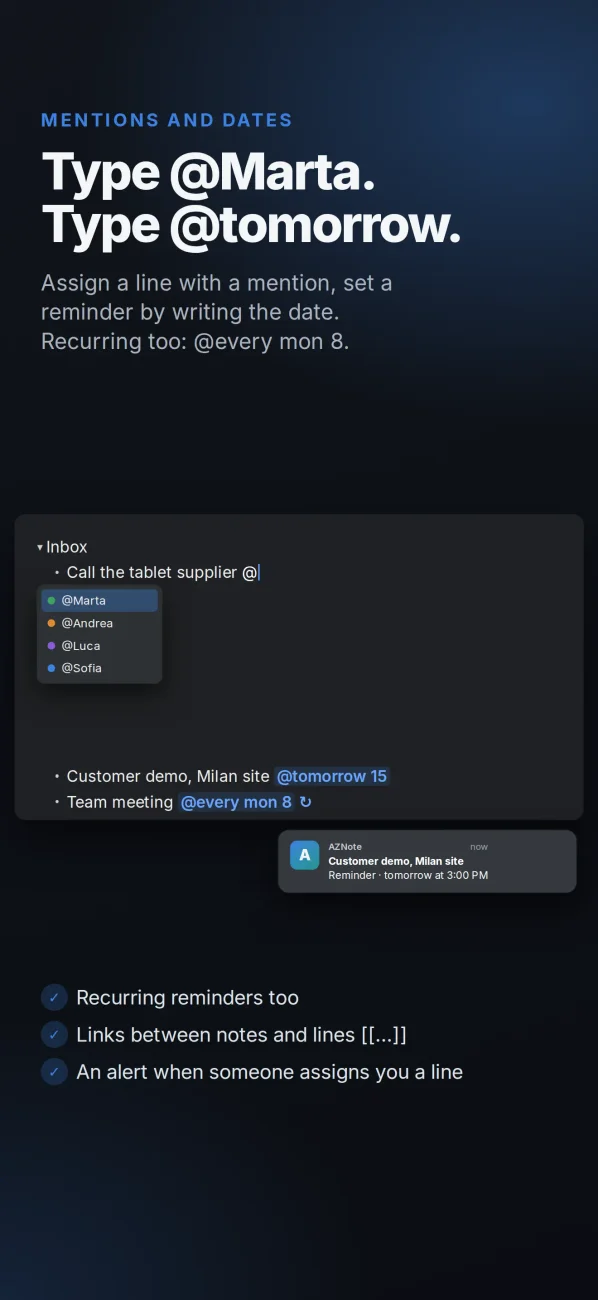
Drop a coloured chip into the text — TODO, IDEA, or any you define — with a click or a shortcut. The same chips mark who is doing what and how urgent it is. Filter the whole library by any of them: only the documents carrying it stay in the tree, and inside a document a counter steps you through every occurrence, opening folded branches on the way.
TICK LINES OFF
Mark a line done from the toolbar, a shortcut or the context menu: it is struck through and stamped with the date and time. One switch hides every done line, so what is left is what still needs you.
REMINDERS ON THE EXACT LINE
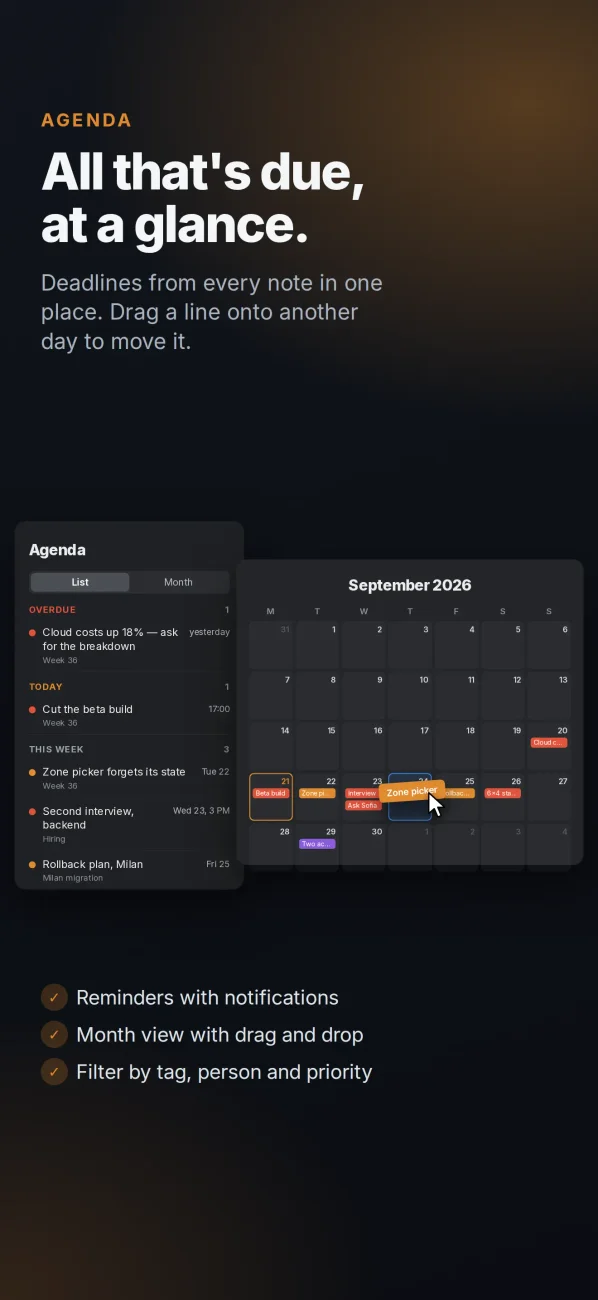
Give a line a date and time. Tapping the notification opens that document, scrolls to the line that raised it and highlights it — you land on the thought, not near it.
THE AGENDA: EVERYTHING DUE, IN ONE PLACE
Pick a tag, a person and a priority — together, not one at a time — and see every line in the whole library that carries them, soonest reminder first and overdue in red. It sits beside your note: click an entry and the editor jumps there, across notes, while the list stays open for the next one.
BOOKMARKS
Mark any line you keep coming back to and reach it from the toolbar, whichever note it lives in.
SHARE A NOTE — OR ONE BRANCH — ON THE WEB
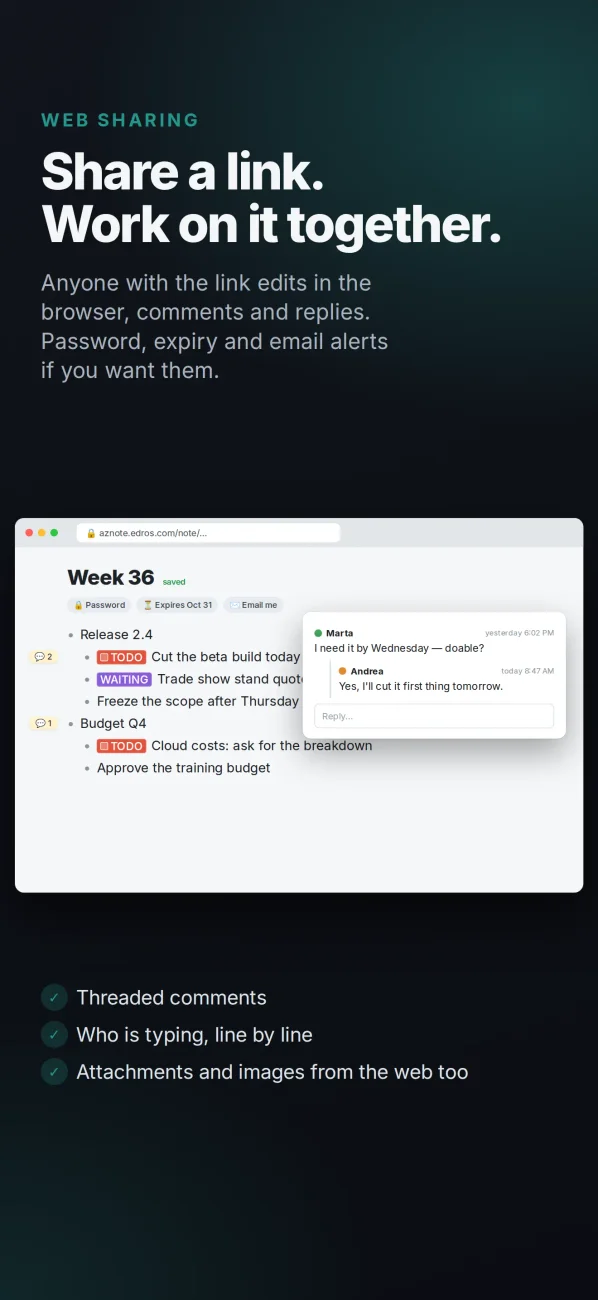
Send a link to someone who does not use AZNote. They open a page in any browser and edit it with you, changes travelling both ways. Give each link a name, and every change made through it is filed under that name in the note's History — who, when, and which lines. Encrypt the note and the key travels only in the link, so the server keeps something it cannot read. A short wizard sets what the link allows: read-only, tick boxes or not, and whether you are told when someone edits it. Sharing a folder through iCloud works too, for other Apple users.
ALSO IN THE PAGE
Search across notes, folders and chips. Editable keyboard shortcuts. Handwriting with Apple Pencil, PDF import and annotation, audio recording linked to the page, a word-processor toolbar, and automatic backups you can restore whole or one note at a time.
IPHONE, IPAD AND MAC
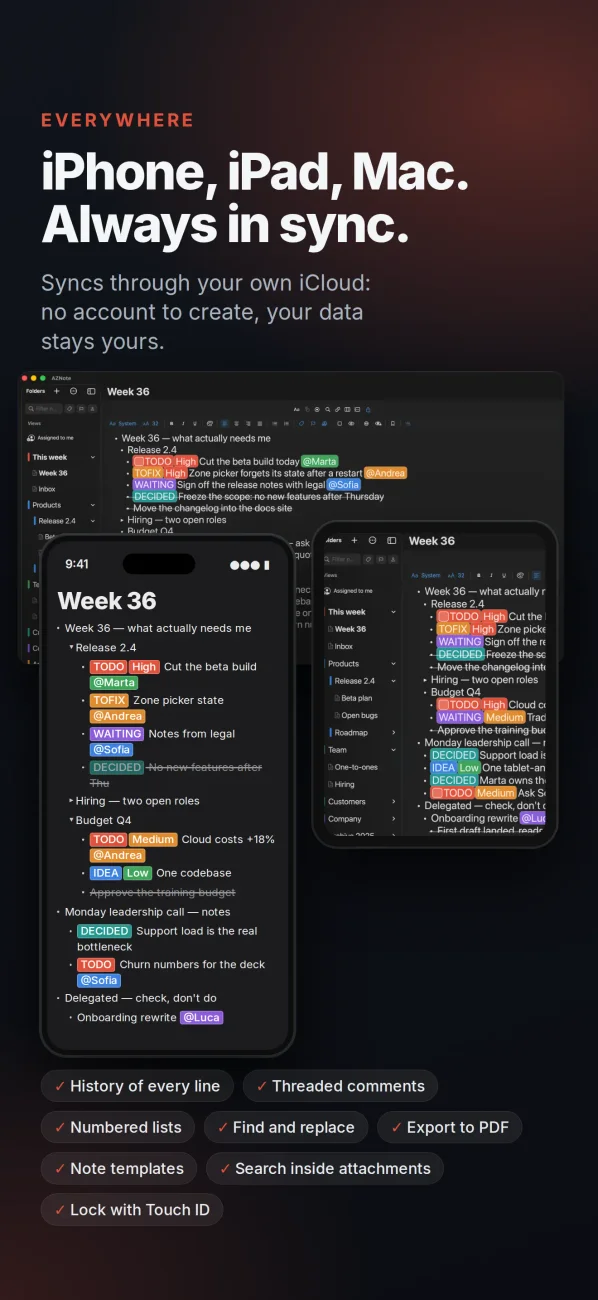
One app for all three. Your notes sync through your own iCloud account — no AZNote account, no server in between. Web sharing is the one exception, and only for the notes you choose to share.
FREE AND PRO
Use AZNote free for up to three documents, with every feature available. One yearly subscription removes the limit, on all your devices. Payment is charged to your Apple Account; the subscription renews automatically unless cancelled at least 24 hours before the end of the period.
Terms of Use: https://www.apple.com/legal/internet-services/itunes/dev/stdeula/
Privacy Policy: https://aznote.edros.com/privacy
What’s new
Version 1.8 · Oct 12, 2026
A find box in the corner of every note.
Type in it and the matches light up in the text; ↓ and ↑ walk them one by one, and the counter says how many there are. ⌘F puts the caret straight in it on Mac and iPad.
It looks inside the note you are reading, folded lines included, and leaves the sidebar filter where it was.
App privacy
What ilevia declares on the App Store about how this app handles data.
-
Data not collected
The developer does not collect any data from this app.
Privacy practices may vary, for example with the features you use or your age.
Information
- Seller
- ilevia S.r.l.
- Category
- Productivity
- Version
- 1.8
- Updated
- Oct 12, 2026
- Released
- Sep 8, 2026
- Size
- 7.5 MB
- Requires
- iOS 17.0 or later
- Age rating
- 4+
- In-app purchases
- Yes
- Languages
- Italian, English
- Copyright
- © 2026 ilevia S.r.l.
You might also like
-
 AriLing: To-Do ListPrivate To-Do List
-
 Obius — Notes that evolveVisual project planner & ideas
-
 Zoe - AI life coachBuild your tomorrow, today!
-
 MyDuch: Mitzvos & MivtzoimA connection to the Rebbe
-
 openote: Markdown Notes & SyncPlain .md files. No account.
-
 Habit Tracker by Sam AIDaily To-do List,Reminder,Task
-
 Nova - AI NotebookSmart Notes with AI
-
 EZ OutlinerProductivity
-
 Ahead: Countdown CalendarCountdown Widget & Day Counter
-
 Clario : Clarity & FocusAI-Assisted Organization