Backtick: Terminal Widgets
Retro home & lock screen
Designed for iPhone, iPad
Free · In-app purchases
- Age rating4+
- CategoryUtilities
- DeveloperElvis Mederos
- LanguagesEnglish
- Size7.1 MB
Links to the official App Store page
Download.org hosts no file of Backtick: Terminal Widgets. The button opens its official App Store page, published by Elvis Mederos. Listing last checked on Nov 20, 2026.
Screenshots




About
Backtick turns your home and lock screen into a terminal.
Not a picture of one — a working one. Panels drawn with hairline rules, a tab bar you actually tap, a cursor that genuinely blinks, and your real life inside it: calendar, reminders, weather, steps, battery — and now your GitHub, your focus sessions and anything your automations want to say.
FULL-PAGE WIDGETS (iOS 27)
The Terminal fills an entire home screen page — now, next up, tasks, weather and system as one live session. The Console goes full page too, with bit idling above the menu.
THE WIDGETS — 35 OF THEM
• Terminal — five panels switched by tapping tabs on the widget; small, medium, large and full page
• Console — a navigable menu: arrows move, enter selects, esc backs out, without opening an app
• git log — your GitHub contribution graph, streak and recent activity
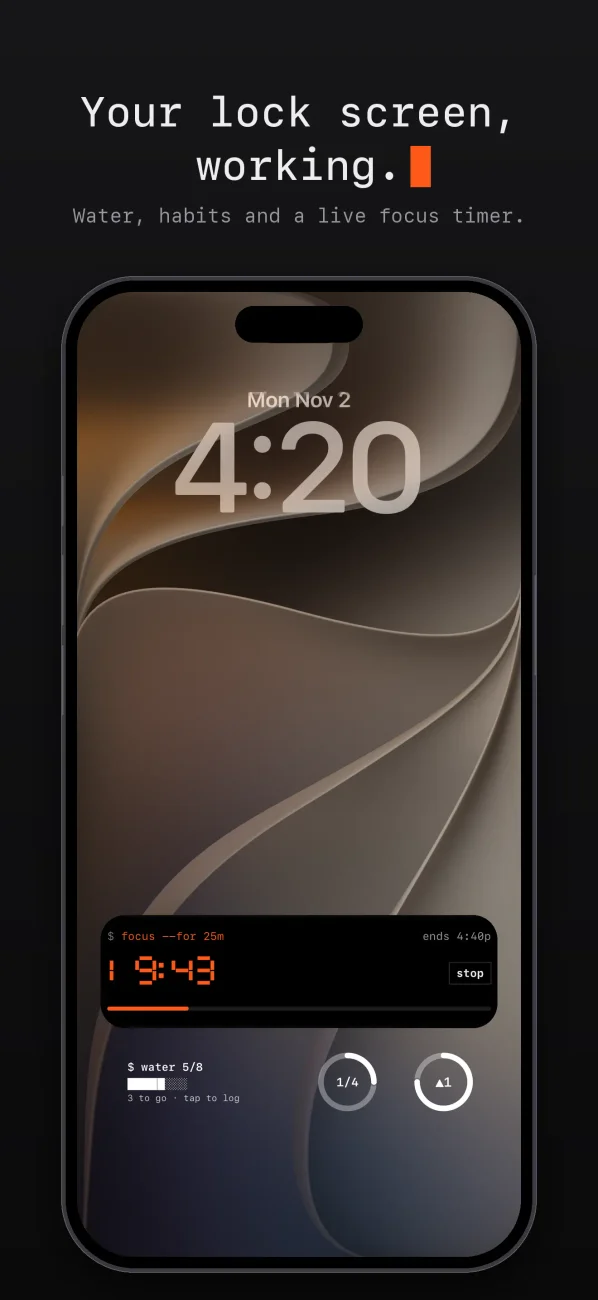
• focus — one tap starts a timer, with a Live Activity on your lock screen and Dynamic Island
• curl — any number from a JSON endpoint you choose, with a sparkline of recent values
• echo — shows whatever you send it from Shortcuts; build automations that write to your home and lock screen
• Weather — current, hourly and forecast; the small one pages when you tap it
• Clock — a live 7-segment face with ticking seconds, zero battery cost, 12h or 24h
• Countdown — days to a date you pick; ticks live on the final day, counts up after
• Daylight — sunrise to sunset as a gauge, golden hour, light left
• Year Progress — every day of the year as a dot; watch it fill
• Elapsed — day, week, month and year as block gauges
• Month — the full month with event markers
• Timeline — upcoming events with durations drawn to scale
• Steps — today's count and distance, with the week as bars
• Disk — storage as a block gauge
• Moon — tonight's phase as a dot matrix
• motd — a daily line from bit, free
• bit — a resident terminal creature. It has moods, it types little lines, its heartbeat blinks, and it reacts when you poke it. Bond over time.
LOCK SCREEN
Nine rectangular widgets (next up, tasks, weather, forecast, hourly, elapsed, battery, daylight, echo), six circular gauges, and inline status lines.
STANDBY
Charge your phone on its side and the Terminal, Weather, Clock and bit widgets switch to big, glanceable layouts you can read from across the room.
THEMES
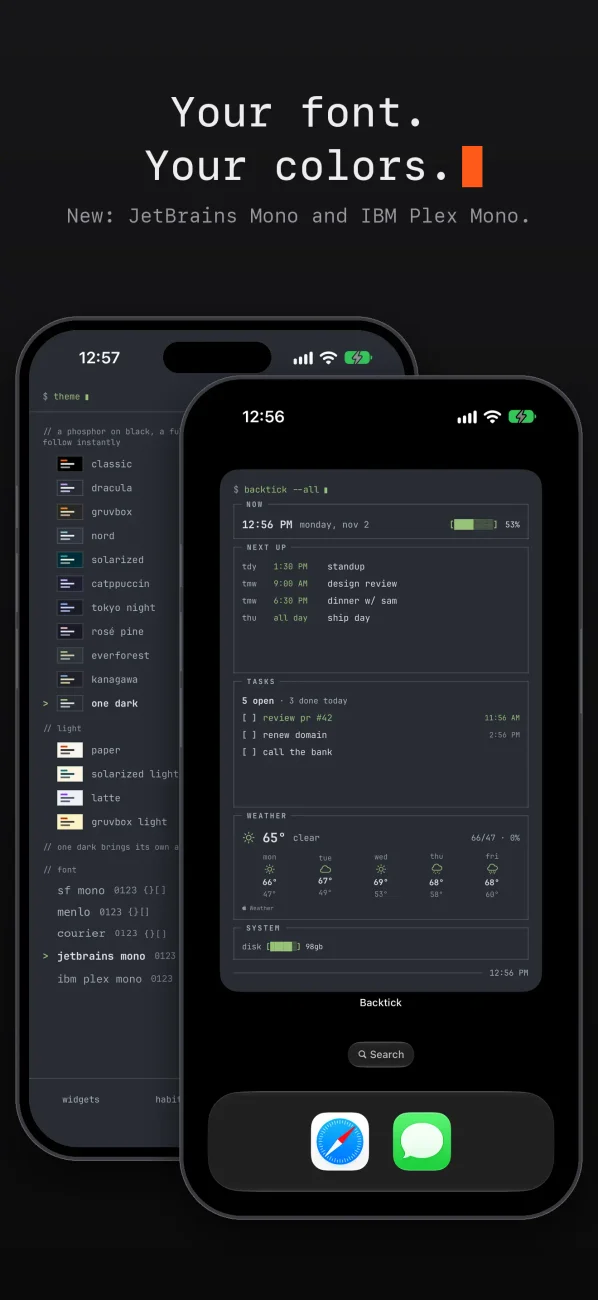
Six full terminal palettes — Dracula, Gruvbox, Nord, Solarized, Catppuccin and Tokyo Night — or classic true black with one of five accent phosphors. Every widget follows instantly.
SHORTCUTS, SIRI & CONTROL CENTER
• "Set Backtick Message" puts any text on the echo widgets — when you arrive at work, when your battery runs low, whenever
• Start or stop a focus session from Siri, Shortcuts or Control Center
• Tick your top task, poke bit, or jump to your agenda from Control Center or the Action button
BUILT LIKE A TOOL
• Tick reminders off from the widget — writes straight to Apple Reminders
• Tap a section to open YOUR apps: choose which calendar, reminders and weather apps widget taps launch
• Battery, weather and steps refresh in the background through the day
• Live clocks, countdowns and a blinking cursor with zero widget refreshes
• True black. Made for OLED and dark home screens.
PRIVATE BY CONSTRUCTION
• No account, no sign-in, no Backtick server — there isn't one
• Calendar, reminders, steps and device stats are read on-device via Apple's frameworks
• Weather comes from Apple Weather using your approximate location
• git log and curl talk only to the addresses you give them; an optional GitHub token stays in your phone's keychain
• Nothing is collected. There is nowhere to collect it to.
FREE / PRO
The Terminal widget, Next Up, the inline status line, motd and the classic amber theme are free forever. One purchase unlocks everything else — every widget, every palette — no subscription, no upsell treadmill.
—
Privacy policy: https://backtick.app/privacy.html
Terms of use: https://backtick.app/terms.html
What’s new
Version 1.6 · Nov 13, 2026
$ backtick --version 1.6
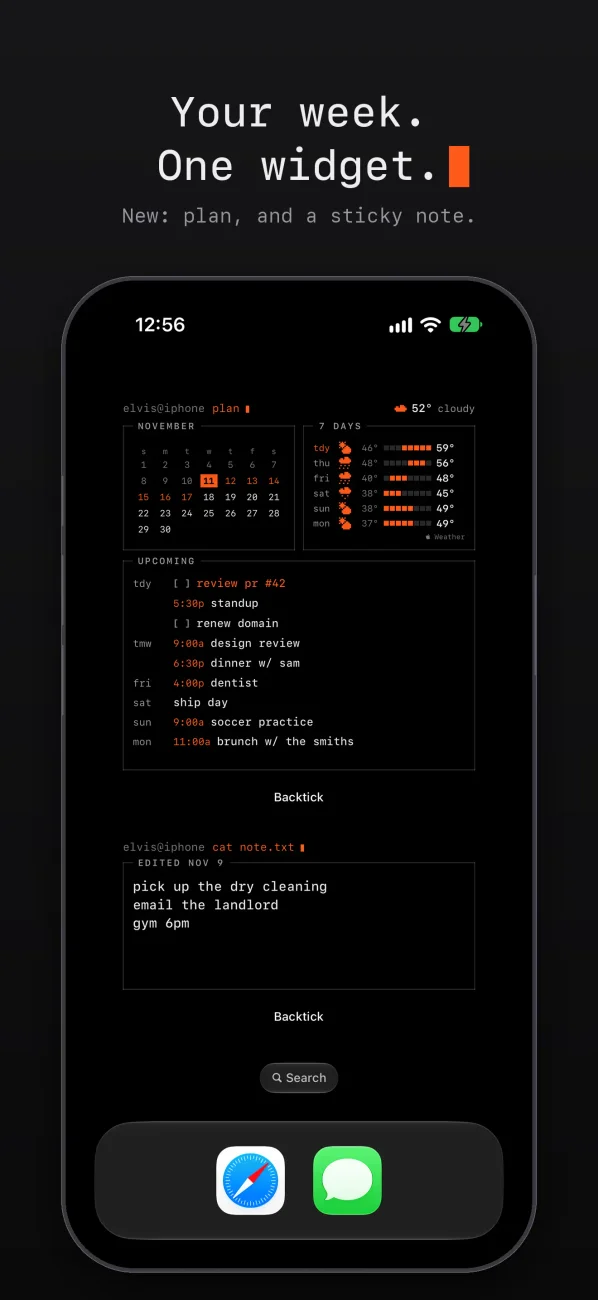
your week on one widget
· new plan widget: what's next from your calendar
and reminders, soonest first, beside the month.
large adds the 7-day forecast. times can go, too.
a sticky note
· new note widget: up to 5 lines of your own text,
home screen and lock screen. write it in the app,
per widget under edit widget, or ask siri to
"add to my backtick note".
your prompt
· make it yours: name@iphone ~ % on every widget.
theme tab · prompt. small widgets keep the last mark.
a cursor on the lock screen
· the lock screen widgets blink now too
weather, in pixels
· new weather icons drawn on the terminal's own grid,
in every widget and every theme. snow, sleet and
wind included.
habits, anywhere
· log water and tick a habit from control center or
the action button
· "check off walk in backtick" works with siri
· an evening reminder if anything's still open (off
until you turn it on, in the habits tab)
light and dark
· pick a second theme for light mode and backtick
switches with your phone
fixes
· the system panel shows your phone's real name
(an iphone 16 pro was showing as "iphone17,1")
App privacy
What Elvis Mederos declares on the App Store about how this app handles data.
-
Data not collected
The developer does not collect any data from this app.
Privacy practices may vary, for example with the features you use or your age.
Information
- Seller
- Elvis Mederos
- Category
- Utilities
- Version
- 1.6
- Updated
- Nov 13, 2026
- Released
- Sep 8, 2026
- Size
- 7.1 MB
- Requires
- iOS 17.0 or later
- Age rating
- 4+
- Price
- Free
- In-app purchases
- Yes
- Languages
- English
- Copyright
- © 2026 Elvis Mederos
You might also like
-
 MNML: Minimal WidgetsHome & Lock Screen Widgets
-
 Clearwing: Transparent WidgetsInvisible, label-free widgets
-
 Elyr — Aesthetic Home WidgetsLock Screen Clock & Battery
-
 Lens: Simple, Private BrowserThe web, without the noise
-
 Crest BrowserSpaces for your browsing
-
 WhyNot WidgetsOne-tap apps & premium widgets
-
 App Folder Launcher WidgetLoftHome & Lock Screen Widgets
-
 Clink: Custom KeyboardsThemes, fonts & swipe typing
-
 Wider - Fullscreen BrowsingMore room for the internet
-
 Sill – Mac StreamingRemote Mac window management