
BalanceWright Checkbook Ledger
Simple Check Register, No Ads
Designed for iPhone
Free · In-app purchases
- Age rating4+
- CategoryFinance
- DeveloperFarrukh Ameen
- LanguagesEnglish
- Size64.5 MB
Links to the official App Store page
Download.org hosts no file of BalanceWright Checkbook Ledger. The button opens its official App Store page, published by Farrukh Ameen. Listing last checked on Nov 25, 2026.
Screenshots

About
Your checkbook register, kept the way you have always kept it.
Write down what you spend. Tick off what the bank has cleared. Balance to the penny at the end of the month. That is the whole job of a checkbook register, and it is all this app does.
THREE PROMISES
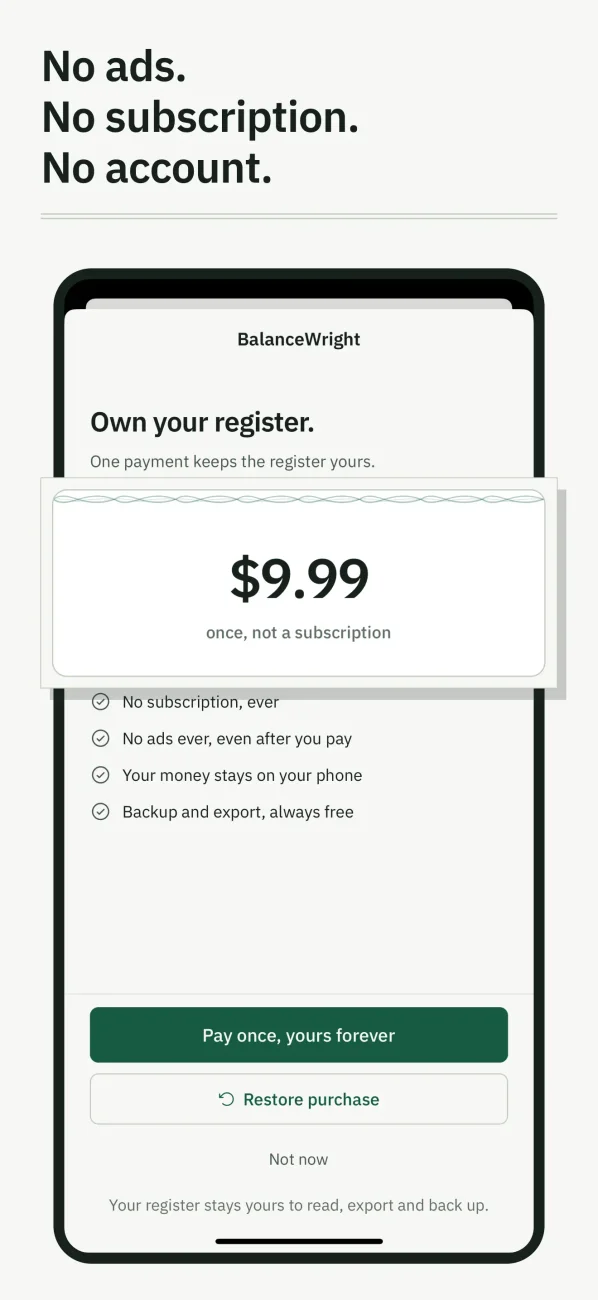
No ads. Not on the free version, not after you pay, not ever, on any screen.
No subscription. One payment and it is yours. Nothing renews.
No account and no bank login. There is nothing to sign into, so there is nothing to be signed out of.
YOUR REGISTER STAYS ON YOUR PHONE
Everything you enter is stored on your own iPhone. It works with no internet connection at all, on a plane or out of signal. Your register is never sent to us and never sold to anyone.
A copy leaves your phone only in ways you control. If iCloud Backup is switched on, your register is included in it, so it comes back when you set up a new phone. That copy sits in your own Apple account, not ours, and you turn it on or off in Settings.
The app never shows you a permission prompt. It does not ask for your contacts, your location, your photos or your camera.
WHAT IT DOES
- Multiple accounts: checking, savings, credit, cash, each with its own running balance
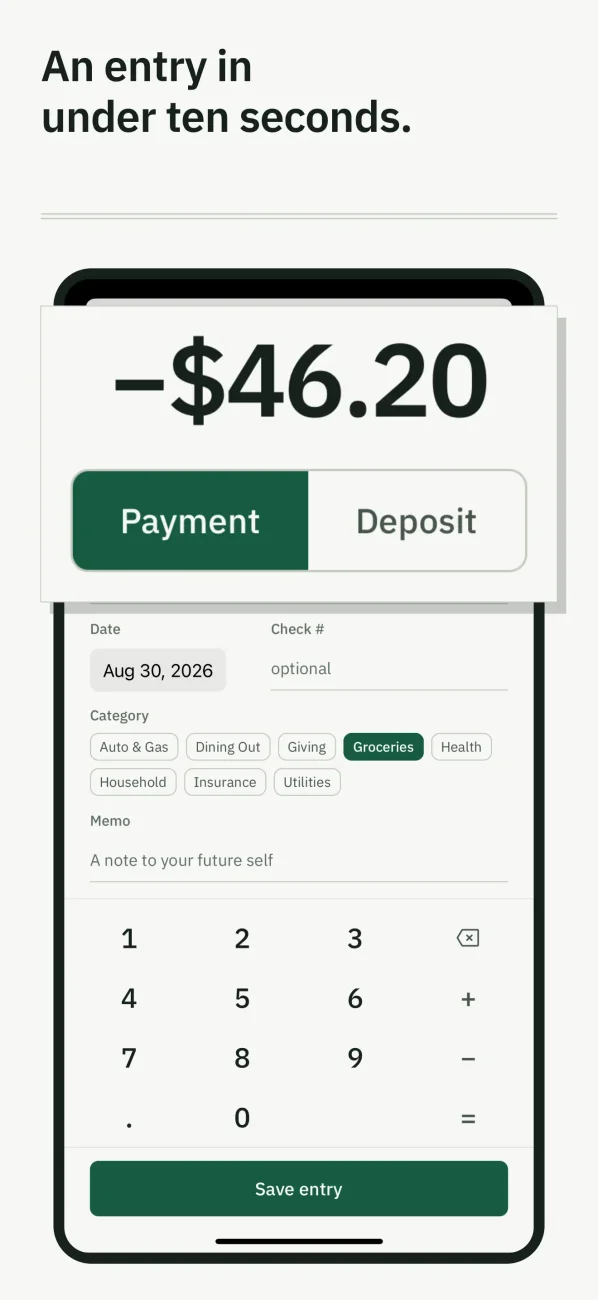
- Fast entry: date, payee, amount, check number, category, memo. Repeat entries take seconds, and check numbers advance on their own.
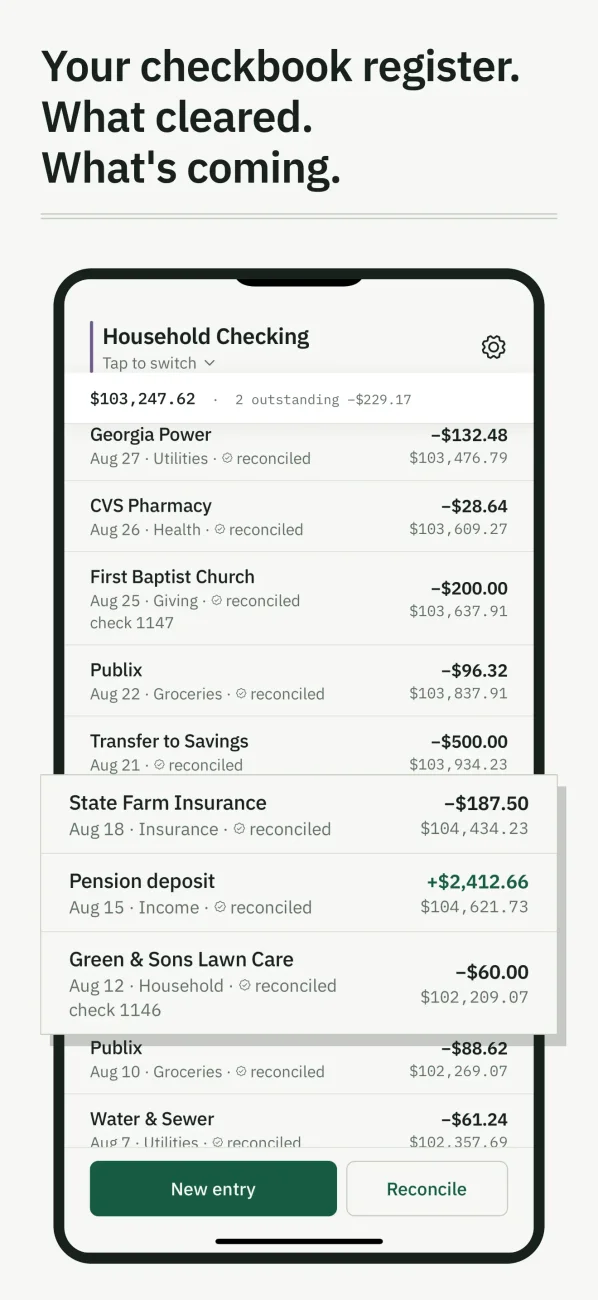
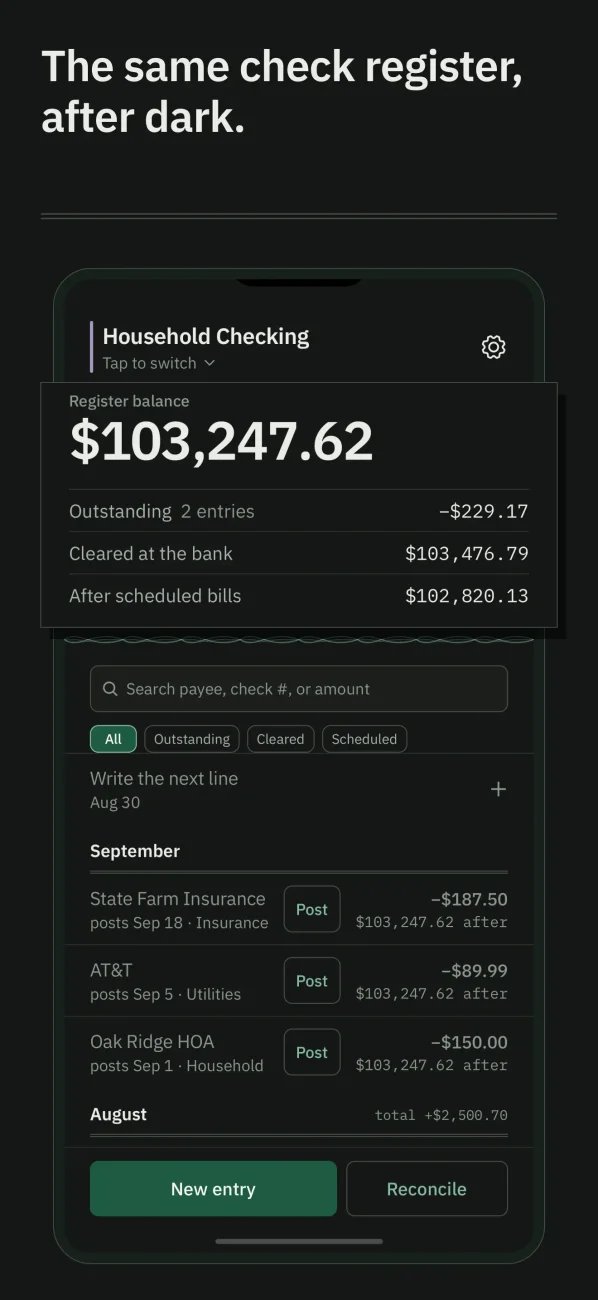
- A proper register list with a running balance on every single line
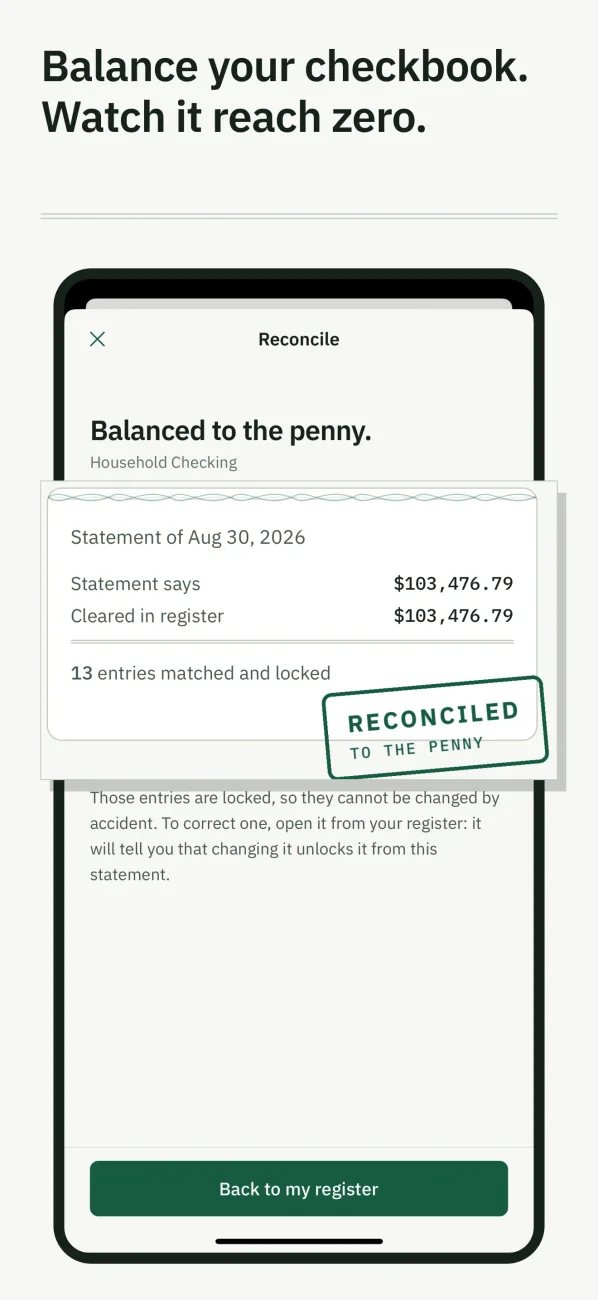
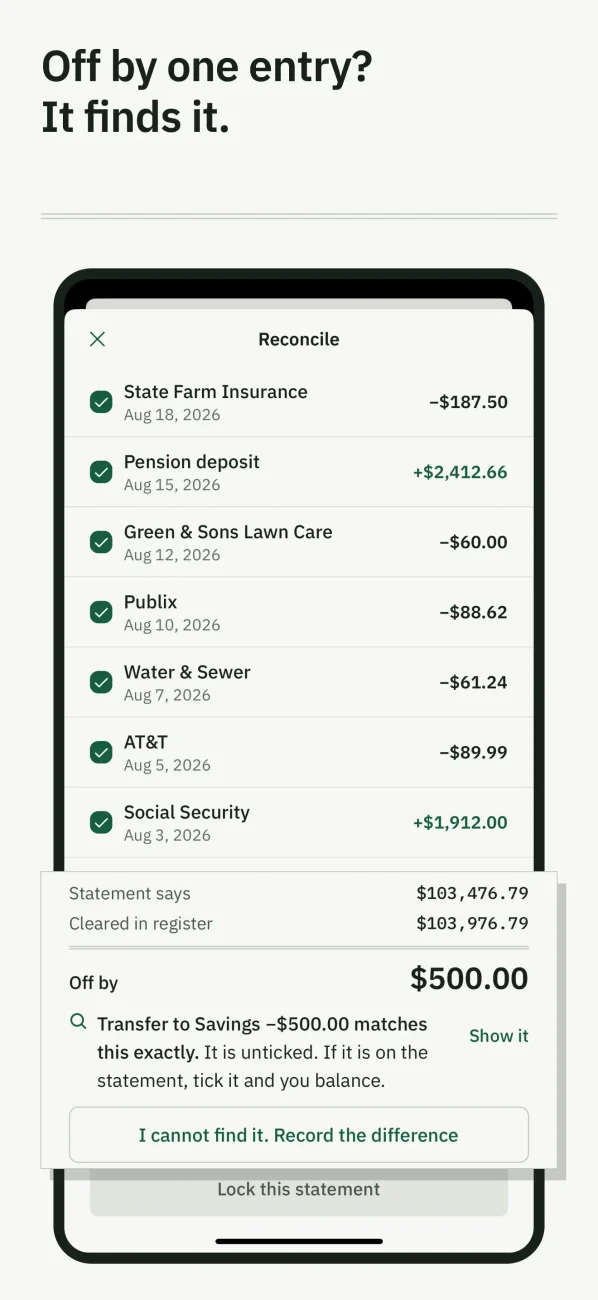
- Reconcile mode: enter the statement date and ending balance, tick off what cleared, and watch the difference count down to 0.00
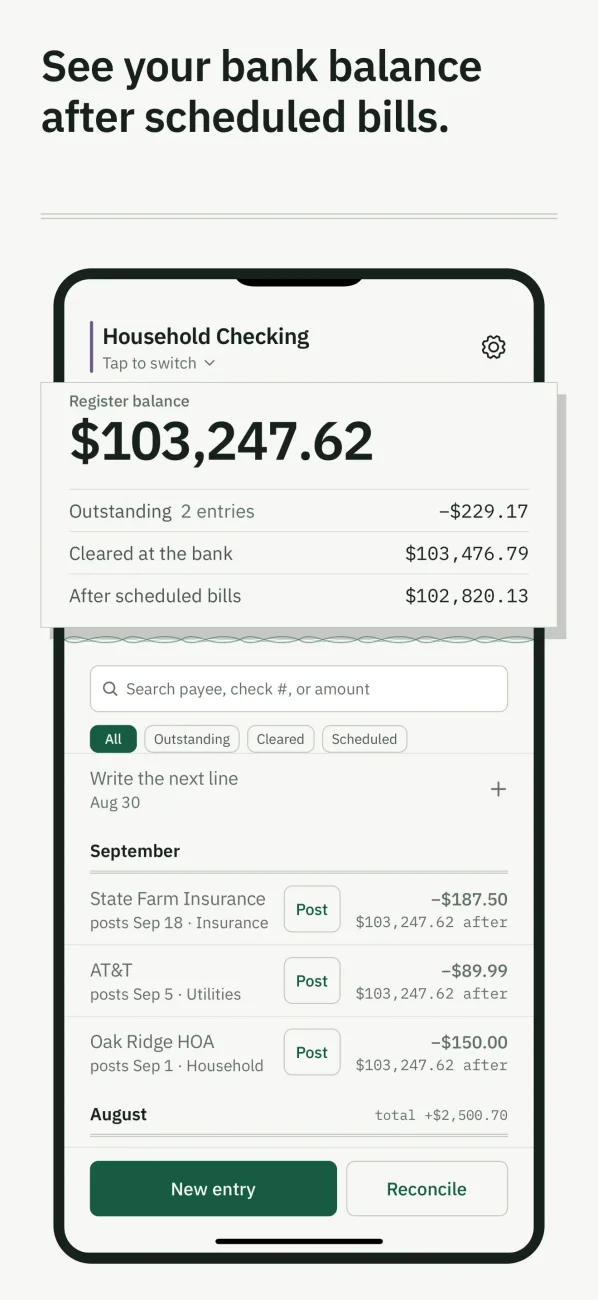
- Scheduled and recurring entries: weekly, every two or four weeks, monthly, twice a year or yearly, or on a set weekday, like the second Wednesday of the month. They show up as scheduled and only affect your projected balance until you post them. Nothing is ever posted behind your back.
- Transfers between your own accounts, entered once and mirrored on both sides
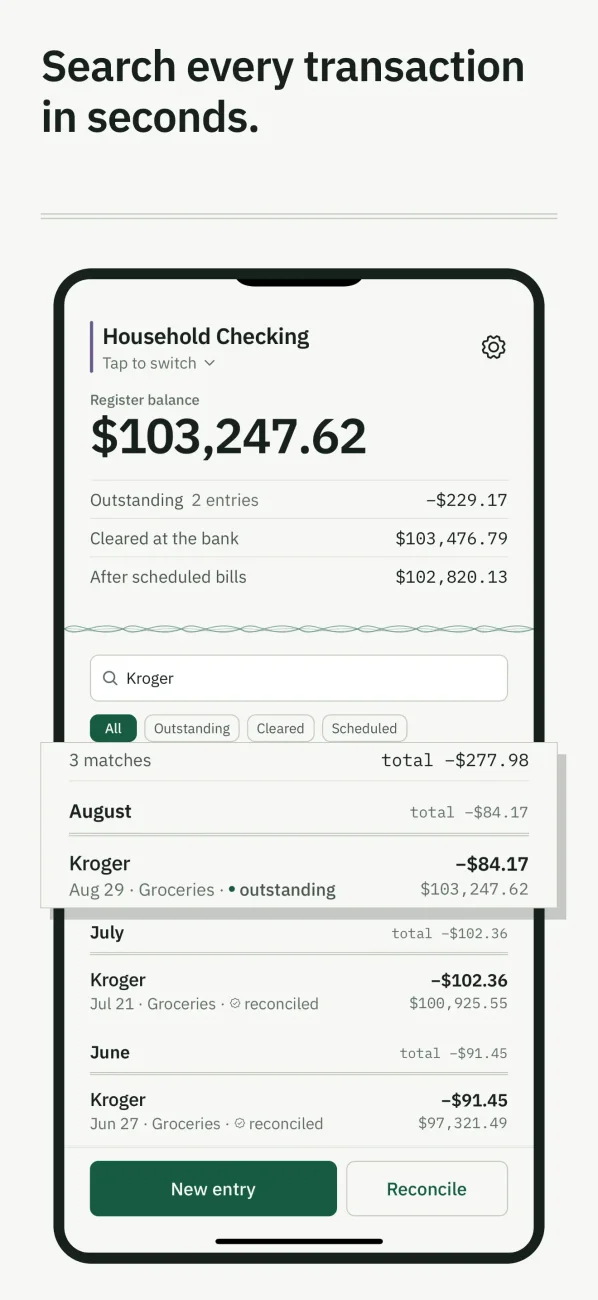
- Search by payee, memo, amount or check number, with filters for what is outstanding, what cleared, and what is scheduled
- Categories, both the presets and your own
- Totals by category for a month, three months or a year, with the exact figures printed beside the chart. Scheduled bills are not counted until you post them.
- Bring your history in from a CSV file, with a column mapper for spreadsheet users
- Print or save a PDF of your register or of those category totals, or export a CSV of any account
BACKUPS, BECAUSE THAT IS THE PART THAT MATTERS
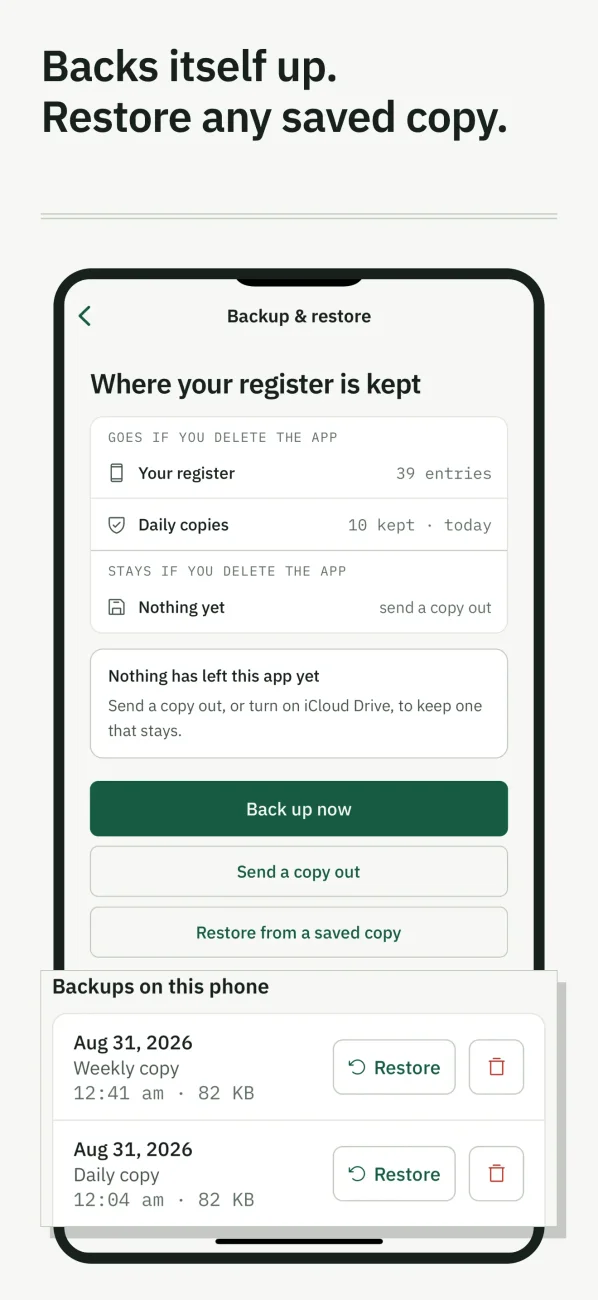
The app backs itself up on its own, every day you open it, and gives you a Restore screen to go back to any copy it has kept.
You can also send a copy out of the app, so deleting the app does not reach it. Pick a folder and every copy after that goes there too. If you are signed in to iCloud with iCloud Drive turned on, the app also keeps a BalanceWright folder there by itself, and you can open it in the Files app. If you are not signed in, the Backup screen says so rather than claiming a copy it did not make.
Your data is never held hostage. Export and backup keep working whether you have paid or not.
TRY THE WHOLE THING FIRST
Everything works from the moment you install it. Nothing is crippled, grayed out or hidden to push you into paying. The app asks for payment only after you have closed your first statement, so you decide once you have watched it do the exact thing you came for. If you never reconcile, a generous entry limit applies instead.
BIG, PLAIN TYPE
Built to be read. Large numbers, strong contrast, plain words, no jargon.
WHAT IT WILL NEVER DO
No bank connection. No budgets, no spending advice, no AI. No ads, no subscription. If a feature would need your register sent to us, it is not going in.
ANSWERED BY A REAL PERSON
Every review here is read and answered. Write to support@balancewright.com and it reaches someone who can actually fix things.
Written for anyone who keeps a check register or a checkbook ledger by hand, and wants the same habit on a phone.
What’s new
Version 1.0.2 · Nov 24, 2026
New in 1.0.2
Balancing a statement is simpler. Each step says what to do, and the statement date fills in for you. Close it partway and your place is kept that day while the app stays open.
- Post a scheduled entry from the entry itself: open it, tap Post.
- Recurring bills in Settings are now Monthly bills.
- Restore purchase is the first row under About.
- Large text fits better on the register and the unlock screen.
- A CSV exported from the app keeps its scheduled entries scheduled.
Every review here is read and answered. If something is wrong, write to support@balancewright.com and it reaches a person.
App privacy
What Farrukh Ameen declares on the App Store about how this app handles data.
-
Data not linked to you
May be collected but is not linked to your identity.
- Purchases
- Identifiers
- Usage data
- Diagnostics
Privacy practices may vary, for example with the features you use or your age.
Information
- Seller
- Farrukh Ameen
- Category
- Finance
- Version
- 1.0.2
- Updated
- Nov 24, 2026
- Released
- Sep 23, 2026
- Size
- 64.5 MB
- Requires
- iOS 16.4 or later
- Age rating
- 4+
- Price
- Free
- In-app purchases
- Yes
- Languages
- English
- Copyright
- © 2026 Farrukh Ameen
You might also like
-
 Checkbook: Spending TrackerRegister, Budget & Expenses
-
 Quillbook: Check RegisterBalance your checkbook offline
-
 My Actual BalanceKnow your running total.
-
 Ledger Pro: Expense TrackerExpenses, budgets & receipts
-
 PaperMind AI: Bill TrackerReceipt Scanner & Organizer
-
 RefundHound: Refund TrackerGet your money back on returns
-
 Volcan SENDSend at a fair exchange rate.
-
 The Collextion: BalanceYour money, clearly balanced.
-
 Checkbook Register: LedgerFlowTrack Spending & Balance
-
 Paiperworks AI Self Organizerorganize document,track budget