bar'd: Barcode App Blocker
Focus Mode & Unskippable Alarm
Designed for iPhone, iPad
Free
- Age rating4+
- CategoryProductivity
- DeveloperKenneth Rapko
- LanguagesEnglish
- Size3.4 MB
Links to the official App Store page
Download.org hosts no file of bar'd: Barcode App Blocker. The button opens its official App Store page, published by Kenneth Rapko. Listing last checked on Nov 26, 2026.
Screenshots

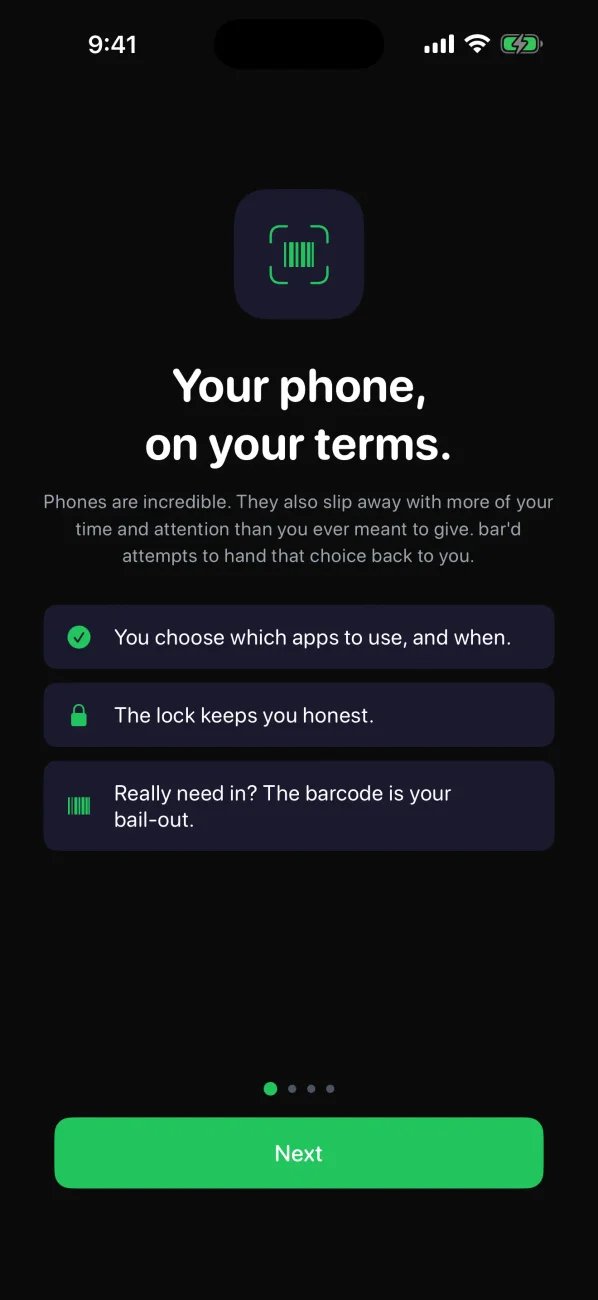
About
bar'd is the ultimate physical lock for your digital distractions. Built on Apple's strict Screen Time API, bar'd doesn't just ask you nicely to put your phone down—it forces you to.
Link your custom Focus Modes (like Work, Study, or Phone-free Dinner) to a physical barcode anywhere in your house or office. Once you activate a session, your distracting apps are shielded. The only way back in? Get up, walk over, and scan that exact physical barcode.
There is no PIN bypass. There is no cooldown timer. There is no "remind me in 15 minutes." You either delete the app, or you scan the barcode.
HOW IT WORKS:
Create a Mode: Set up a profile (e.g., "Dumb phone") and whitelist only the apps you actually need. Everything else gets shielded.
Bind a Barcode: Link the mode to any physical barcode (a book, a coffee bag, a label on your desk).
Lock In: Activate the mode manually or set an automated daily schedule.
Unlock: To pause, edit, or stop the session early, you must physically scan the tied barcode.
KEY FEATURES:
• Unbreakable Focus: Uses Apple's FamilyControls to securely shield blocked apps at the system level.
• Physical Accountability: Ties your digital habits to the physical world using your camera's AVFoundation pipeline.
• Custom Schedules: Automate your focus times in the background.
• Stats & Streaks: Track your focused hours, build a daily streak, and climb the ranks up to Grandmaster.
• Private by Design: All App Group state and SwiftData persistence happens entirely on-device.
What’s new
Version 1.3 · Jul 28, 2026
What's New
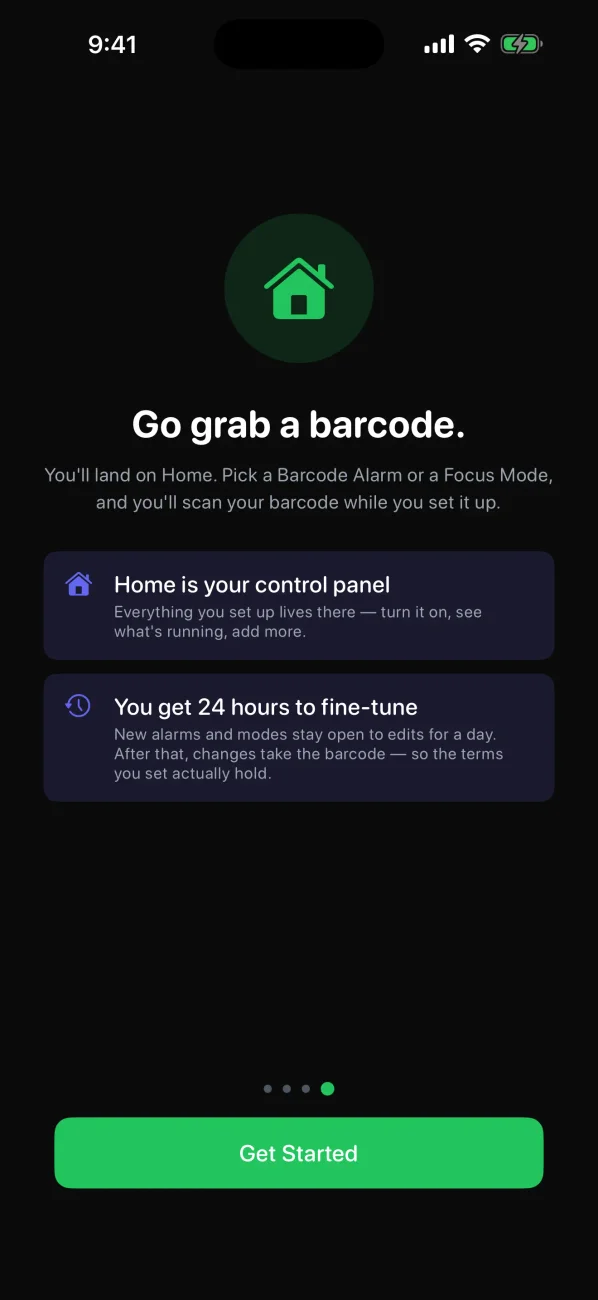
bar'd is now built around one idea: your phone, on your terms.
• Redesigned intro that explains the whole thing in seconds — pick a real
barcode, put it somewhere you'll walk to, scan it when you mean it.
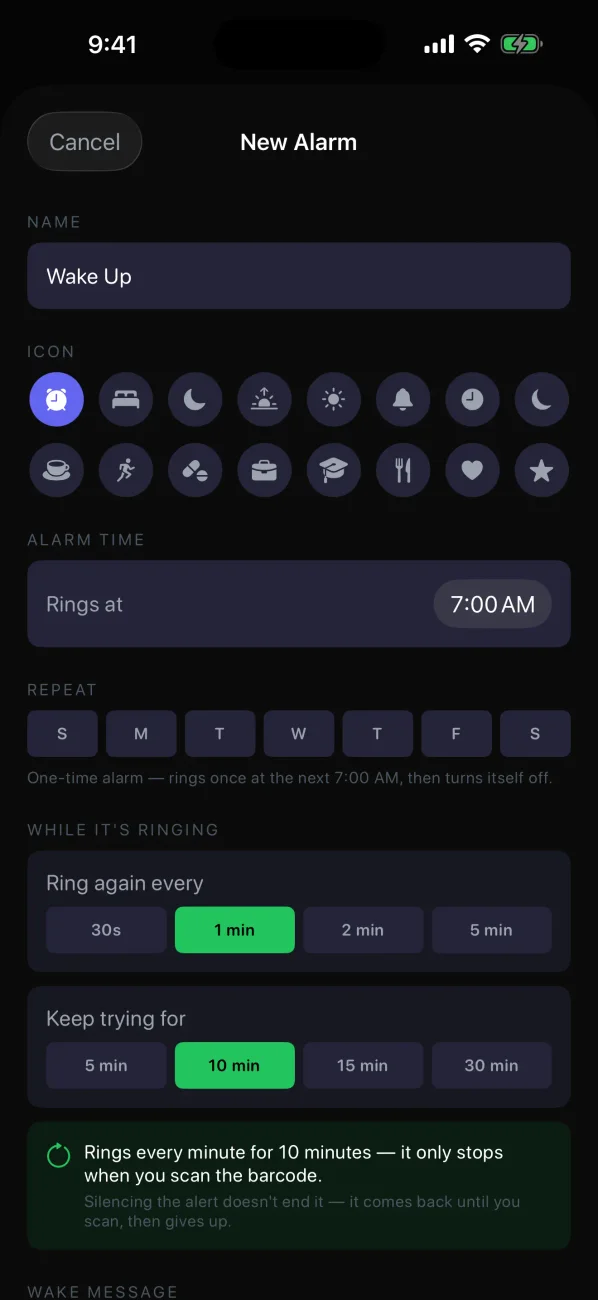
• Barcode Alarm for the morning doom scroll: it keeps ringing until you're
up and scanning, and you can now set how often it re-rings and for how long.
• The ringing screen is clearer that the alarm is still on until you scan —
silencing it doesn't turn it off.
• Add an optional wake message (like where you hid the barcode) so half-awake
you knows where to go.
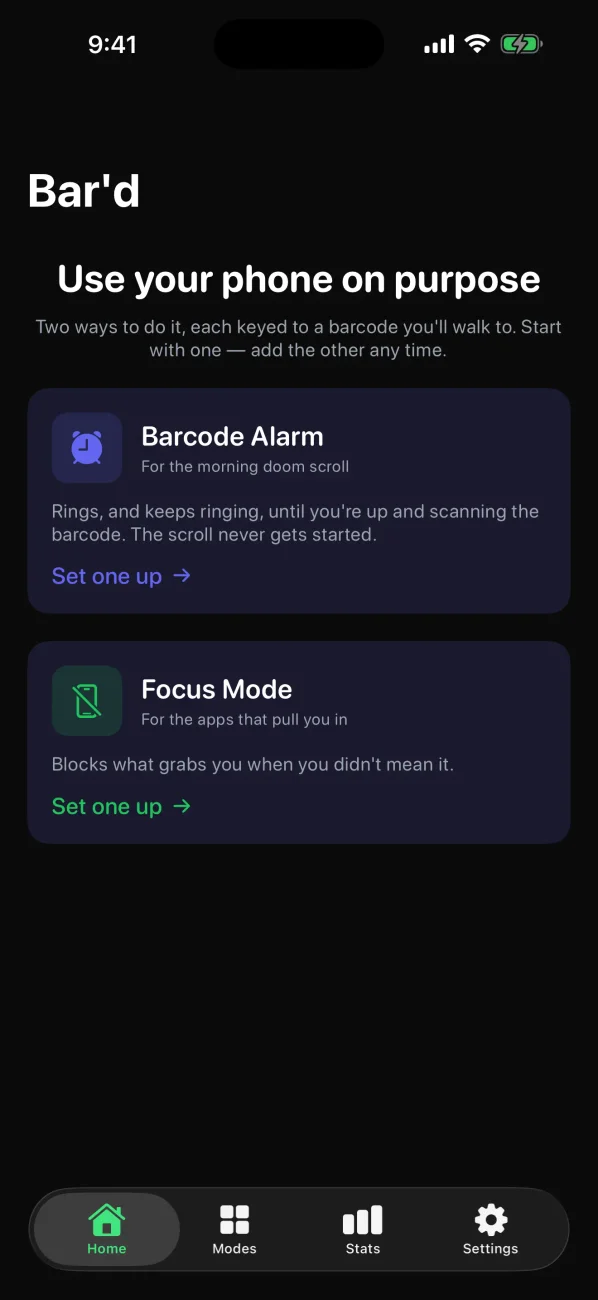
• Home is now your control panel — set up alarms and focus modes right there.
App privacy
What Kenneth Rapko declares on the App Store about how this app handles data.
-
Data not collected
The developer does not collect any data from this app.
Privacy practices may vary, for example with the features you use or your age.
Information
- Seller
- Kenneth Rapko
- Category
- Productivity
- Version
- 1.3
- Updated
- Jul 28, 2026
- Released
- May 16, 2026
- Size
- 3.4 MB
- Requires
- iOS 26.0 or later
- Age rating
- 4+
- Price
- Free
- Languages
- English
- Copyright
- © 2026 Kenneth Rapko
You might also like
-
 Screenshot Search: CaptureMindFind Text, Links & Ideas
-
 ShortsKillerReduce short-form distractions
-
 Notis: Screenshot to CalendarScreenshots become events
-
 MindNote: Efficient Mind MapProductivity
-
 GitBotExplore Trending Repos
-
 Extension Wish MarkBrowser extensions WishList
-
 Cute Daily Planner for WomenTo Do List & Habit Tracker
-
 BarBlock: Barcode App BlockerBlock apps with any barcode
-
 TrinoteNative Trilium client
-
 OffShelf: Study Tracker, NotesFlashcards, Timer & Tracker