
Barcoder - Pro Barcode Scanner
Inventory Count & QR Reader
Designed for iPhone
Free · In-app purchases
- Age rating4+
- CategoryProductivity
- DeveloperThe Ark Technology Limited
- LanguagesEnglish+ 13 more
- Size7.0 MB
Links to the official App Store page
Download.org hosts no file of Barcoder - Pro Barcode Scanner. The button opens its official App Store page, published by The Ark Technology Limited. Listing last checked on Nov 16, 2026.
Screenshots


About
Barcoder turns your iPhone into a fast, careful barcode and QR code scanner for retail, stock and deliveries. Scan one code after another, lock onto just the codes you need, keep log, count, checklist and find lists, catch invalid EAN/UPC codes as you scan, and export everything to CSV or TXT. It all works on your iPhone alone — no account, no sign-in.
Scan One Code After Another
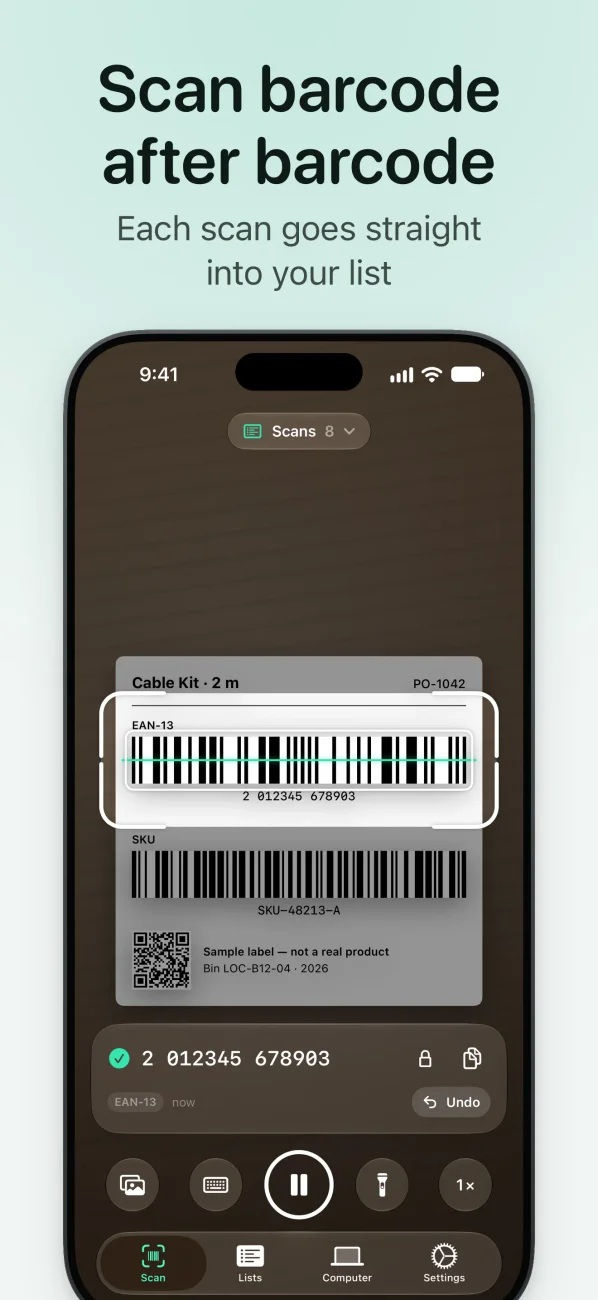
• Continuous scanning adds each code as it's seen — or tap to capture on crowded shelves
• Several codes in view? Take the one nearest the centre or all, in reading order
• A red aim line reads only the 1D barcode it crosses
• Four frame sizes up to full screen; codes outside it are never read
• Reads EAN-13/8, UPC-A/E, Code 128, 39 and 93, ITF-14, Interleaved 2 of 5, Codabar, QR, Data Matrix, PDF417, Aztec, GS1 DataBar and more
• Zoom, torch, tap to focus; pick codes from a photo or type them
• A crisp scanner beep or softer sound, haptics and VoiceOver announcements
Code Lock: Only the Codes You Want
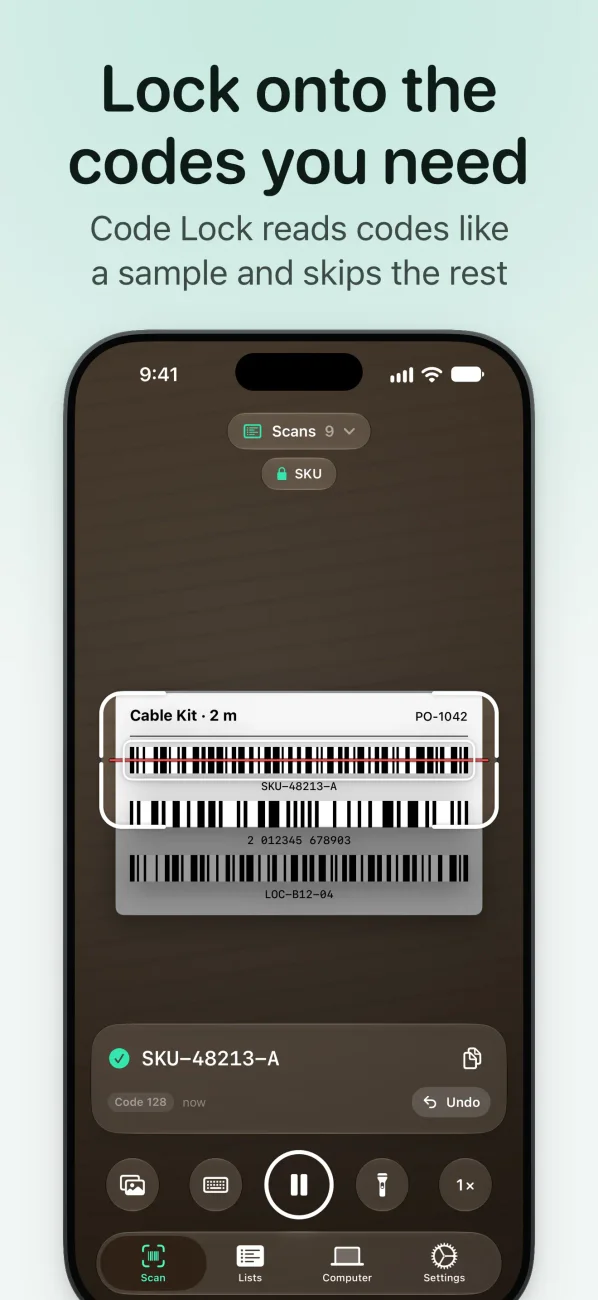
• Learn a lock from a scanned sample or the padlock on the last scan, or set its type, characters, length and start by hand
• Then only matching codes are accepted; others on a busy label are ignored
• Free; switch saved locks on the scanner
Lists for Every Job
• Log lists: one row per scan, with time and an optional note
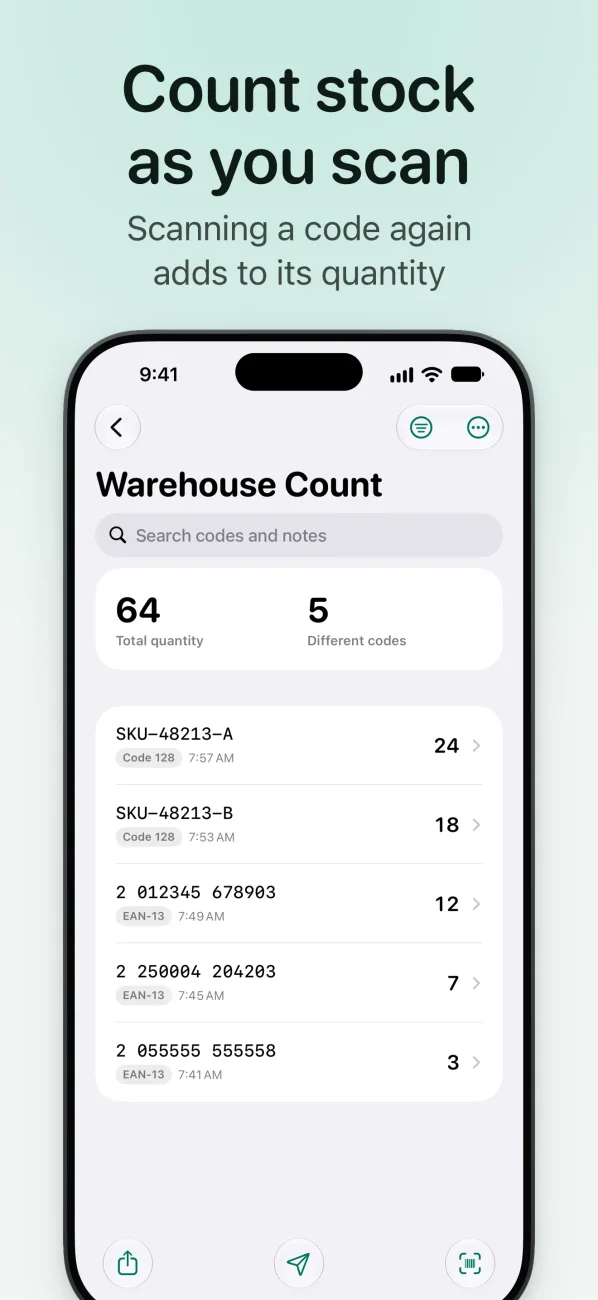
• Count lists: scanning a code again adds to its quantity
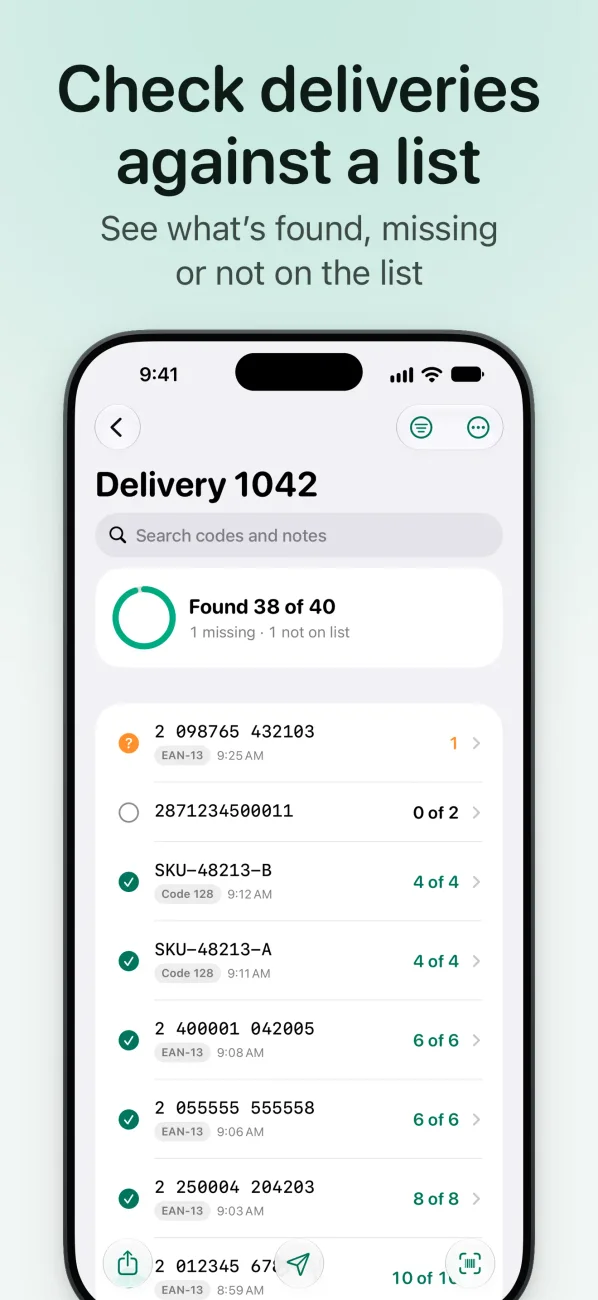
• Checklists: paste the codes you expect or import a CSV or TXT file (Barcoder Pro), then scan: found, missing, over or not on the list
• Find lists: paste or type the codes to find, each with a note like a model or size, or take them from another list, or from a file (Barcoder Pro). Other codes are ignored; the card shows the note, "Found 23 of 50" and the same-note count. Copy Missing copies the rest
• Duplicate warnings, search, filters, sorting, edits and archiving
Catch Mistakes as You Scan
• Accept only EAN/UPC codes with a correct check digit, numbers only or your own pattern (Barcoder Pro), within a minimum and maximum length
• Codes that fail are rejected with a reason and never reach your list
Export and Share
• Export any list as CSV or TXT with your choice of columns; CSV opens cleanly in spreadsheets
• Share via AirDrop, Mail, Files and more, copy all codes, or export all as one CSV file
Type into Your Computer — Optional
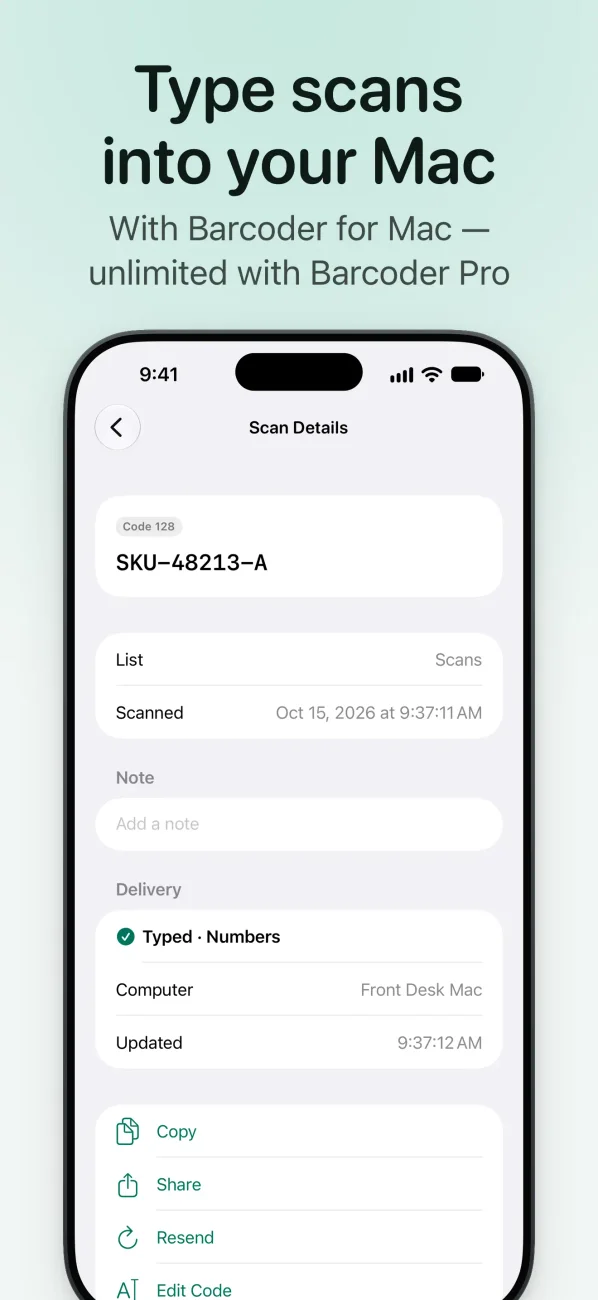
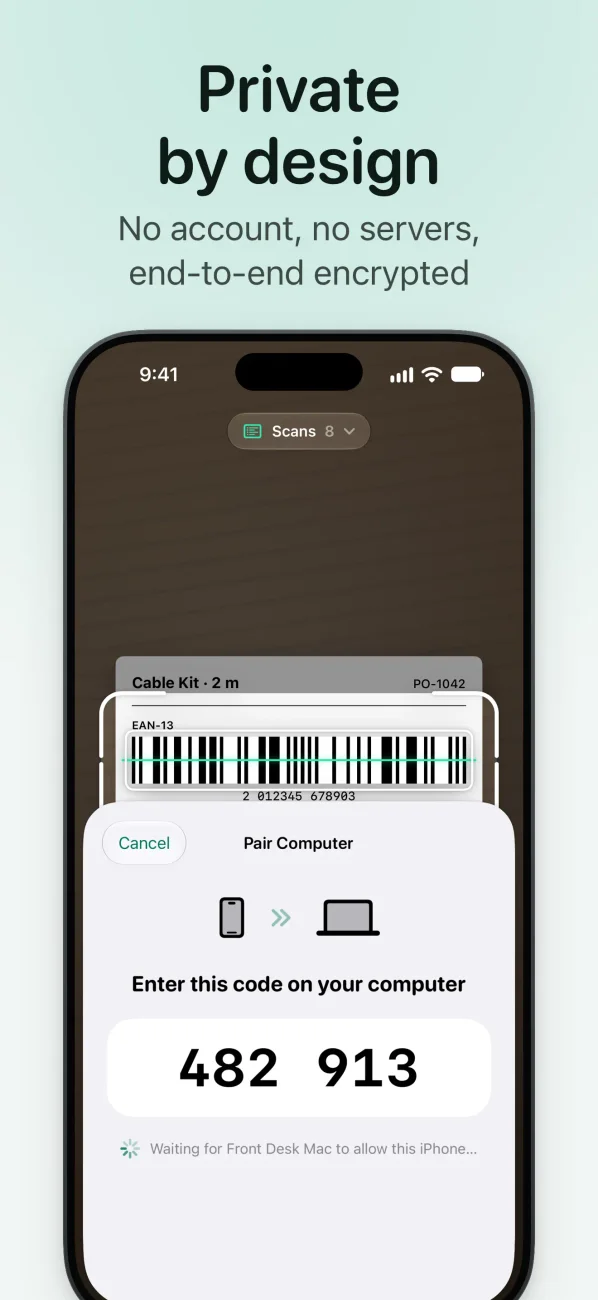
Get the free Barcoder for Mac (macOS 14 or later) or the free Barcoder for Windows (Windows 10 22H2 or Windows 11) at www.thearktech.com/barcoder and pair once with a QR code. Then every scan is typed into the app in use on your computer, such as a spreadsheet or order system, followed by Enter, Tab or nothing.
• Count lists and checklists send each code with its quantity at the end
• With your computer out of reach, scans wait on your iPhone and are typed once when you reconnect
• Safety: no typing into password fields it detects, terminal apps blocked by default, a cancellable countdown before batches, a pause shortcut
• Works with Chinese input methods (Barcoder pastes the text)
Barcoder Pro (in-app purchase)
Scanning, lists, checking and export on your iPhone are free and unlimited; typing up to 50 codes a day into one computer is free too. Barcoder Pro is available for 6 months, 1 year or lifetime, each a one-time purchase that never renews automatically. It adds:
• Unlimited typing into your computer
• More than one paired computer
• Checklist and find list import from CSV or TXT files
• Custom accept patterns
Bought it already? Settings › Barcoder Pro › Restore Purchases.
Private and Secure
• No account, no ads, no analytics, no tracking; your lists stay on your iPhone
• Scans go straight to your computer over your local network, end-to-end encrypted — no servers in between, nothing sent to us
• A new iPhone connects only after you type the 6-digit code it shows into your computer; turn it off or remove it at any time
Barcoder requires iOS 17 or later.
Questions or ideas? Email info@thearktech.com
What’s new
Version 1.0.5 · Nov 4, 2026
What's new in Barcoder 1.0.5
• Lists: tap Edit to select several lists, or Select All, and delete them at once.
• Improvements and fixes.
App privacy
What The Ark Technology Limited declares on the App Store about how this app handles data.
-
Data not collected
The developer does not collect any data from this app.
Privacy practices may vary, for example with the features you use or your age.
Information
- Seller
- The Ark Technology Limited
- Category
- Productivity
- Version
- 1.0.5
- Updated
- Nov 4, 2026
- Released
- Oct 14, 2026
- Size
- 7.0 MB
- Requires
- iOS 17.0 or later
- Age rating
- 4+
- Price
- Free
- In-app purchases
- Yes
- Languages
- English, Dutch, French, German, Italian, Japanese, Korean, Polish, Portuguese, Simplified Chinese, Spanish, Thai + 2 more
- Copyright
- © 2026 The Ark Technology Limited
You might also like
-
 Taskcend: Tasks & PlannerProjects, notes & daily focus
-
 PrivacyDocs: Scanner & PDF AppProductivity
-
 SovaAI: Call TranslatorVoice Translation & AI Chat
-
 VaibroYour voice partner.
-
 QR code reader to webProductivity
-
 Barcode Scan: InventoryProductivity
-
 Remi - ADHD & Someday PlannerReminders, when you forget
-
 805VoIP SoftphoneProductivity
-
 Scan Sheets: QR & BarcodeText to Excel, CSV, XLSX
-
 Yuki: AI Personal AssistantExpense Tracker & Trip Planner